Redwood: Research and Add Suppliers in Draft Negotiations
Use a natural language search backed by AI to find and invite suppliers when creating a negotiation. This feature enables category managers to identify and invite suppliers directly within the negotiation flow. From the Suppliers step, open the Research and Add Suppliers page, search using natural language, review matching results, and add selected suppliers to the negotiation. After adding suppliers, enter supplier details such as site, contact, or additional email.
This integrated Redwood experience reduces the effort of moving between supplier research and negotiation creation, so you can prepare negotiations more efficiently.
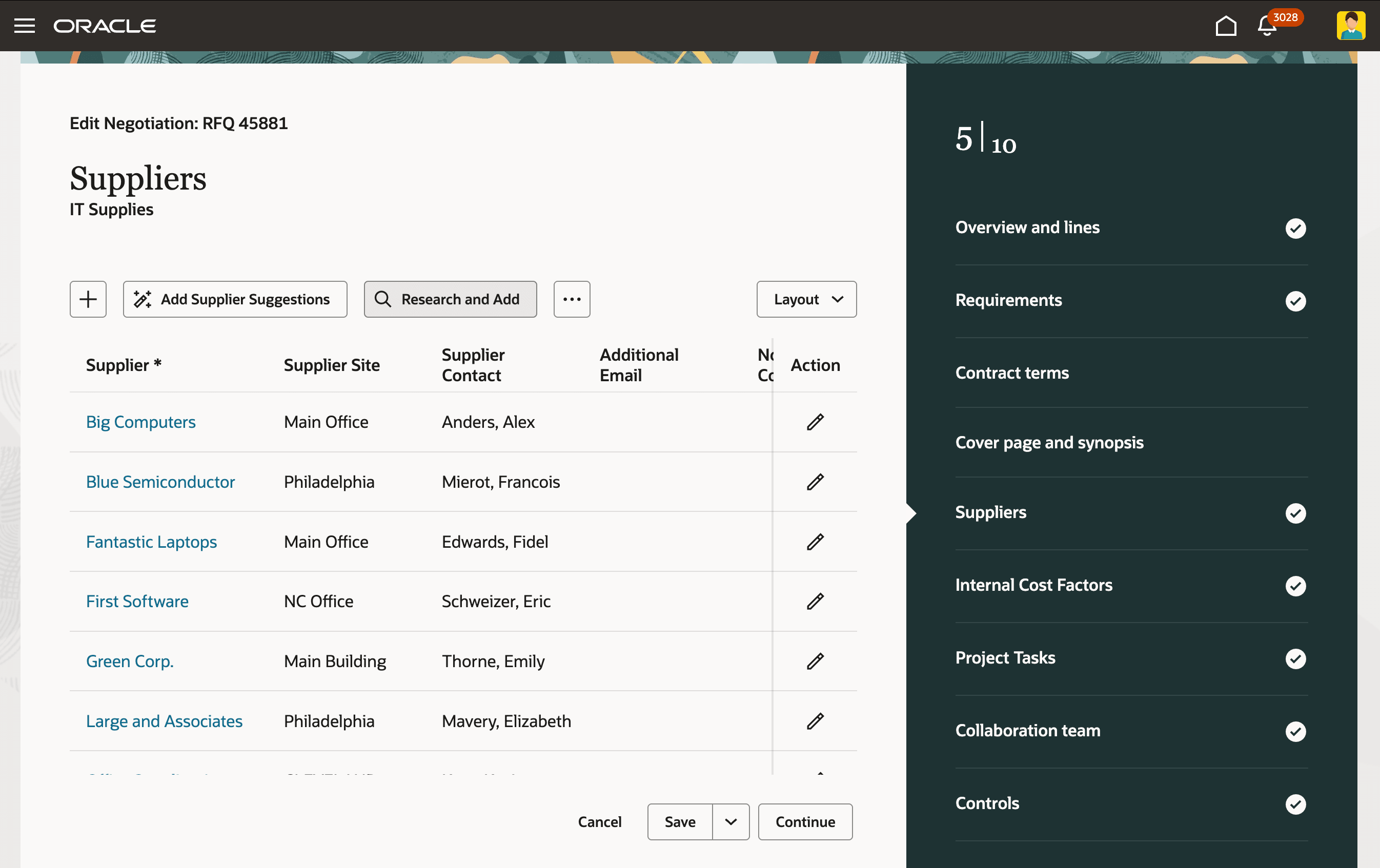
Research Suppliers in Create Negotiation
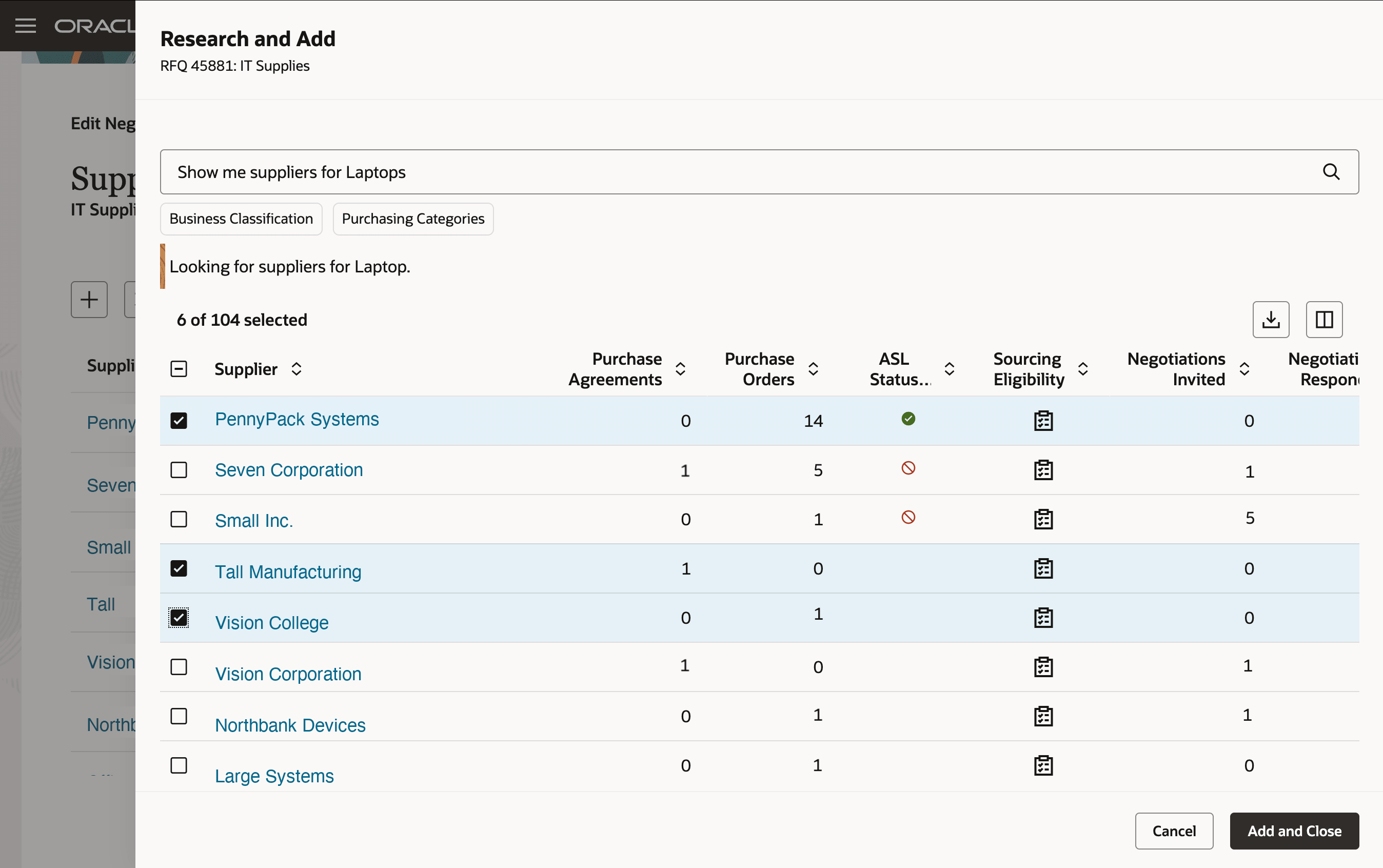
Research and Add Suppliers to Negotiation
Researching and adding suppliers during negotiation creation helps category managers find relevant suppliers faster and build stronger supplier lists for sourcing events. This helps improve sourcing coverage and supports more effective supplier participation.
Steps to enable and configure
To use this feature, you must enable and configure the Update 26B feature, AI Agent: Research Suppliers with AI, if you haven't already. For detailed instructions, refer to the Steps to Enable section in the What's New for this feature.
To let users run AI agents, there are additional setups and access requirements. You must enable permission groups for roles by taking these steps:
- In the Setup and Maintenance work area, search for the Manage Administrator Profile Values task using the search link in the Tasks panel tab.
- Search for the Enable Security Console External Application Integration (ORA_ASE_SAS_INTEGRATION_ENABLED) profile option and set the Site profile level to Yes.
Additionally, you must enable this profile option if you haven't already.
- Redwood Page to Create Negotiation Enabled (ORA_PON_CREATE_NEGOTIATION_REDWOOD_ENABLED)
For instructions on enabling a profile option, refer to the Set Profile Option Values topic.
Tips and considerations
You cannot search for suppliers by qualification name or outcome when researching and adding suppliers to a negotiation. This capability will be available in a future update.
Key resources
For information about the related Research Suppliers capability, refer to the update 26B What’s New for the AI Agent: Research Suppliers with AI feature.
Access requirements
Users who are assigned a configured job role that contains this new duty role can use this AI enabled feature:
- Research Suppliers Workflow Duty (ORA_DR_PON_RESEARCH_SUPPLIERS_WORKFLOW_DUTY)
In the Security Console, filter by Roles and Permission Groups to find this duty role.
Additionally, users who are assigned a configured job role that contains these privileges can access this feature:
- Create Supplier Negotiation (PON_CREATE_SUPPLIER_NEGOTIATION_PRIV)
- Edit Supplier Negotiation (PON_EDIT_SUPPLIER_NEGOTIATION_PRIV)
These privileges were available prior to this update.