Restrict Deliver-To Locations to Valid Delivery Sites When Creating Requisitions and Purchase Orders
Exclude nondelivery sites as deliver-to locations when creating requisitions and purchase orders. Before this update, sites identified as billing or shipping were also available for selection, even though they may not be valid locations for creating requisitions or purchase orders.
After you opt in to this feature, only locations identified as deliver-to sites in the Manage Locations setup are available when creating new requisitions or purchase orders using the Redwood application. If you edit documents created before this feature was introduced, you can decide whether to update the deliver-to locations. You can successfully submit those documents with their existing locations.
These are the impacted flows:
| Requisitions | Purchasing |
|---|---|
| User Preferences | Edit Purchase order |
|
Create Requisitions using:
|
Edit Change Order as a requester |
|
Editing Requisitions using:
|
Edit Change Order as a buyer |
Here's how this features works across setup, requisitioning, and purchasing flows.
Setup Locations
You can enable locations as deliver-to sites in the Manage Locations setup.
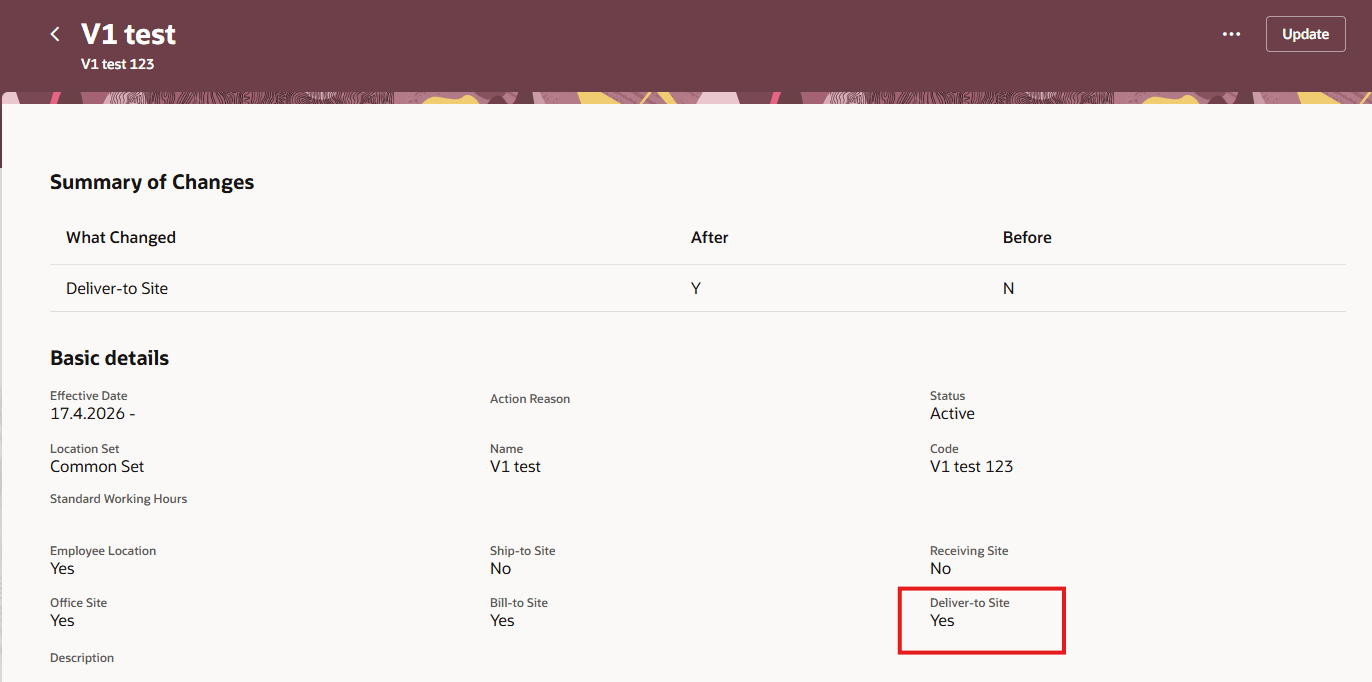
Location Marked as a Deliver-to Site in Manage Locations
Requisitioning
- Preferences
When this feature is enabled, the deliver-to location LOV displays only locations marked as deliver-to sites. If the current preferences has a location that isn't designated as a deliver-to site, you must update your preferences when you first access the application. This behavior applies to both basic and advanced search modes. - Editing Requisition Lines
Existing requisitions aren't impacted, even if they have a location that isn't designated as a deliver-to site. When editing a requisition line, you can select only from eligible locations. However, you can still successfully submit the requisition with the existing location. - Duplicating Requisitions or Lines
When you duplicating a requisition or a specific line from the cart, the existing deliver-to location is copied. You can successfully submit the duplicated requisition using the existing location.
Purchasing:
- Editing Purchase Orders or Change Orders
When this feature is enabled, you can edit and submit purchase orders and change orders with the existing deliver-to location, even if that location isn't marked as a deliver-to site. If you update the deliver-to location, you can select only locations marked as deliver-to sites.
-
Defaulting Deliver-to Location from Ship-to Location
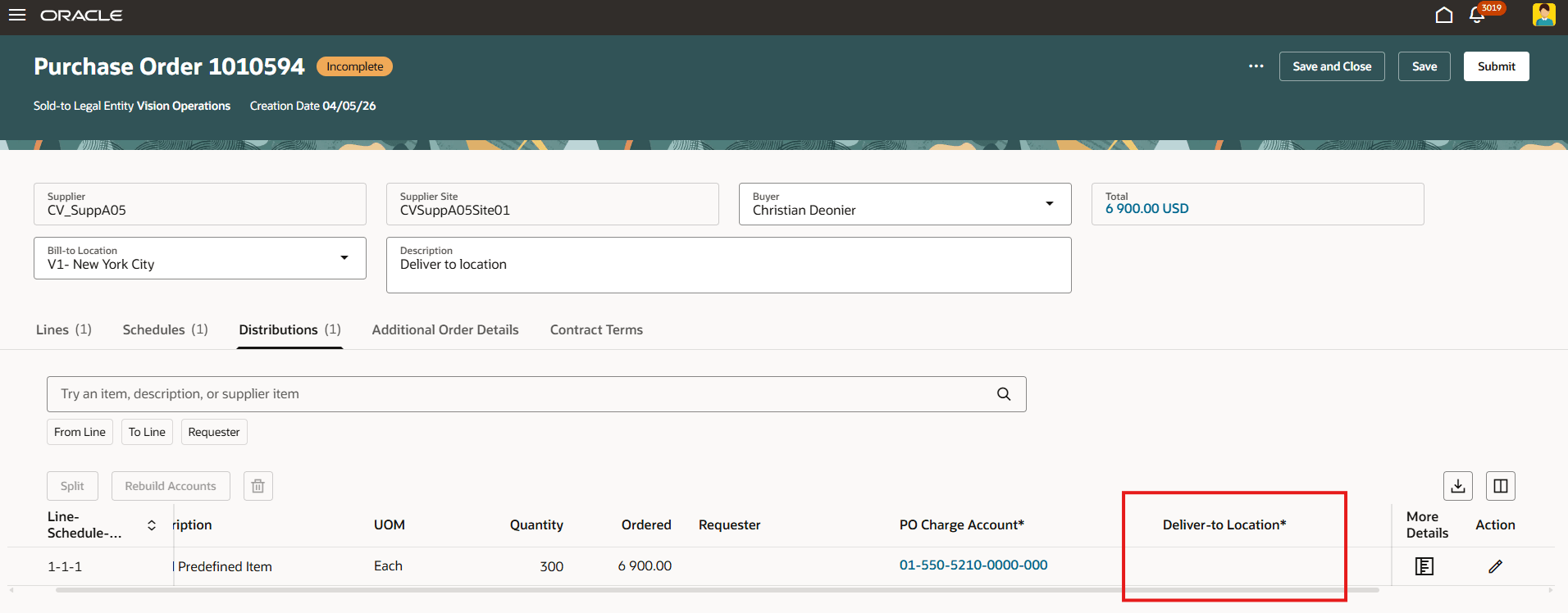
When this feature is enabled and you select a ship-to location on a purchase order schedule, the application copies the ship-to location as the deliver-to location if the ship-to location is a valid deliver-to site. If the ship-to location isn’t a valid deliver-to site, the deliver-to location is cleared, and you must select a valid deliver-to location before submitting the order.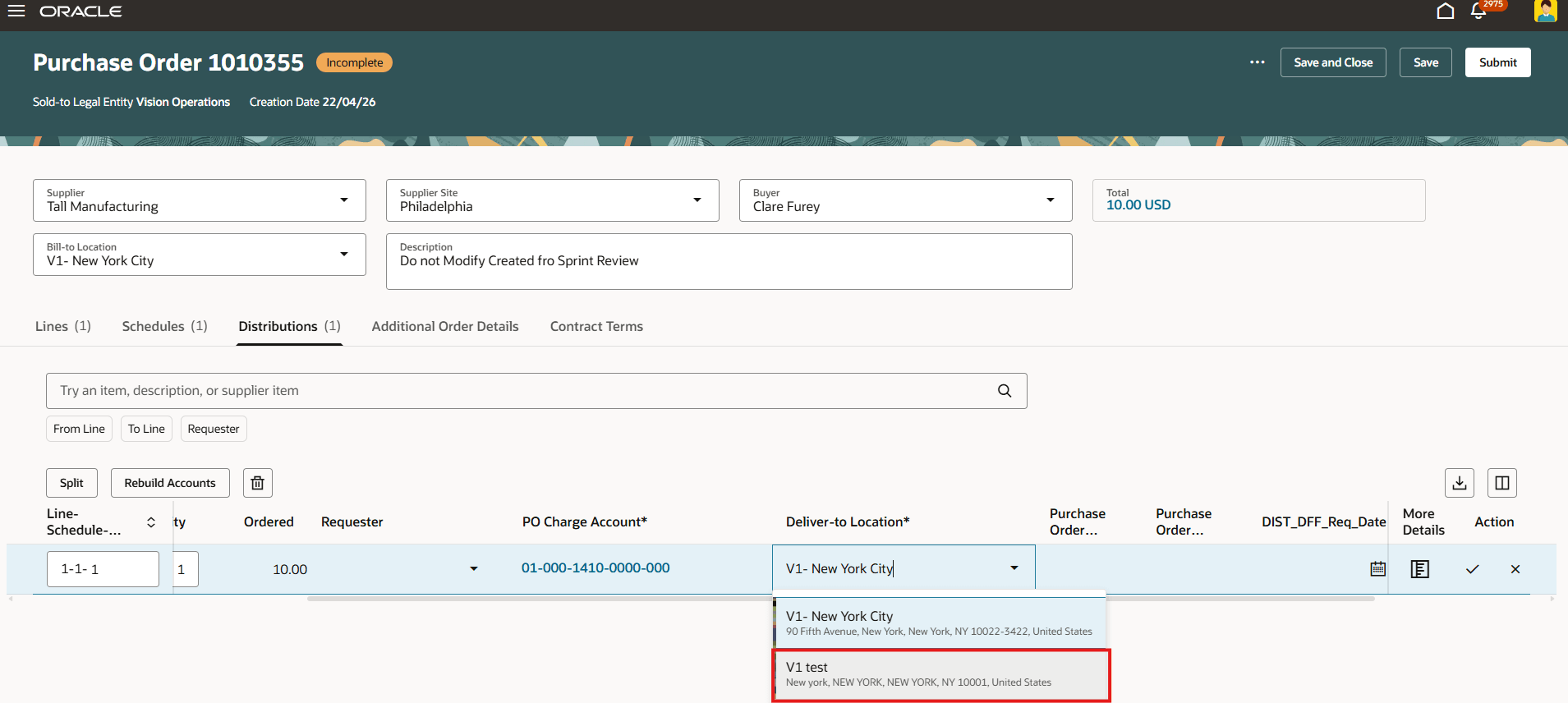
Deliver-to Location Cleared on the Distributions Tab When the Ship-to Location Isn’t a Valid Deliver-to Site
-
Defaulting Deliver-to Location from the Requester's Work Location defined in Human Capital Management
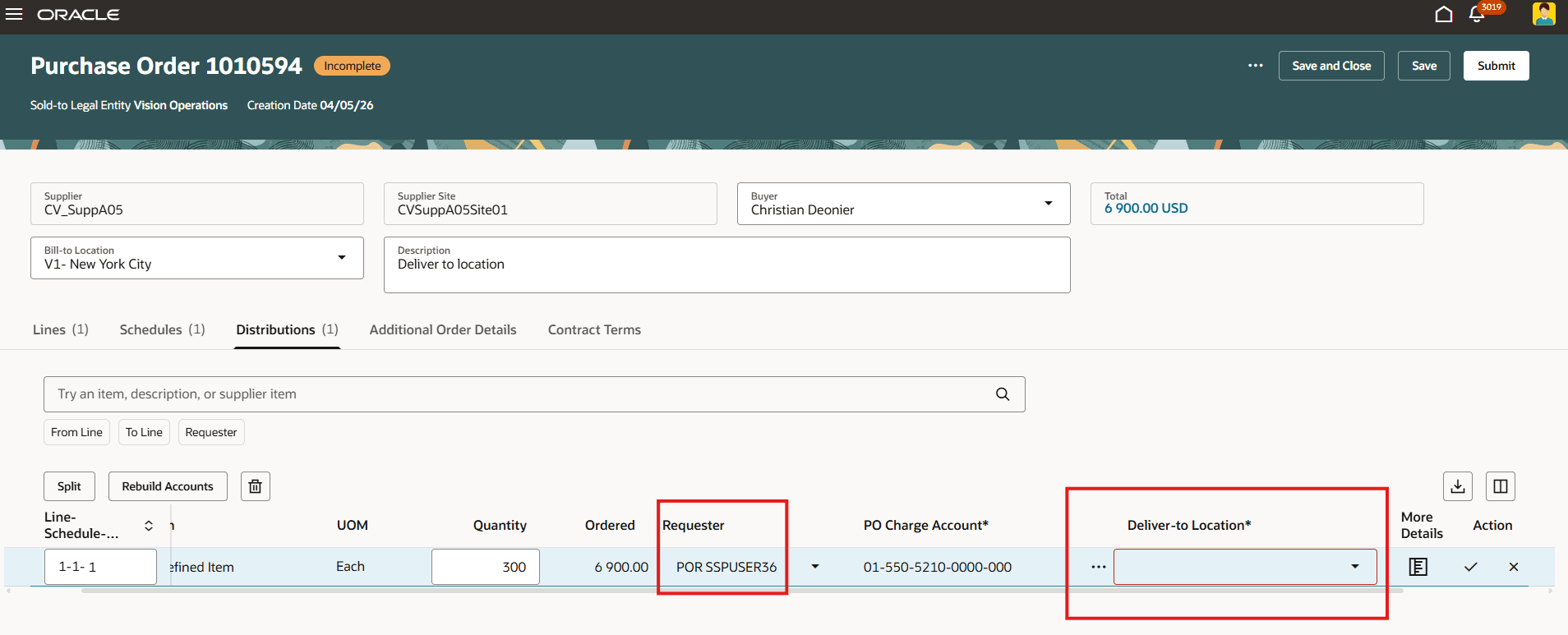
When this feature is enabled and the requester is updated on a purchase order or change order, the application copies the requester’s work location as the deliver-to location only if the requester's work location is a deliver-to site and the location's ship-to site matches the ship-to location on the schedule.
-
If the requester’s work location isn’t a valid deliver-to site, the application copies the ship-to location as the deliver-to location.
-
If the requester’s work location is a deliver-to site but doesn’t match the purchase order schedule's ship-to location, the application copies the ship-to location as the deliver-to location.
-
If neither the requester’s work location nor the purchase order schedule's ship-to location is a valid deliver-to site, the deliver-to location is cleared and a field-level validation is displayed when changes are applied.
-
Deliver-to Location Cleared and Field-Level Validation Displayed When the Requester’s Work Location Isn’t a Valid Deliver-to Site
-
Duplicating Purchase Orders or Lines and Splitting Schedules
When you duplicate a purchase order or change order line, or split a schedule, the deliver-to location is copied as is, regardless of whether this feature is enabled or whether the location is marked as a deliver-to site.
This feature helps requesters and buyers distinguish where goods are received from where they’re delivered, stored, or consumed.
It is useful for organizations such as healthcare providers, where the receiving location and the consuming location may differ. By showing only valid deliver-to sites, requesters and buyers can choose more accurate delivery destinations, support clearer handling and fulfillment instructions, and reduce downstream corrections.
Steps to enable and configure
Use the Opt In UI to enable this feature. For instructions, refer to the Optional Uptake of New Features section of this document.
Offering: Procurement
In addition, you must make the deliver-to site attribute visible in the Manage Locations UI. Follow these steps:
- Navigate to the HCM Redwood Locations page under My Client Groups > Workforce Structures > Locations.
- Search for a location and navigate to its view page.
- Launch the page for editing in Oracle Visual Builder Studio and create a new form rule.
- Search for the deliver-to site flag and mark it as Visible.
-
Navigate to the Edit page for locations to verify that the change is also available there.
-
Preview your changes and then publish them.
Tips and considerations
- This feature is enforced only when selecting a deliver-to location from a list of values in the UI and doesn't affect integration flows, except where specifically noted in this document.
- If you opt in to this feature, then when navigating from a maintenance work order to create a requisition, you must ensure that the deliver-to location set in your preferences is designated as a deliver-to site to continue the work order creation flow. Otherwise, you must select a different deliver-to location, which takes you out of the current work order creation process.
Key resources
To know more about how to configure and use the deliver-to site flag, refer to the Additional Attributes Deliver-to-Site and Receivable Materials Now Available On Redwood Locations Pages feature, available in Oracle Fusion Cloud Human Resources What's New, update 26C.
Access requirements
- Users who are assigned a configured job role that contains this privilege can change deliver-to locations on requisitions:
- Create Requisition with Changes to Deliver-to Location (POR_CREATE_REQUISITION_CHANGE_DELIVER_TO_LOCATION_PRIV)
This privilege was available prior to this update.
-
Admin users who are assigned a configured job role that contains these privileges can extend Redwood pages.
- View Administration Link (FND_VIEW_ADMIN_LINK_PRIV)
- Administer Sandbox (FND_ADMINISTER_SANDBOX_PRIV)
These privileges were available prior to this update.