Manage Shopping Catalog Category Hierarchies
Manage shopping catalog category hierarchies using a Redwood page to create, manage, and reorganize procurement catalog categories for browsing and shopping.
You can access the Shopping Catalog Category Hierarchy page from the quick links under Catalogs.
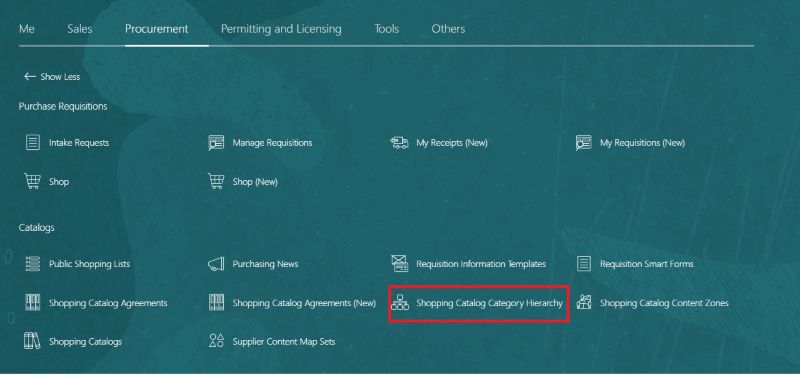
Navigation to Shopping Catalog Category Hierarchy
The page displays both browsing and item categories in a hierarchical structure, helping you clearly understand how catalog content is organized. You can select a category row to edit, delete, move, add item categories, or create a related browsing category.
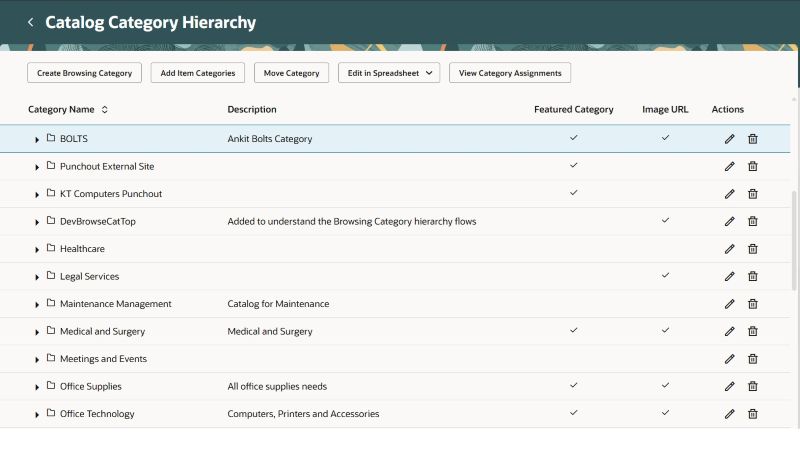
Shopping Catalog Category Hierarchy
From an existing browsing category, you can create a new browsing category either as a child or at the same level.
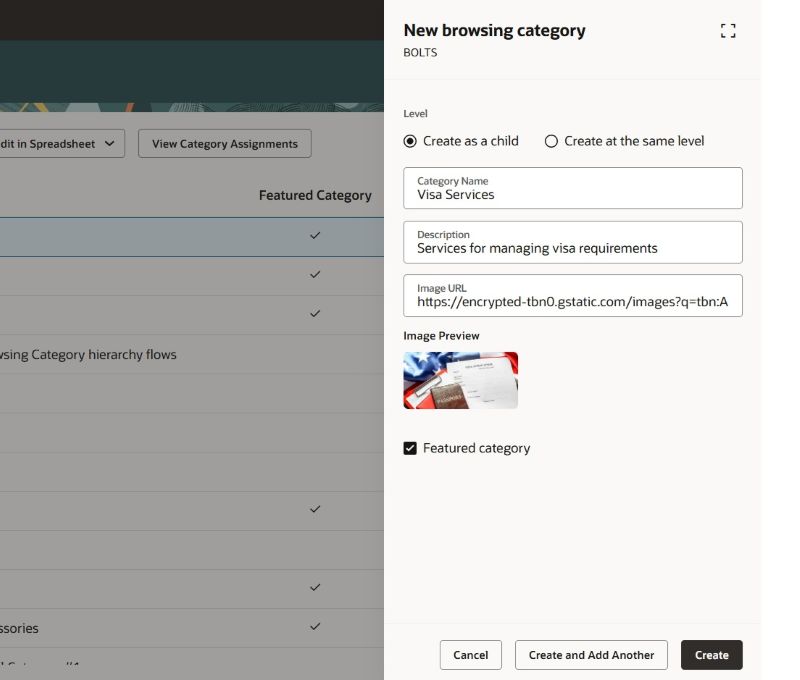
Create a Browsing Category
Item categories are used to identify shopping content for preparer or requester users. They are added to browsing categories to provide the navigation hierarchy, and they can be added at any browsing category level. An item category is the end node in the hierarchy and can't be added to multiple browsing categories.
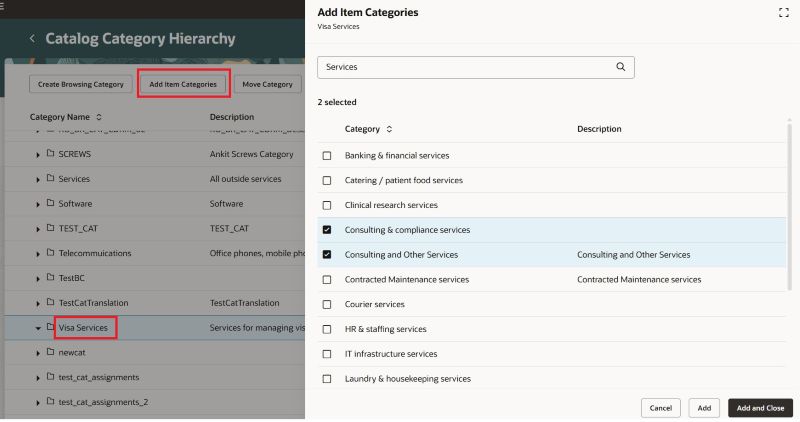
Add Item Categories
Browsing category details can be edited directly within the hierarchy, making updates quick and efficient. For both browsing and item categories, you can enable them as featured categories. Featured categories are displayed in the Shop by Category section of the shopping home page.
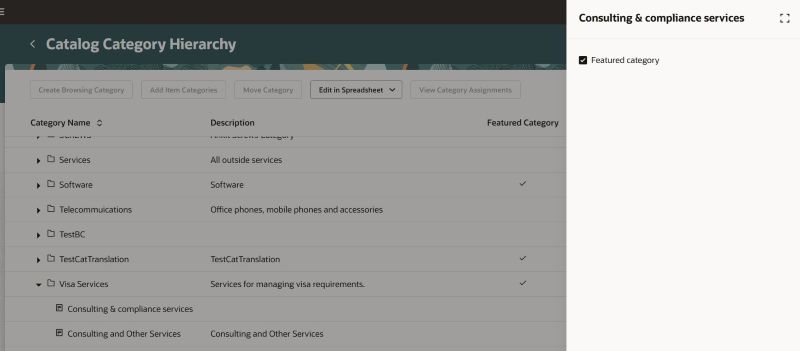
Edit Item Category
In addition, you can delete or move categories within the hierarchy. For bulk updates or offline maintenance, you can use the Edit in Spreadsheet action.
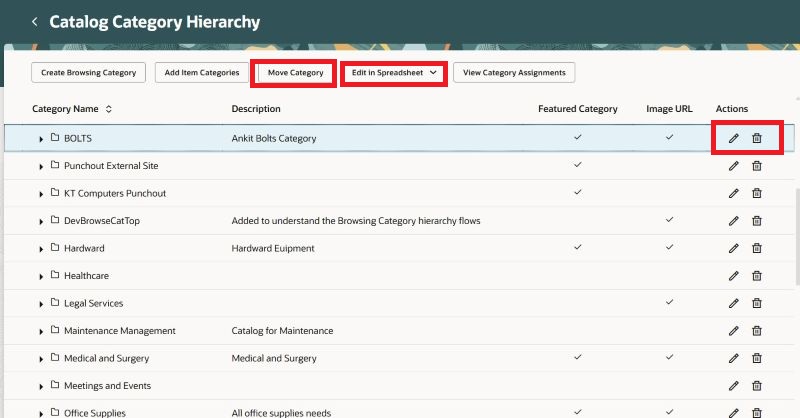
Additional Actions Available
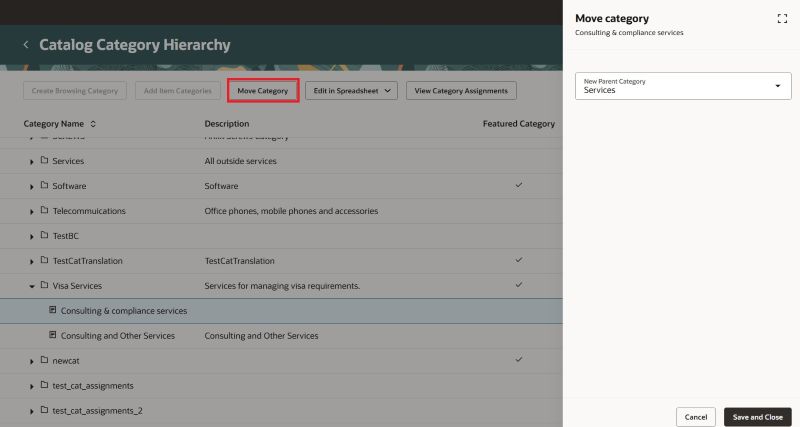
Move a Category to a Different Category
Before making changes, you can review category assignments to understand where a category is used. This helps you determine whether a category is used in smart forms or catalogs.
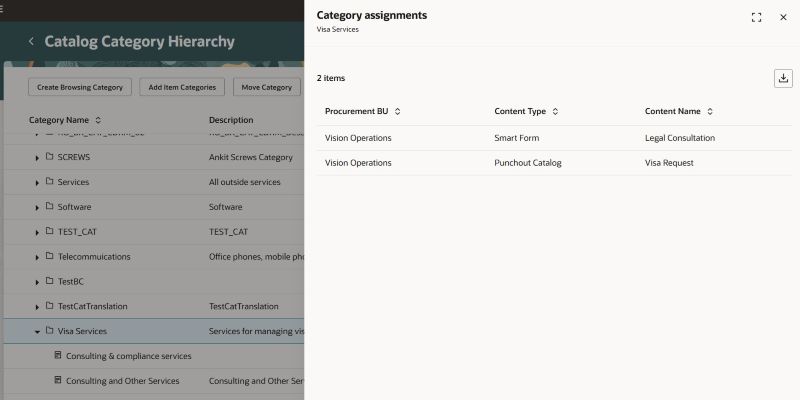
Review Category Assignmets
Steps to enable and configure
You must enable this profile option to access the Manage Shopping Catalog Category Hierarchies feature:
- Redwood Catalog Setup Pages Enabled (ORA_POR_REDWOOD_CATALOG_SETUP_ENABLED). By default, this profile option is set to No.
To enable the profile option, follow these steps:
- In the Setup and Maintenance work area, search and select the Manage Administrator Profile Values task.
- On the Manage Administrator Profile Values page, search for and select the profile option name or code, Redwood Catalog Setup Pages Enabled (ORA_POR_REDWOOD_CATALOG_SETUP_ENABLED).
- Set the Profile Value to Yes.
- Click Save and Close
- Changes in the profile value will affect users the next time they sign in.
Tips and considerations
- You can also access this feature from the Manage Catalog Category Hierarchy task in the Setup and Maintenance work area when the ORA_POR_REDWOOD_CATALOG_SETUP_ENABLED profile option is enabled.
- These rules apply when creating, moving, or deleting categories:
- Browsing categories can be created only under other browsing categories. They can’t be created under item categories.
- Item categories can be inserted only under browsing categories. They can’t be nested under other item categories.
- Browsing and item categories can only be moved under browsing categories.
- You can’t move a category under an item category, move a browsing category under itself, or move it under one of its child categories.
- You can’t delete a browsing or item category that’s referenced in smart forms or local catalogs. Remove those references to continue.
- You can’t delete a browsing category that has subcategories. Remove the subcategories to continue.
- If an item category becomes inactive after being added, it remains visible in the hierarchy.
Access requirements
Users who are assigned a configured job role that contains this privilege can access this feature:
• Manage Procurement Category Hierarchy (POR_MANAGE_PROCUREMENT_CATEGORY_HIERARCHY_PRIV)
This privilege was available prior to this update.