Access Noncatalog Request from the Actions Menu on the Home Page
You can now display the Create Noncatalog Request action in the Actions menu on the home page. This provides preparers with a more consistent way to access noncatalog requests alongside other available actions.
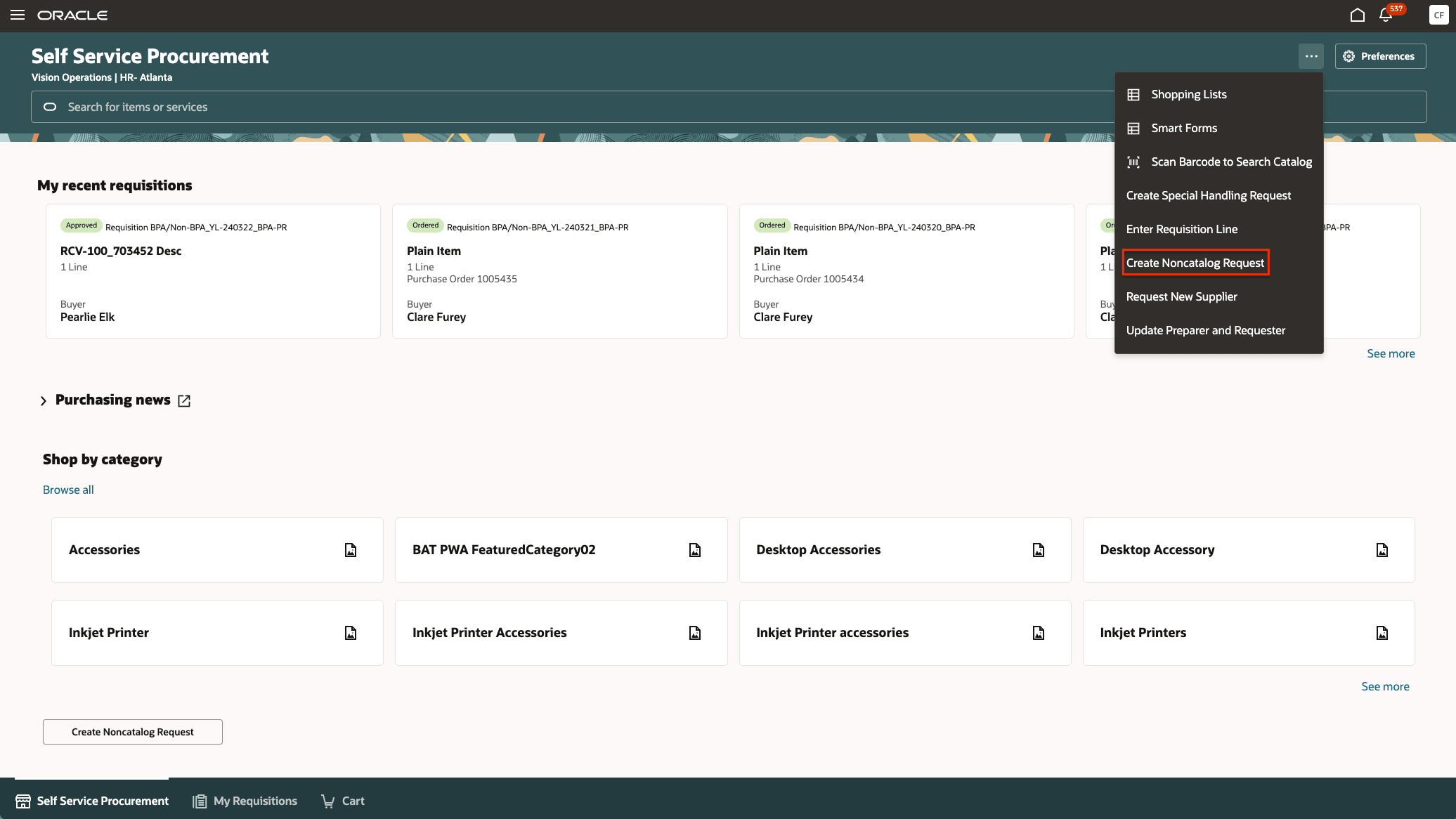
Access Create Noncatalog Request from the Actions menu
This action is currently available on the home page through the Create Noncatalog Request button. You can choose to retain this access or remove it and provide a single point of access through the Actions menu.
This enhancement gives administrators more flexibility in how preparers and requesters access noncatalog requests from the Self Service Procurement home page. Organizations can display Create Noncatalog Request in the Actions menu either alongside the existing home page button or as the primary entry point, to provide a more intuitive user experience.
Steps to enable and configure
Leverage the Visual Builder Studio to expose your applications. To learn more about extending your application using Visual Builder, visit Oracle Help Center > your apps service area of interest > Books > Configuration and Extension.
The Create Noncatalog Request action isn’t displayed in the Actions menu by default. To display it, follow these steps:
- Open Oracle Visual Builder Studio.
- Open the Page Properties section and navigate to the Show Create Noncatalog Request Action on Homepage Action Menu section.
- Set the value to True.
- Publish your changes.
Key resources
For information about using Oracle Visual Builder Studio to extend your Redwood application pages, see Oracle Fusion Cloud HCM and SCM: Extending Redwood Applications for HCM and SCM Using Visual Builder Studio.