Collect demand history in the targeted mode by organization groups from the Oracle Fusion Cloud Applications Suite
Collect demand history from the Oracle Fusion Cloud Applications Suite by organization groups to improve synchronization and scalability. This collection supports only organizations that are included in both the specified organization groups and organization filters and respects defined collection time ranges.
You can now collect shipments and bookings history, transfer orders and inventory transactions, receipts history, price lists, and history for engineer-to-order (ETO) items by organization groups. The selection to enable organization group collection is saved within the collection templates, occurs only in the targeted mode, and can also be invoked through a REST resource.
Demand history can be collected in the targeted mode by organization groups for these entities:
- Shipments/bookings history
- Shipments/bookings history values
- Options shipments history
- Options bookings history
- Transfer orders/inventory transactions at organizations
- Transfer orders/inventory transactions at subinventories
- Receipts history at organizations
- Receipts history at subinventories
- Price lists
- History from associated base models for ETO items
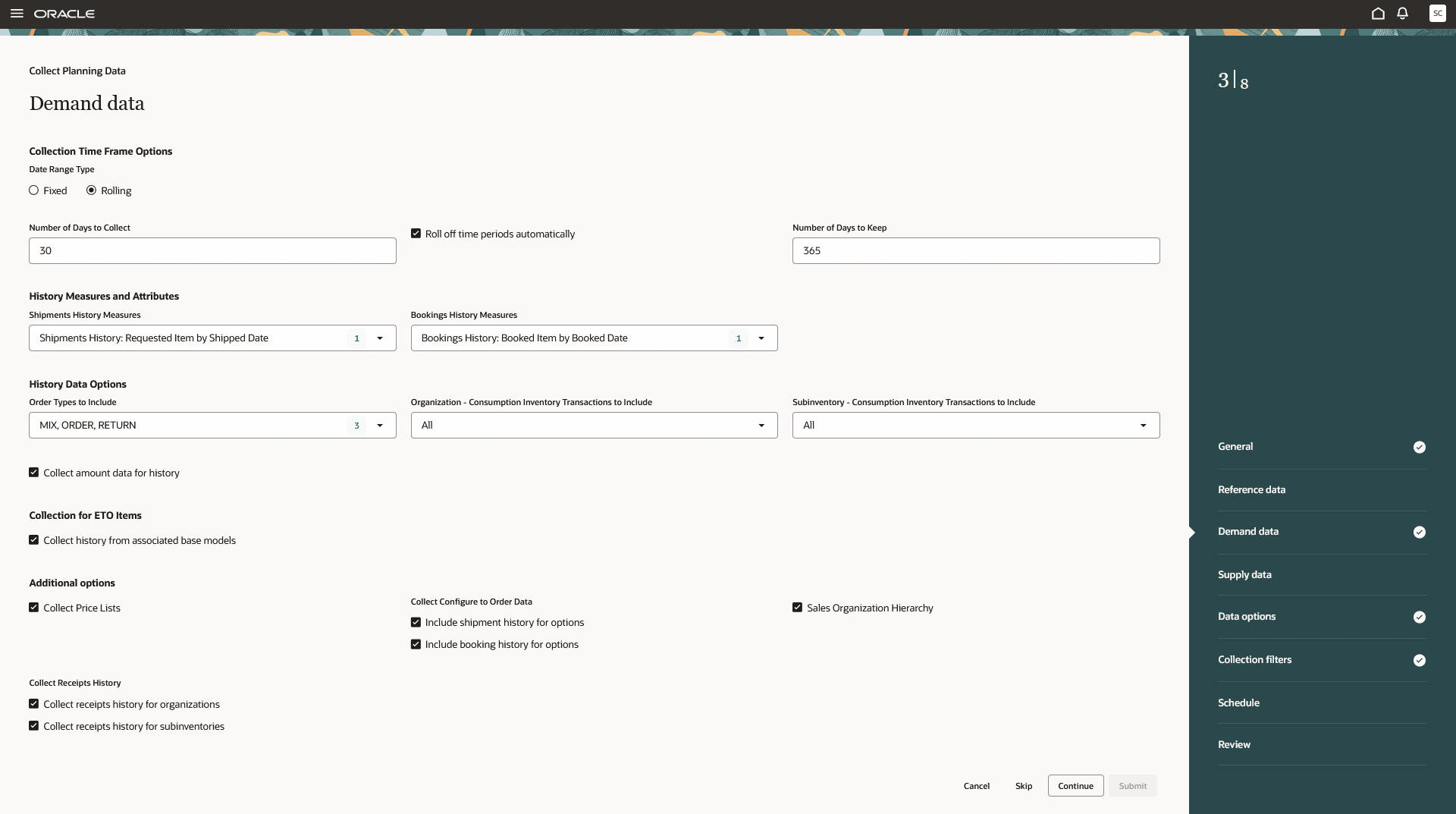
Demand data step in Collect Planning Data guided process
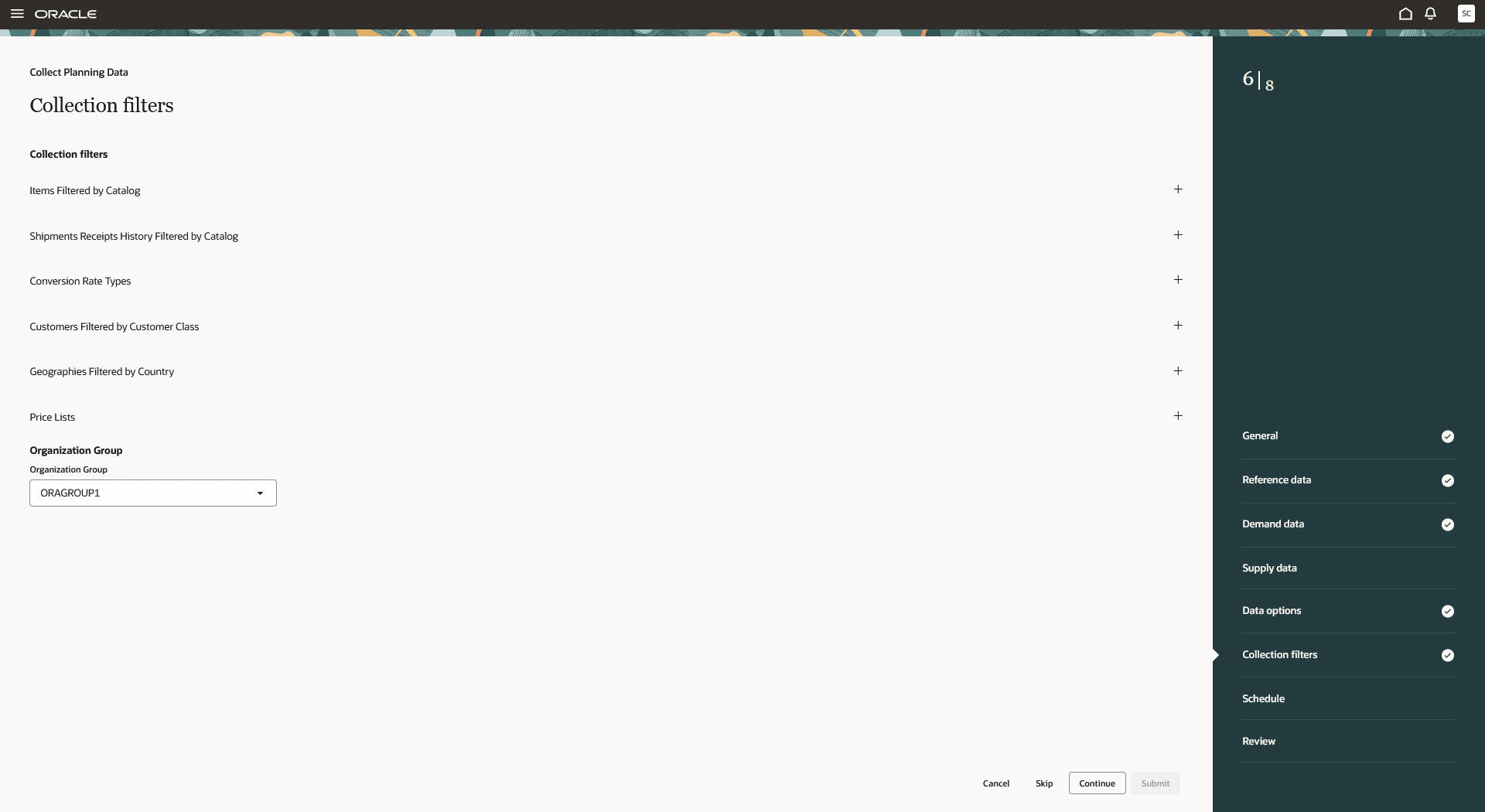
Collection filters step in Collect Planning Data guided process
Steps to enable and configure
Use the Opt In UI to enable this feature. For instructions, refer to the Optional Uptake of New Features section of this document.
Offering: Supply Chain Planning
Tips and considerations
If you want to use the feature, then you must opt in to its parent feature: Replenishment Planning. If you've already opted in to this parent feature, then you don't have to opt in again.
Key resources
Refer to the Cloud Applications Readiness content for the following:
- Enable parallel runs for load data process during targeted refresh collections (26D)
Visit https://www.redwood.oracle.com/ for more information about the Redwood experience.
Access requirements
If you’re using user-defined job roles, then you need to add the privileges identified as new in this update as well as validate that you have the existing privileges that are listed.
| Privilege status | Privilege name and code |
|---|---|
| Existing |
Perform Order Orchestration and Planning Data Collection MSP_PERFORM_ORDER_ORCHESTRATION_AND_PLANNING_DATA_COLLECTION_PRIV |