Use dynamic locator creation
In warehouse operations with high inventory variability or space constraints, predefined locator structures can quickly become limiting. For example, during peak seasons or when handling unexpected inbound shipments, available storage locations may not align with the system’s existing locator setup. This often forces warehouse personnel to rely on manual workarounds or delay transactions while new locators are created, thereby disrupting the flow of operations. Dynamic locator creation allows users to generate valid storage locations on the fly during transactions so goods can be received and stored immediately while maintaining system accuracy, flexibility, and control. Now you can create dynamic locators on Redwood pages.
You can now use dynamic locator insertion during supported Redwood Inventory desktop transactions. Enter or scan a valid locator combination. If the locator doesn't exist and dynamic creation is allowed, you can create and use the locator without leaving the transaction.
Dynamic locator insertion
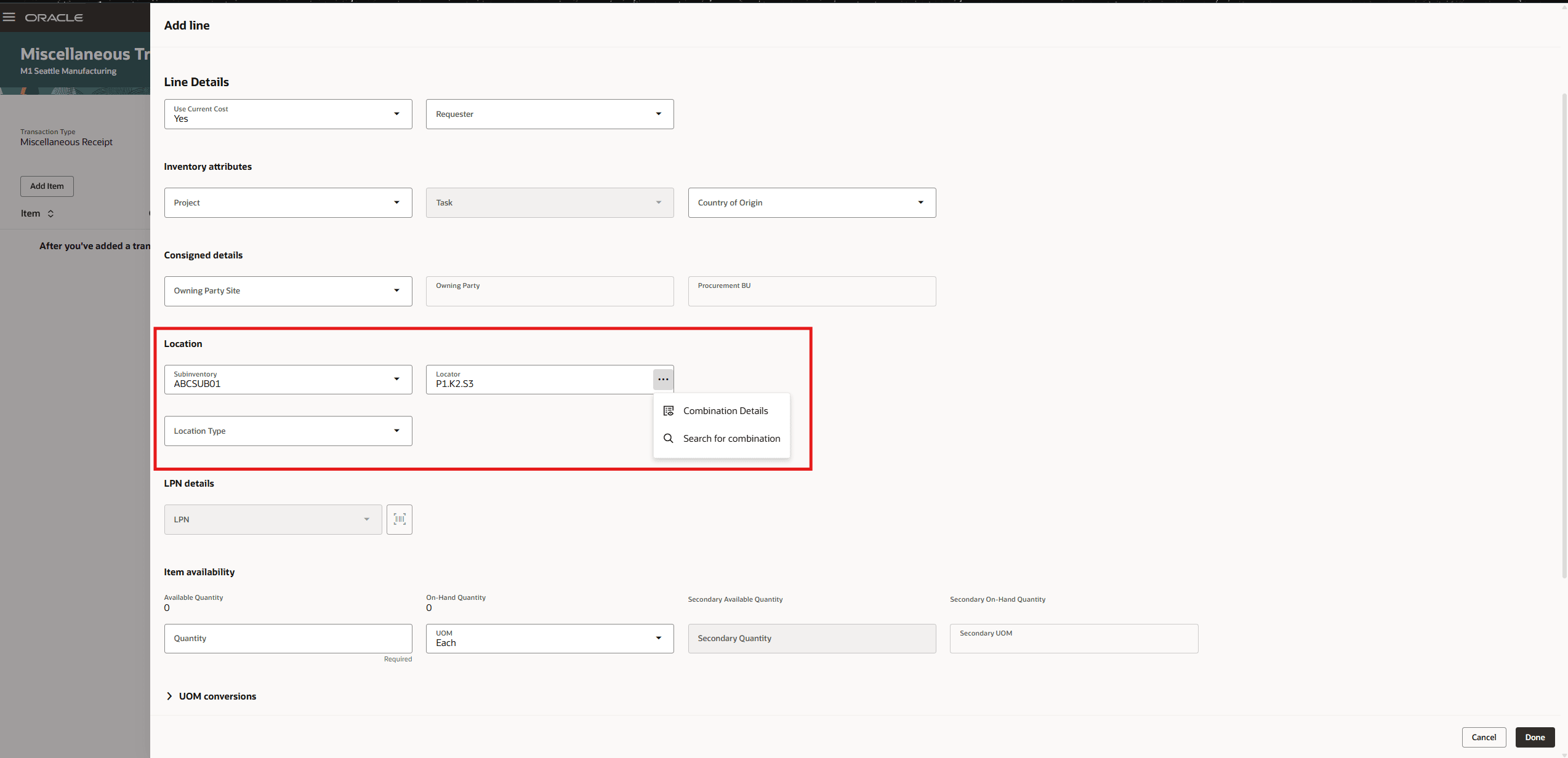
Insert dynamic locator
Dynamic locator insertion is available in these Redwood desktop transaction flows:
| Redwood Pages |
|---|
| Miscellaneous Transactions |
| Subinventory Transfer |
| Interorganization Transfer |
| Create Project Transfer |
| Consigned Inventory |
| Movement Request Transfer |
| Picks |
| Record Cycle Counts: Add Manual Counts |
| Expected Shipment Lines |
| Awaiting Put Away |
| Transfer orders |
Editable and read-only locator fields
Here's a page example with editable locator fields.
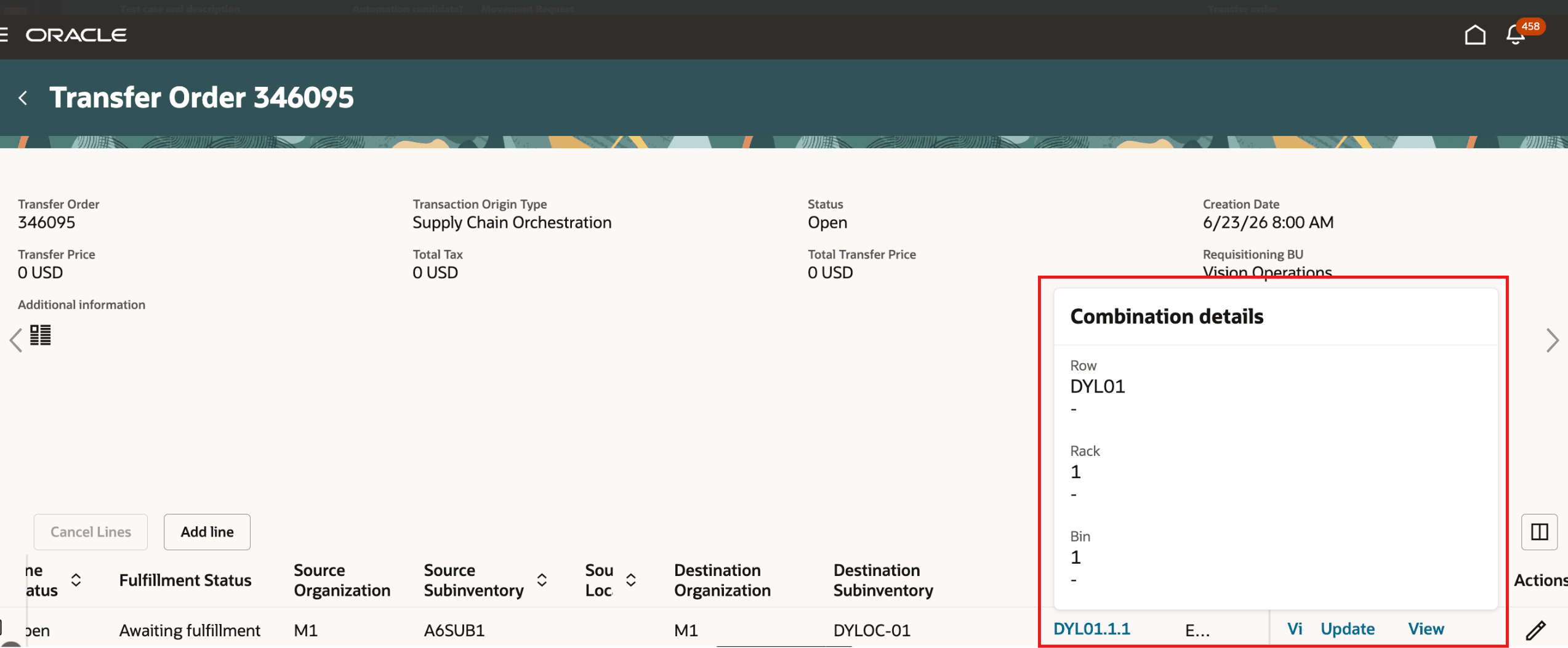
Editable Redwood page
Here's a page example with read-only locator fields.
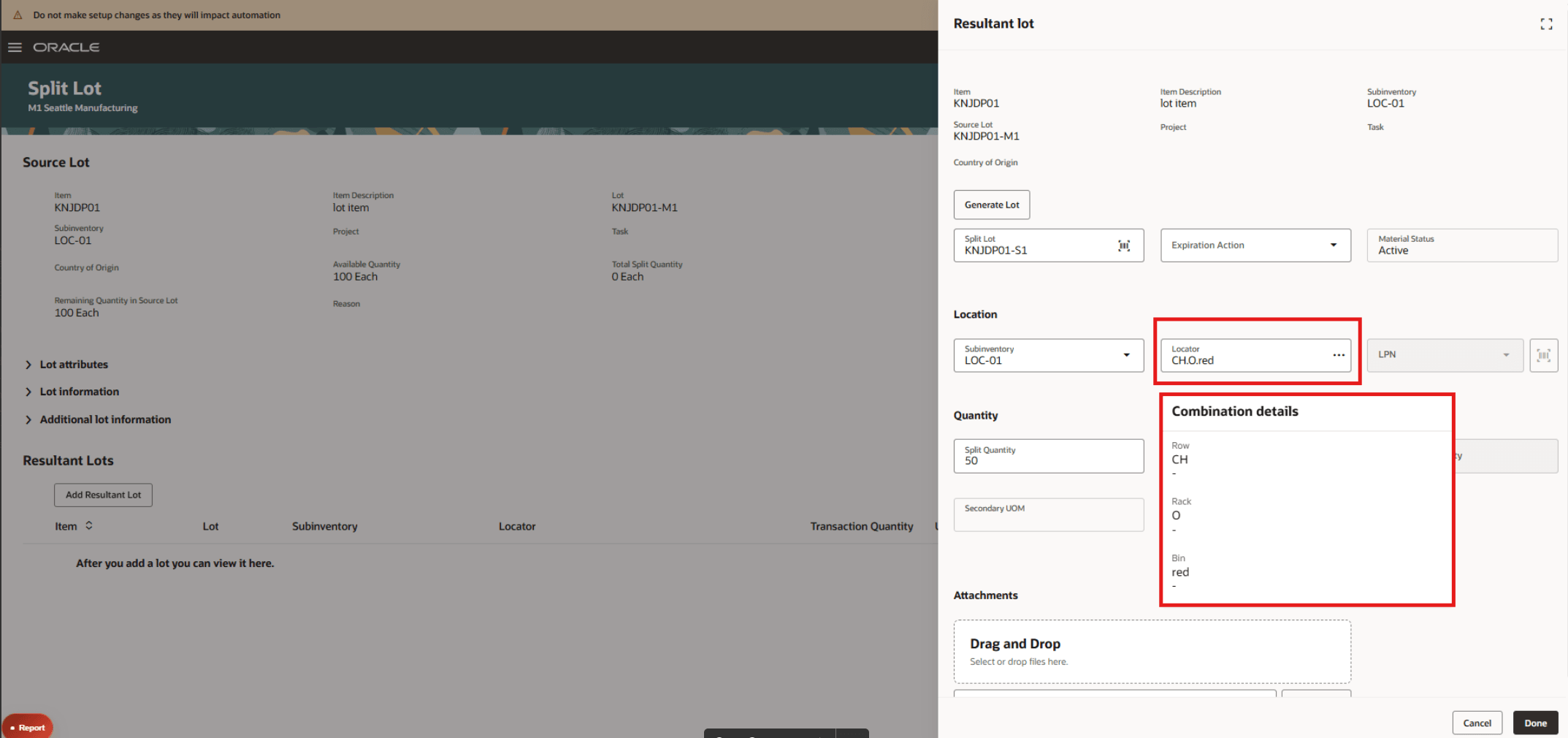
Read-only Redwood page
Additional Redwood Inventory pages provide enhanced locator fields for entry or review. Editable fields support locator entry in the applicable business flow. Select a read-only locator to view its configured locator segment values.
| Redwood Pages |
|---|
| Transfer Orders |
| Reservations |
| Outbound Shipments |
| New Pick Wave |
| New Outbound Shipment Request |
| Returns |
| Lot and Serial Numbers |
| Pick Wave Release Rules |
| Consumption Rules |
| Item Transaction Defaults |
| Shipping Parameters |
| Configure Subinventories |
| Item Quantities |
| Inventory Transactions: Completed Transactions |
| Cycle Counts |
| Cycle Count Approvals |
| Holds for Recalled Items |
| Inventory Zones |
| Inventory Task Assignments |
| Inbound Shipments |
| Received Lines |
| Awaiting Inspection |
| Receipt Deliveries |
| Corrections |
| Unordered Receipts |
| Physical Inventory Approvals |
This feature provides you with increased flexibility in your warehouse operations by allowing you to dynamically create locators when completing transactions on Redwood pages.
Here's the demo of these capabilities:
Steps to enable and configure
- Open Configure Subinventories and edit the subinventory where users need dynamic locator insertion.
- In Locator Details, select Locator Controlled.
- Set the Locator Control Type to Dynamic entry.
Dynamic locator insertion is available only for subinventories configured this way. The enhanced editable and read-only locator fields don’t require this setup.
Tips and considerations
- Dynamic locator insertion is available only for locator-controlled subinventories with the Locator Control Type set to Dynamic entry.
- Enter a valid locator combination. The application validates the combination against the configured locator structure and applicable inventory rules before creating the locator.
- Editable locator fields and dynamic locator insertion are distinct capabilities. An editable locator field might not allow creation of a new locator.
- In read-only contexts, select the locator value to view its configured segment values.
Key resources
- Oracle Fusion Cloud SCM: Using Inventory Management guide, available on the Oracle Help Center.
- Oracle Fusion Cloud SCM: Implementing Manufacturing and Supply Chain Materials Management guide, available on the Oracle Help Center.
Access requirements
No additional access is required.