View on-hand quantity during cycle count entry on a mobile device
Organizations use cycle counting to maintain inventory accuracy while balancing operational efficiency and counting procedures. Depending on their audit and inventory control requirements, some organizations choose to display the system-recorded on-hand quantity to counting personnel during the count process, while others prefer blind counts where this information remains hidden. For organizations that choose to display on-hand quantities, the information provides valuable context that can help validate inventory conditions, identify potential discrepancies, and streamline count investigations. However, users performing counts on mobile devices currently can't view this information. Now you can display on-hand quantities when recording cycle count sequences on a mobile device.
You can now view the current on-hand quantity when entering cycle count quantities on a mobile device. The on-hand quantity is displayed on the mobile cycle count entry screen when the existing Show on-hand quantity when counting parameter is enabled for the cycle count.
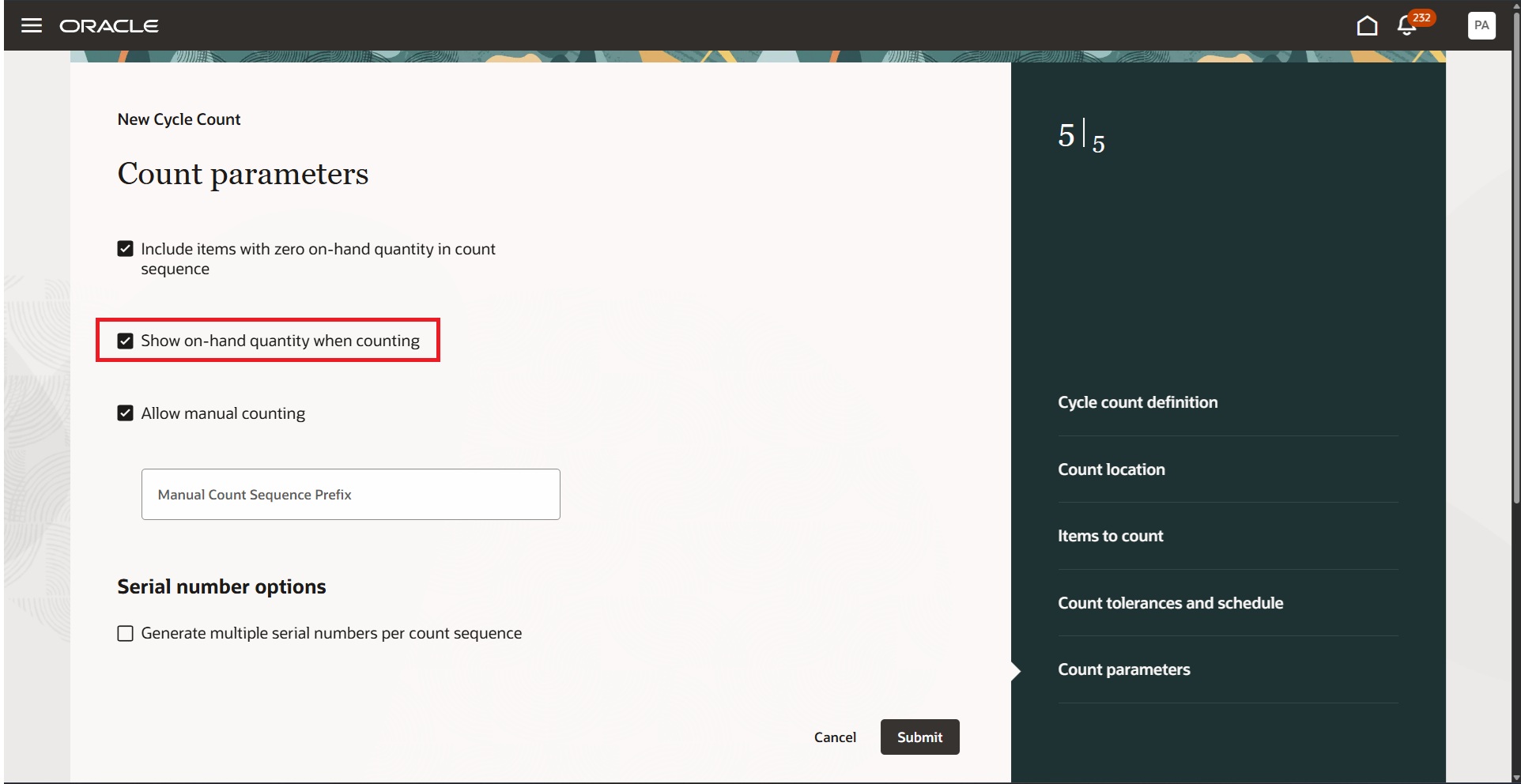
Count parameters
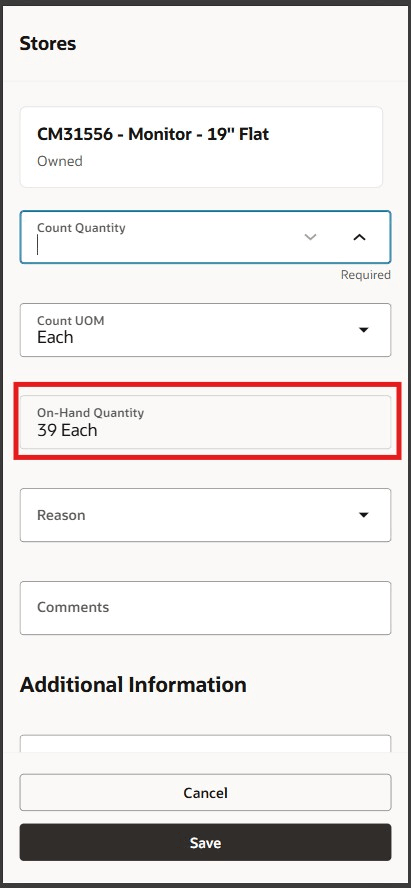
Cycle count mobile
This enhancement uses the same configuration that controls on-hand quantity visibility in the web cycle count entry flow, providing consistent behavior across web and mobile counting experiences.
Displaying on-hand quantity during mobile cycle count entry helps reduce count-related exceptions and recounts, accelerates discrepancy investigations, and improves the overall efficiency of inventory control processes.
Steps to enable and configure
You don't need to do anything to enable this feature.
Tips and considerations
- This feature enables the Show on-hand quantity when counting parameter for the Cycle Count (Mobile) flow.
- No new setup is introduced for mobile. The existing cycle count parameter controls visibility.
- The on-hand quantity is displayed only during count entry when allowed by the cycle count configuration.
- The same configuration governs behavior across web and mobile cycle count entry.
- For dual-unit-of-measure items, the primary on-hand quantity follows the selected Count UOM, while the secondary quantity remains in the secondary unit of measure.
Key resources
- Oracle Fusion Cloud SCM: Using Inventory Management guide, available on the Oracle Help Center.
- Oracle Fusion Cloud SCM: Implementing Manufacturing and Supply Chain Materials Management guide, available on the Oracle Help Center.
Access requirements
No additional access is required.