Perform item translate for lot control items
In many industries, lot-controlled inventory within a warehouse may need to be reclassified due to inspection results, manufacturing or quality processes, engineering changes, or product disposition decisions. For example, an item may be upgraded or downgraded based on quality testing or converted to a different product after an aging period. In these scenarios, organizations need to update the item associated with an existing lot while preserving inventory history, lot traceability, and material genealogy. Without a dedicated transaction to support this process, organizations are often forced to rely on multiple manual transactions that increase administrative effort and the risk of errors.
You can now perform an item translation transaction to reclassify inventory by changing the item associated with an existing lot. Use the Translate Item action to move a selected on-hand lot from its current item to a target item while maintaining lot traceability. Use it when inventory was received, recorded, or classified under the wrong item, or when a product transformation requires reclassification.
The Translate Item action supports lot-only, item-only, or combined item-and-lot changes for users who have both the Item Translate and Lot Translate privileges. Users with only the Lot Translate privilege continue to use the Translate Lot action for lot-only changes.
The Redwood lot transaction experience preserves existing lot translation behavior while adding item translation to the Item Quantities page, Lot and Serial Numbers page, and Lot Transactions task in Mobile Inventory.
Mobile users can perform lot splits, lot merges, and item translation transactions, including lot-only, item-only, and combined item-and-lot translations, directly from mobile devices.
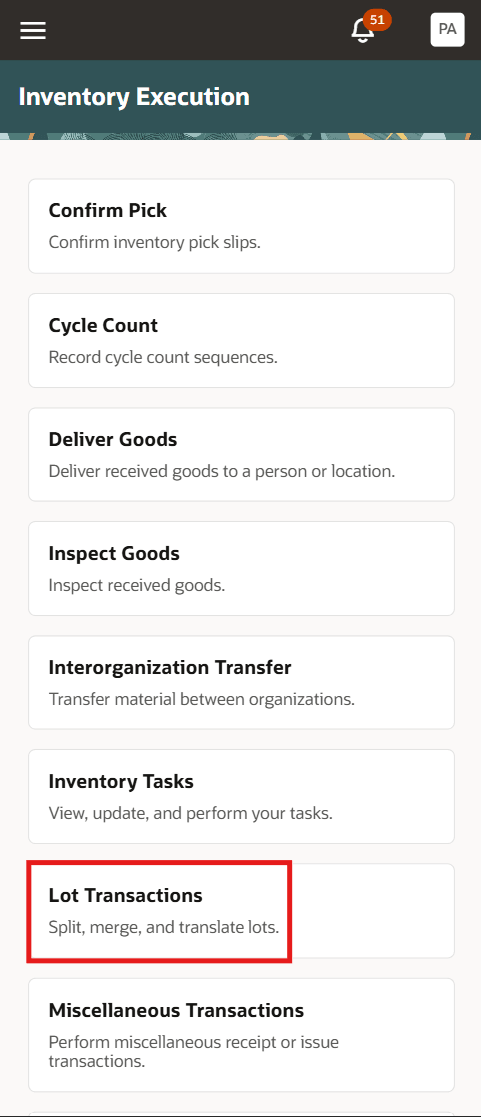
Lot Transactions task
Choose the lot transaction type.
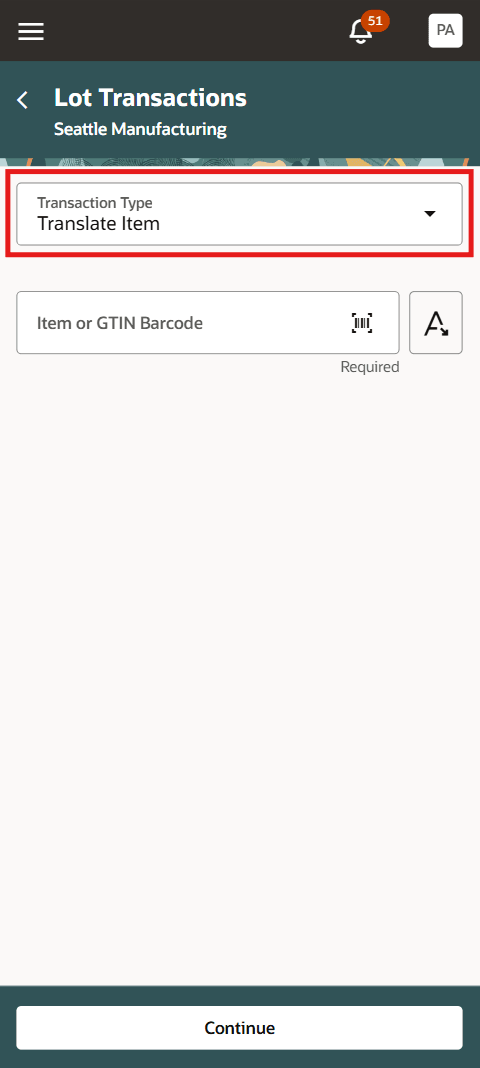
Item and transaction type
For desktop users, lot split and merge transactions remain available on the Item Quantities page. The existing lot translation capability is retained within the Translate Item action.
From the Lots tab, select a lot and use the Actions (three dots) menu. When users have both the Item Translate and Lot Translate privileges, the Translate Item action replaces the Translate Lot action and supports lot-only, item-only, and combined item-and-lot changes.
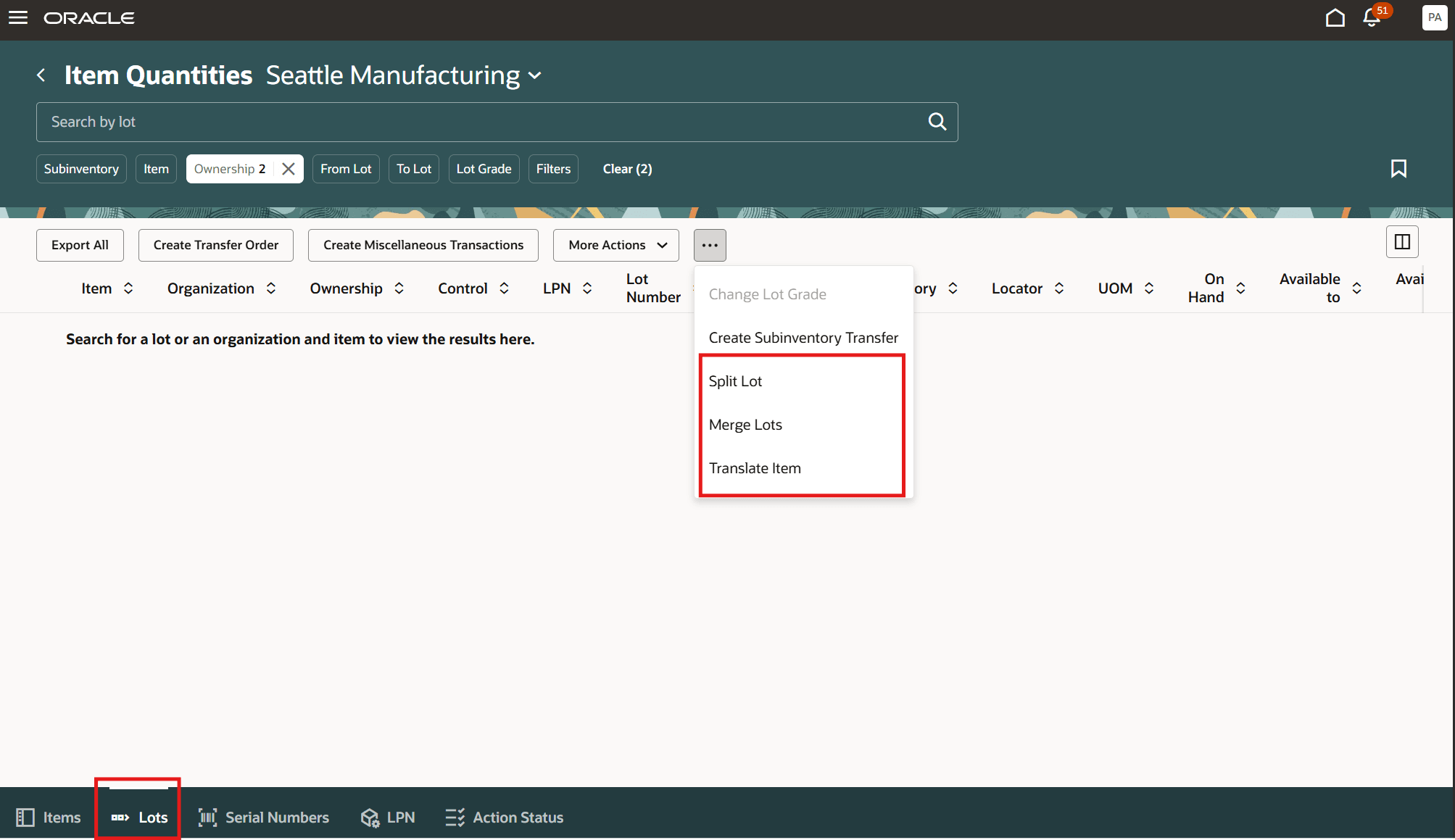
Item Quantities page - Lots tab
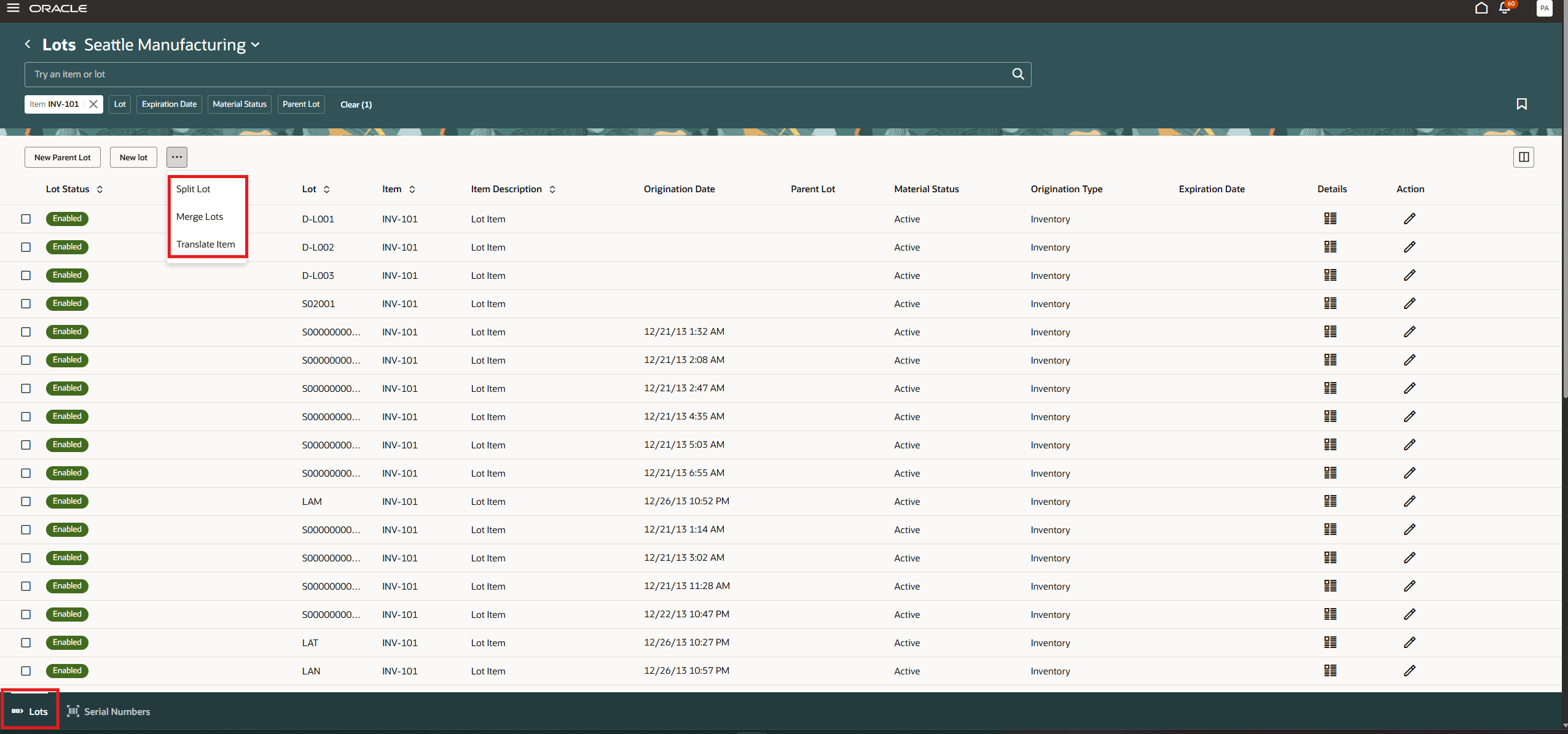
Lots and Serials page
Translate item
Translate a single source lot to a resultant item and, when needed, a resultant lot. Use this action to correct an item assignment or reclassify inventory after a product transformation while maintaining lot traceability.
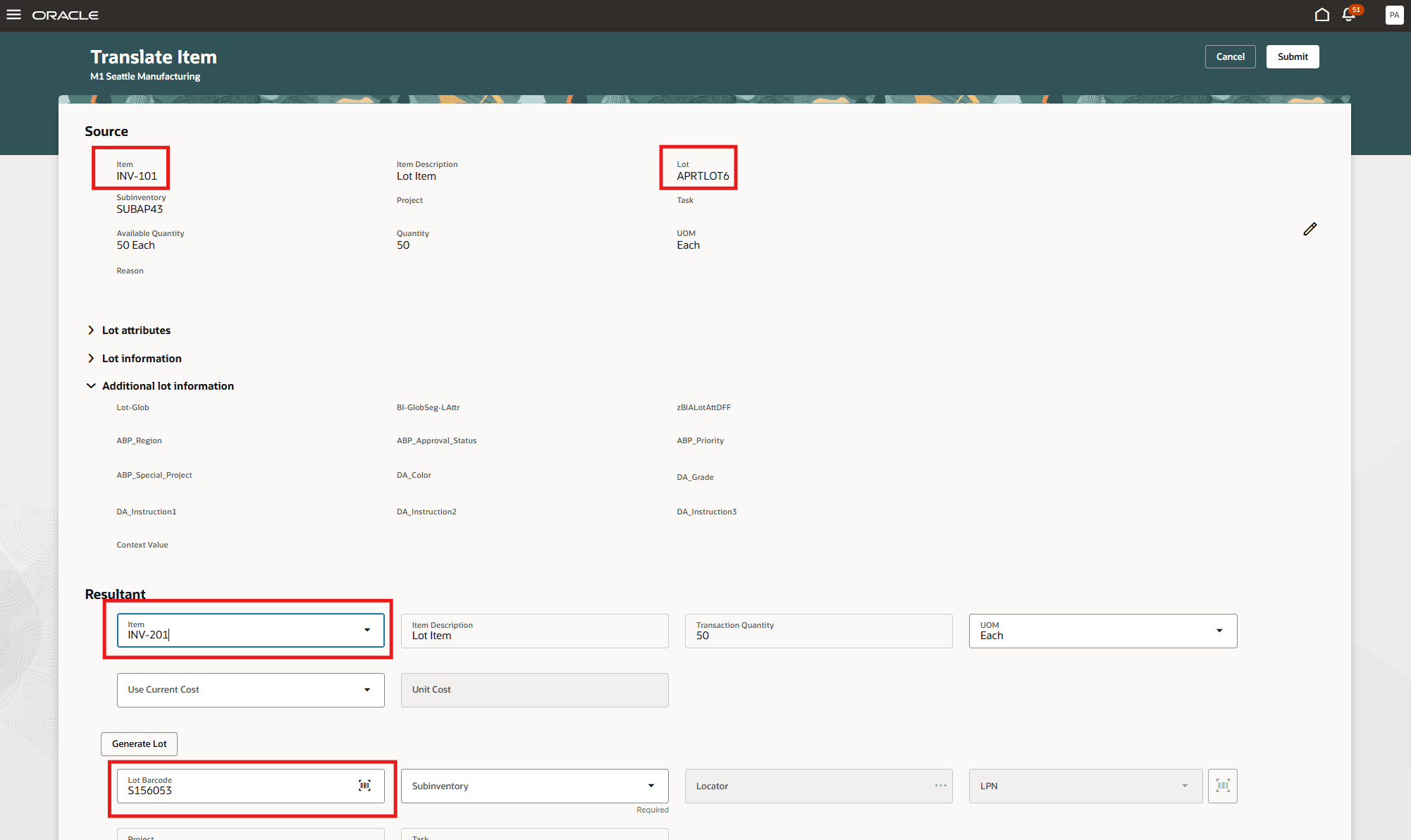
Translate Item desktop view
After you select the Translate Item action, the source section of the Translate Item page displays the current item and lot selected for translation. Review the source quantity, unit of measure, subinventory, and available lot details.
In the Resultant section, select the target item. Depending on the required business change, retain the applicable lot or enter, scan, select, or generate a resultant lot. Enter the required resultant quantity, unit of measure, subinventory, and any controlled lot attributes, such as parent lot, grade, status, or expiration information.
Select Submit to complete the translation. When users have both the Item Translate and Lot Translate privileges, the Translate Item action also supports lot-only changes and replaces the Translate Lot action.
By preserving lot continuity while updating the inventory to its new item identity, you can simplify rework and product conversion processes, maintain accurate inventory records, strengthen traceability, and improve compliance with quality and regulatory requirements.
Steps to enable and configure
- If you use custom job roles, assign the new privilege Perform Item Translate Transaction Using Responsive Inventory (INV_ITEM_TRANSLATE_PWA_PRIV) to the appropriate job role.
- If you use custom job roles, assign the new privilege Perform Item Translate Transaction Using Mobile Inventory (INV_ITEM_TRANSLATE_MOBILE_PWA_PRIV) to the appropriate job role.
Tips and considerations
- Translate only on-hand, lot-controlled inventory with sufficient available quantity. You can’t translate a lot with no on-hand quantity.
- Ensure that the source and resultant items are enabled for lot translation in the inventory organization. The application validates the resultant item and lot.
- You can translate a partial or full source lot quantity for divisible lot-controlled items. Translate the full source lot quantity for indivisible lot-controlled items.
- Use the available primary, transaction, or dual unit of measure. The relevant conversion is applied between the source and resultant items.
- Enter or generate a new resultant lot or select an existing eligible resultant lot. For a partial translation, don’t use the source lot as the resultant lot.
- Retain the source subinventory or select a different eligible subinventory. For a full lot held in an LPN, retain the same LPN for the resultant lot.
- Enter the parent lot for the resultant child lot for child lot-controlled items.
- Enter the required resultant lot grade and status for grade and status-controlled items.
- Enter the required expiration information for user-defined expiration-controlled items. For shelf-life controlled items, the application defaults the expiration date according to the resultant item’s shelf-life rules and origination date.
- For lot-serial controlled items, use item-only translation for the full source-lot quantity. Partial quantity and combined item-and-lot translations aren’t supported. Enter whole serial quantities, since decimal quantities aren’t supported.
- Desktop users should select Use Current Item Cost. If you select No, you need to enter the Unit Cost.
- Use the Translate Item action for lot-only, item-only, and combined item-and-lot changes. When the lot remains unchanged, its existing lot details remain unchanged.
Key resources
- Oracle Fusion Cloud SCM: Using Inventory Management guide, available on the Oracle Help Center.
- Oracle Fusion Cloud SCM: Implementing Manufacturing and Supply Chain Materials Management guide, available on the Oracle Help Center.
Access requirements
Item translation requires the Item Translate privilege together with the corresponding Lot Translate privilege.
| Assigned privileges | Available action |
|---|---|
| Lot Translate only | Translate Lot |
| Item Translate only | No translation action |
| Item Translate and Lot Translate | Translate Item action with item only, lot only, or both |
If you're using custom job roles, then you need to add privileges identified as new in this update as well as validate that you have the previously delivered privileges listed:
| Privilege status | Privilege name and code |
|---|---|
| New | Perform Item Translate Transaction Using Responsive Inventory (INV_ITEM_TRANSLATE_PWA_PRIV) |
| New | Perform Item Translate Transaction Using Mobile Inventory (INV_ITEM_TRANSLATE_MOBILE_PWA_PRIV) |
| Existing | Perform Lot Translate Transaction Using Responsive Inventory (INV_LOT_TRANSLATE_PWA_PRIV) |
| Existing | Perform Lot Translate Transaction Using Mobile Inventory (INV_LOT_TRANSLATE_MOBILE_PWA_PRIV) |