View about this record details in Redwood pages
In day-to-day warehouse and inventory operations, you may need to refer back to the history of a particular record for activities, such as answering operational questions, to investigate discrepancies, or supporting audits. For example, a warehouse manager may need to determine the transaction creation date and time and whom , last update by with timestamp, or to verify if the recent updates correspond to a reported issue.
This record metadata is also valuable for troubleshooting data entry errors, validating process compliance, and establishing accountability for changes made to inventory transactions and setup records.
Now, you can view the specific record information by navigating the About Record details.
To view the Record Details, select the Customize Columns icon to add the About Record column, then click the Information icon to open the About Record drawer.
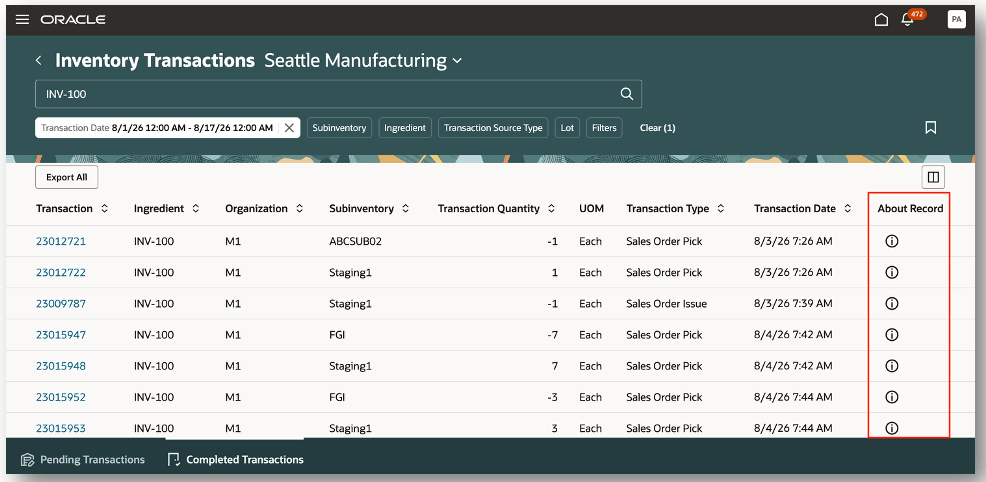
Action about record
After you select the information icon, you can view the About Record details. You can view the following details:
- Created By
- Creation Date and Time
- Last Updated By
- Last Updated Date and Time
After reviewing the About Record details, close the drawer to return to the page.
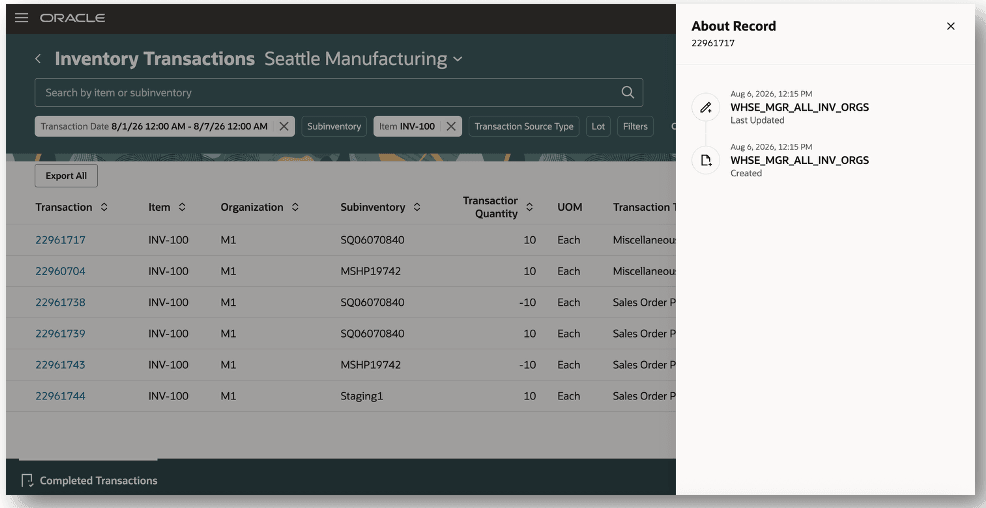
View about record details
Showing the specific record information readily available within the user interface, allows you to simplify troubleshooting, improve operational transparency, and support audit and compliance activities.
Steps to enable and configure
The About Record column is hidden by default.
To view the About Record column, select the Customize Columns icon.
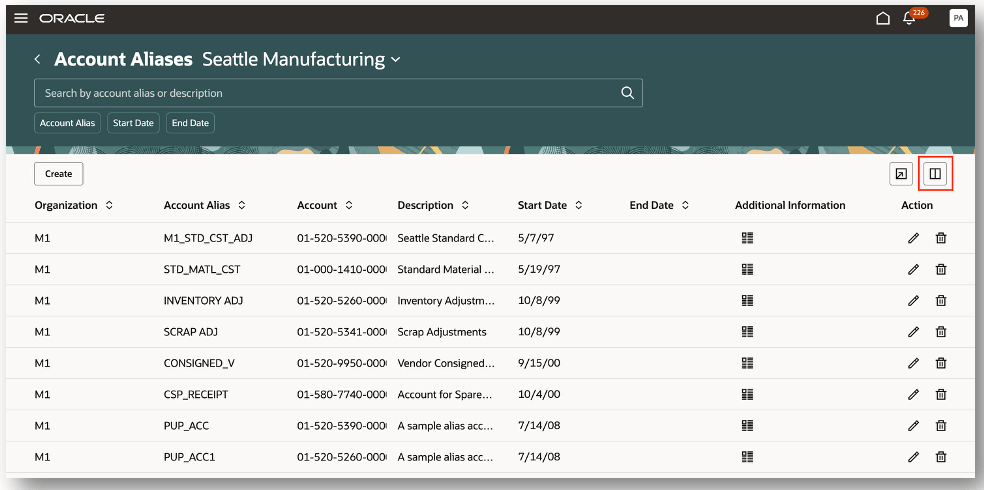
Customize columns
You can scroll down to the Hide region and click the check box for About Record. You will then see the About Record column displayed in the search results table.
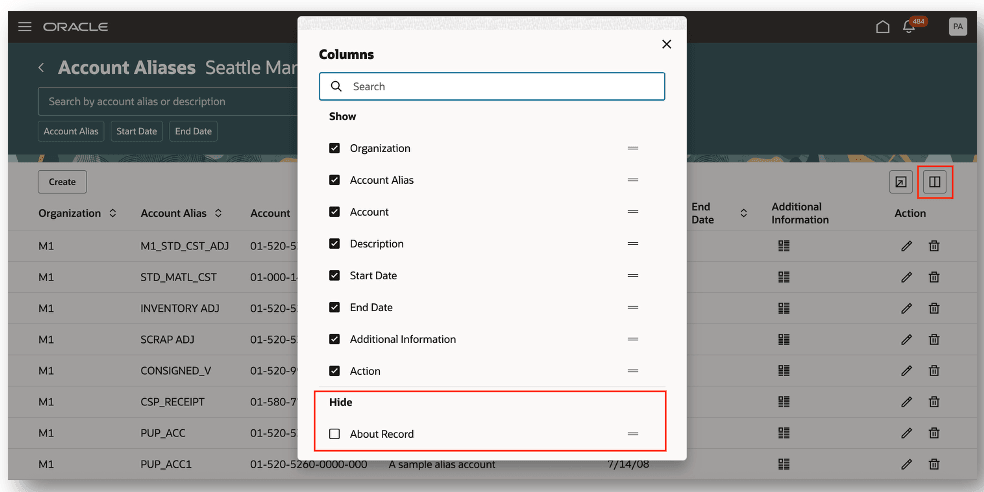
Show about record column
Unhide about record column
Tips and considerations
- The following details will be displayed for the record, Created By, Creation Date and Time, Last Updated By, and Last Updated Date and Time.
- The Record Details column is hidden by default and must be added via Customize Columns.
Key resources
- Oracle Fusion Cloud SCM: Using Inventory Management guide, available on the Oracle Help Center.
- Oracle Fusion Cloud SCM: Using Receiving guide, available on the Oracle Help Center.
- Oracle Fusion Cloud SCM: Using Shipping guide, available on the Oracle Help Center.
- Oracle Fusion Cloud SCM: Implementing Manufacturing and Supply Chain Materials Management guide, available on the Oracle Help Center.
- Oracle Fusion Cloud SCM: Security Reference for Manufacturing and Supply Chain Materials Management guide, available on the Oracle Help Center.
Access requirements
There are no additional access requirements for this feature.