Approve physical inventory counts using a spreadsheet
Maintaining accurate on-hand inventory is critical for balancing supply and demand, meeting customer service commitments, and supporting effective production planning. Physical inventory processes help reconcile recorded quantities with actual inventory on hand. A key step in this process is reviewing and approving discrepancies between the recorded and counted quantities to make appropriate adjustments. For organizations processing large volumes of count discrepancies, reviewing each adjustment individually can be time-consuming. To improve efficiency, users can now download count adjustment data into a spreadsheet powered by the Oracle Visual Builder Add-in for Excel. This can be used to review discrepancies, validate adjustments, and approve inventory updates in bulk before submitting them back to the application.
Use the Approve Physical Inventory Adjustments in Spreadsheet task to review and act on physical inventory adjustment approval requests in Microsoft Excel.
Access the task from:
-
Inventory Management > Counts > Physical Inventory or
-
Quick Actions > Supply Chain Execution > Inventory Counts
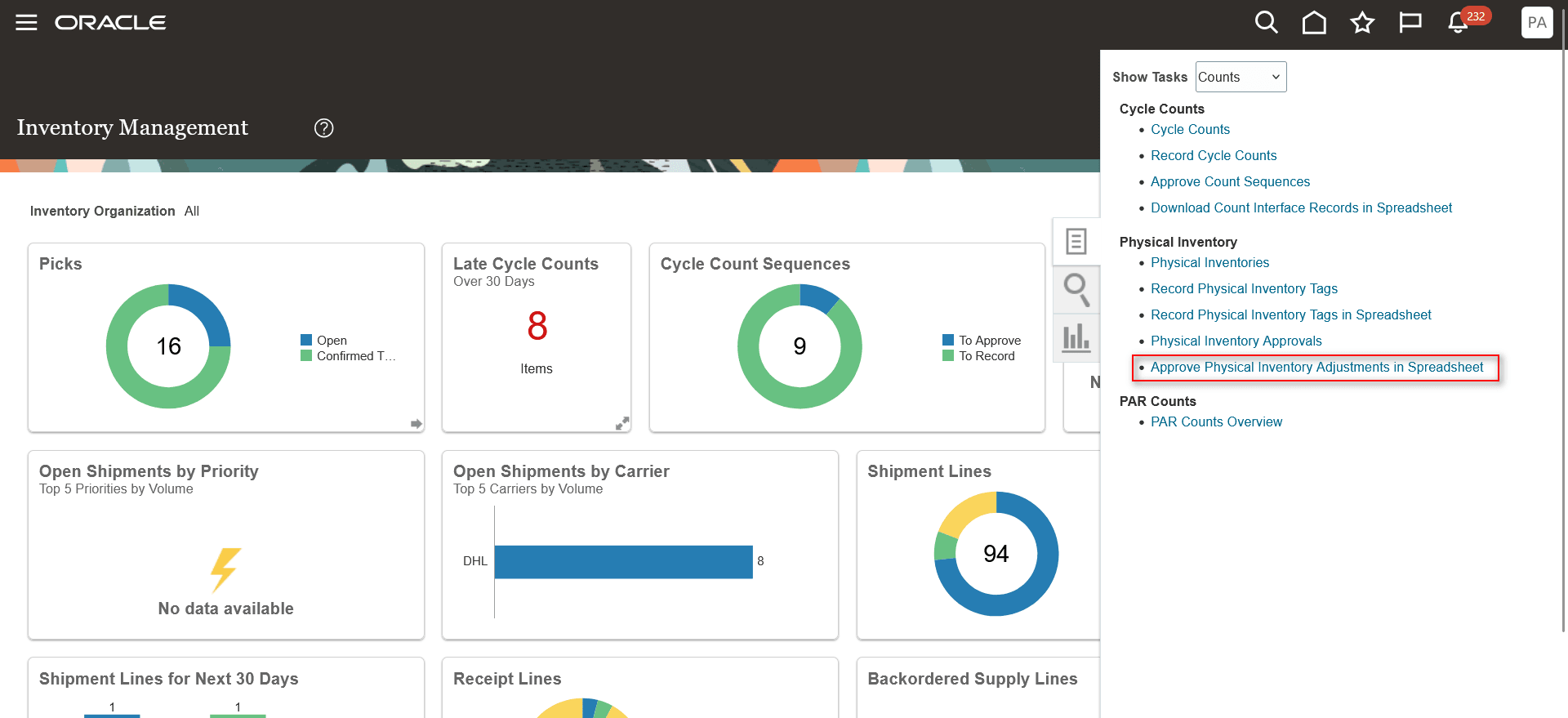
Approve physical inventory adjustments in spreadsheet
Download the predefined spreadsheet for a specific organization and physical inventory by entering both the required values. The spreadsheet includes relevant information for review.
For each record you want to act on, update these attributes:
-
Approval action as Approved, Pending, or Rejected
-
Reviewer
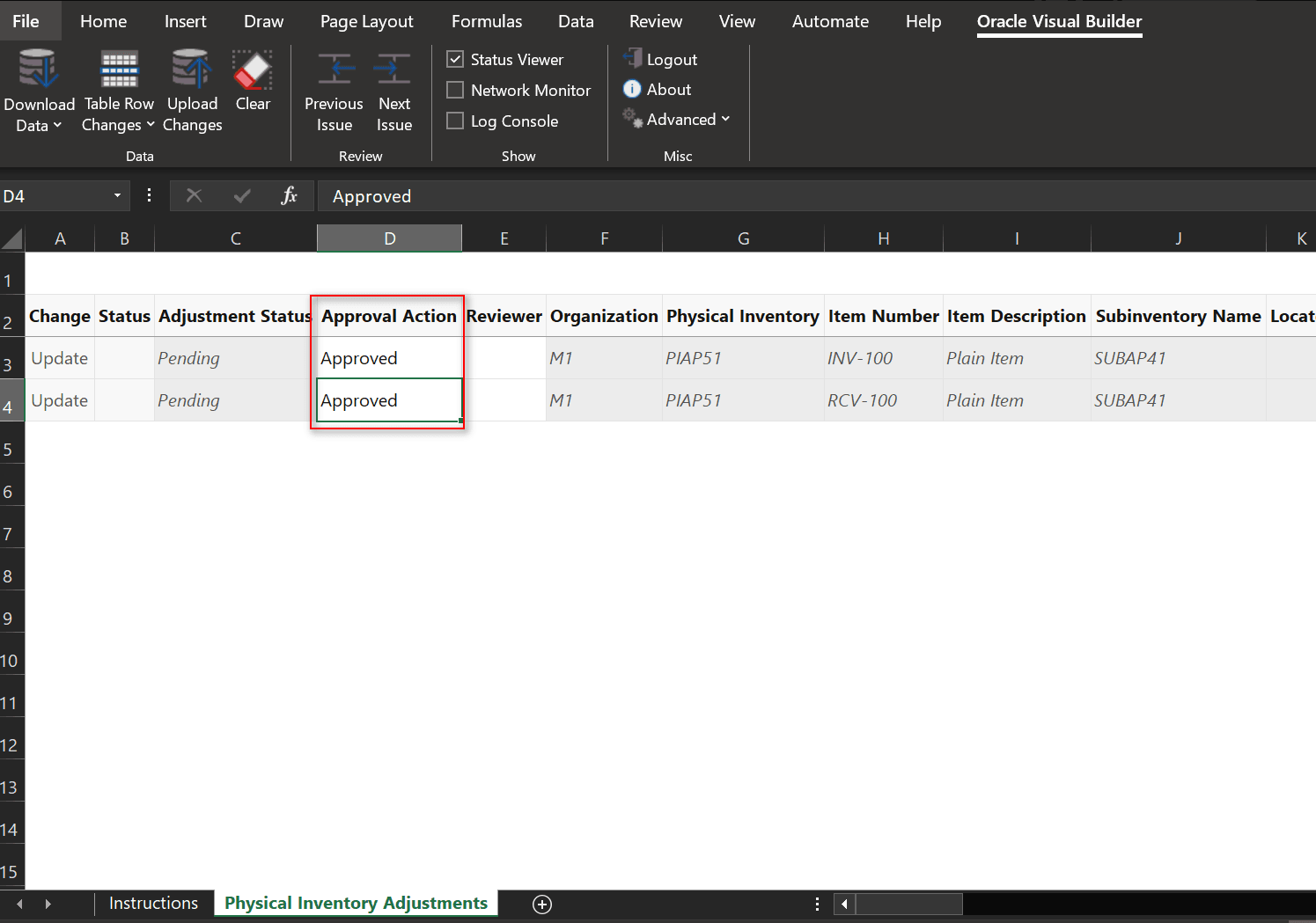
Actions in spreadsheet
After you provide the approval action and reviewer, upload the spreadsheet to submit your changes.
Posted records are included in the spreadsheet for reference, eliminating the need for a separate worksheet. You can’t manually set a record to Posted status.
This feature improves user productivity, increases inventory accuracy, and reduces the time required to reconcile physical inventory counts by enabling bulk review and approval of inventory adjustments in Excel.
Steps to enable and configure
Leverage the Visual Builder Studio to expose your applications. To learn more about extending your application using Visual Builder, visit Oracle Help Center > your apps service area of interest > Books > Configuration and Extension.
- In the Setup and Maintenance work area, search for and select the Manage Inventory Profile Options task.
- On the Manage Inventory Profile Options page, search for and select the ORA_INV_APPROVE_PHYSICAL_INVENTORY_ADJUSTMENTS_SPREADSHEET_REDWOOD_ENABLED profile option code.
- In the Profile Values section, set the Site level to Yes or No. The default value is Yes.
- Yes = enables the feature
- No = disables the feature
- Click Save and Close. Changes in the profile value will affect users the next time they sign in.
Tips and considerations
- Use the search bar to filter your results. You can't perform a search unless the mandatory filters are selected or filled in.
- The Status column displays information about the progress of both downloaded and uploaded data, helping you track processing status at a glance.
- Download the latest version of the Oracle Visual Builder Add-in for Excel.
Key resources
- Oracle Fusion Cloud SCM: Using Inventory Management guide, available on the Oracle Help Center.
Access requirements
If you are using custom job roles, then you need to add privileges identified as new in this update as well as validate that you have the previously delivered privileges listed.
| Privilege status | Privilege name and code |
|---|---|
| Previously delivered | Approve Physical Adjustment INV_APPROVE_PHYSICAL_ADJUSTMENT_PRIV |
| Previously delivered |
Manage Physical Inventory |
| Previously delivered |
Use REST Service - Workers List of Values PER_REST_SERVICE_ACCESS_WORKERS_LOV_PRIV |
| Previously delivered |
View Inventory Organizations List of Values by Web Service RCS_VIEW_INV_ORG_LOV_WEB_SERVICE_PRIV |
| Previously delivered | Manage Physical Inventory (Data Privilege) INV_MANAGE_PHYSICAL_INVENTORY_PRIV |