Use improved search on Redwood pages for date and time
Many organizations have facilities and warehouses across multiple geographic regions and time zones. When users are searching for documents or transactions, auditing material movements, or investigating operational issues, they need to search for records based on the date and time relevant to their location. If search criteria are interpreted using a different time zone, users may miss records, become confused by the results, or spend unnecessary time manually calculating time differences. Now you can search date and time information with awareness of the user's preferred time zone.
Use enhanced search controls to narrow results by date, and where supported, time on applicable Redwood pages. The enhancement provides three related search experiences:
- Use date and time range filter chips to refine searches for time-sensitive transactions and records.
- Use date-based list of values (LOV) selections and predefined date range options in the filters drawer, where supported.
- Combine date and time filters with LOV options in the filters drawer on applicable pages.
Date and time values are evaluated using the user’s preferred time zone where applicable. This includes the Transfer Orders Redwood page, where the Past Due, Today, and Future tabs use the preferred time zone to determine the applicable date and time boundaries.
Existing date-only filters remain available for pages and attributes that don't support date and time precision. Existing Redwood search filters and saved searches work as before.
Use the date filter to select a date and time for transfer order searches.
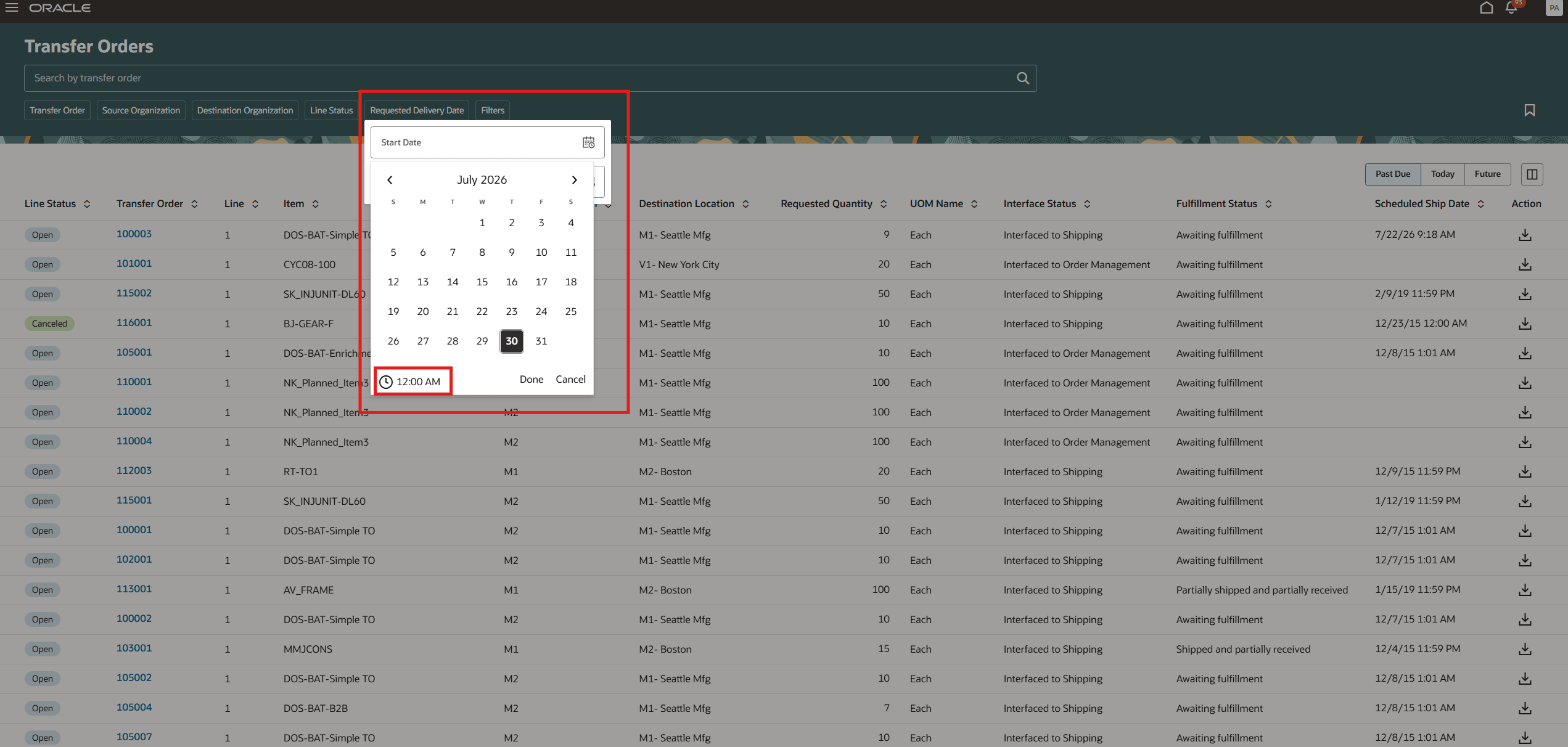
Date and time filter chip
Use the date filter to enter a specific date and time range or select a predefined date from the LOV in the panel drawer.
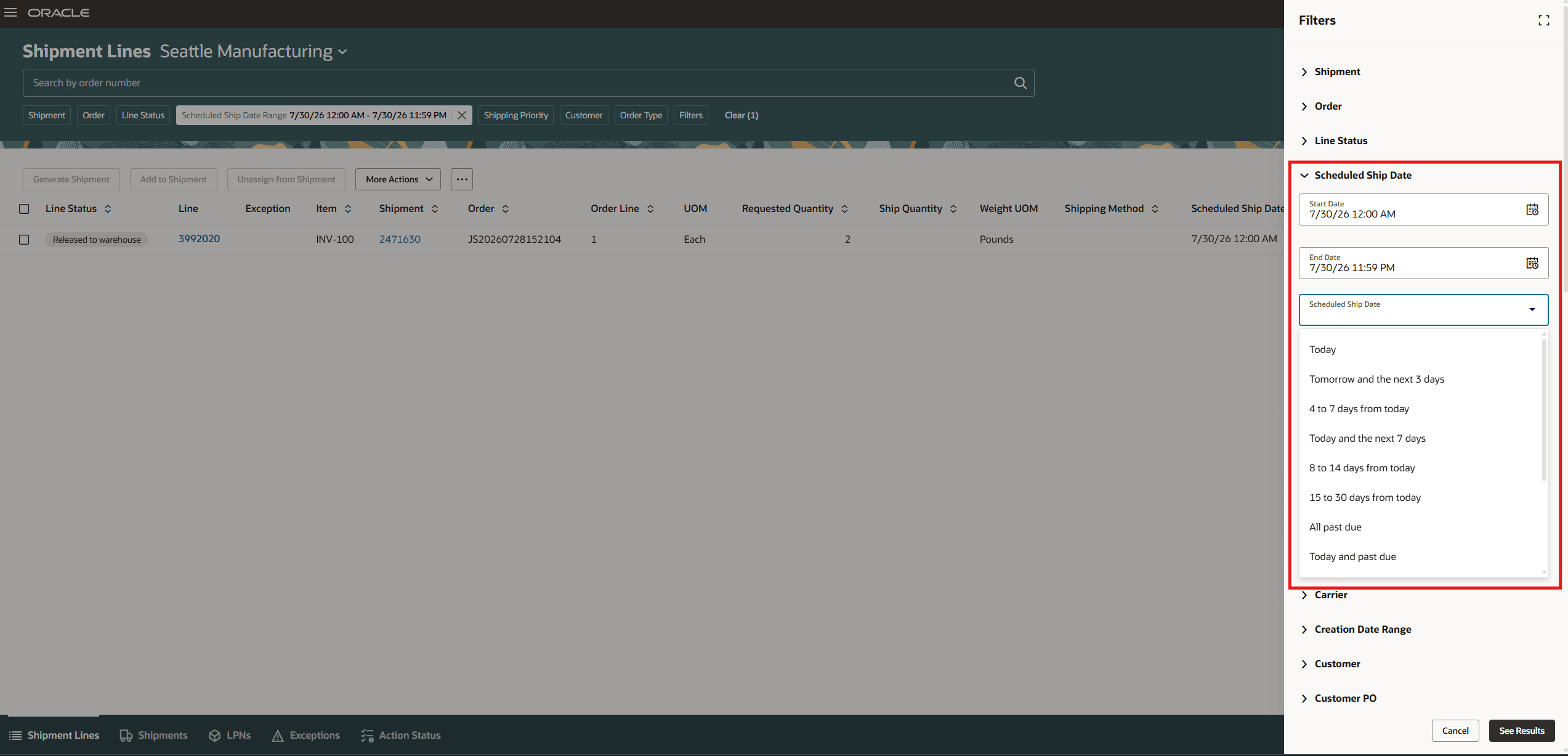
Date and time filter chip with date options
Use the date range filter to enter a start date and end date on the applicable Redwood pages.
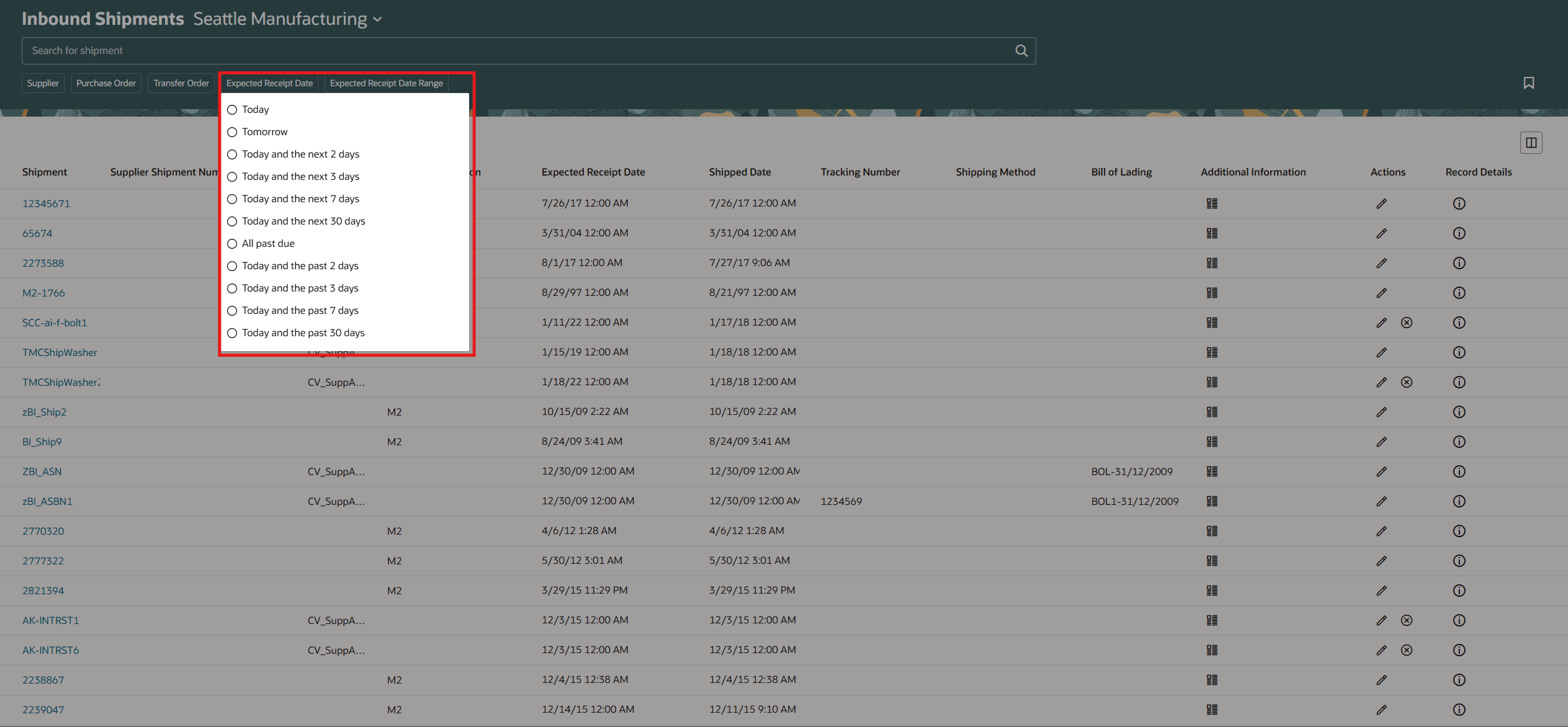
Date range filter chip
Select a predefined date range from the LOV filter chip on the applicable Redwood pages.
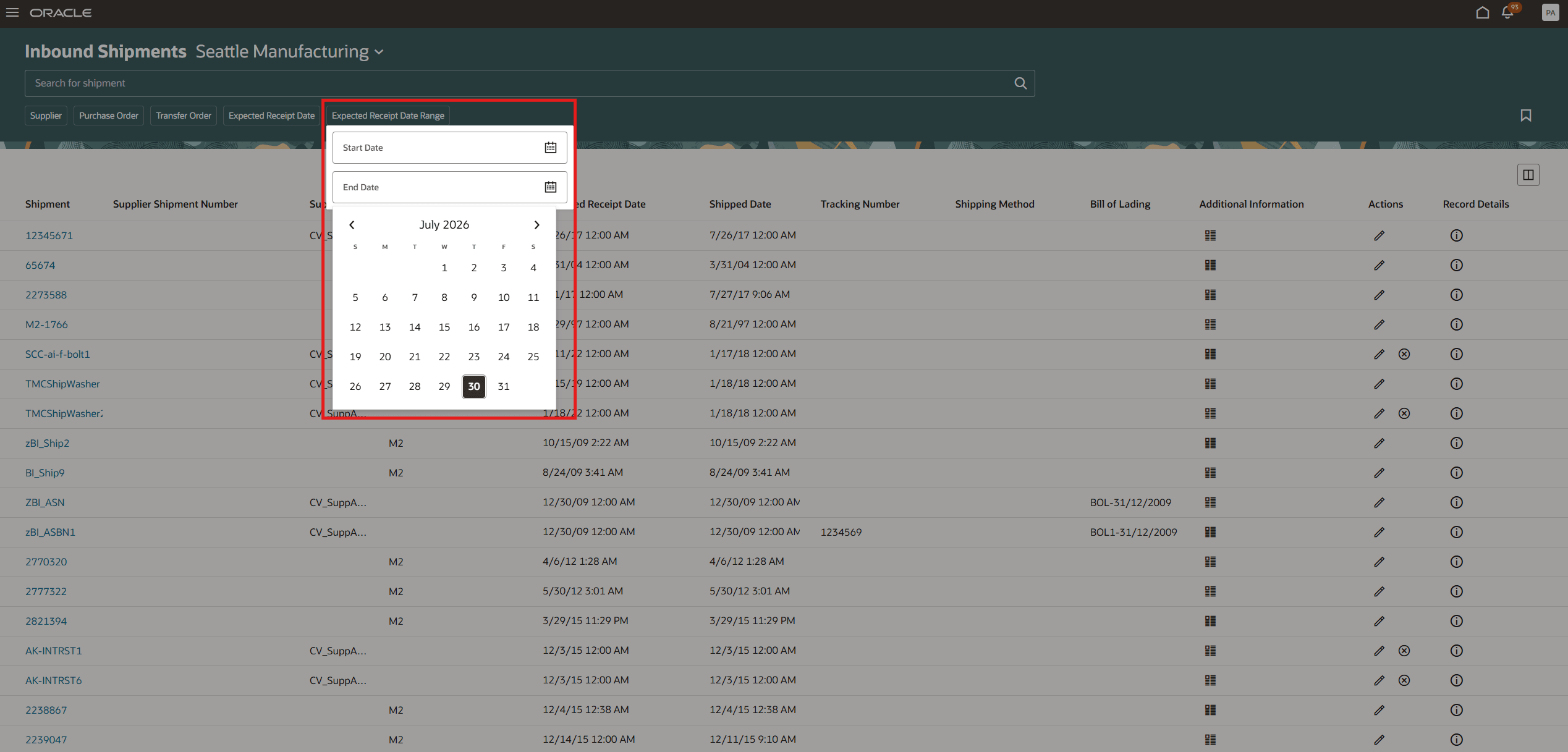
Filter LOV with radio button options
Here are the impacted Redwood pages.
| Redwood pages impacted |
|---|
| Confirm Pick Slips |
| Completed Transactions |
| Transfer Orders |
| Pending Transactions |
| Inbound Shipments |
| Unordered Receipts |
| Dock Logs |
| Expected Shipment Lines |
| Received Lines |
| Awaiting Inspection |
| Awaiting Put Away |
| Returns |
| Supplier Portal - Receipts |
| Supplier Portal - Returns |
| Purchase Orders to Ship (Inbound Shipments) |
| Corrections |
| Physical Inventories |
| Shipments |
| Shipment Lines |
Searching using a date and time relative to your time zone preference allows you to locate the correct transactions more efficiently, improve search accuracy, and streamline audit and troubleshooting activities without performing manual time zone conversions.
Steps to enable and configure
You don't need to do anything to enable this feature.
Tips and considerations
- Date and time search is available only for the page attributes included in the affected-page scope.
- Where date and time search isn’t supported, the existing date-only filter or date-based LOV behavior continues to apply.
- Set your preferred time zone to ensure that applicable date and time values and search boundaries are evaluated as expected.
- The user-preferred time zone behavior applies where supported by the page and attribute.
- When you apply both a date range filter and a predefined date option from the list of values, search results include only records that meet both filter criteria.
Key resources
- Oracle Fusion Cloud SCM: Using Inventory Management guide, available on the Oracle Help Center.
- Oracle Fusion Cloud SCM: Implementing Manufacturing and Supply Chain Materials Management guide, available on the Oracle Help Center.
Access requirements
No additional access is required.