AI-assisted recall notice creation from email attachments
You can now email supplier recall letter attachments directly to a registered mailbox for automatic processing. The Recall Letters Capture Assistant uses AI to extract recall information from the attachment and automatically creates a recall notice, eliminating the need for a recall manager to manually upload the letter.
After the Recall Letters Capture Assistant is configured with a registered email account, users can simply send a supplier recall letter attachment to the designated email address. The assistant processes the attachment, invokes the Recall Letters Curation Assistant to extract recall details, and creates a recall notice.
The sender receives a confirmation email, and recall managers can access the created recall notice and the original attachment from the landing page.
This feature enables the first recipient of a supplier recall letter to submit it without waiting for a recall manager to manually upload the letter. It reduces processing delays and manual intervention, helping organizations identify and execute recalls sooner.
Steps to enable and configure
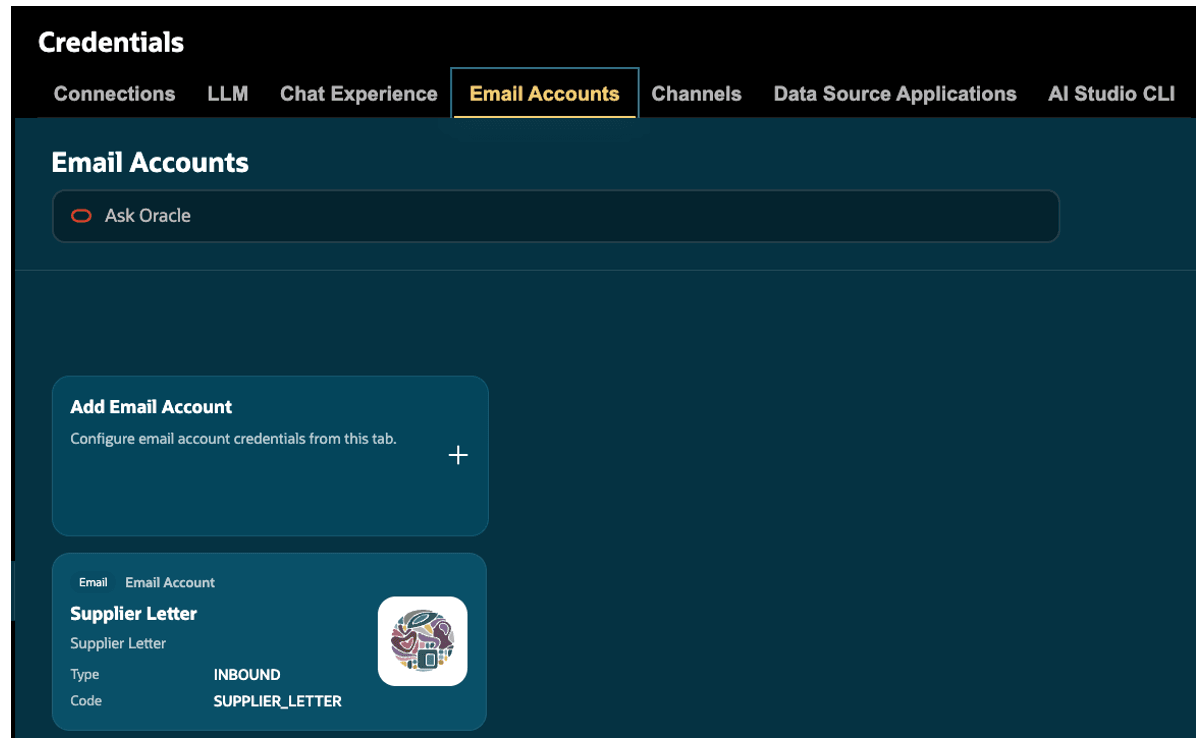
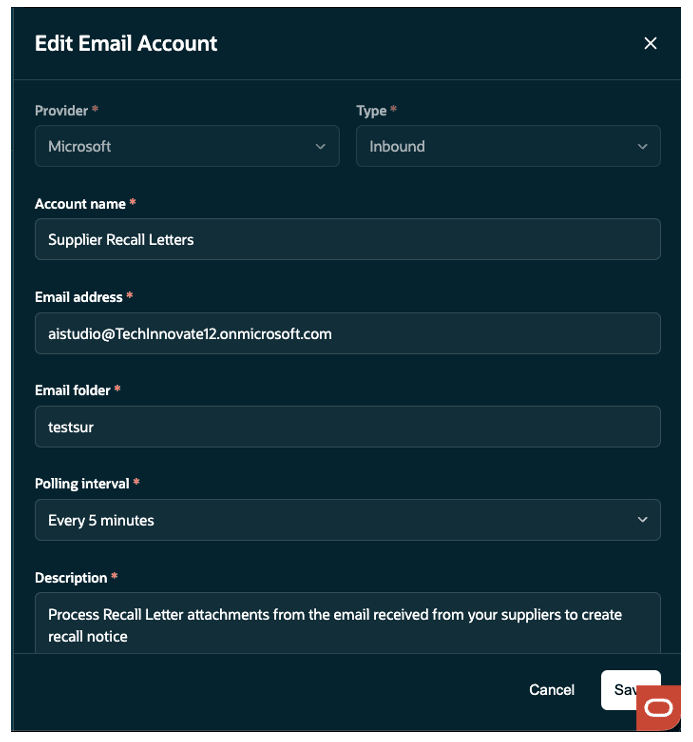
In AI Studio, navigate to Tools > AI Studio > Credentials. On the Email Accounts tab, register the email account and specify the email address and folder that will receive supplier recall letters. When prompted, provide the Client ID, Client Secret, and Tenant ID. Ensure that the selected folder is dedicated to the Recall Letters Capture Assistant and isn't used by any other assistant.
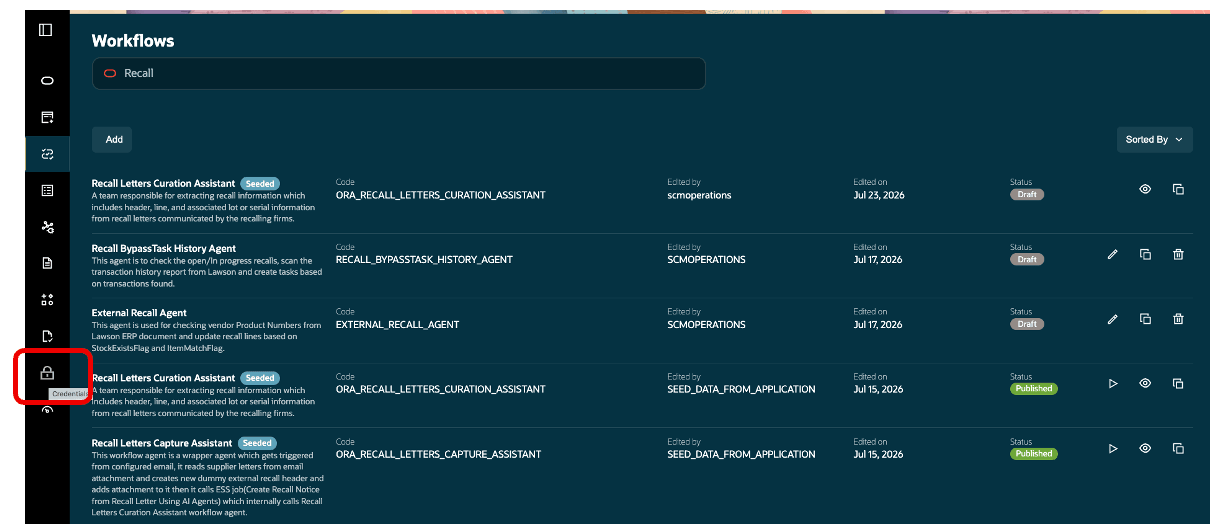
Navigate to Workflows, search for Recall Letters Capture Assistant, and open the seeded assistant by selecting the View (eye) icon.
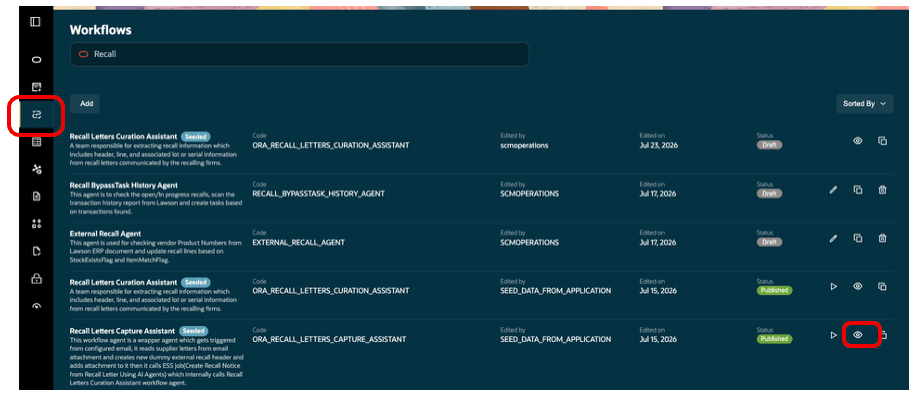
Select Customize, then navigate to Settings > Triggers. Select the registered email account, and publish the customized assistant.
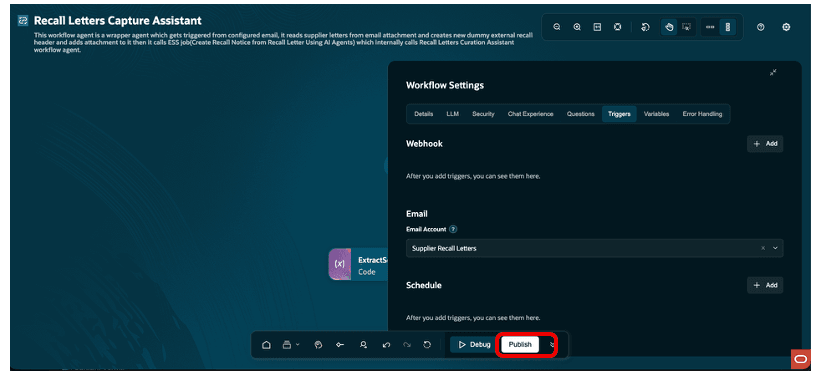
Note: The Manage Communication Responses process runs according to the polling interval configured for the email credentials to process recall letters.
Tips and considerations
- Each email must include one attachment. Emails with no attachment or multiple attachments aren't supported and generate an error email.
- If required recall attributes can't be extracted, the recall manager receives an email and can use Monitor AI Curated Recall Notices to review the issue.
- The emails sent to the registered email account shouldn’t be manually marked as read.
Key resources
- Oracle Supply Chain Management guide, Implementing Product Recall Management guide, available on the Oracle Help Center.
Access requirements
Users who are assigned a configured job role that contains these privileges and codes can access this feature.
| Privilege Status | Privilege Name and Code | Navigation |
|---|---|---|
| Existing |
Manage Product Recall Notices ENQ_MANAGE_PRODUCT_RECALL_NOTICES |
Function Security Policy |
| Existing |
Import Product Recall Notices ENQ_IMPORT_PRODUCT_RECALL_NOTICES |
Function Security Policy |
| Existing |
Access FSCM Integration Rest Service FUN_FSCM_REST_SERVICE_ACCESS_INTEGRATION_PRIV |
Function Security Policy |
| Existing |
SCM Intelligent Agent Management Duty ORA_RCS_SCM_AI_AGENT_MANAGEMENT_DUTY |
Roles and Privileges |
| Existing |
SCM Intelligent Agent Management Duty ORA_RCS_SCM_AI_AGENT_MANAGEMENT_DUTY_HCM |
Roles and Privileges |
| New |
Recall Notices Workflow ORA_SCH_RECALL_NOTICES_WORKFLOW_DUTY |
Roles and Privileges |
| Existing |
Fai Genai Agent SCM Administrator Duty ORA_DR_FAI_GENERATIVE_AI_AGENT_SCM_ADMINISTRATOR_DUTY |
Roles and Permission Groups Note: You must enable the permission groups for the configured job role. |