Default cost organization across Cost Accounting pages
As a Cost Accounting user, you often access several pages to review transactions, perform adjustments, analyze balances, and manage cost-related activities. Prior to this update, each page applied its own default cost organization logic independent of the Cost Accounting landing page, which meant you had to repeatedly reselect the cost organization when navigating across pages.
With this enhancement, the cost organization selected on the landing page is carried forward to the Cost Accounting and Cost Planning pages opened through quick actions. Where applicable, the application also derives related values such as business unit, ledger, primary cost book, and period from the selected cost organization.
This table lists the supported Cost Accounting and Cost Planning pages.
| Area | Supported Pages | Default Behaviour |
|---|---|---|
| Cost Accounting |
Cost Accounting Periods Inventory Valuation Cost Adjustments Work Order/Batch Costs Maintenance Work Order Costs Gross Margin Analysis Standard Purchase Cost Variance Summary Review and Approve Item Cost Profiles Cost Processing Run Control Accounting Overhead Rules Cost Accounting Transactions and Distributions Item Costs |
The cost organization selected on the Cost Accounting landing page is used as the default working context. Where applicable, the application also derives related values such as business unit, ledger, primary cost book, and period. |
| Cost Accounting | Periodic Average Cost Adjustments | If the selected cost organization is enabled for Periodic Average Cost, it's applied as the default cost organization. Else, the first available cost organization in alphabetical order is set as the default cost organization. |
| Cost Accounting |
Cost Processing Errors Standard Cost Overhead Absorption Rules Maintenance Asset Costs |
No changes for these pages. |
| Cost Planning |
Cost Scenarios Resource Rates Overhead Rates Rolled Up Costs Scenario Exceptions Compare Standard Costs Standard Cost Import Exceptions |
The cost organization selected on the Cost Accounting landing page is applied as the default filter context. |
Establish your Cost Accounting context
When you open the Cost Accounting landing page, the defalut cost organization is automatically dervied based on your configured profile option. If you prefer to work on a different cost organization, you can select another value on the landing page before navigating to other pages.
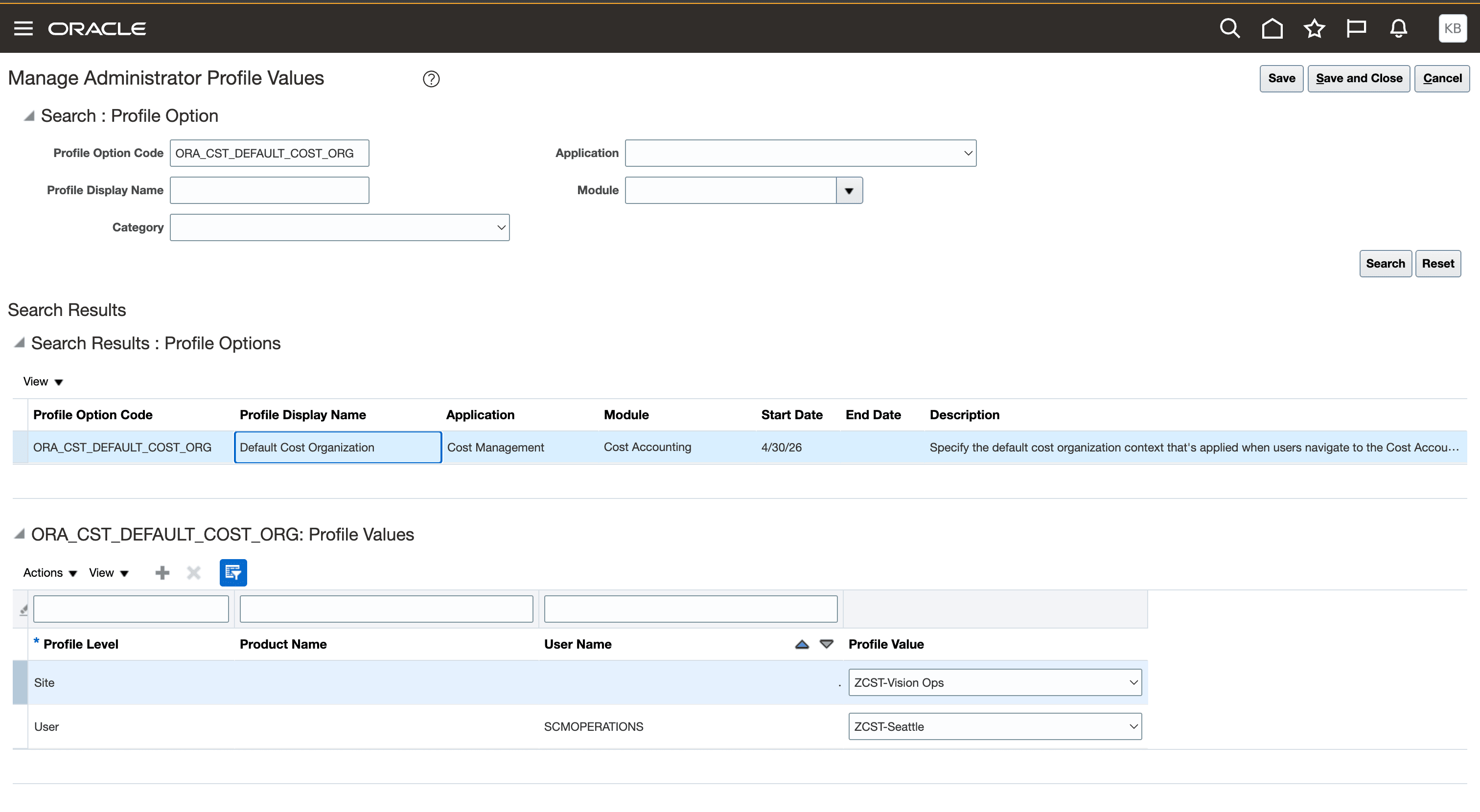
Set default cost organization using the profile option
Navigate to a Cost Accounting or Cost Planning page
Use a quick action on the Cost Accounting landing page to open a Cost Accounting or Cost Planning page.
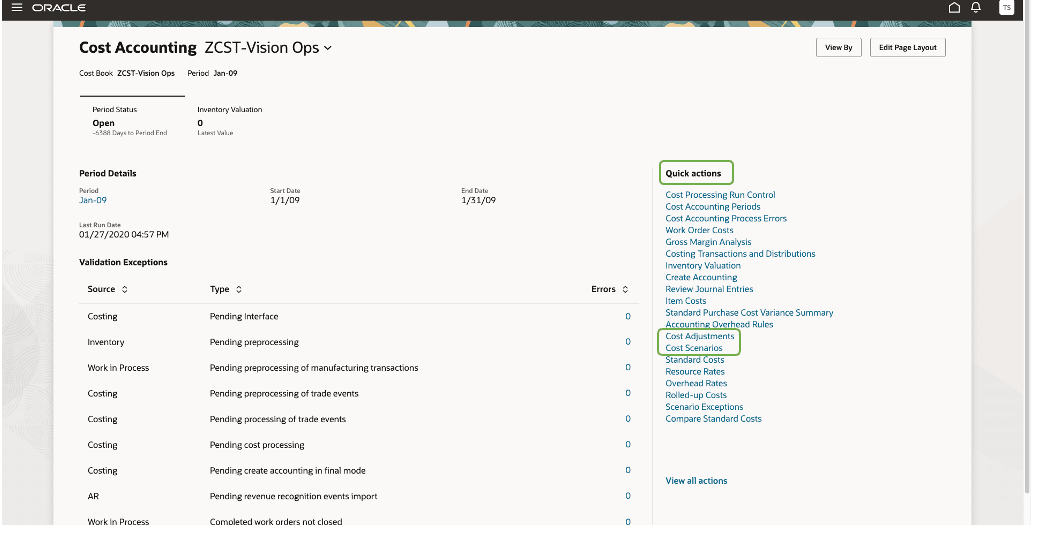
Open a Cost Accounting or Cost Planning page from the quick actions
The cost organization selected on the landing page, which could either be the default value from your profile option or the value you selected, is automatically applied as the default filter context on the target page.
When you navigate across supported pages, the cost organization selected on the landing page remains available so the costing context stays consistent throughout the workflow. The same cost organization is also retained during in-application navigation.
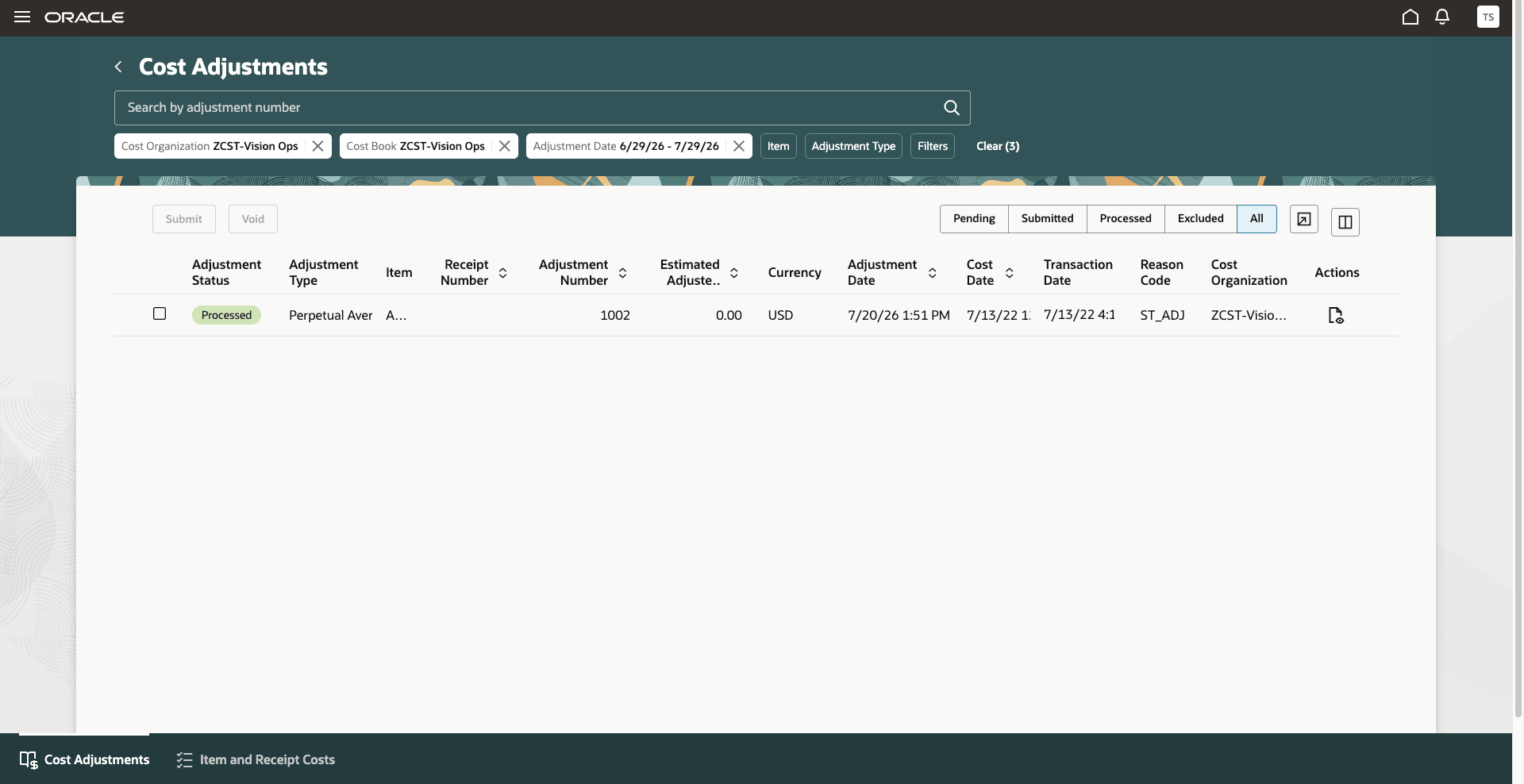
View the selected Cost Organization on the target page.
View the default costing context
When the target page opens, the selected cost organization is already applied. Where applicable, the business unit, ledger, primary cost book, and period from the selected cost organization is also derived.
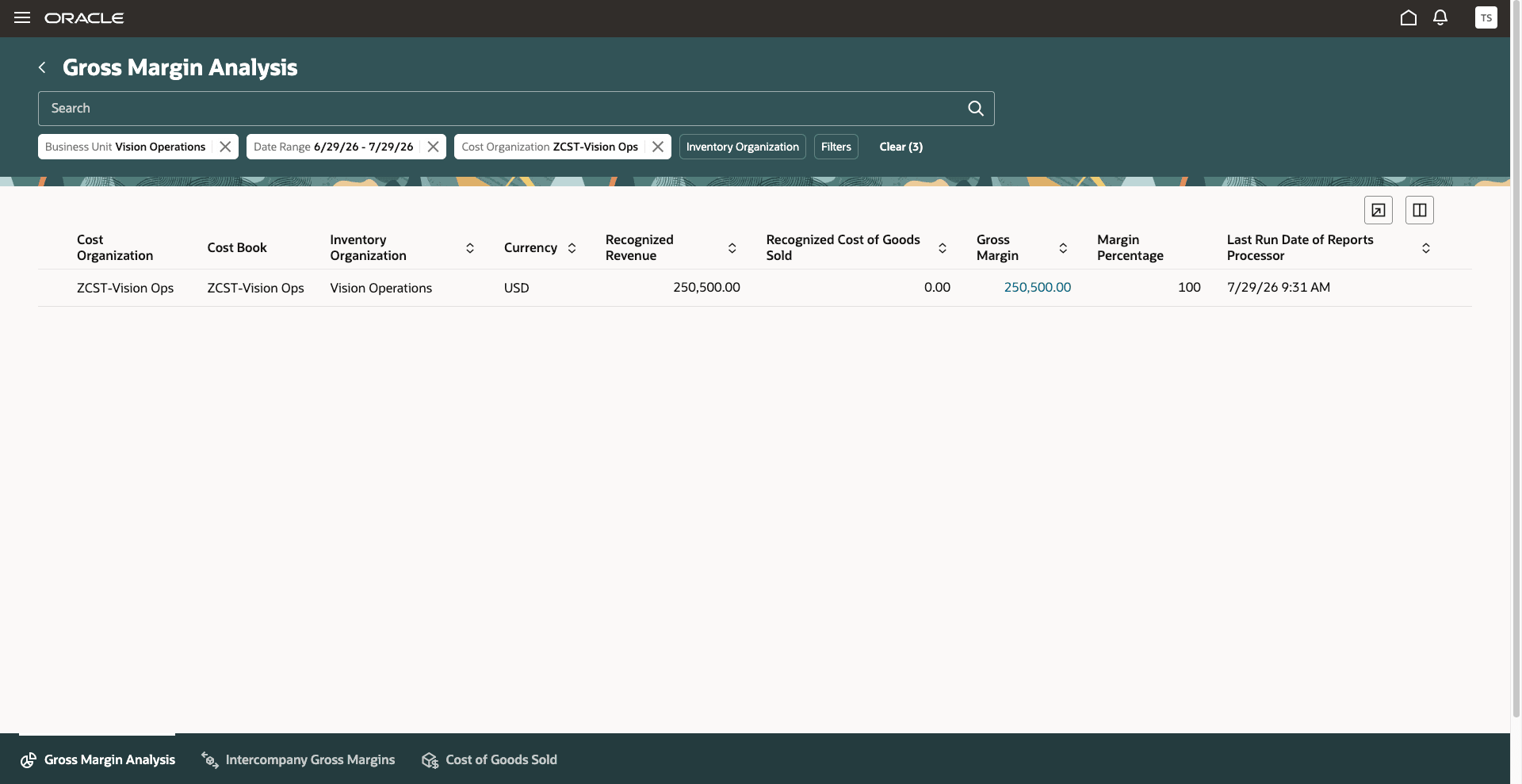
View the derived costing context on the target page
Some of the benefits this feature provides include:
- Reduces repetitive filter selection across Cost Accounting and Cost Planning pages.
- Preserves a consistent costing context across related tasks.
- Helps users access relevant costing data more quickly.
Steps to enable and configure
You don't need to do anything to enable this feature.
Tips and considerations
- This enhancement applies only when navigation begins on the Cost Accounting landing page.
- If you change filters within a page, your selections are respected for that page. When you navigate to another supported page, the landing page cost organization is applied again as the default working context.
- Use the profile option code ORA_CST_DEFAULT_COST_ORG to set your default cost organization for the costing pages.
Key resources
- Oracle Fusion Cloud SCM: Using Cost Management guide, available on the Oracle Help Center.
- Oracle Fusion Cloud SCM: Implementing Cost Management guide, available on the Oracle Help Center.
Access requirements
No new privileges are required. Users with access to the Cost Accounting landing page and Cost Accounting and Cost Planning pages can use this enhancement.