Support credit card payment method for parts orders
Service Logistics now supports the Credit Card payment method for part orders (new, exchange, advanced exchange, returns). Previously only On Account payment method on account was supported. A unique transaction ID is created after the credit card is selected. Charges are authorized when the user selects the Order button to create the sales order. Credit card information and authorization status is added to the sales order, which then flows into Accounts Receivable where the credit card is charged. When additional parts are added to the sales order, only the additional charge amount in authorized. Authorization is not performed when total charges are negative.
In the Part Requirement header UIs (create and edit), you can select the payment method as On Account or Credit Card as shown in the following screenshot.
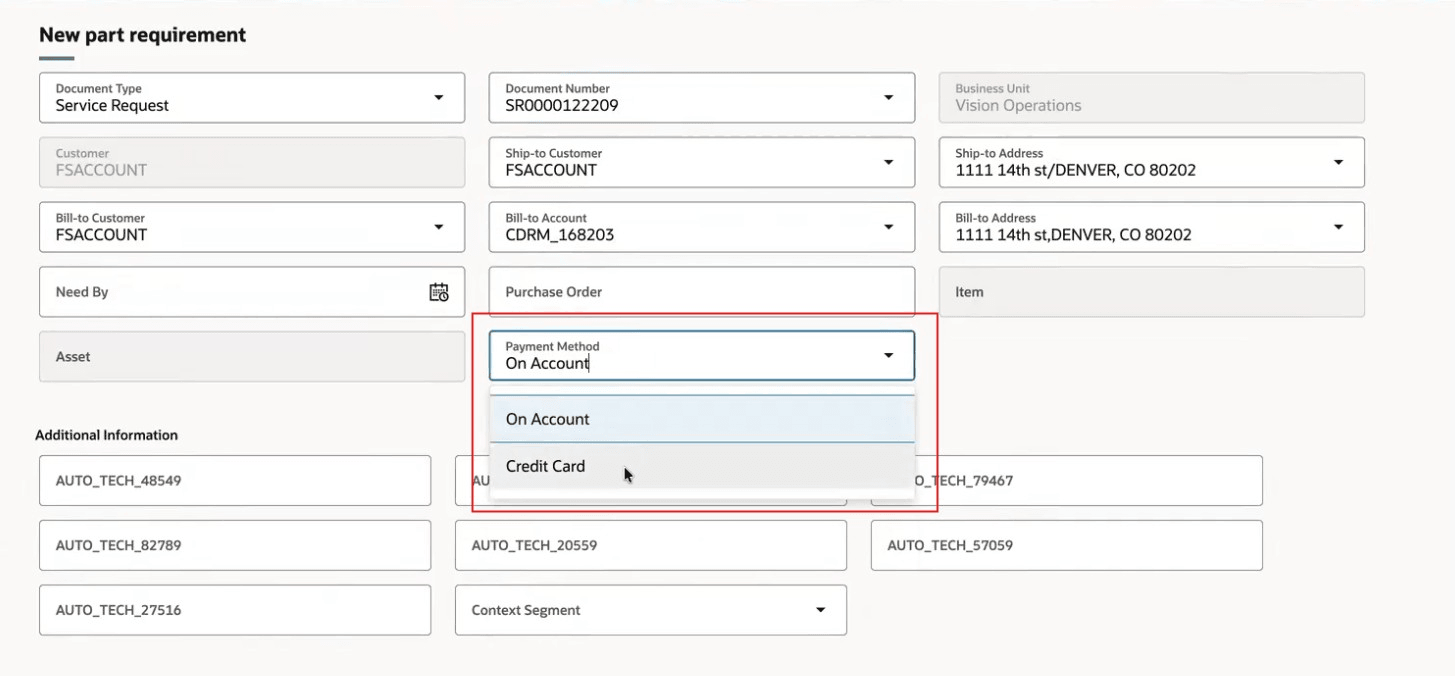
Part Requirement header - Payment Method LOV
When you select Credit Card as the payment method, the Credit card drawer automatically opens so you can select one of the customer's credit cards on file or add a new one (Add Credit Card button). The Credit Card LOV lists all credit card numbers associated with the bill-to address. If it only has one, it's defaulted as depicted in the following screenshot.
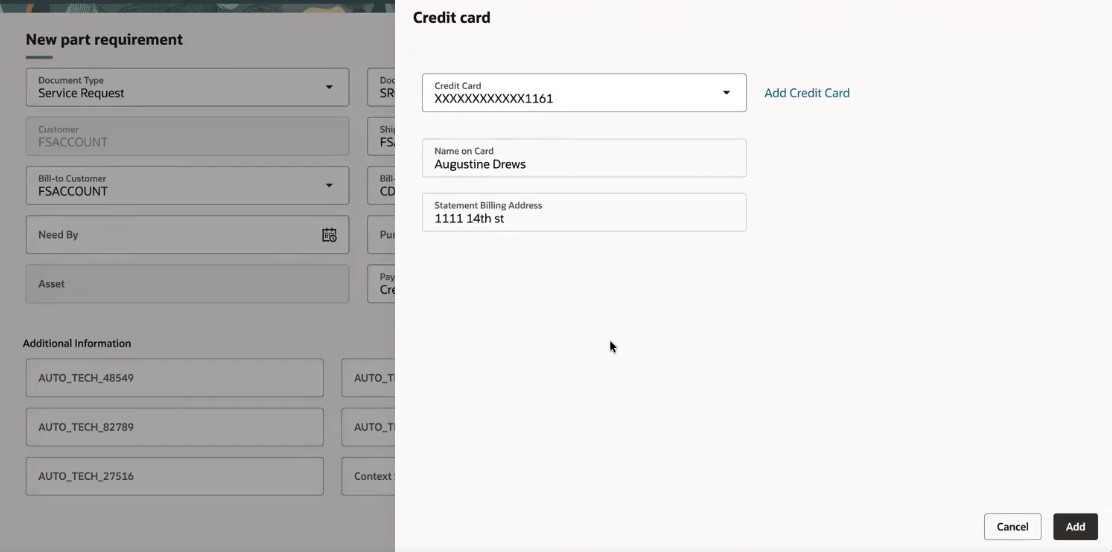
Credit card drawer
Create Part Requirement header after credit card is selected.
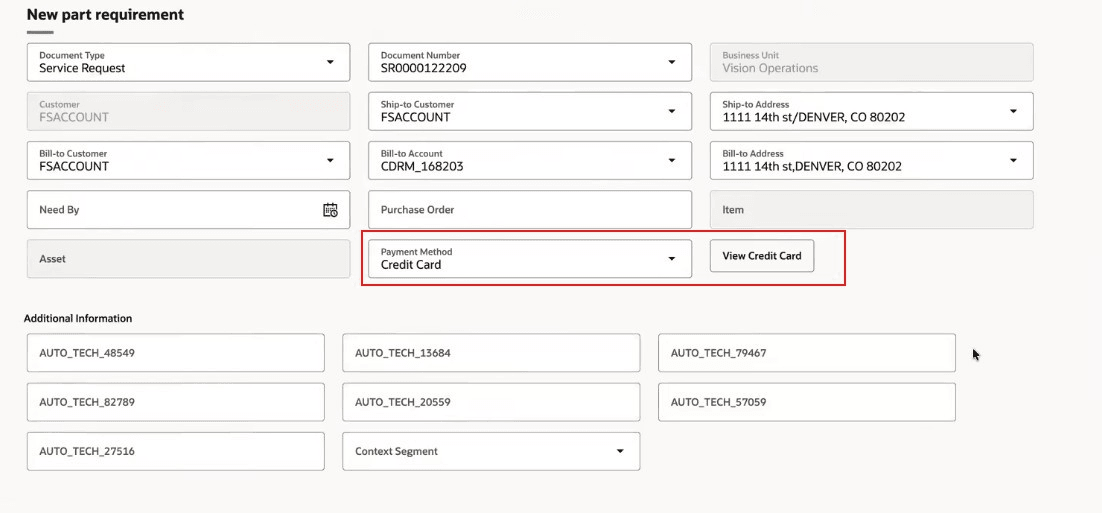
Credit card drawer with Credit Card selected
Credit Card Payment Method is also updatable on the Edit Part Requirement header drawer.
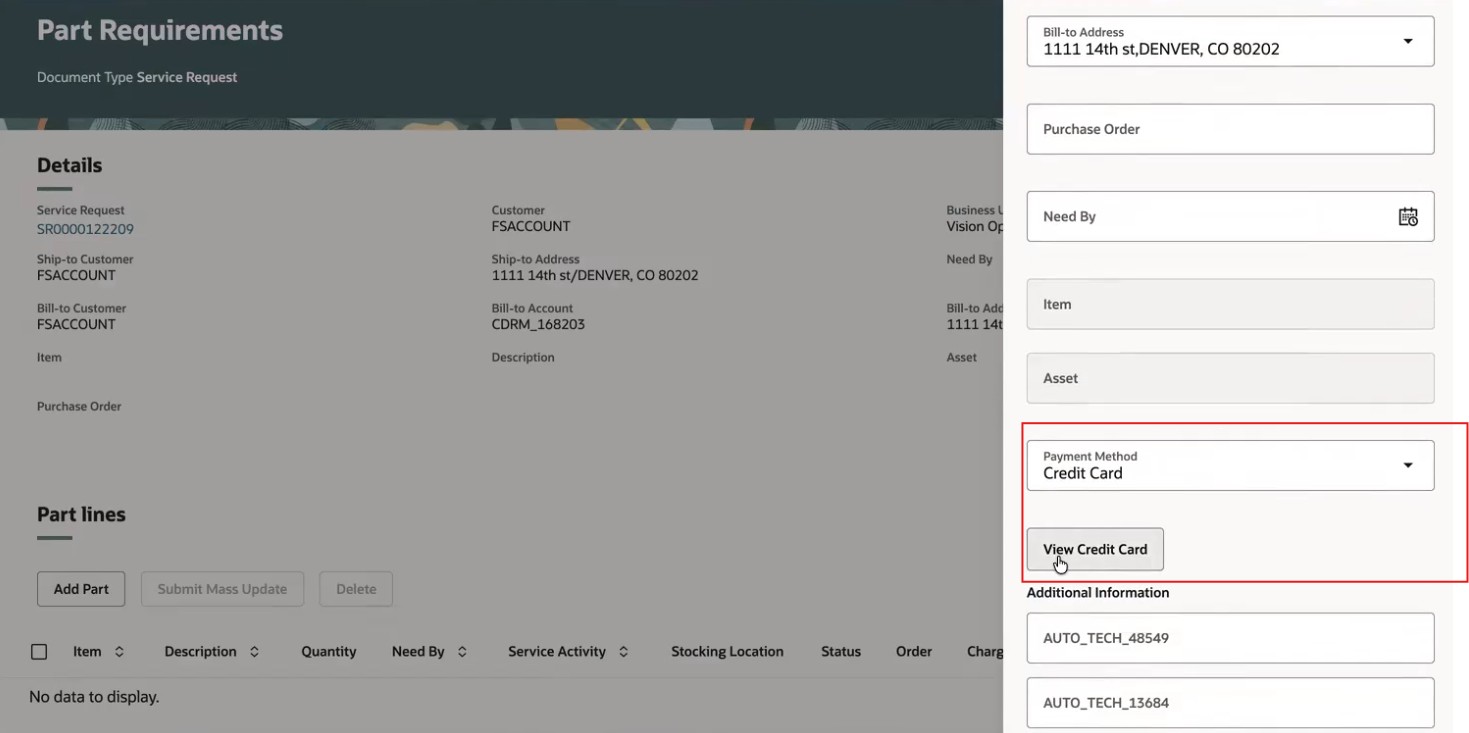
Edit Part Requirement header drawer with Payment Method LOV
Credit card drawer accessed from the Edit Part Requirement header drawer.
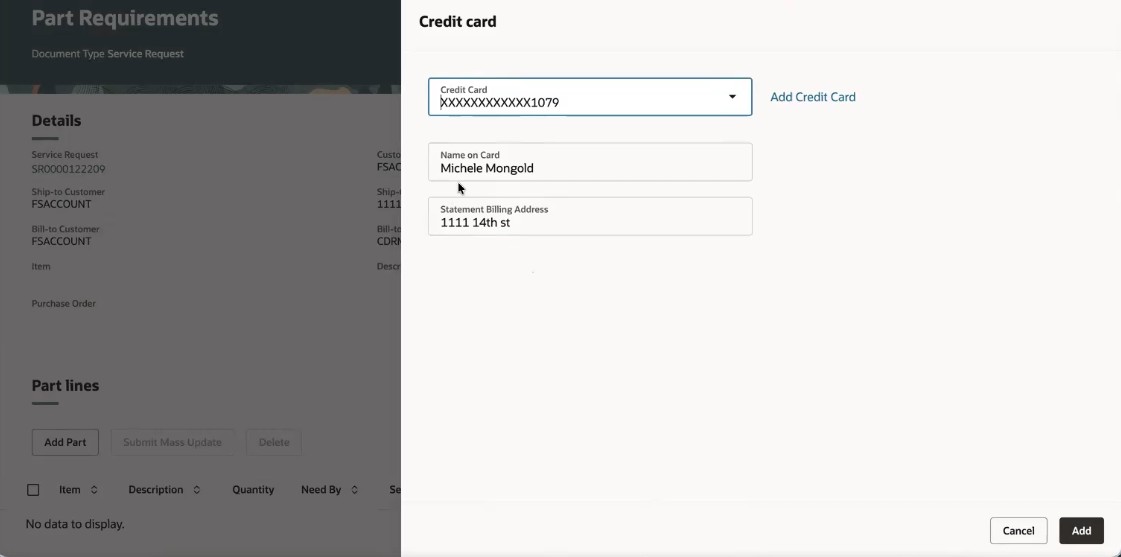
Credit card drawer accessed from the Edit Part Requirement header drawer
Edit Part Requirement header Credit card drawer Credit Card LOV.
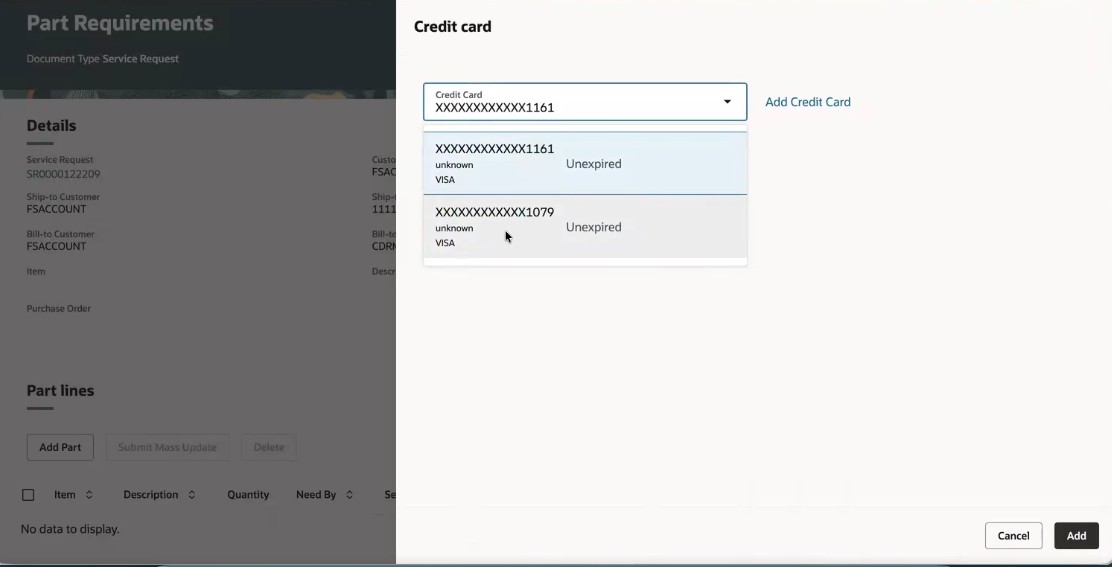
Edit Part Requirement - Credit Card LOV
This feature allows customers to pay by credit card, providing better customer service and eliminating the need to collect payment for invoices.
Steps to enable and configure
To enable credit card authorization, you must perform the following:
1) Create and enable the profile RCL_ENABLE_CARD_PAYMENT and set it to Y at the site level.
2) Enable REST API Access for the RCL_ENABLE_CARD_PAYMENT profile. To access a custom profile via REST, you must add it to the Authenticated User Profile Option Values category.
- In Setup and Maintenance, search for the Manage Profile Categories task.
- Search for the category code: ORA_FND_AUTH_REST_ACCESS.
- In the Profile Options section of this category, click Add (+).
- Search for and select your newly created custom profile option.
- Click Save and Close.
Access requirements
Duty Roles
In a future release, Payments (IBY) will seed the duty roles listed below to enable viewing/capturing credit card info. These duty roles use permission sets and secured views instead of privileges. You'll need to assign them to your configured job roles.
These duty roles will be added to the seeded Service Logistics Depot Repair Manager and Field Service Administrator job roles.
- ORA_DR_IBY_CUSTOMER_PAYER_CREDIT_CARD_MANAGEMENT_DUTY (Customer Payer Credit Card Management Duty)
- ORA_DR_IBY_CUSTOMER_PAYER_TXN_EXTENSION_MANAGEMENT_DUTY (Customer Payer Transaction Extension Management Duty)
Until the new duty roles listed are available, you'll need to create them and assign them to their configured job roles. These duty roles should not have the same names as the ones to be seeded by Payments (IBY) previously listed. See the Order Management 26C What's New for details on how to set up these duty roles.
You'll need to add the following duty role to your configured job roles in order to create credit cards and perform authorizations.
access requirements
| Duty role status | Duty role and code |
|---|---|
| Previously delivered | ORA_IBY_CUSTOMER_PAYMENT_INSTRUMENT_MANAGEMENT_DUTY |
| Previously delivered |
IBY_SET_FUNDS_CAPTURE_TRANSACTION_EXTENSION_DETAILS_PRIVIBY_SET_FUNDS_CAPTURE_TRANSACTION_EXTENSION_DETAILS_PRIV |
Data Security
You need to create a Data Security Policy for your configured job roles to provide access to the reference data set which enables the Credit Card LOV in the Credit card drawer.
- Username: User
- Role: Job Role
- Security Context: Reference Data Set
- Security Context Value: Reference Data Set Value