Add parts from asset parts list to work orders in Maintenance Supervision
In Maintenance Supervision, you can now select multiple parts from an asset’s parts list when adding operation materials to a work order. This helps you associate the correct parts with maintenance work and reduces the need to add materials individually.
On the Edit Work Order page, select the Materials tab, then click Add from Asset Parts List.
This screenshot shows the new Add from Asset Parts List button.
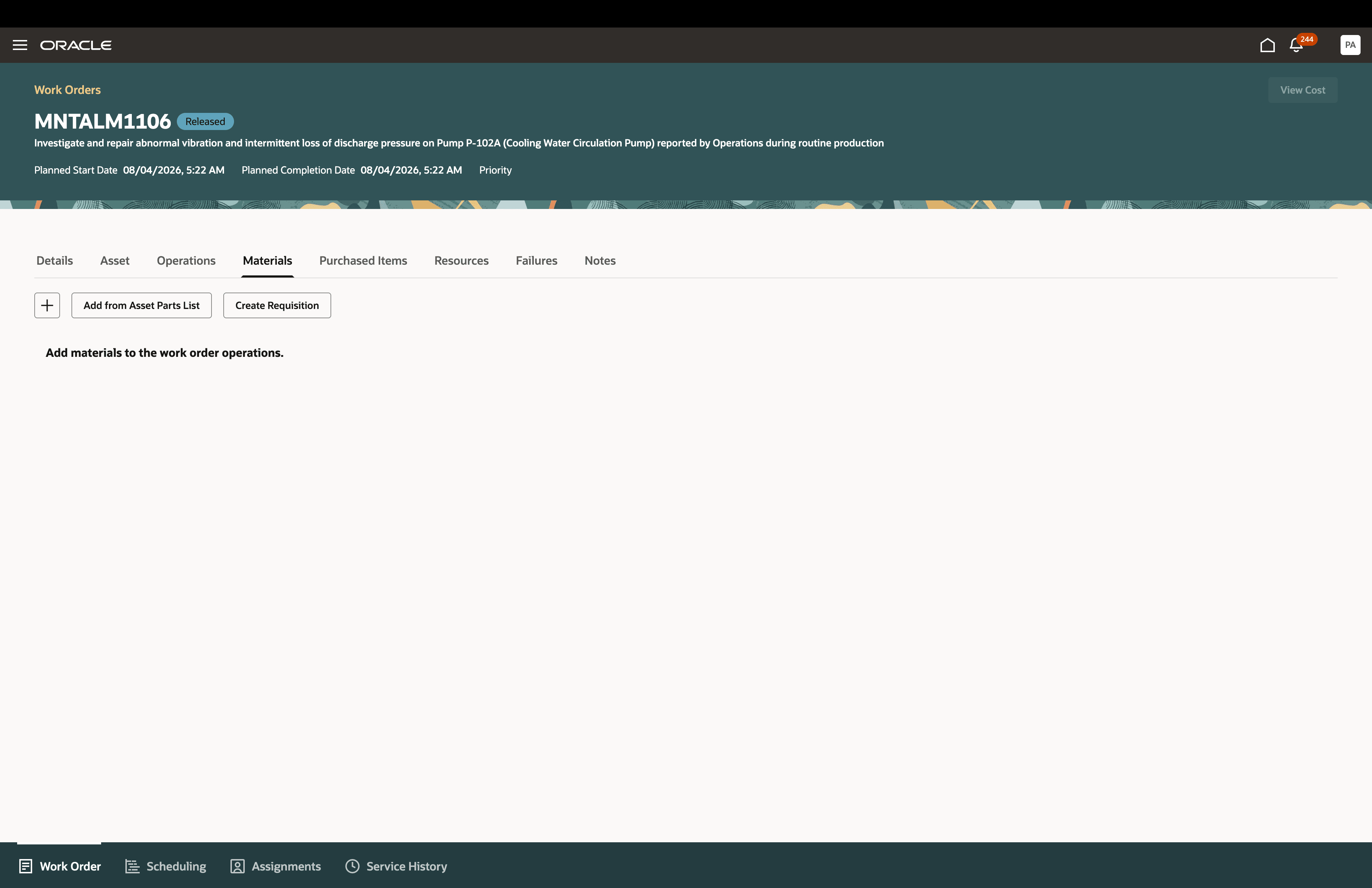
The new Add from Asset Parts List button in the Materials tab
In the Add items from asset parts list drawer, select the required parts and click Add.
This screenshot shows the new drawer with the item from the asset parts list that can be selected and added to the work order.
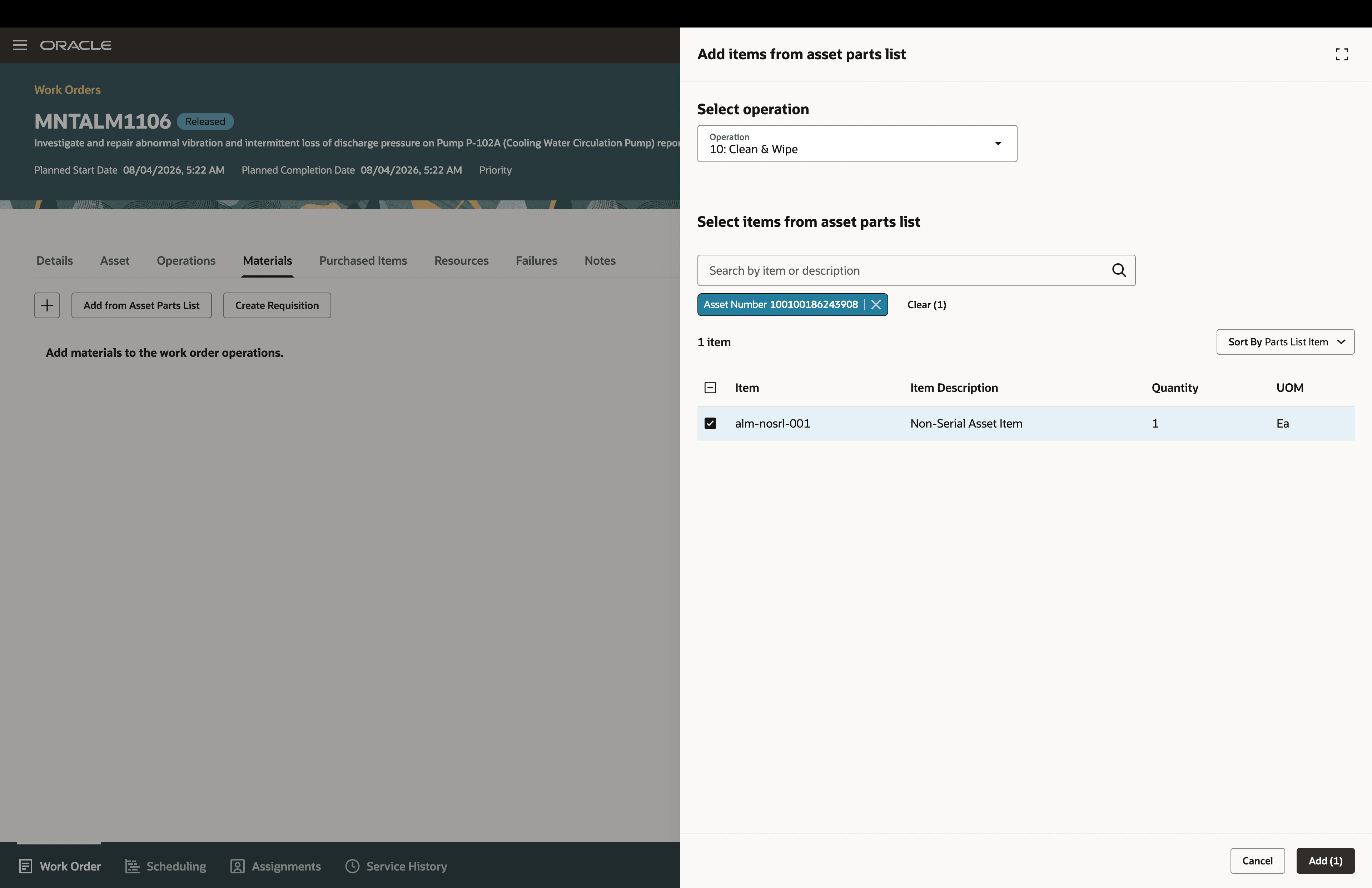
Th new Add items from asset parts list drawer.
The selected parts are added as operation materials for the work order.
The screenshot confirms that one nonserialized asset item was added to operation 10 - Clean & Wipe in work order MNTALM1106.
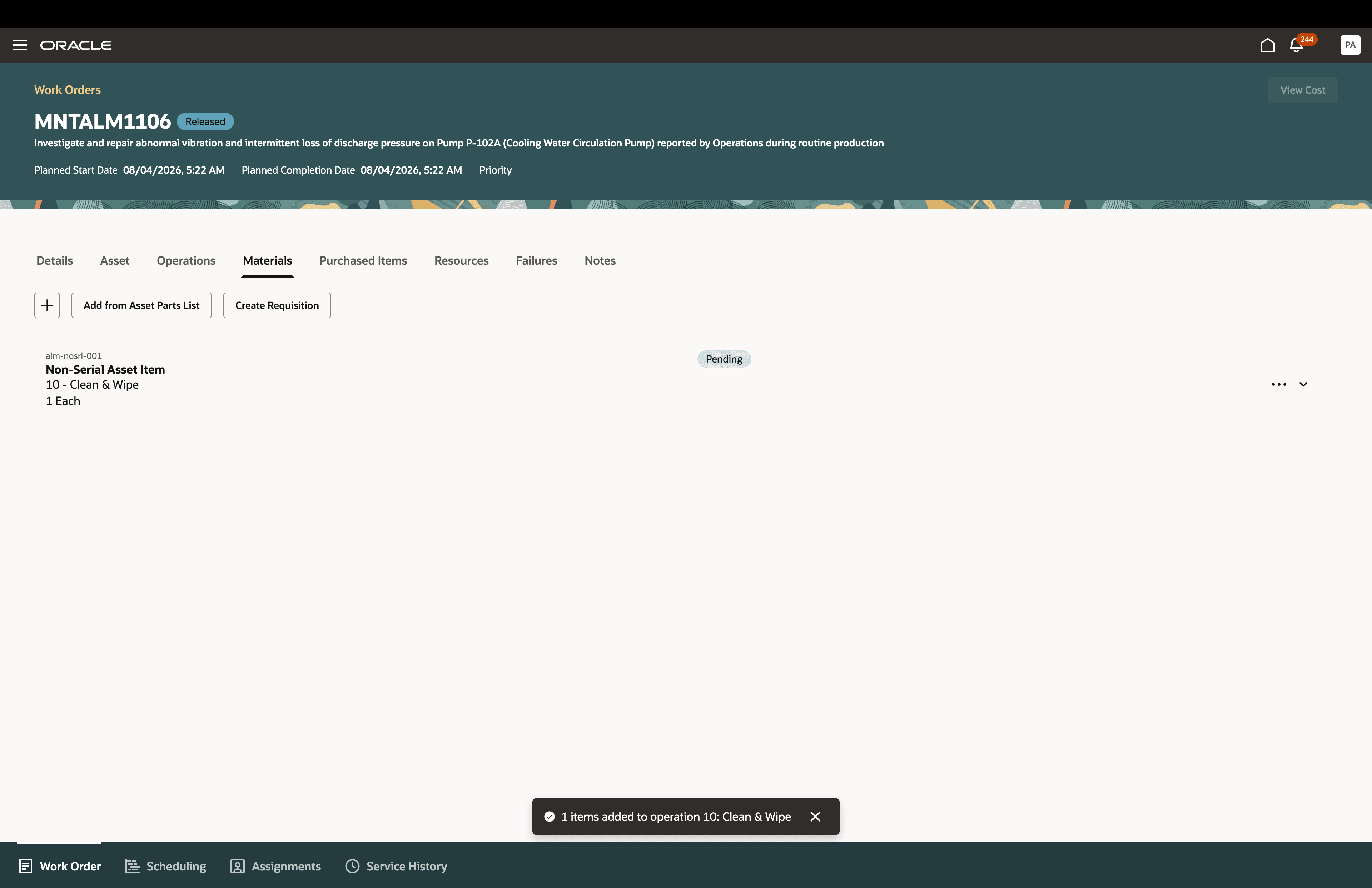
Confirmation of item added from the asset parts list
This feature helps maintenance supervisors and planners keep work order materials aligned with the asset configuration, improving efficiency and consistency during maintenance planning.
Reduce manual entry and improve material accuracy by selecting multiple operation-required parts directly from the asset part list.
Steps to enable and configure
You don't need to do anything to enable this feature.