Execute work order operations with additional completion options
Genealogy investigations require teams to manually assemble fragmented data across Product Genealogy, Quality, Manufacturing, Inventory, and external systems, resulting in slow, labor-intensive investigations and increased compliance and containment risks.
Quality analysts often investigate issues across multiple applications and records. They must manually trace parent, child, and sibling lots, review manufacturing and inspection data, determine inventory and shipment exposure, and document their findings in the problem report. Product Genealogy Workspace provides a unified investigation experience that reduces this manual effort.
Key benefits:
- Reduces transaction effort for operations that don’t require time capture: For eligible operations that don’t require time capture or mandatory transaction details, operators can report completion directly. This reduces the number of steps for straightforward shop-floor transactions.
- Enables operators to switch between quick complete and detailed reporting when transaction details are required: Operators can use quick completion when additional inputs aren’t required, then switch to detailed reporting when transaction details are needed. This helps retain efficiency and control.
- Scan, search, and execute: Enables operators to quickly scan, select the operation, and start execution to speed up shop floor execution with reduced navigation.
- View Document Item attachments Document Items are defined in Product Information Management and referenced in work definitions as operation items. Attachments associated with these items are available in Production Execution, so that operators have the relevant work instructions and documentation when they need them.
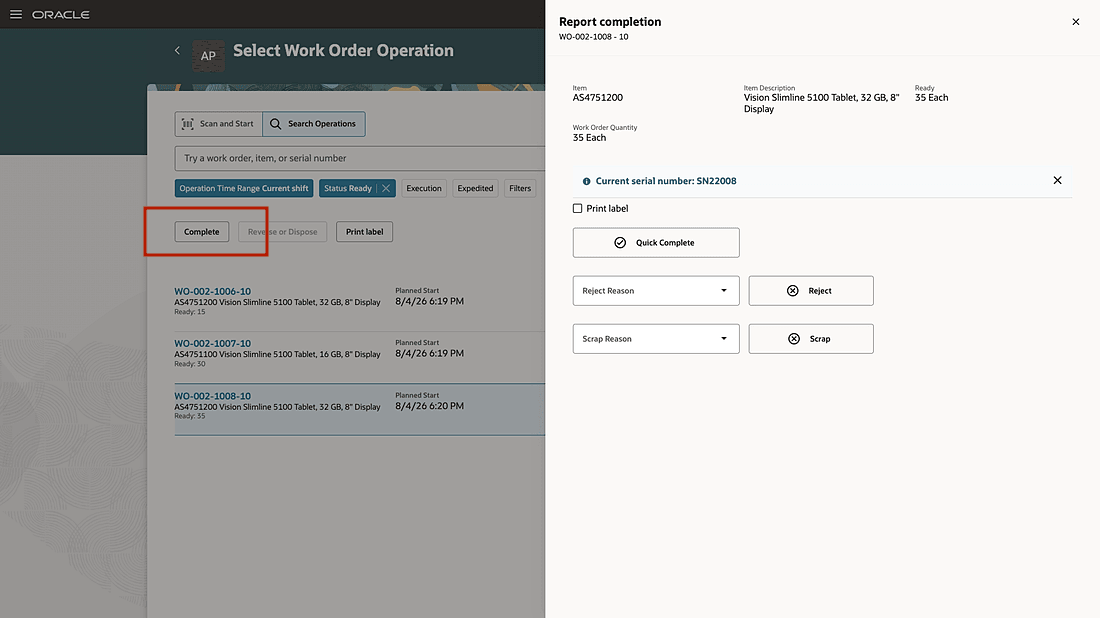
Report completion without time tracking
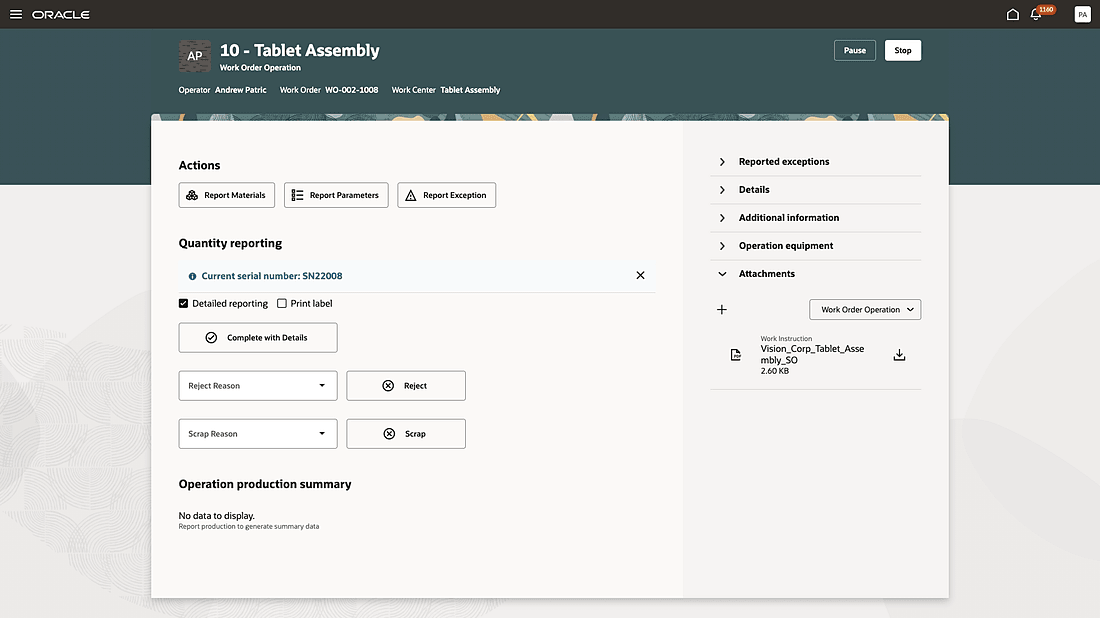
Switch between quick complete and detailed reporting when additional transaction details are required
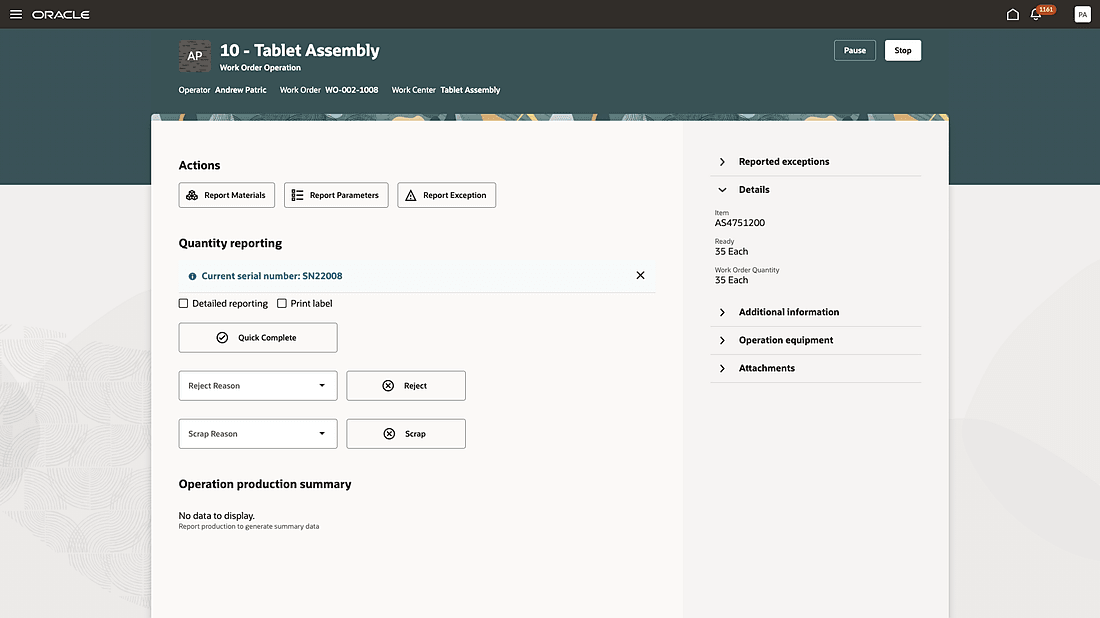
Perform quick completion when mandatory transaction details input is not required
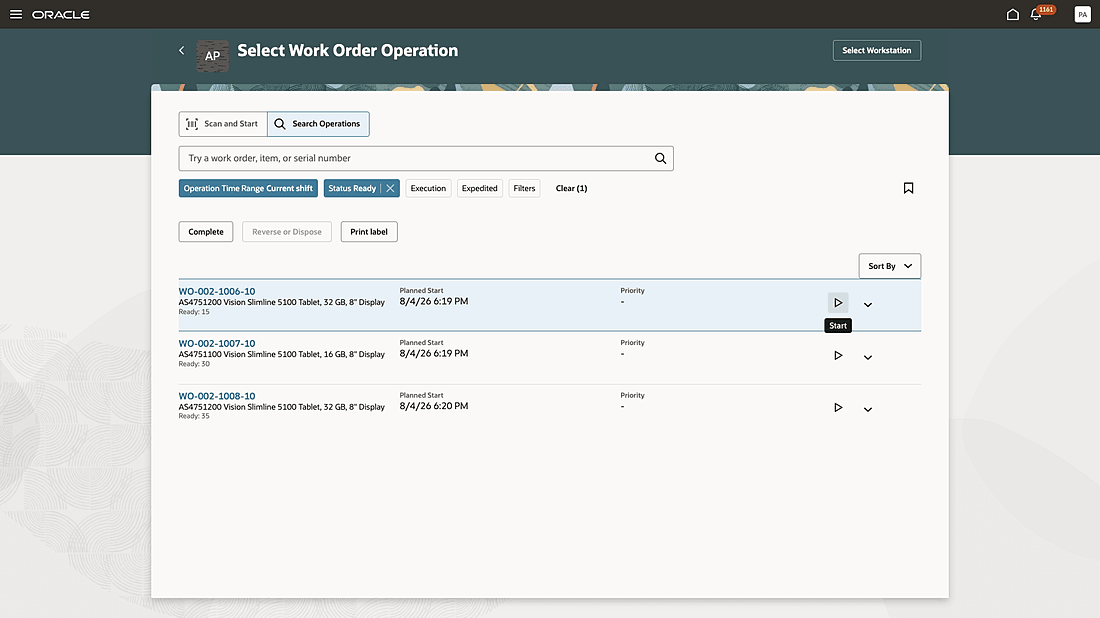
Start operation execution with one click
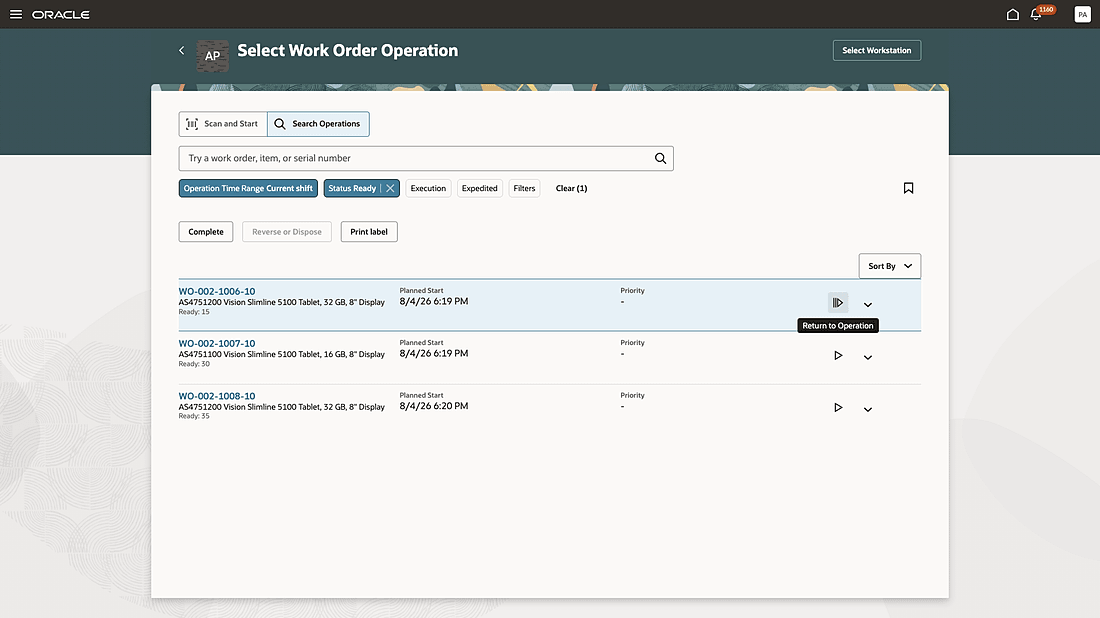
Resume operation execution with one click
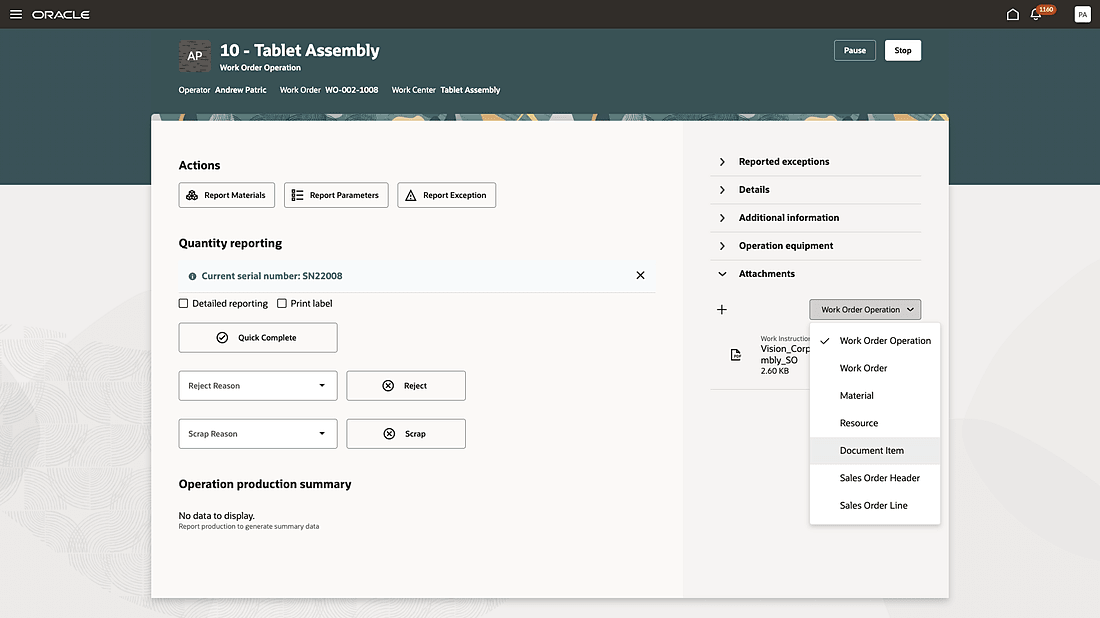
View document item attachment during execution of an operation
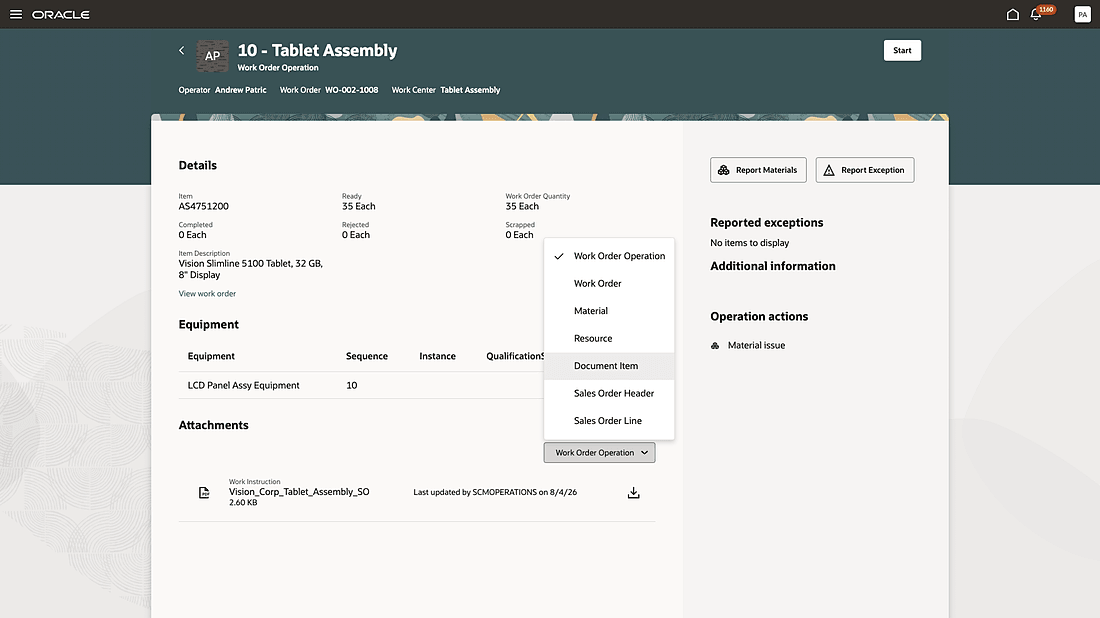
Review document item attachment before starting work execution for an operation
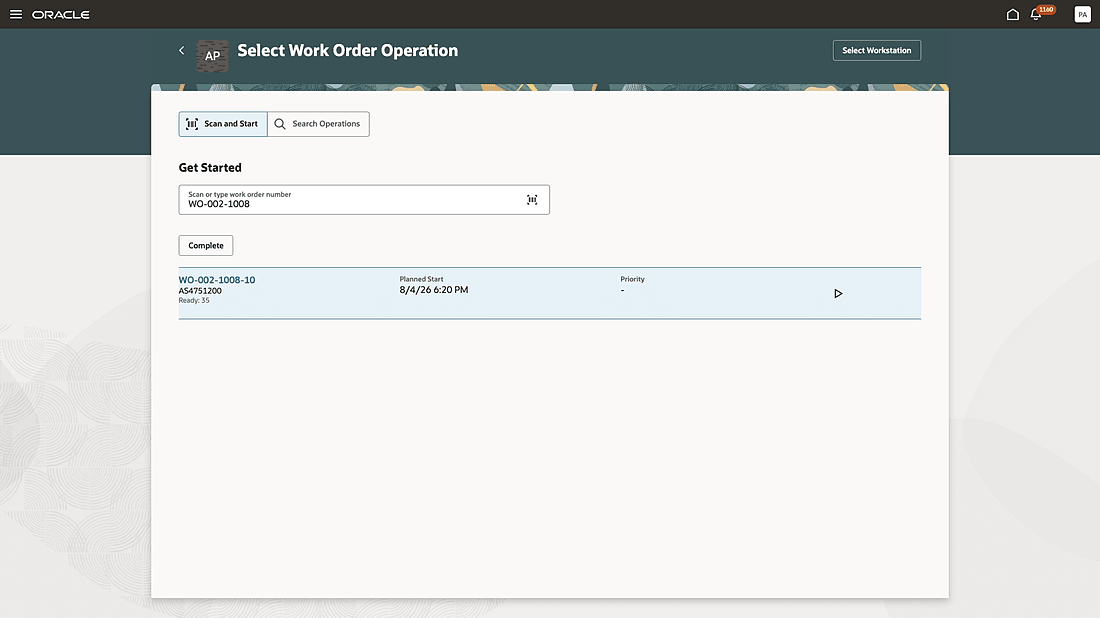
Quickly scan and start executing an operation
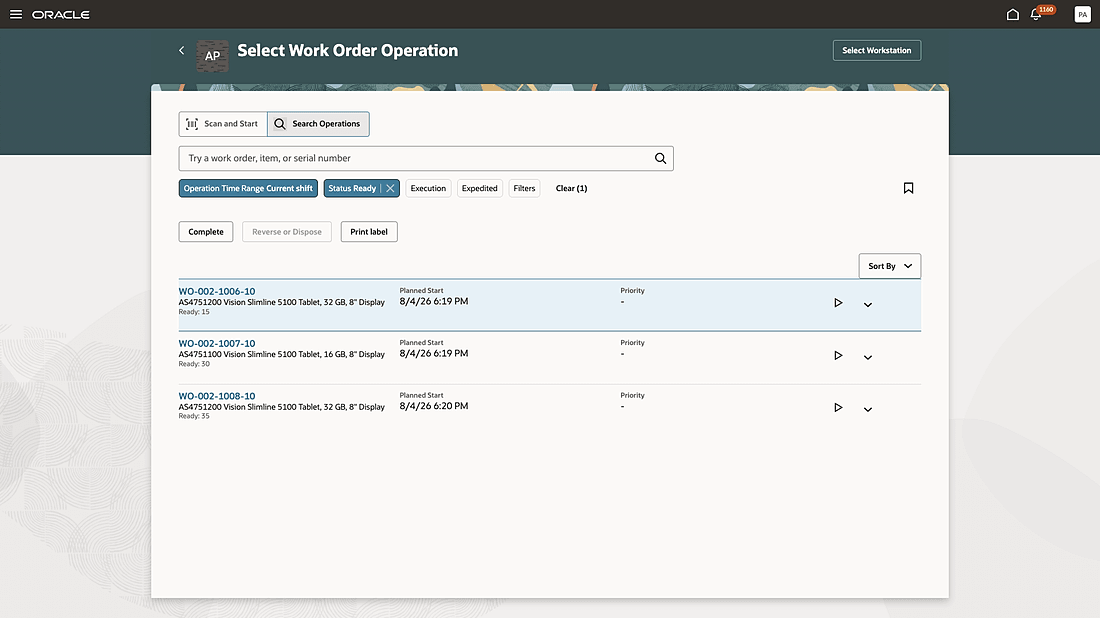
Search for operations and perform completion, start, or resumption of execution, reversal transactions, and label printing actions
Here's the demo of these capabilities:
Steps to enable and configure
Use the Opt In UI to enable this feature. For instructions, refer to the Optional Uptake of New Features section of this document.
Offering: Manufacturing and Supply Chain Materials Management No Longer Optional From: Update 27D
To use this feature, ensure that the 25D feature, Execute Production Without Defining Workstations is also enabled.
Tips and considerations
- With this update's enhanced search capabilities, existing saved searches will need to be reconfigured.
- Operation Time Range is a mandatory filter for searching an operation.
- Presently, only operations that don't require mandatory transaction inputs such as a serial controlled component issue during backflush or a serial assembly product completion can be completed without execution time tracking.
Key resources
- Watch the feature demo for Execute work order operations with additional completion options.
- Oracle Fusion Cloud SCM: Refer to the Using Manufacturing guide, available on the Oracle Help Center.
- Oracle Fusion Cloud SCM: Refer to the Implementing Manufacturing and Supply Chain Materials Management guide, available on the Oracle Help Center.
Access requirements
If you are using custom job roles, then you need to add privileges identified as new in this update as well as validate that you have the previously delivered privileges listed.
| Privilege Status | Privilege name and code |
|---|---|
| Previously delivered | Execute Production at a Workstation WIP_EXECUTE_WORKSTATION |
| New | Report Operation Completions Without Time Tracking WIP_EXECUTE_COMPLETE_NOW |