Propagate descriptive flexfields from work definitions to work orders
Manufacturers need to automatically carry key business attributes from the work definition to the work order to eliminate manual data entry, ensure data consistency, and support downstream manufacturing processes.
This feature introduces the ability to capture additional information using descriptive flexfields in the work definition header. In addition, if the profile option "Copy Work Definition Descriptive Flexfields to Work Order Enabled" is set to "Yes" and the work order is manually created from a work definition, then the descriptive flexfield segment values are copied from the work definition header to the work order header. This reduces manual data entry and ensures that consistent information is available during production execution.
You can capture global and context-sensitive descriptive flexfields segments in work definition headers. Use the descriptive flexfield with the name 'Work Definition Header' to capture additional information for the work definition header.
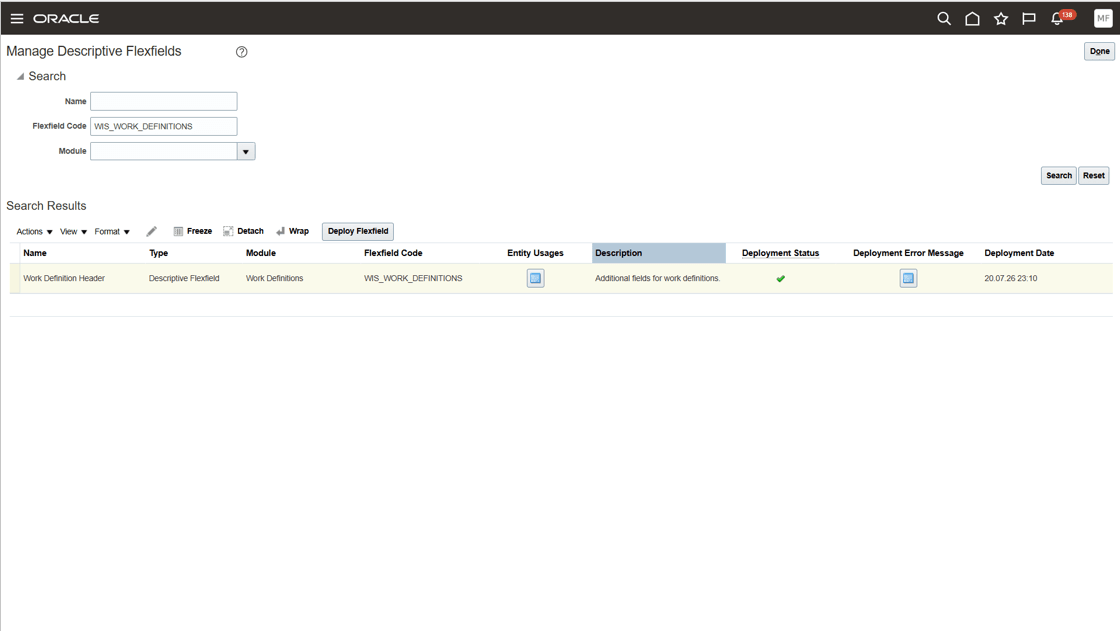
Work definition header descriptive flexfields
Users can capture additional information in descriptive flexfields in the work definition header. You can create and update descriptive flexfields using the Redwood user interface, REST, and FBDI.
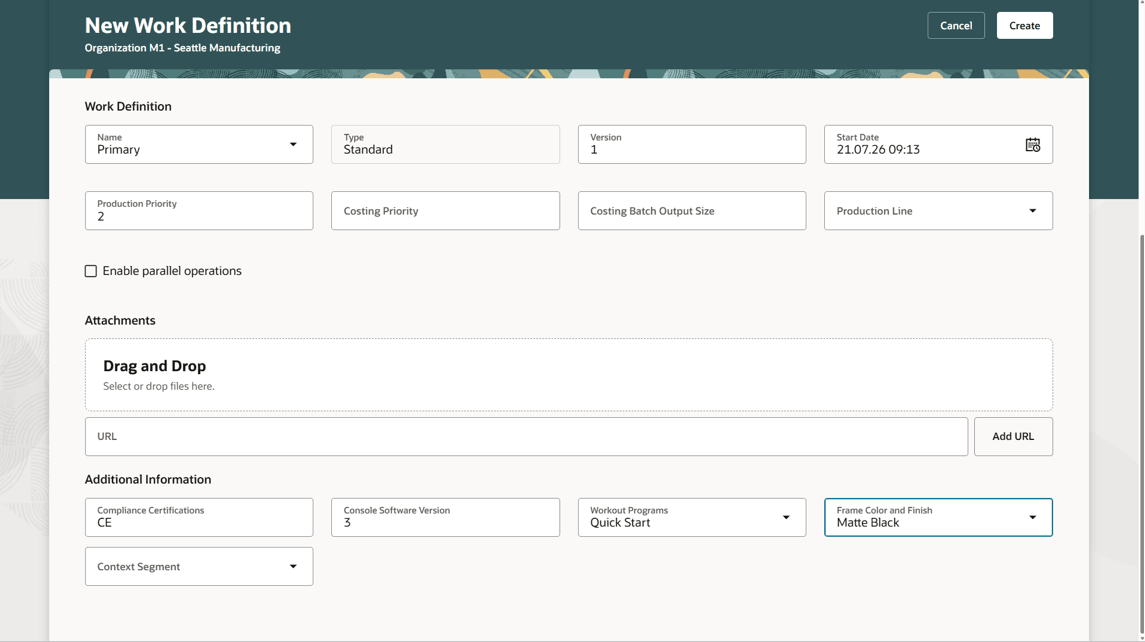
Capture descriptive flexfield segments in the work definition header
When a work order is created from a work definition, descriptive flexfield values from the work definition header are copied to the work order header. The values are copied by matching the corresponding table columns defined for the source and destination descriptive flexfields.
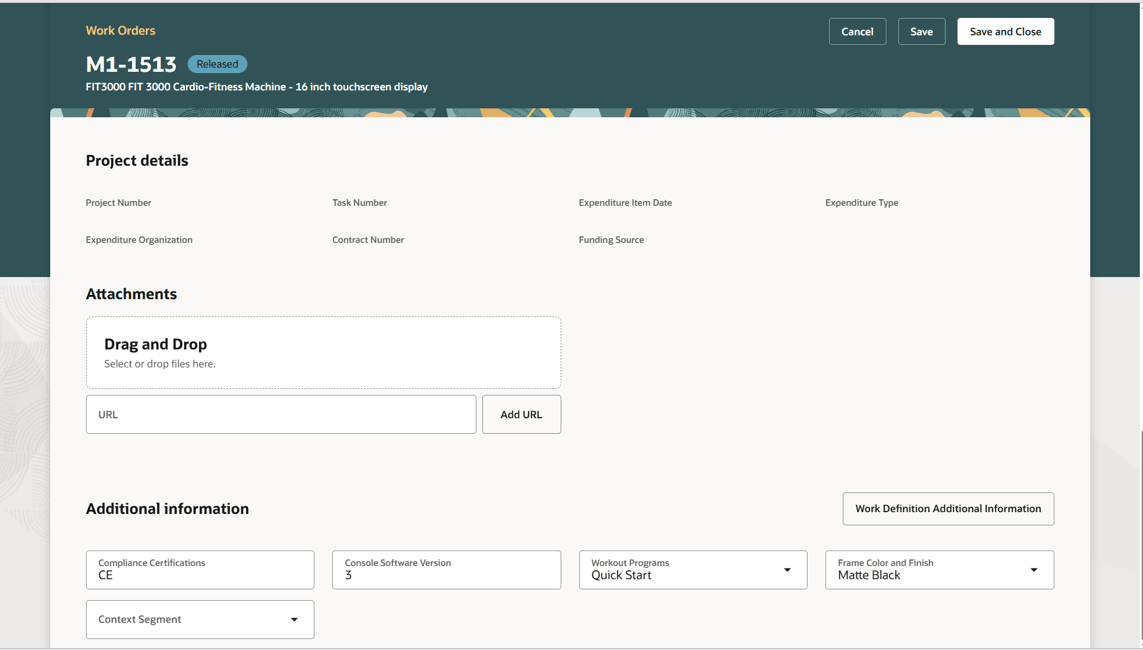
Copy of work definition header descriptive flexfields in the work order header
You can select Work Definition Additional Information in the work order header to refer to the descriptive flexfield values in the work definition header. The option is available only when the profile option for copying the descriptive flexfields is enabled.
The descriptive flexfield values copied to the work order header remain editable. Any updates to descriptive flexfields on the work definition header will not be synchronized to the work order header descriptive flexfields.
With this capability, you can capture additional information on the work definition header that can then be passed to the work order.
Here's the demo of these capabilities:
Steps to enable and configure
- Configure and deploy descriptive flexfields for the work definition header and work order header using the Manage Descriptive Flexfields task in Setup and Maintenance.
Configuring descriptive flexfields involves managing the available flexfields registered with your Oracle Fusion Cloud Applications database, configuring their flexfield-level properties, defining and managing descriptive flexfield contexts, and configuring global and context-sensitive segments. - Enable the Copy Work Definition Descriptive Flexfields to Work Order Enabled (ORA_WIE_COPY_WD_TO_WO_DFF_ENABLED) profile option to copy flexfield values from the work definition header to the work order header.
Tips and considerations
- As descriptive flexfield segment values are copied without validation, it is recommended that the work definition and work order header descriptive flexfield segment definitions have matching names, table columns, or value sets.
- When work orders are created from Supply Planning, or as a result of back-to-back sales orders created in Order Management, the descriptive flexfield values are not copied from the work definition header to the work order header.
- When making a copy of a work definition, the work definition header descriptive flexfields are not copied from the source work definition header to the target work definition header.
- This feature is supported for manufacturing work definitions.
Key resources
- Watch the feature demo for Propagate descriptive flexfields from work definitions to work orders.
- Refer to Overview of Descriptive Flexfields.
- Oracle Fusion Cloud SCM: Refer to the Using Manufacturing guide, available on the Oracle Help Center.
- Oracle Fusion Cloud SCM: Refer to the Implementing Manufacturing and Supply Chain Materials Management guide, available on the Oracle Help Center.
Access requirements
If you are using custom job roles, then you need to validate that you have the previously delivered privileges listed.
|
Privilege status |
Privilege name and code |
|---|---|
| Previously delivered |
Manage Work Definitions |
| Previously delivered |
Manage Work Order Headers |
| Previously delivered |
Manage Work Order Operations |
| Previously delivered |
View Work Orders |