Map a multiskilled labor resource to multiple resource types
Manufacturers need flexible ways to model labor resources when operators perform more than one resource role. For example, a single operator may perform the tasks of a welder, painter, and technician. With this enhancement, you can map the same labor resource instance or person to multiple labor resources, enabling production teams to accurately model multiskilled operators and assign them to the right work based on their eligible resource roles.
Key capabilities include:
- Associate one person or labor resource instance with multiple labor resource types.
- View and select eligible labor resource instances during work order assignment, resource transactions, and postproduction reporting.
- In Production Execution, select the applicable resource role context when an operator belongs to multiple resources in the same work center.
- When Workforce Scheduling is enabled for the manufacturing plant, Production Execution uses the resource role scheduled in the workforce schedule to determine the operator’s context.
For example, a person such as Allan X Border can now be associated as a resource instance belonging to two different resources: Quality Assurance 1 and Technician Level 2.
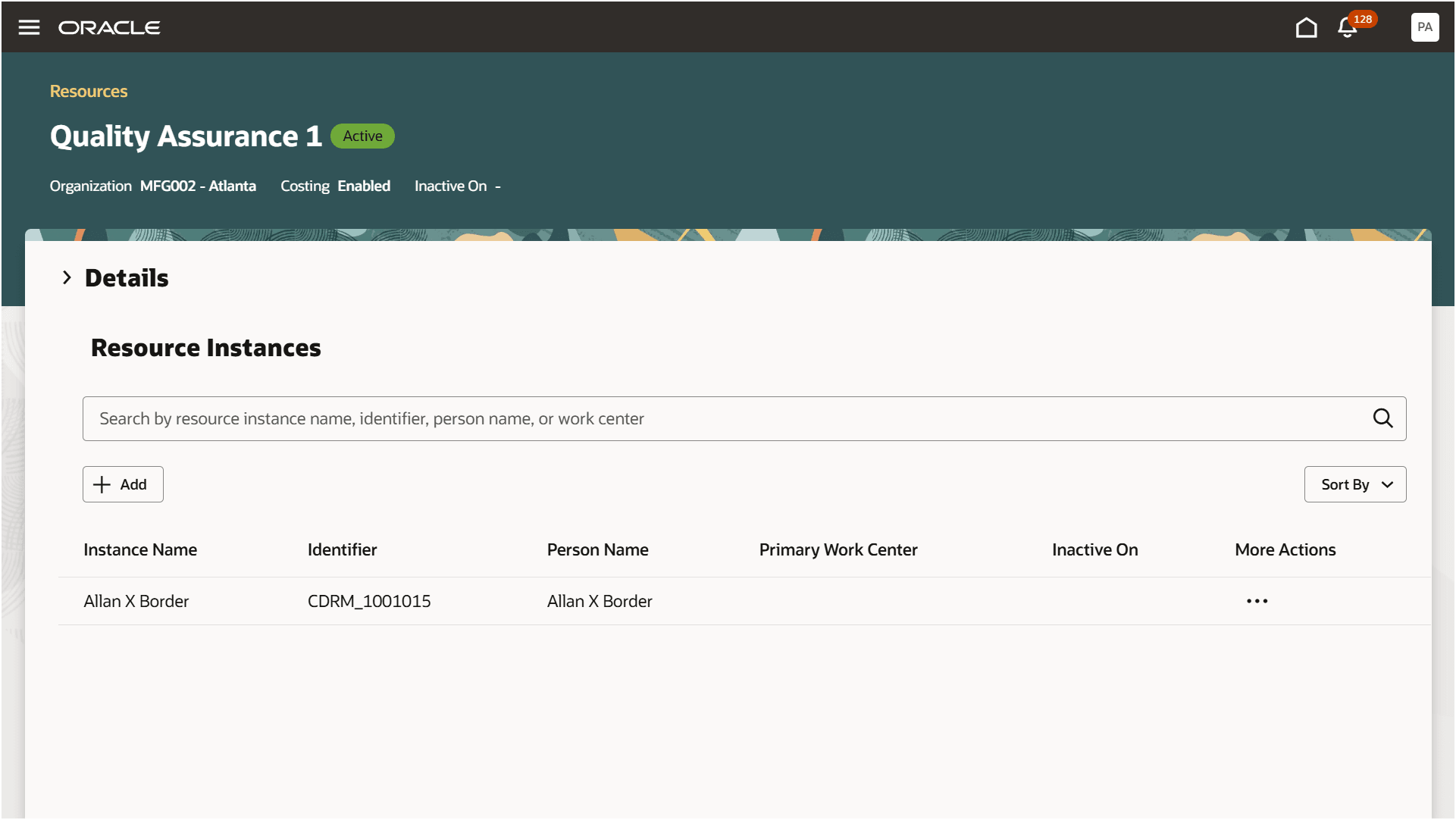
View Resource Details - Assign a resource instance to a resource
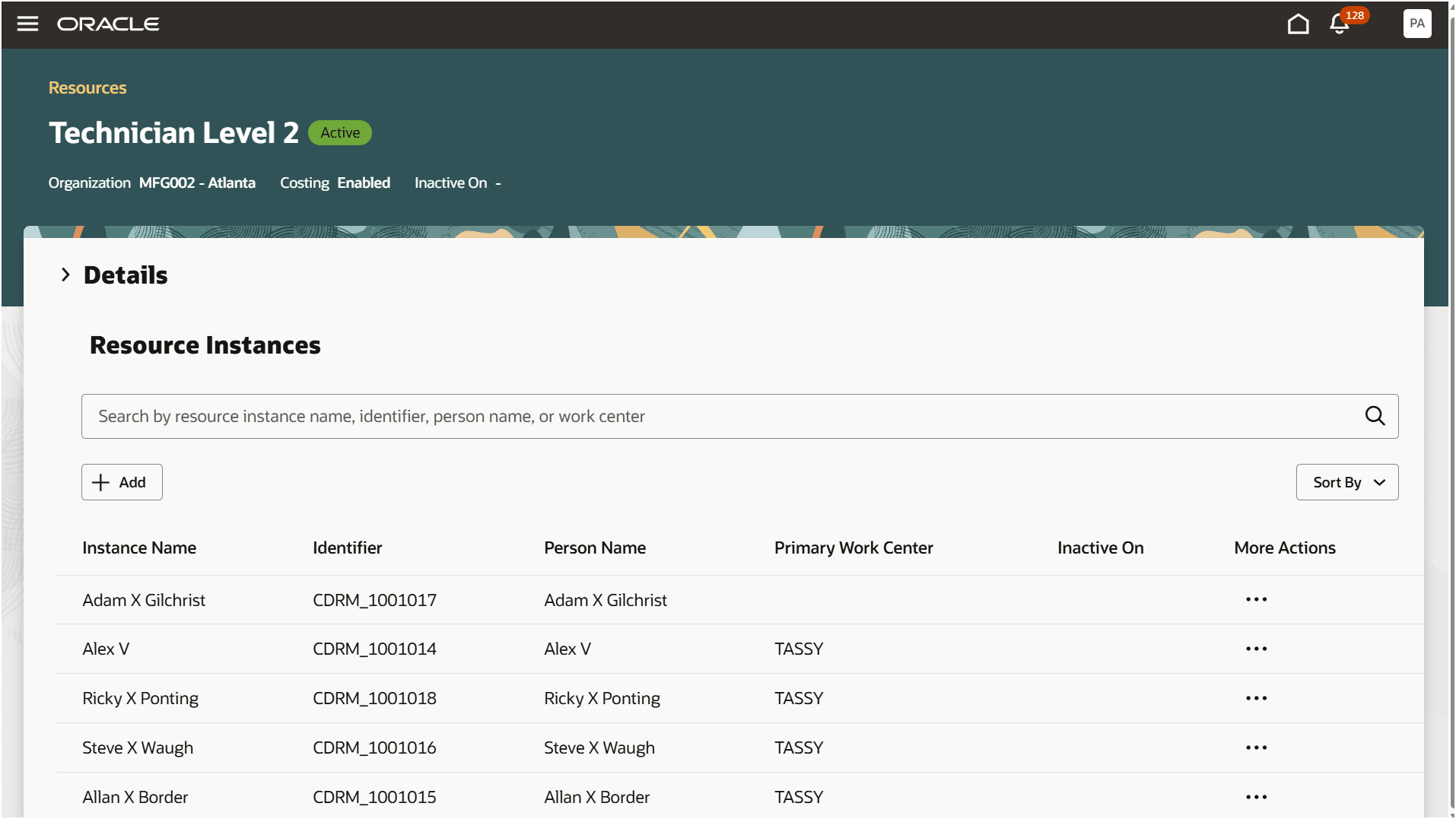
View Resource Details - Assign the same resource instance to another resource
Allan X Border can now be used as a resource instance for either resource throughout the work execution process. This includes work order assignment, resource charging, Production Supervision, Production Execution, mobile reporting, and post-production reporting.
In Production Supervision, operator resource names are visible during assignment.
In Production Execution, an operator's resource role is determined at the start of the work.
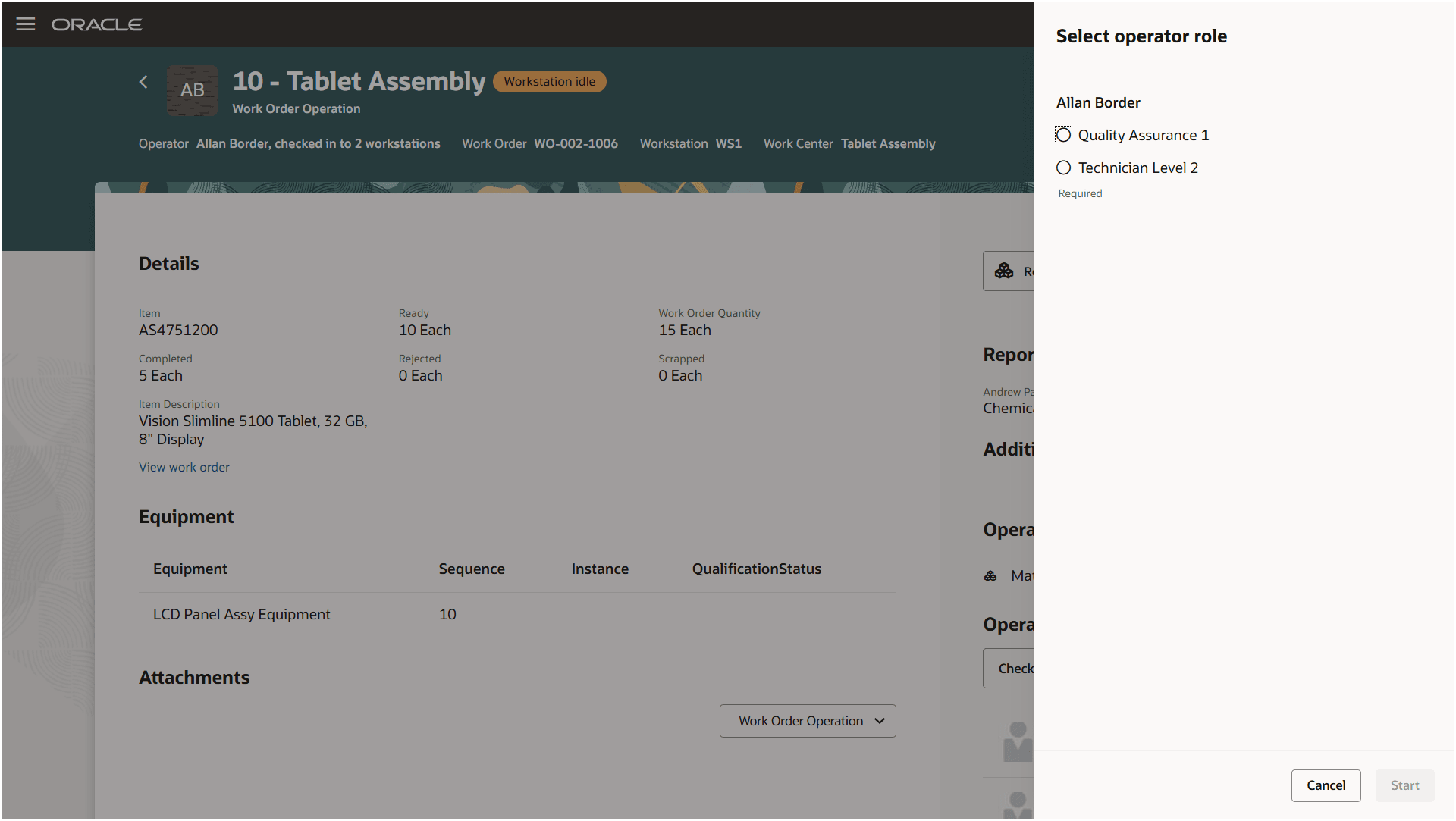
Production Execution - Select resource role context at the start of work
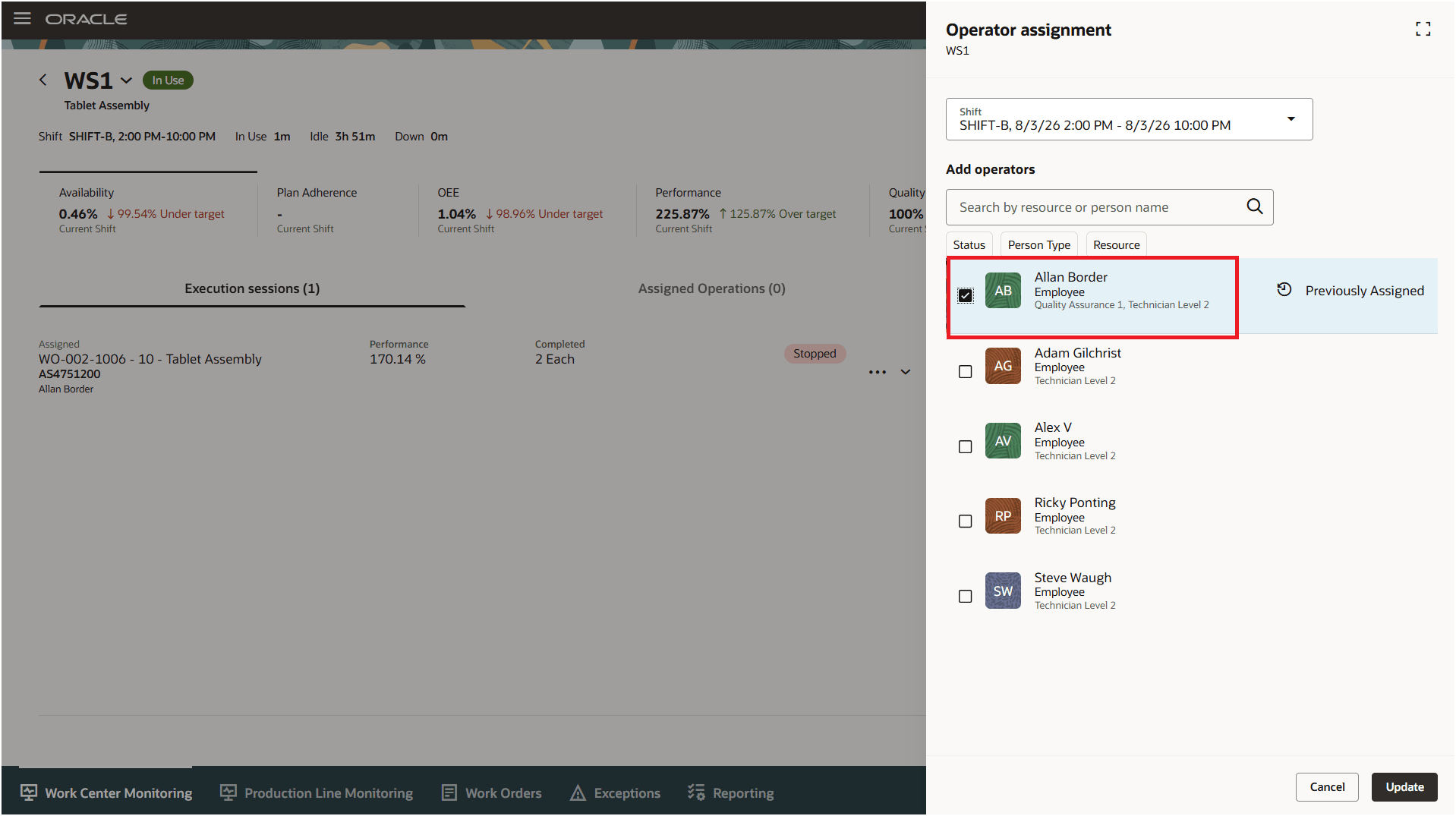
Production Supervision - Operator assignment
The preceding changes are also supported in FBDI and public REST APIs.
The ability to map a labor resource instance to multiple labor resources has the following advantages:
- Improves labor flexibility by allowing multiskilled operators to be planned and assigned across different resource roles.
- Helps supervisors and schedulers assign the right operator based on the available skills and work center needs.
- Improves labor utilization and supports realistic manufacturing capacity planning.
Here's the demo of these capabilities:
Steps to enable and configure
There are no additional setups required to use this feature.
Tips and considerations
- This enhancement applies only to labor resources. Equipment resource instance behavior hasn't changed.
- This feature is supported in both operating modes: The Resource Instance model and the Person model (with Workforce Scheduling enabled). The applicable mode is determined by whether the plant parameter Use HCM Workforce Scheduling is enabled. When the Use HCM Workforce Scheduling plant parameter is enabled, HCM persons can be assigned directly without creating and maintaining them as Manufacturing resource instances. Workforce Scheduling also enables generation of shift rosters for operators, allowing operators to be assigned directly from Production Supervision.
Key resources
- Oracle Fusion Cloud SCM: Using Manufacturing guide, available on the Oracle Help Center.
- Oracle Fusion Cloud SCM: Implementing Manufacturing and Supply Chain Materials Management guide, available on the Oracle Help Center.
- To learn more about Workforce Scheduling, refer to the 25B feature, 'Use Workforce Scheduling in the Production Supervisor Workbench for Operator Assignments' to understand how to use, set up, and access Workforce Scheduling.
- To learn additional details about Workforce Scheduling use within Manufacturing, refer to the 26A feature Use Scheduled Workers as Manufacturing Labor Resource Instances.
- To learn about operator assignments, refer to the 25A feature Manage Shift Operator Assignments for Workstations When Supervising Production.
Access requirements
If you are using custom job roles, then you need to validate that you have the previously delivered privileges listed.
|
Privilege status |
Privilege name and code |
| Previously delivered | Manage Production Resources WIS_MANAGE_PRODUCTION_RESOURCES_PRIV |
| Previously delivered | Manage Work Order Headers (WIP_MANAGE_WORK_ORDER_HEADERS_PRIV |
| Previously delivered | Manage Work Order Operations WIP_MANAGE_WORK_ORDER_OPERATIONS_PRIV |
| Previously delivered | Supervise Production WIP_SUPERVISE_PRODUCTION_PRIV |
| Previously delivered | Manage Assignment of Operators to Workstation WIP_MANAGE_WORKSTATION_OPERATORS_PRIV |
| Previously delivered | Execute Production at a Workstation WIP_EXECUTE_WORKSTATION_PRIV |