Define and execute parallel operations on discrete production lines
Manufacturers require the ability to define certain tasks in parallel, so that the available labor and equipment resources can be optimally utilized with minimal downtime for setup and changeover. This improves operational efficiency and reduces manufacturing lead times. A line operation on a production line can now have multiple discrete manufacturing work order operations execute in parallel.
Key capabilities include:
- Configure default workstations for line operations in production definition
- Associate workstations in work definition operations, with assignments inherited by work orders.
- Model and execute parallel operations within the same production line operation using assigned workstations.
- Guide workstation execution by presenting eligible operations based on workstation assignments, planned start dates, and operation sequence.
- Support flexible production execution and reporting for parallel operations on a production line with or without a workstation or using a mobile, industrial handheld device.
In the production line definition, you can now optionally assign default workstations to line operations.
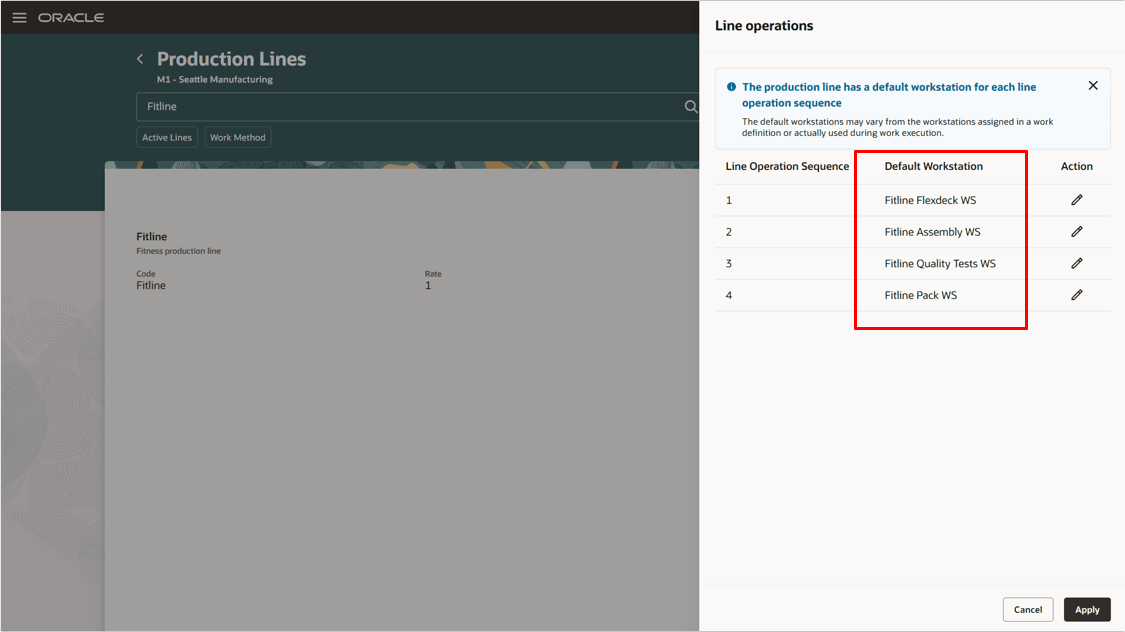
Default workstation assignment in production line setup
For a work definition that references the production line, you can now optionally associate a workstation to a work definition operation. With this update, you can enable parallel operations for discrete manufacturing work definitions referencing a production line. All parallel operations for a work definition should belong to the same line operation. All count point operations associated with line operations inherit their assigned workstations from the production line setup.
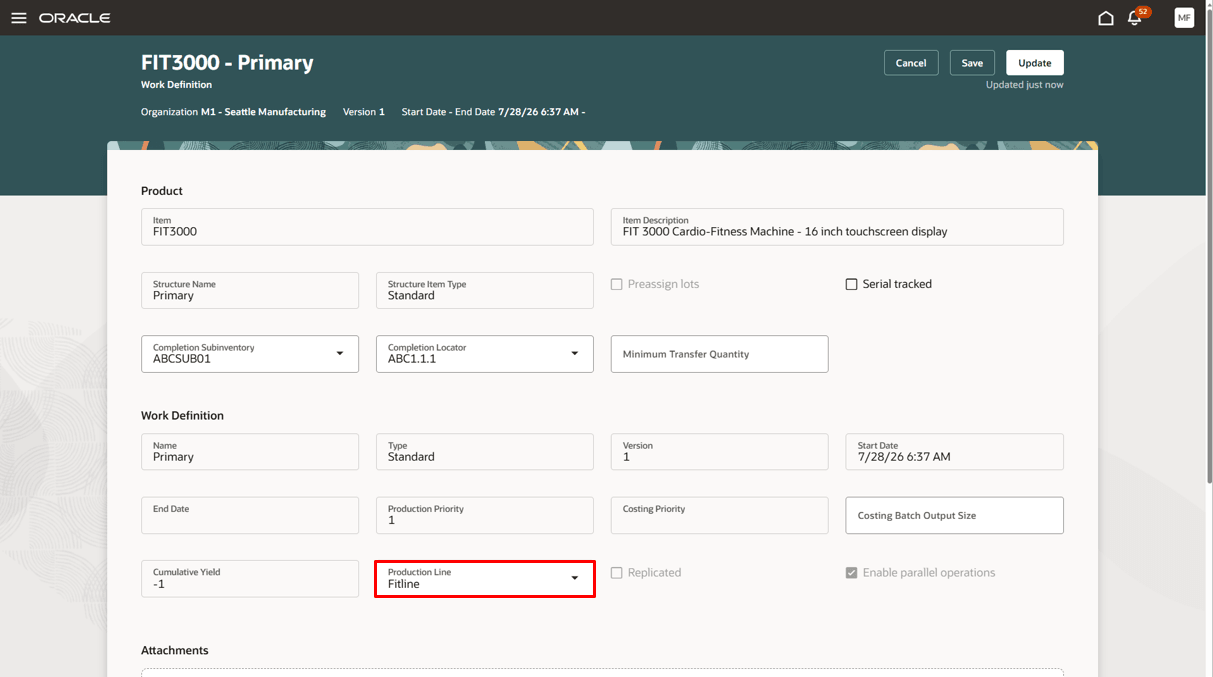
Work definition with associated production line
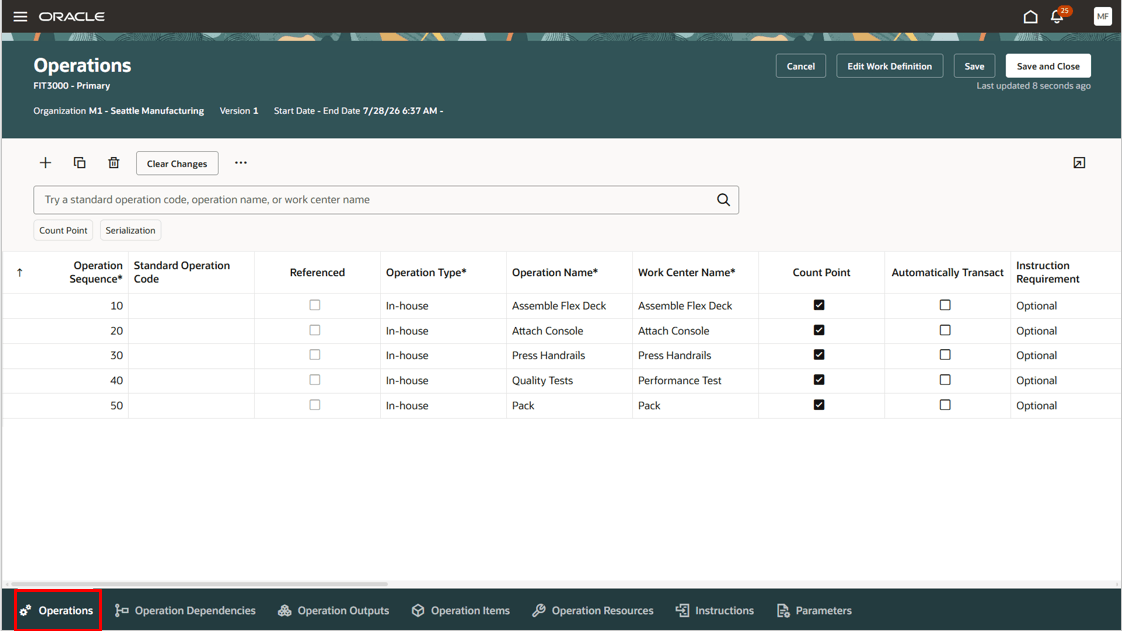
Work definition operations
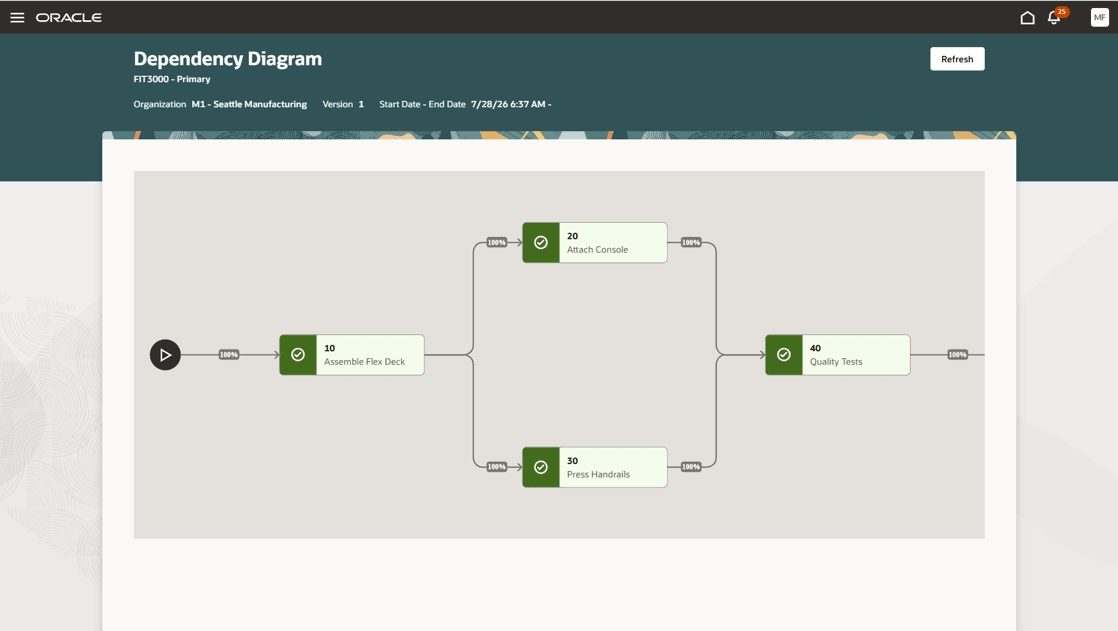
Operation dependency diagram for parallel operations 20 and 30
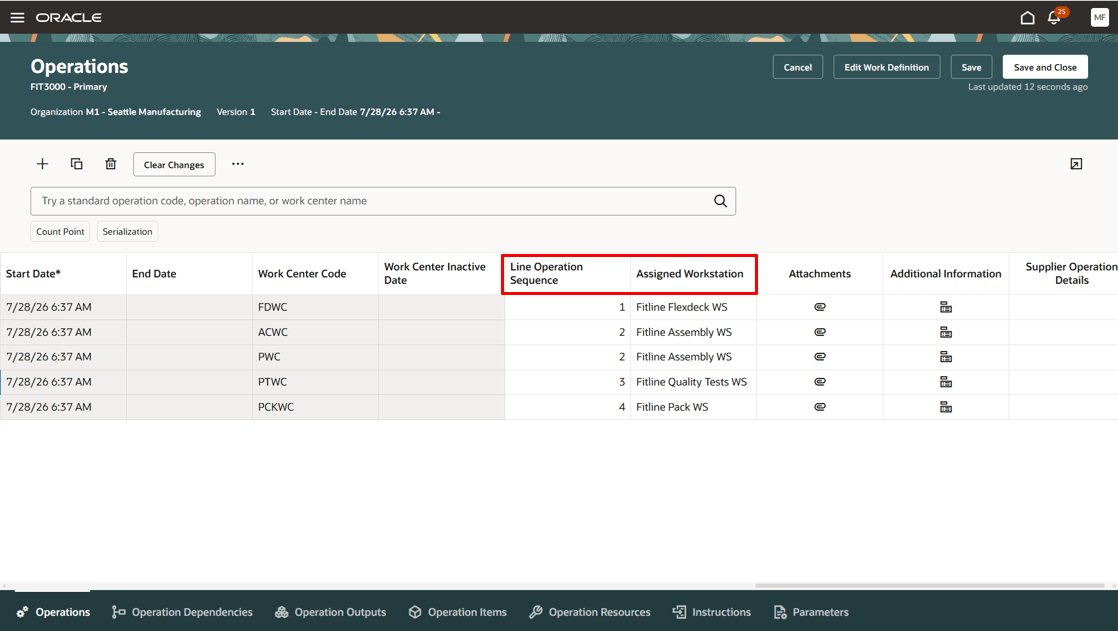
Associated line operations and workstation assignments for the work definition operations
You can update the assigned workstation for a work definition operation to any workstation that is associated with the production line. You can also remove the associated workstation for an operation, so that it is no longer associated with any workstation. When updating workstation assignments, ensure that:
- The same workstation isn’t assigned to more than one line operation.
- The same workstation isn’t assigned to different parallel operations.
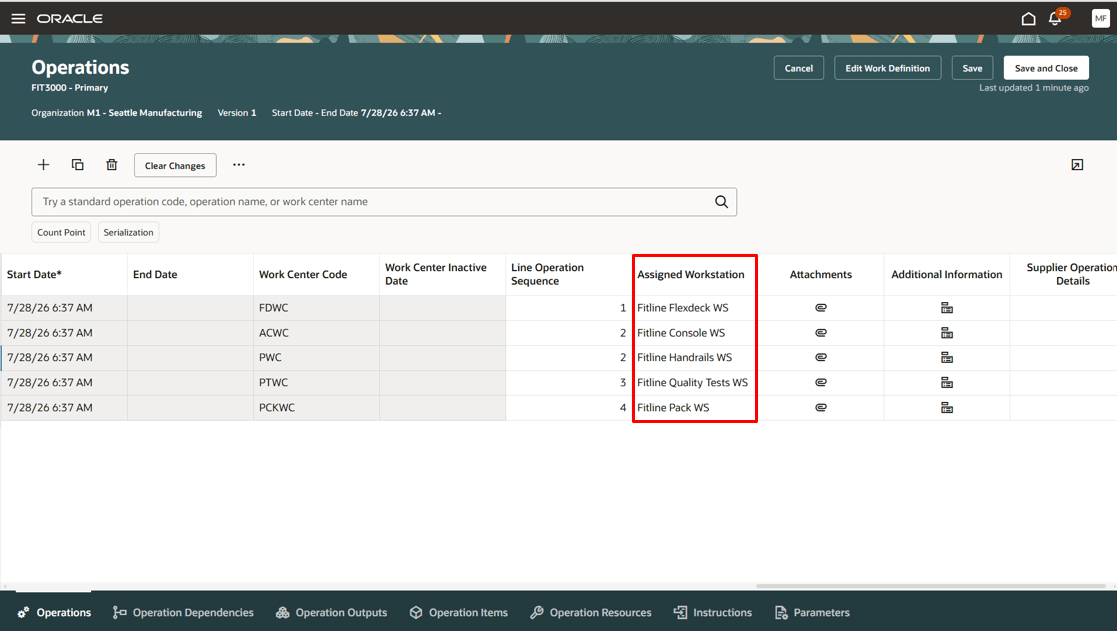
Overriding default workstation assignments
When you create a work order, the work order operations inherit the line operation associations and workstation assignments from the work definition operations.
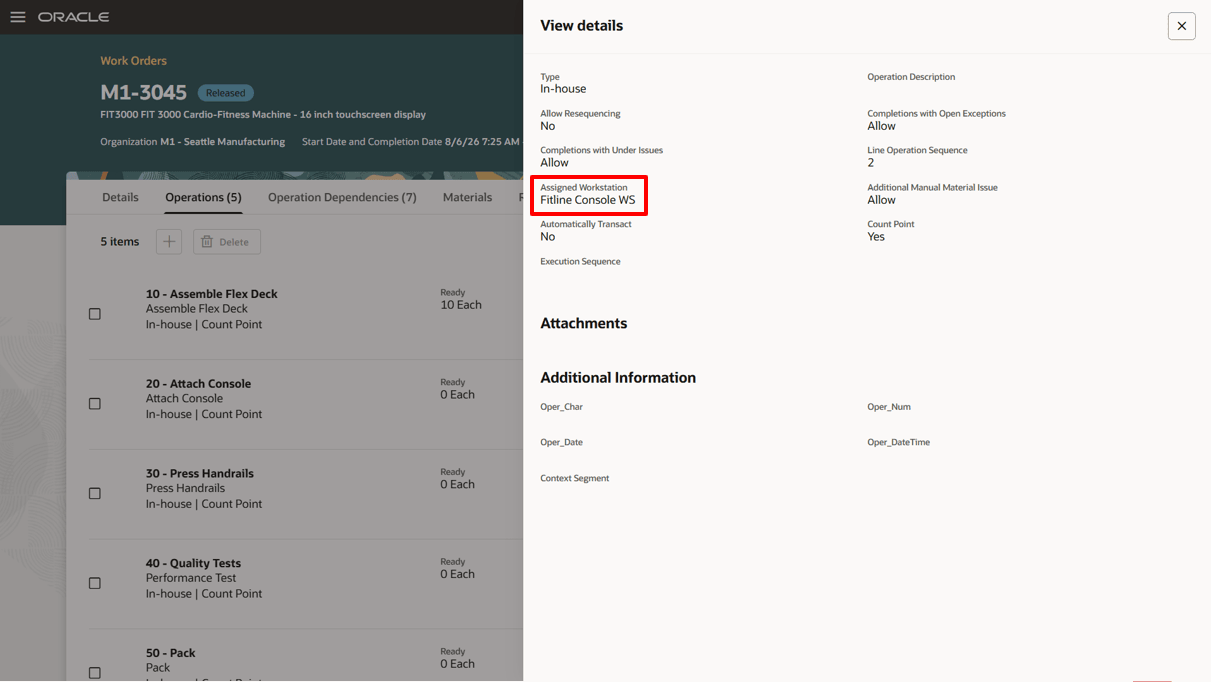
Workstation defaults from the work definition operation
In Production Execution, when the operator checks in to a workstation, they are presented with the next scheduled work order operation. The All Scheduled Work Order Operations button allows the operator to view the complete list of eligible operations that can be executed on the workstation. The work order operations are sorted based on their planned start date.
When executing parallel operations on a workstation with the same operation start date, the next scheduled operation that appears is the one with the lower operation sequence.
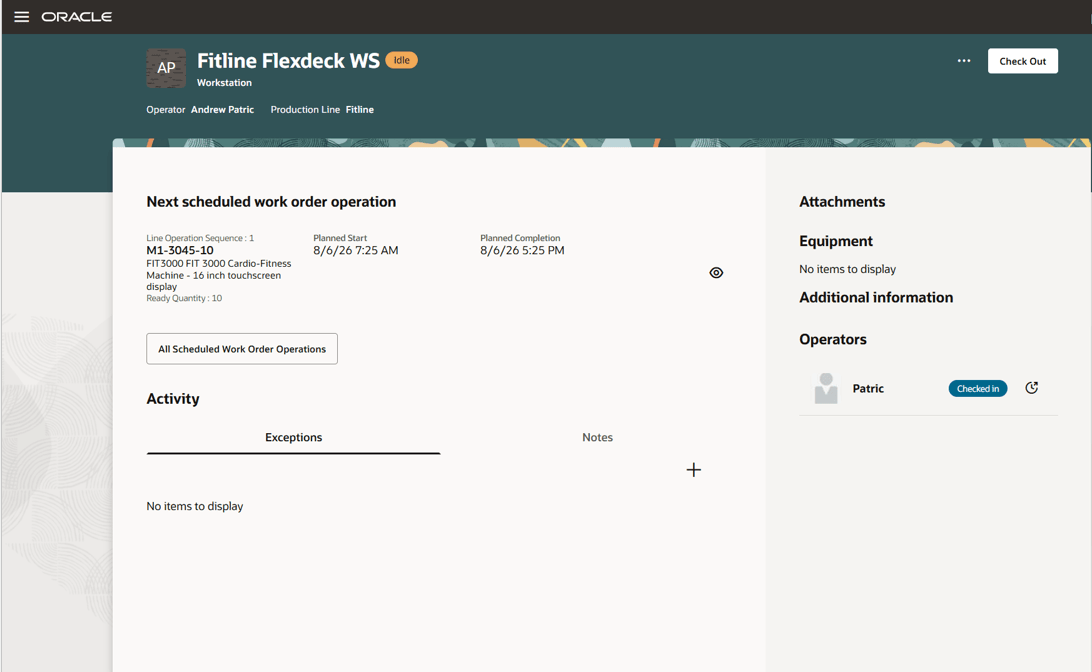
Next scheduled operation in Production Execution
When an operator checks into a production line workstation, the work order operations they can execute depends on the associated workstation assignments and line operations:
- If the workstation is assigned to work order operations, then the operator can execute those assigned operations.
- If the workstation is not assigned to any work order operation, but is still associated with a production line operation in the production line setup, then the operator can execute any unassigned work order operations for the associated line operation.
- If the workstation is neither assigned to any work order operation nor associated with a line operation, then the operator can execute any operation within the same work center.
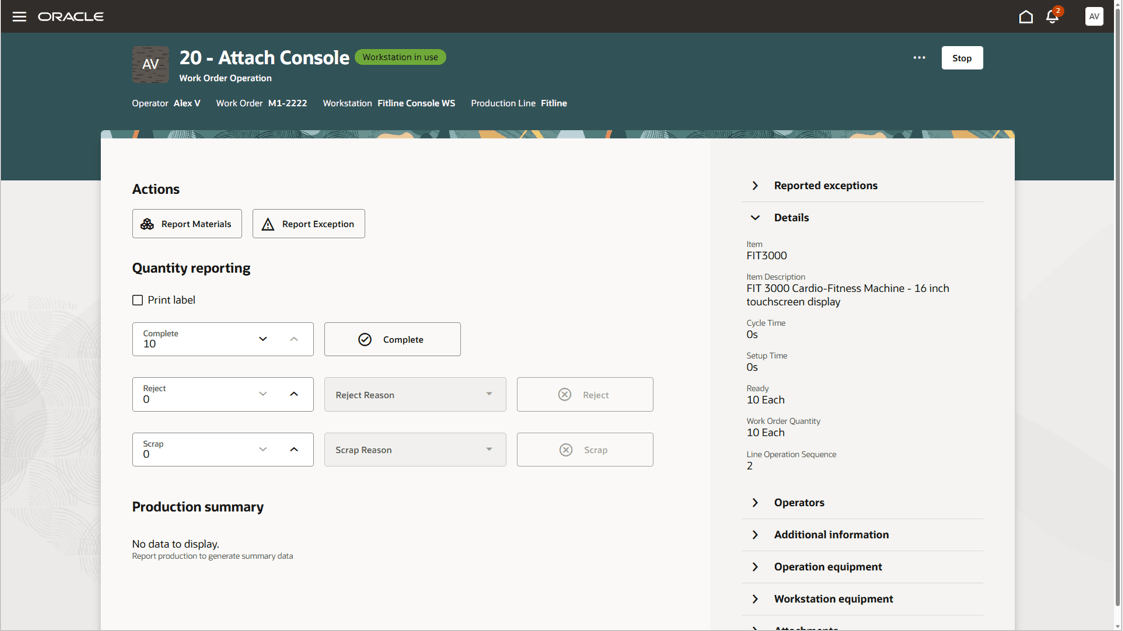
Workstation-based parallel operation reporting
You can also use mobile reporting and workstation-less reporting when executing parallel operations on discrete production lines. You can select the line operation context and report the quantities.
The ability to execute parallel operations on discrete production lines helps manufacturers use available labor and equipment effectively, improves throughput for complex products, and reduces manufacturing lead times.
Here's the demo of these capabilities:
Steps to enable and configure
- Enable parent 26C feature, Use Production Lines in Discrete Manufacturing, to enable this feature.
Tips and considerations
- The copy work definition feature copies the workstations from the existing work definition to the new work definition if the production line for the source and destination work definitions is the same.
- When associating a workstation with a work definition operation, ensure that the workstation belongs to the same work center as the operation.
- Each production line is associated with a line rate. When modelling line operations and their resources in the work definition, it is recommended that the maximum duration of the resources assigned to the parallel operations of a line operation matches the production line's takt time.
- When executing parallel operations on a production line, all parallel operations must be completed before the quantity becomes ready for the next count-point operation.
Key resources
- Watch the Define and execute parallel operations on discrete production lines demo.
- Refer to the 26C feature, Use Production Lines in Discrete Manufacturing demo
- Oracle Fusion Cloud SCM: Refer to the Using Manufacturing guide, available on the Oracle Help Center.
- Oracle Fusion Cloud SCM: Refer to the Implementing Manufacturing and Supply Chain Materials Management guide, available on the Oracle Help Center.
Access requirements
If you are using custom job roles, then you need to validate that you have the previously delivered privileges listed.
| Privilege status | Privilege name and code |
|---|---|
| Previously delivered |
Manage Work Definitions |
| Previously delivered |
Manage Work Order Headers |
| Previously delivered |
Manage Work Order Operations |
| Previously delivered |
View Work Orders |
| Previously delivered |
Manage Work Execution Work Area |
| Previously delivered |
Manage Scheduled Work Orders on a Discrete Production Line |
| Previously delivered |
Manage Work Execution Work Area |
| Previously delivered |
Guided Journeys Read Only |
| Previously delivered |
Guided Journey Responses |