Execute production campaigns
Process manufacturers and high-volume discrete manufacturers use production campaigns when cleaning, tooling, setup, or other changeovers consume significant time and production capacity. Production campaigns help planners group and sequence compatible work orders on campaign resources while accounting for resource calendars, capacity, and changeovers. With this feature, you can now view production campaign information on work orders and use that information to search, track, execute, and report campaign-based production.
Key capabilities:
- Designate eligible machine work center resources for campaign production.
- View the campaign name, campaign sequence, work order sequence, and need-by date associated with a work order.
- Search for work orders and operations by campaign name.
- View campaign details in Production Execution pages and production reports.
Using Production Scheduling, you can use the integrated Production Campaign to create and manage campaigns by organizations and campaign resources. This capability connects longer-term campaign planning with production work orders to organize shop floor activities on campaign resources. Production Scheduling subsequently aligns the upstream and downstream manufacturing stages with the sequenced activities on the campaign resource. You can view the campaign details of the work order in Manufacturing.
You can view production campaigns from Manufacturing using the Production Campaigns task in Manage Production.
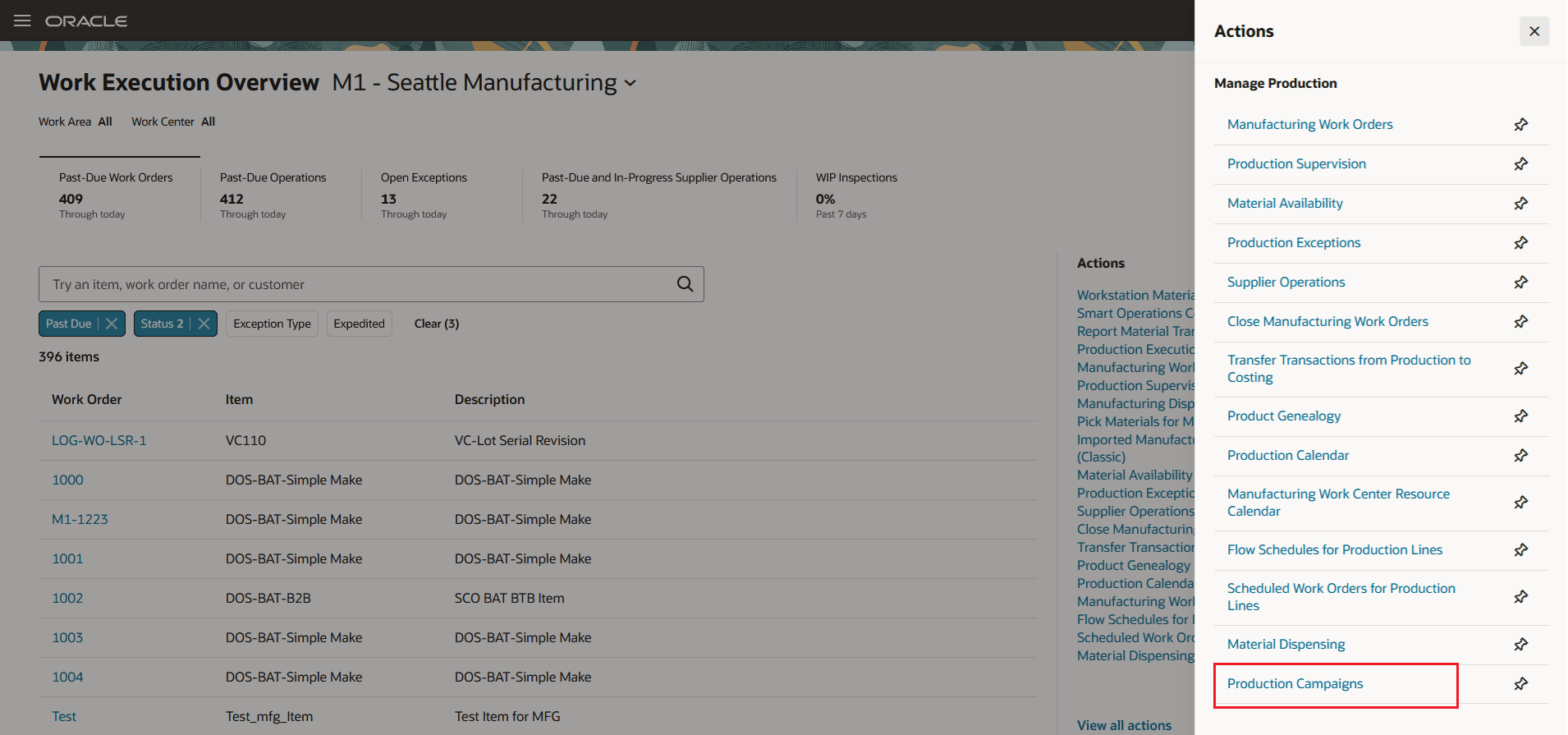
Production Campaigns task
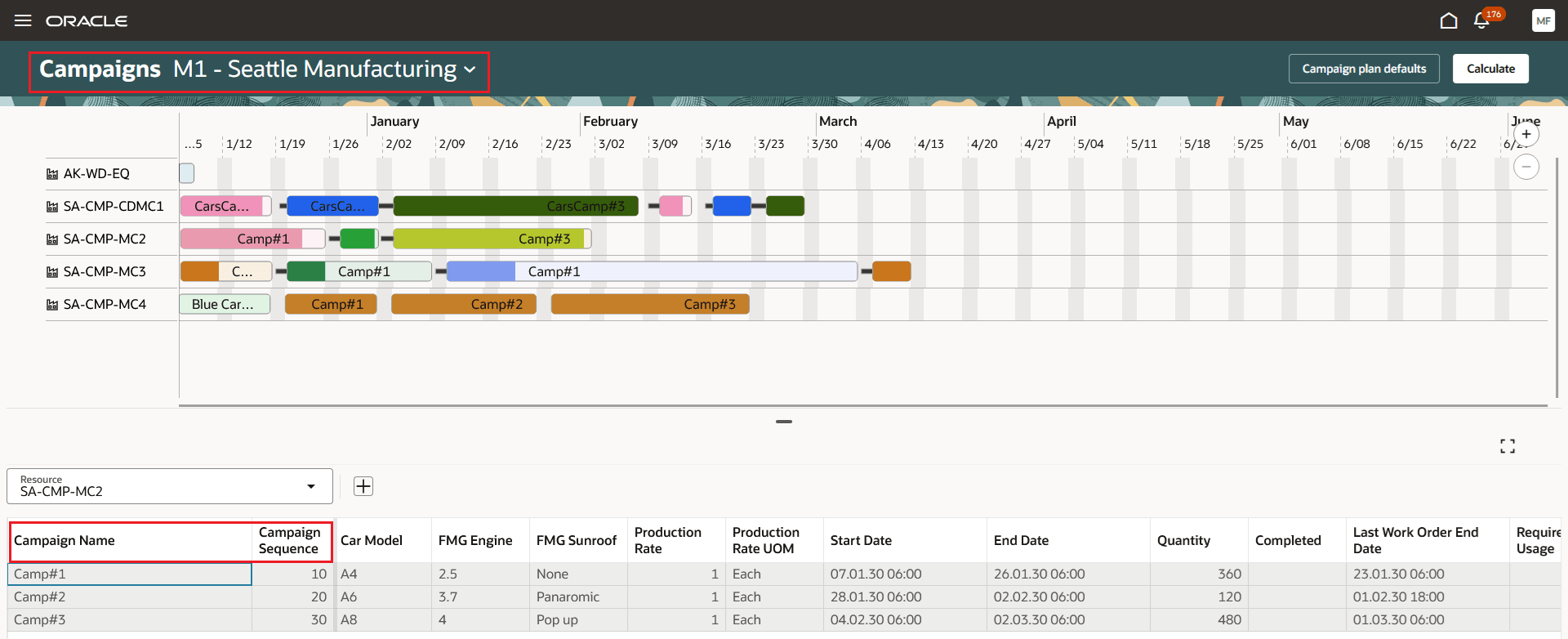
Production Campaigns - Production scheduling (Supply Planning)
You can filter manufacturing work orders by campaigns.
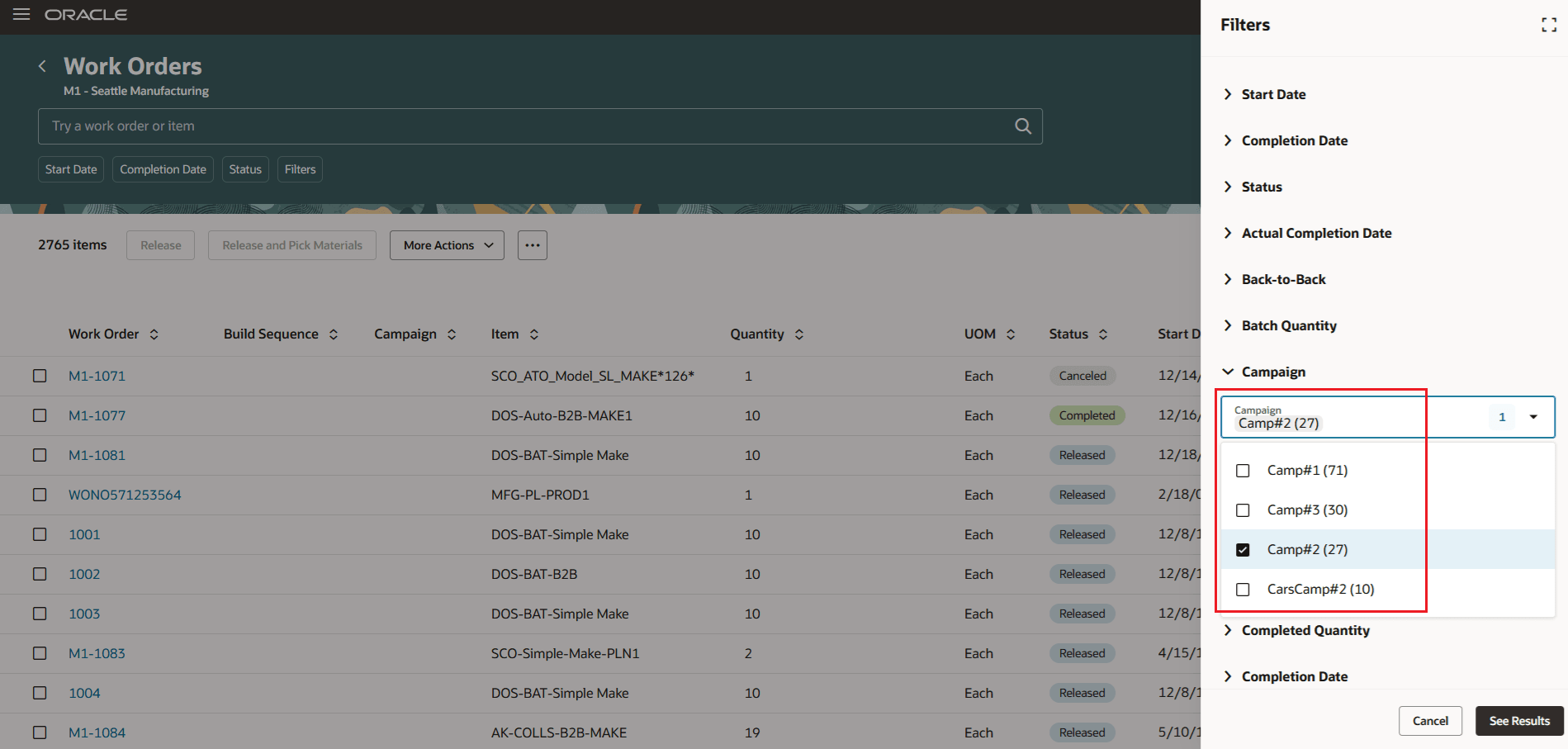
Search Work Orders by Campaign
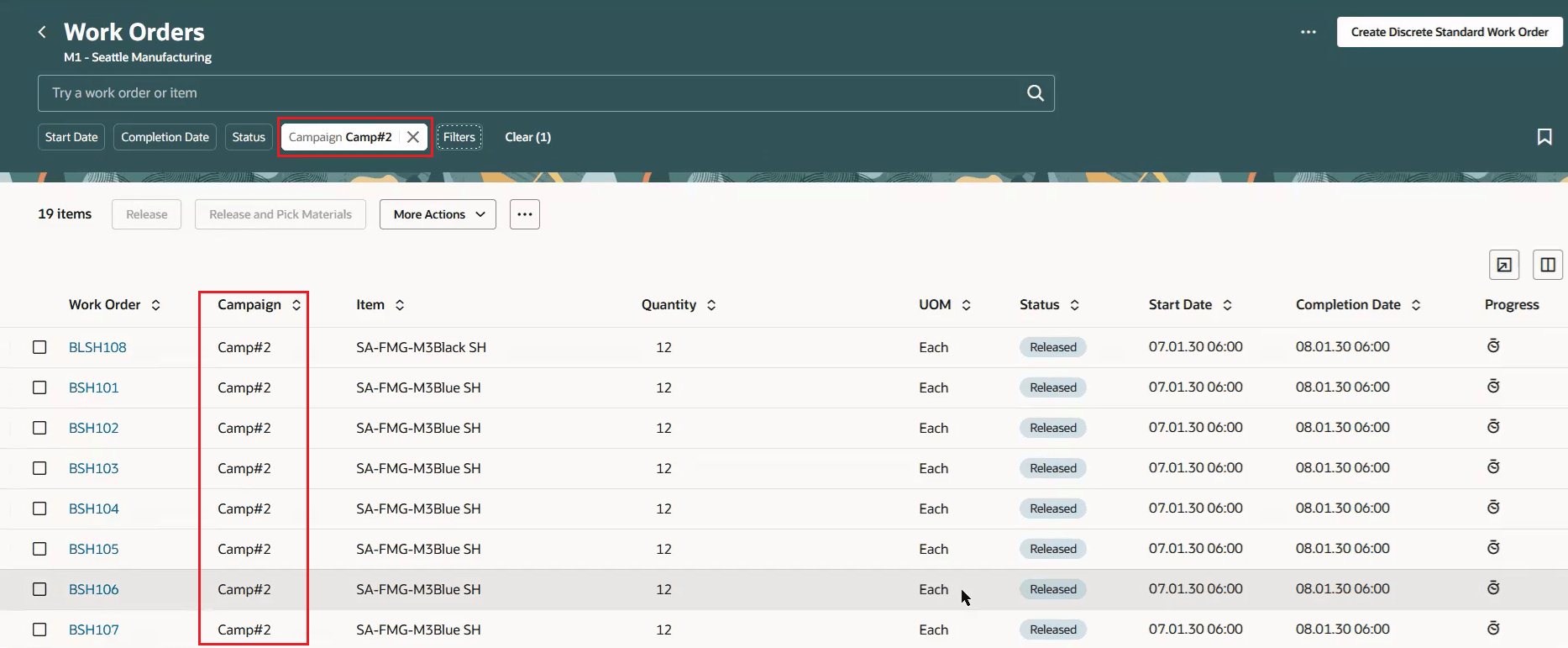
View Work Orders based on Campaign details
You can select a work order and view its campaign details.
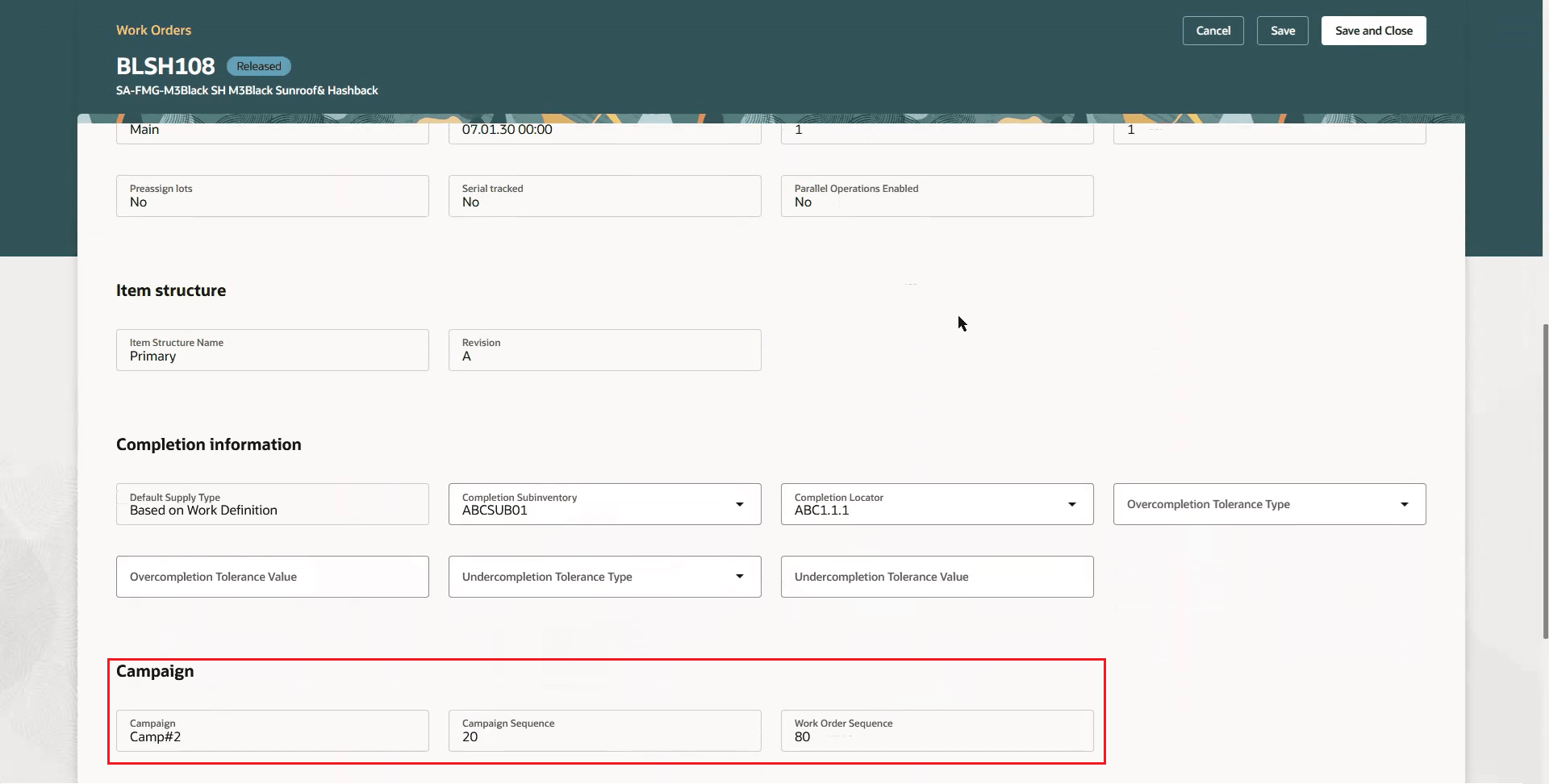
Work Order - Campaign details
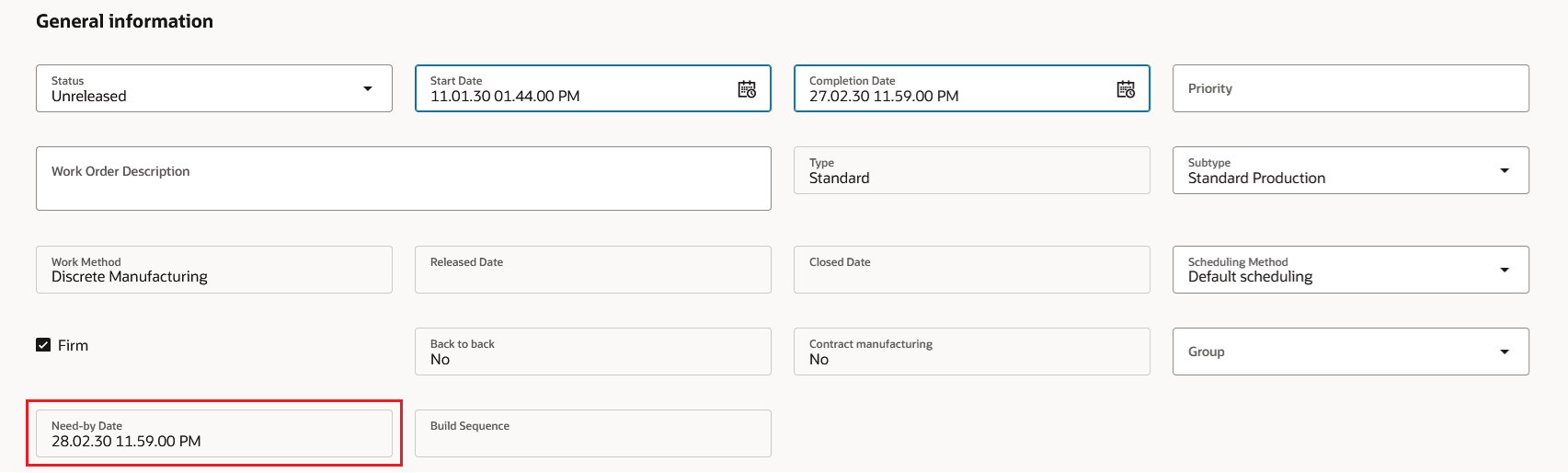
Work Order Need-by date
You can generate a Work Order Traveler and view the campaign details.
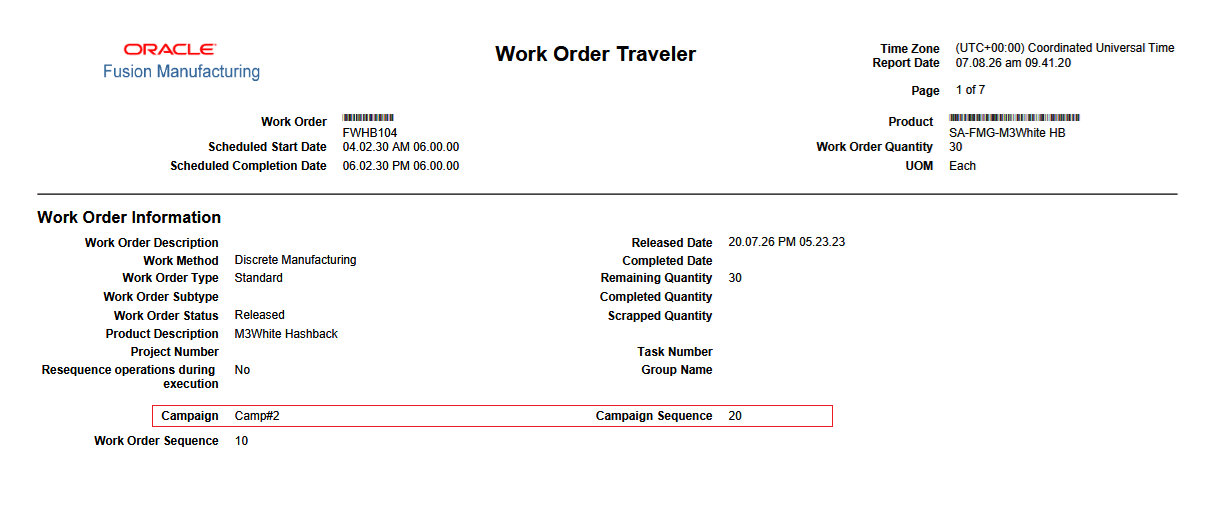
Work Order Traveler - Campaign details
You can also view the campaign details of the work order during work execution.
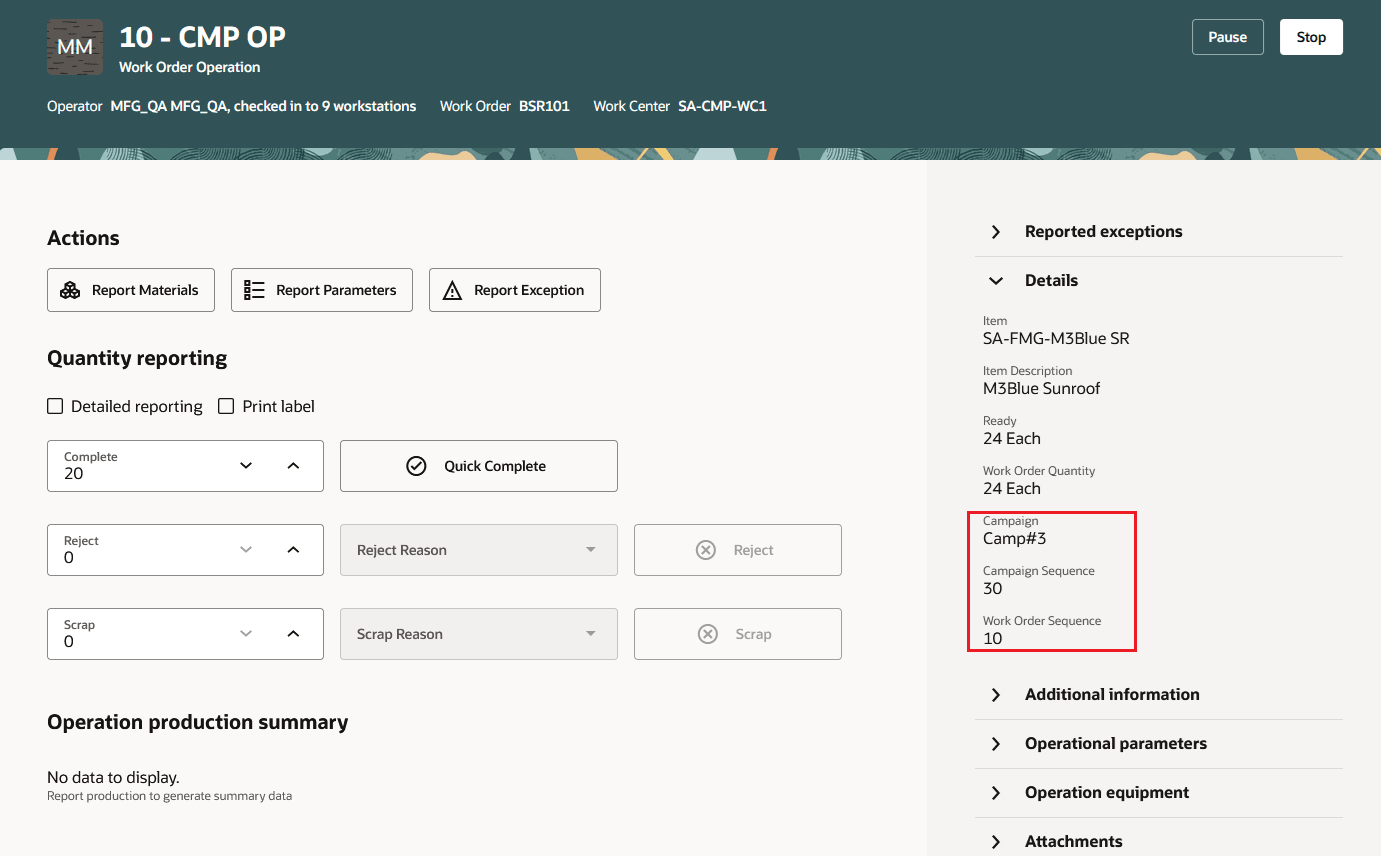
Work Order Execution - Campaign details
Changes to FBDI: There are no changes to the Work Order FBDI template.
Changes to REST APIs: The following attributes are available in the workOrders and processWorkOrders GET service - Campaign Name (CampaignName), Campaign Sequence Number (CampaignSequence), Need-by Date (NeedByDate).
The ability to execute production campaigns provides the following advantages:
- Provides production supervisors and operators visibility into the campaign context of factory floor work.
- Improves alignment between production scheduling and manufacturing execution.
- Makes it easier to locate and track work associated with a specific production campaign.
- Supports accurate operational reporting using the campaign information associated with work orders.
Here's the demo of these capabilities:
Steps to enable and configure
You can set up a work center resource as a campaign resource. A campaign resource must be an equipment/machine resource defined at the work center resource level. Only single-capacity work center resources can be used for campaigning. Campaigns are not supported on work center resources with Default Units Available set to a value greater than one.
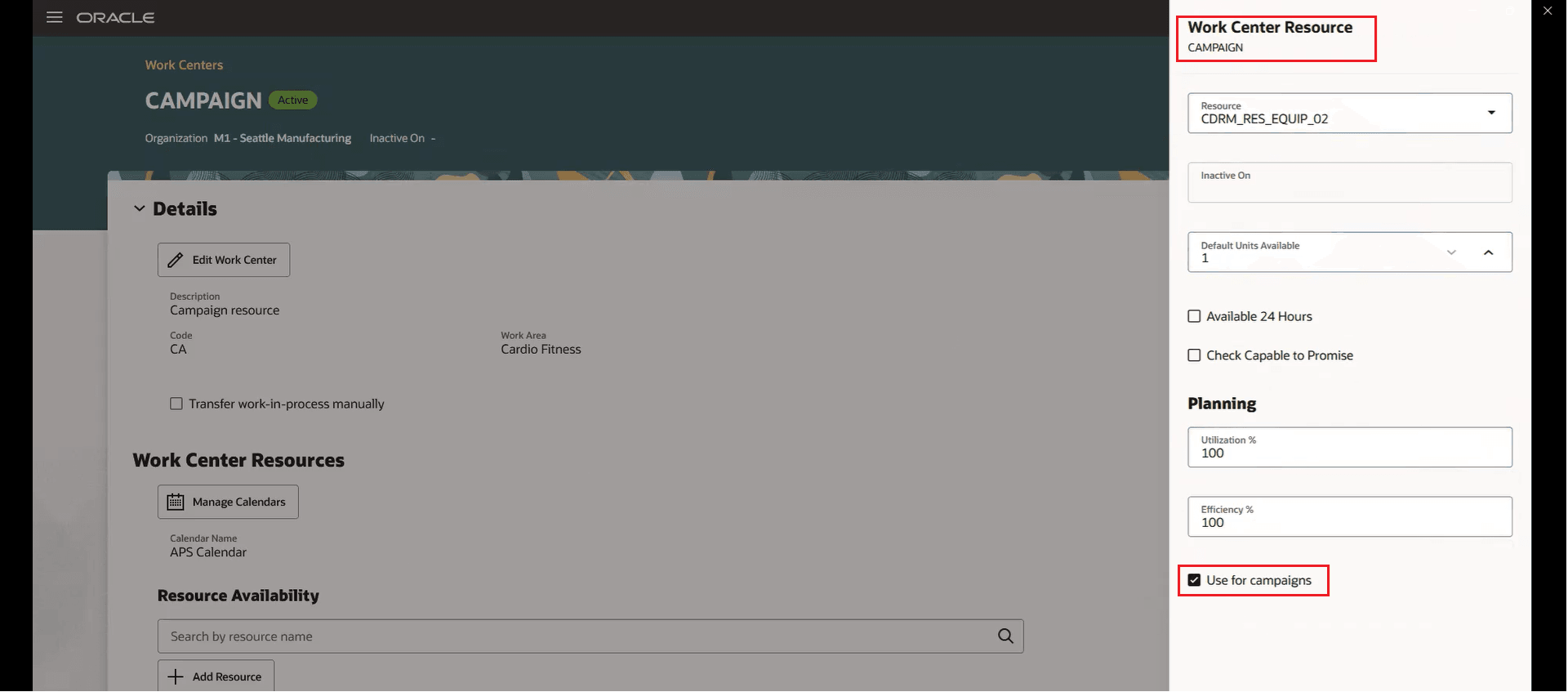
Designate equipment resource for Campaign
Tips and considerations
- Production campaigns support discrete and process manufacturing work orders. Production campaigns do not support flow schedules or orderless execution.
- You can view campaign information in the Work Orders page in Redwood. These details are provided by Oracle Fusion Supply Planning and Production Scheduling.
- Campaign sequencing isn’t enforced during work execution. You also can’t resequence campaigns or work orders within a campaign.
- Campaign changeovers in execution aren't currently displayed or tracked.
- This feature supports managing campaigns on work center resources, but not on production lines.
- Review the related 26D feature, Manage production campaigns, in Production Scheduling, Supply Planning.
Key resources
- Watch the Execute Production Campaigns demo.
- Oracle Fusion Cloud SCM: Refer to the Using Manufacturing guide, available on the Oracle Help Center.
- Oracle Fusion Cloud SCM: Refer to the Implementing Manufacturing and Supply Chain Materials Management guide, available on the Oracle Help Center.
Access requirements
There are no new privileges to use this feature. If you are using custom job roles, then you need to validate that you have the previously delivered privileges listed.
| Privilege status | Privilege name and code |
|---|---|
| Previously delivered |
Manage Work Centers |
| Previously delivered |
Manage Work Order Headers |