AI agent activity audit for sales orders
The Activity Audit for Sales Orders agent introduces a robust audit framework to track and trace all AI-driven and user-assisted actions on sales orders. It logs key details including the nature of the change, timestamps, and the source of the action.
Get this benefit
Improves visibility and traceability of AI-driven and user-assisted sales order activity. This improvement helps teams diagnose issues, provides support accountability, and supports governance and compliance requirements.
How it works
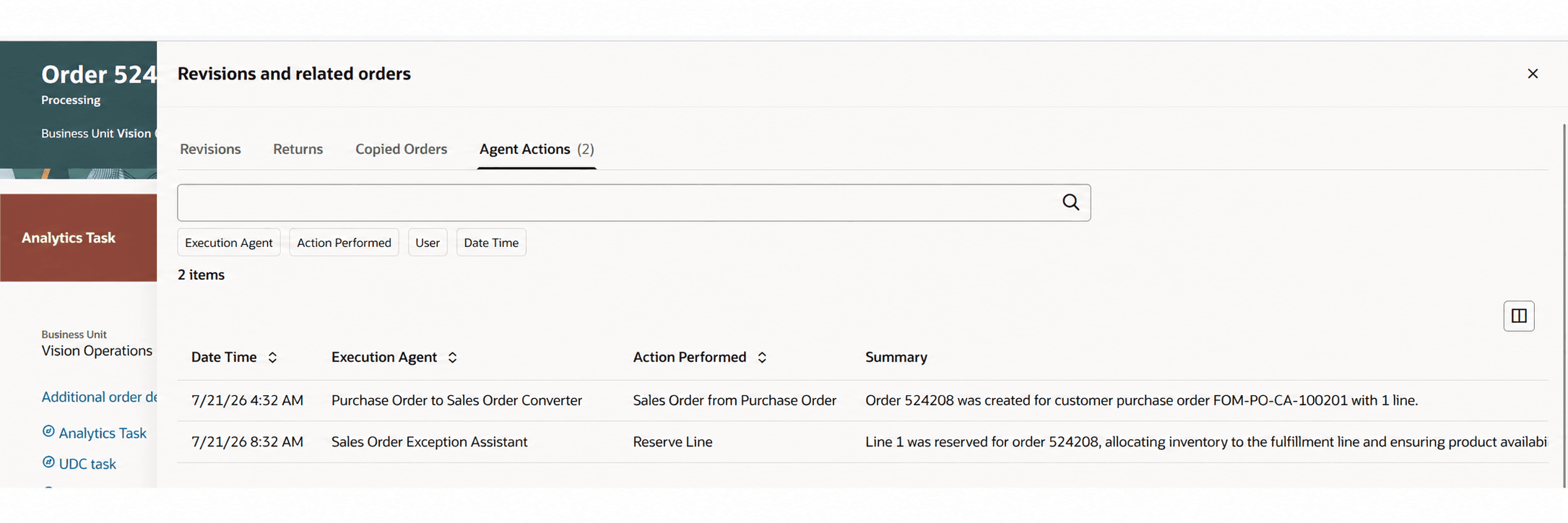
Review AI agent activity for a sales order from the Agent Actions tab in View Revisions and Related Orders. The tab shows the date and time, initiating agent, execution agent, action performed, generated summary, and user when available. Search the action history by summary and filter it by initiating agent, execution agent, action performed, user, or date and time. Results are sorted by date and time in descending order by default. Use the Updated by Agent filter when searching or mass-editing sales orders to find orders updated by an AI agent.
Using this feature
Let's say a sales order was created using the Purchase Order to Sales Order Agent. Subsequently there was a Reservation exception and that was addressed by the Sales Order Exception Assistant.
- Query the Sales Order
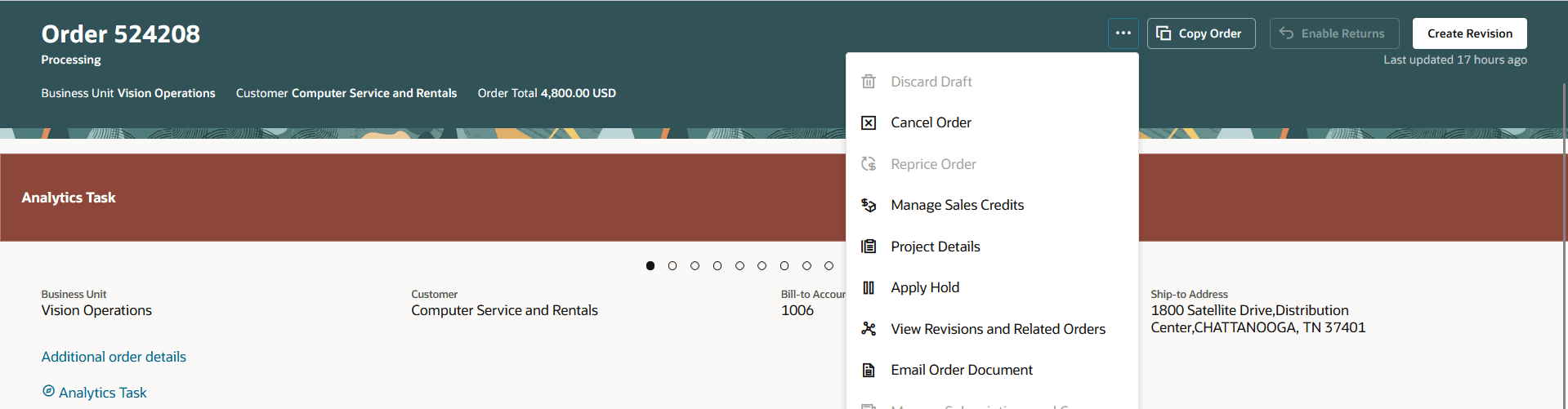
2. View Agent Actions. Review the Agent name, action performed.
Steps to enable and configure
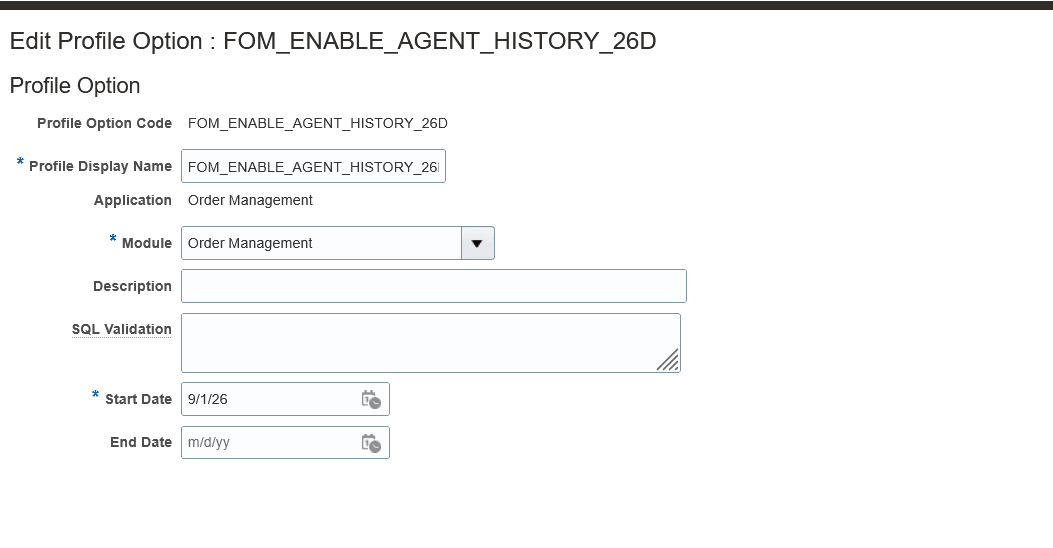
To use this feature you also need to create a profile FOM_ENABLE_AGENT_HISTORY_26D in 26D and set the site value as Yes.
Access requirements
Assign the View AI agent audit information privilege FOM_VIEW_AI_AGENT_AUDIT_DETAIL to provide access to the Agent Actions tab.