Enhance lifecycle management for intake requests
Improve visibility and control over intake requests with return and resubmit capabilities, template updates, and tracking document history.
Requesters can change the template for draft or returned requests; the application creates a new request with the selected template and cancels the original request. When a request needs correction, reviewers can return it with a reason and requesters can view the reason before responding.
Change template on an intake request
For draft or returned intake requests, select Change Template from the More Actions menu to use a different template.
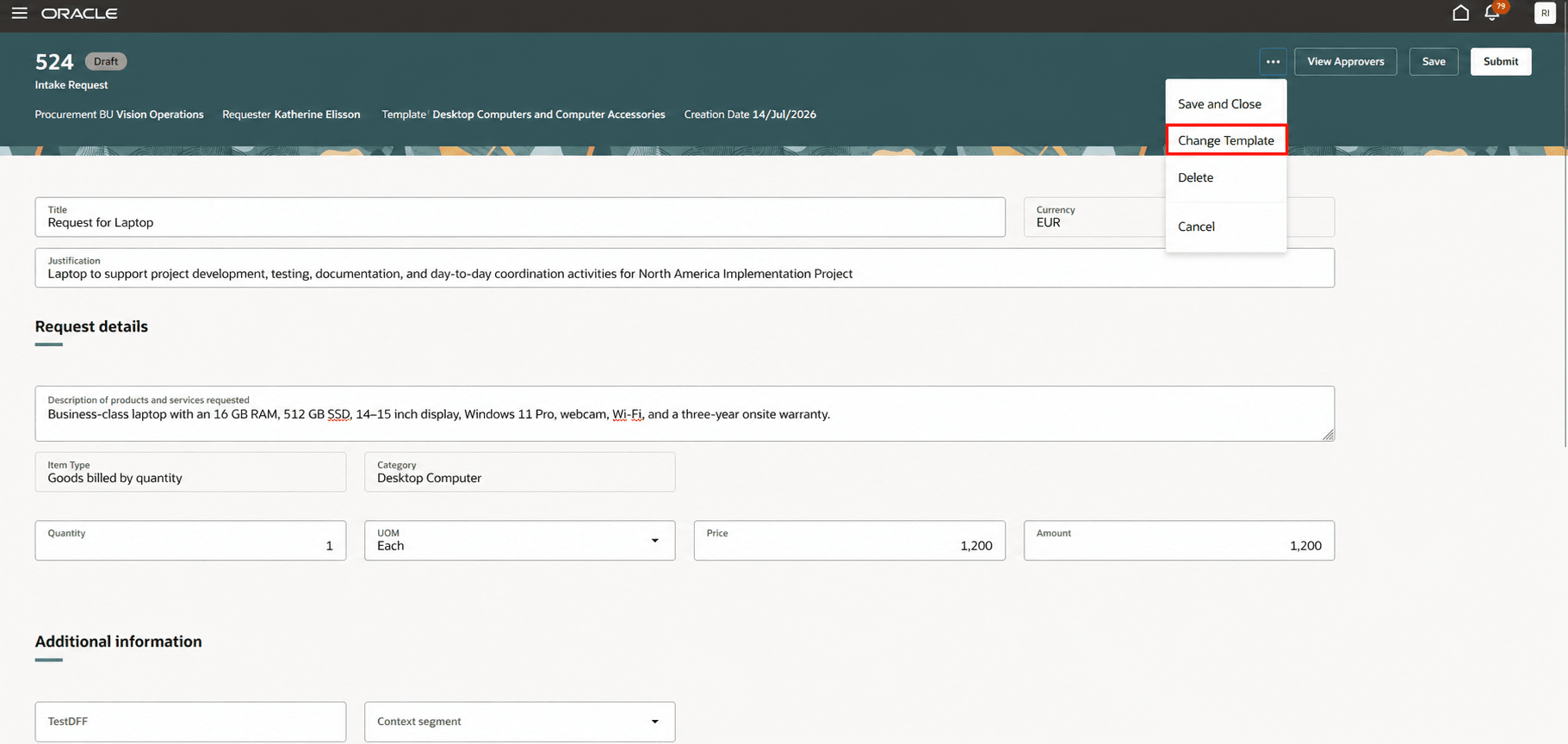
Change template action
The application creates a new draft request, copies applicable request information and attachments, applies the newly selected template, and cancels the original request.
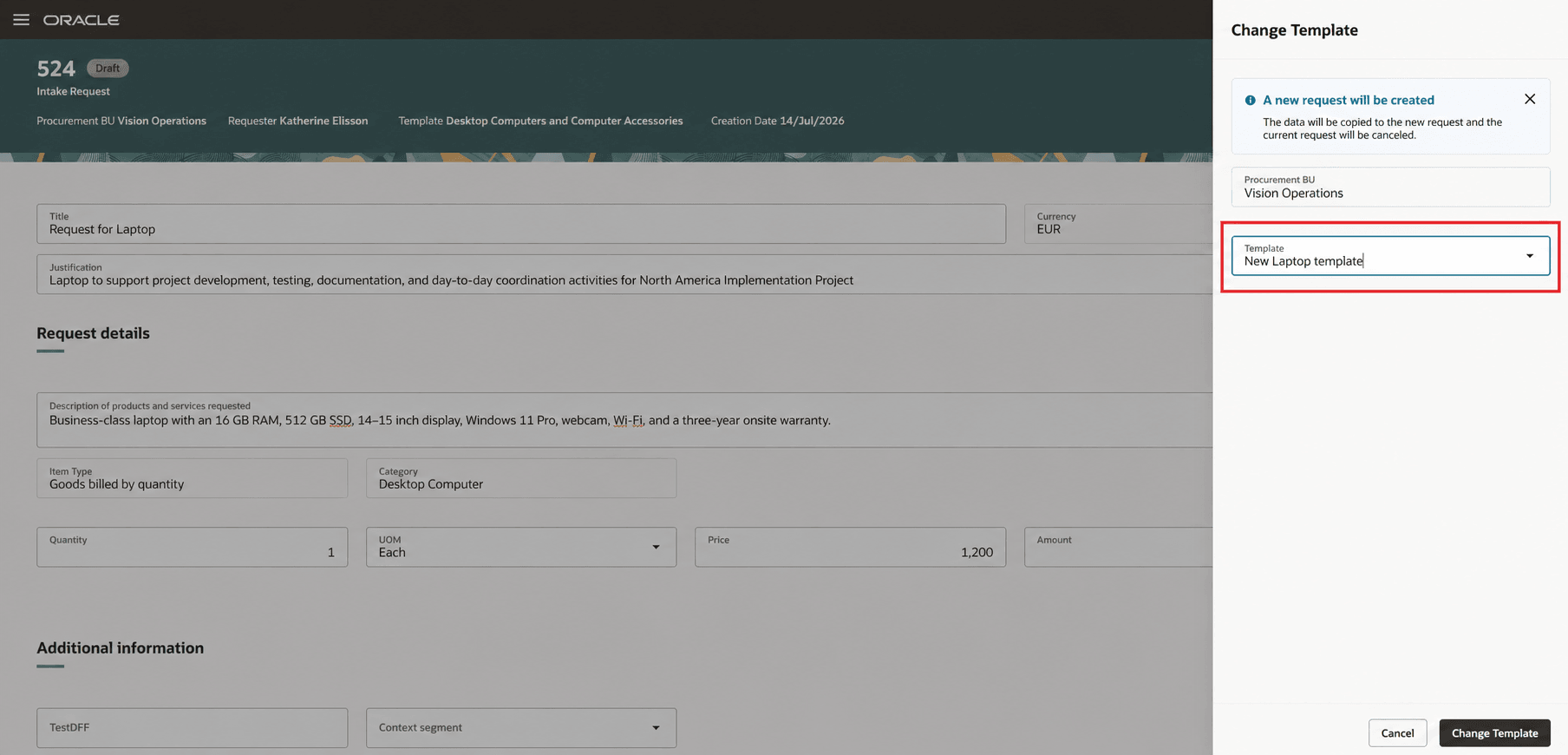
Change template drawer
Return intake request as a reviewer
Reviewers can select Return to Requester from the View Intake Request page when an intake request needs updates.
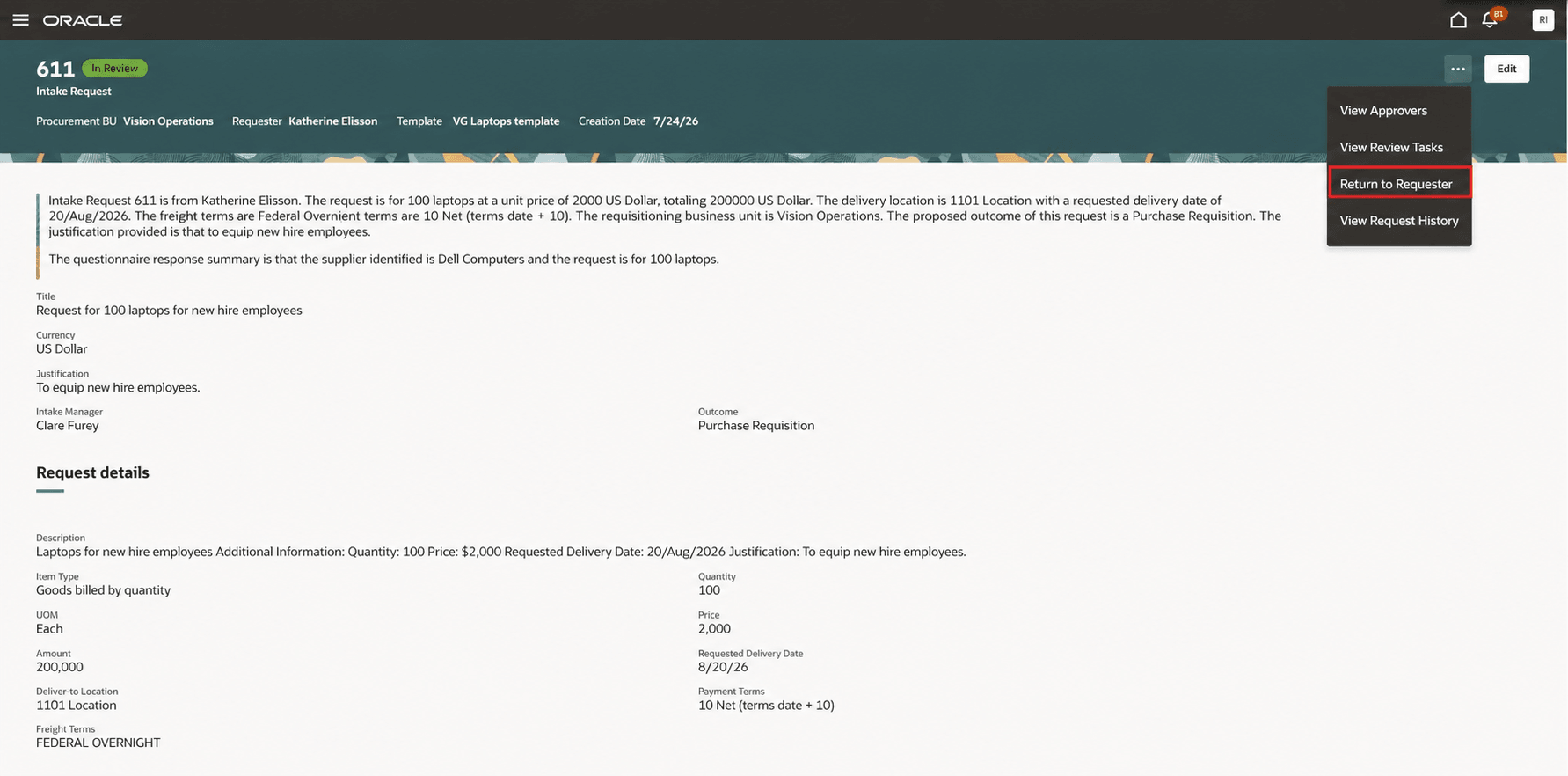
Return to requester action
Enter a required return reason to return the request to the requester. The request status changes to Returned.
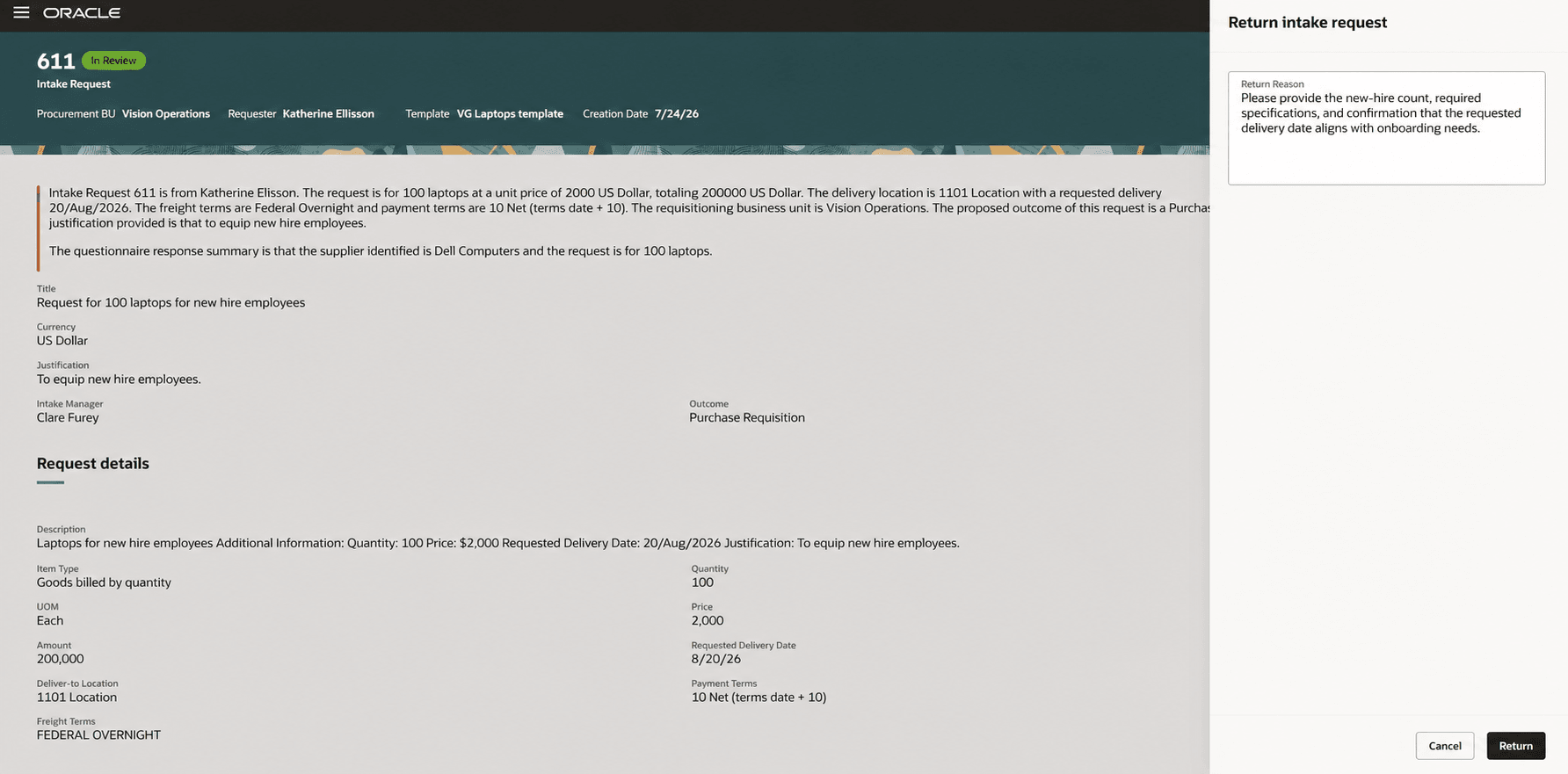
Return to requester drawer
Resubmit returned intake requests as a requester
When a reviewer returns an intake request, requesters can view the return details, update the request, and select Resubmit from the Edit Intake Request page. Requesters enter a required note to reviewers before resubmitting the request. The request returns to In Review, and reviewers receive email and worklist notifications.
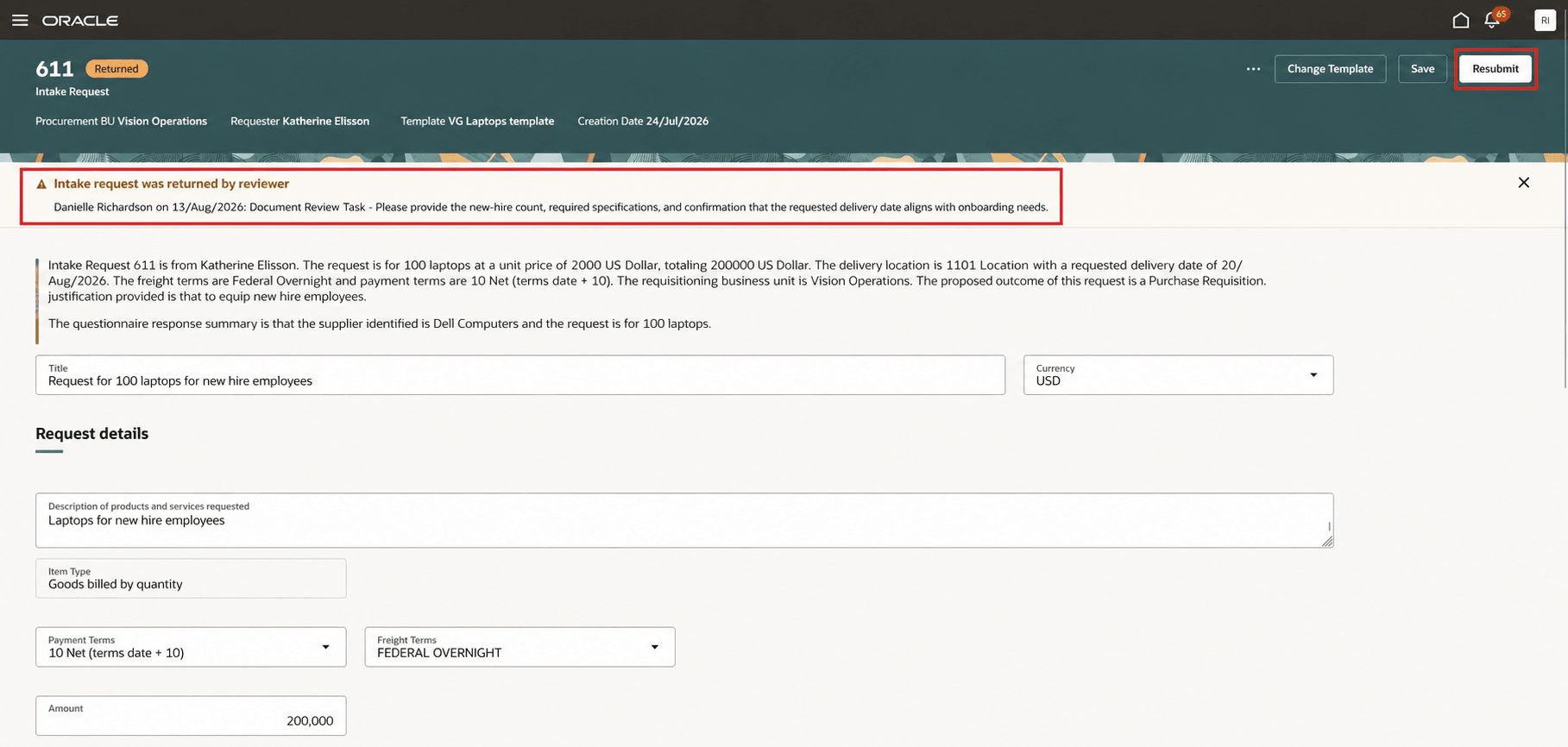
Resubmit action
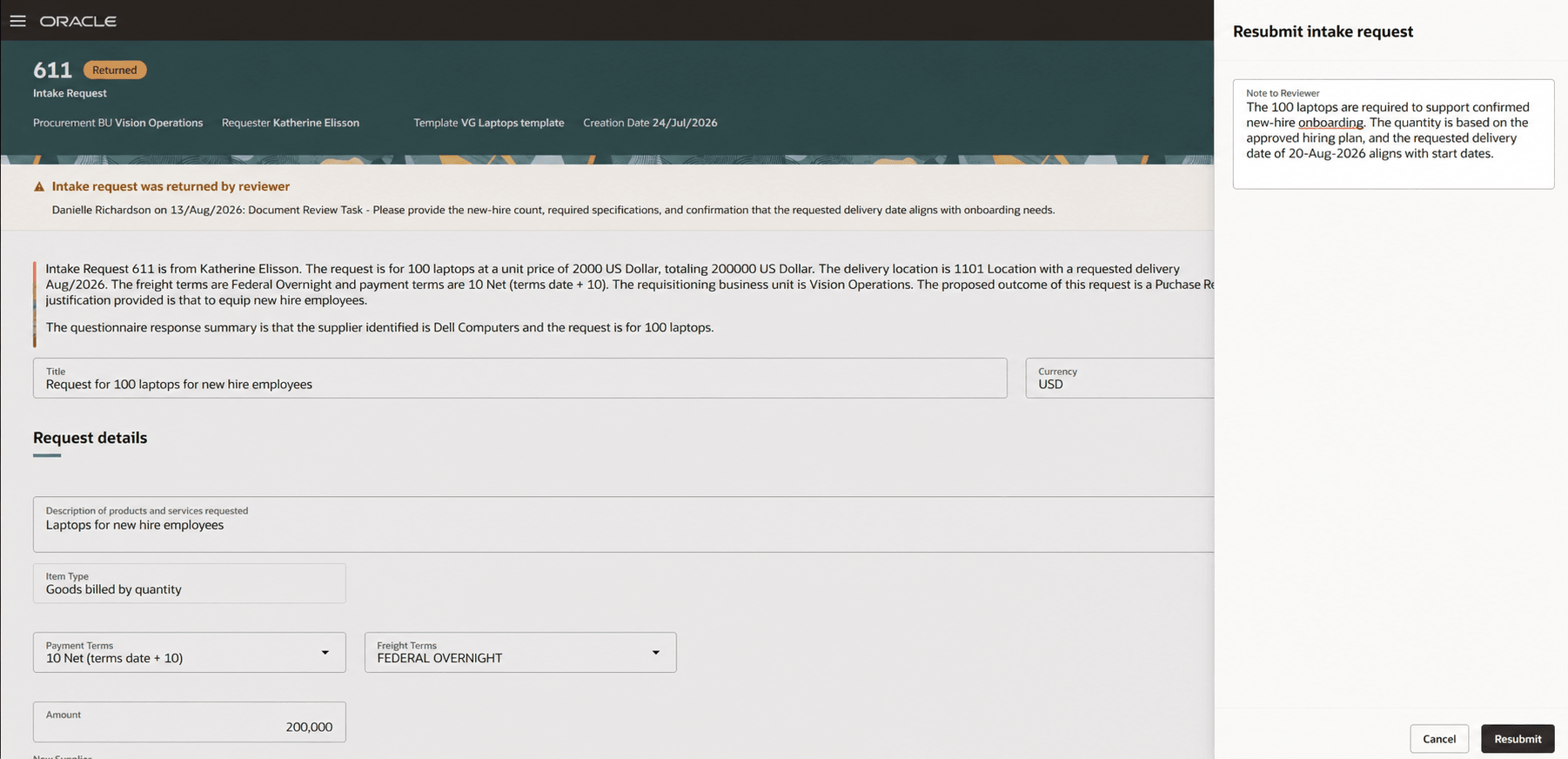
Resubmit drawer
Resubmit rejected intake requests as a requester
When an approver rejects an intake request, requesters can select Resubmit from the View Intake Request page. Requesters enter a required note to the approver before resubmitting the request. The approval workflow restarts, the request status changes to Pending Approval, and approvers receive notifications based on the approval workflow configuration.
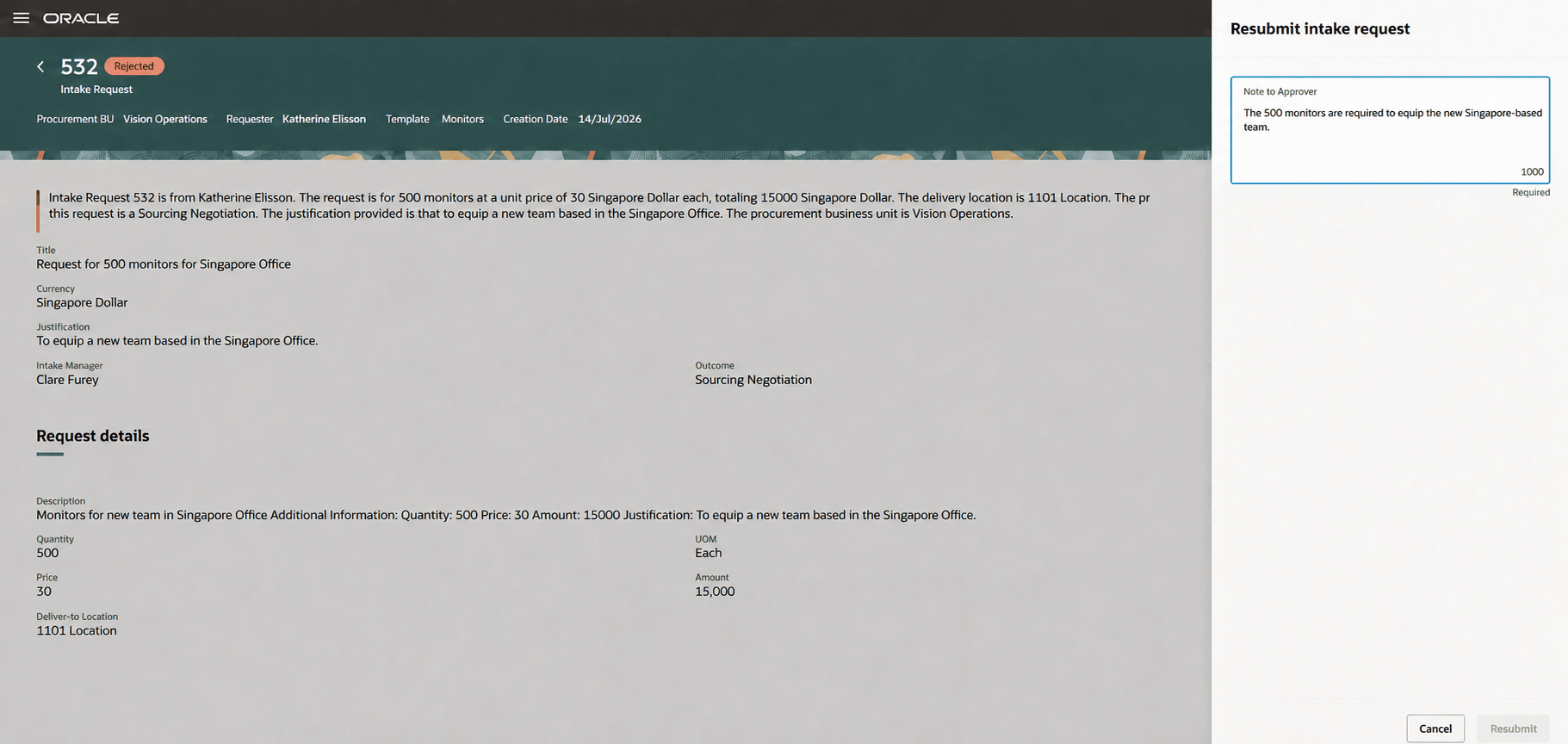
Resubmit drawer
View request history
Use View Request History to review the lifecycle of an intake request. The read-only history records actions such as creation, submission, return, resubmission, rejection, approval, cancellation, and closure, along with the person who performed the action, date and time, and applicable comments or reasons.
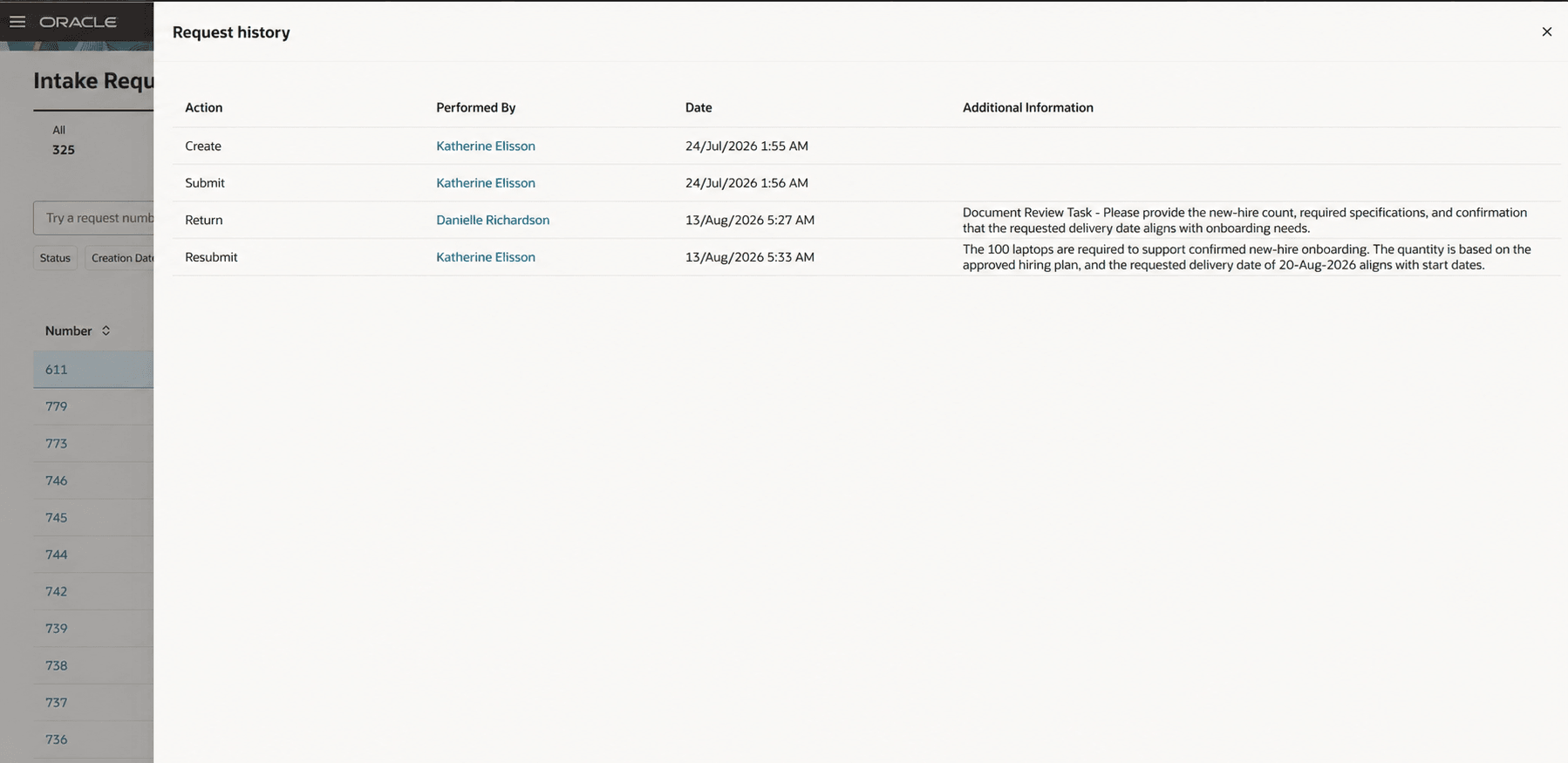
View Request History
Steps to enable and configure
You don't need to do anything to enable this feature.
Tips and considerations
- You can change a request template only when the intake request is in Draft or Returned status. Changing the template creates a new draft request and cancels the original request.
- When you change an intake request template, values for Item Type, Category, and Currency that are restricted by the new template are updated based on the new template’s conditions. Values for attributes not included in the target template aren’t copied from the original request.
- Multiple reviewers can return an intake request to the requester and all the reviewer return reasons are available to the requester.
- Resubmitting a returned request satisfies all outstanding return actions. If a reviewer returns the request again later, only the new return reason is displayed.
Key resources
For details on initiating procurement activities with intake requests, refer to the Initiate Procurement Activities with Intake Requests feature, available in Oracle Fusion Cloud Procurement What's New, update 26C.
Access requirements
No specific privileges are required for requesters and reviewers to perform the actions described in this What's New document or to view request history.