Associate project tasks in negotiations
Use project plans to plan, track, and manage project-based sourcing activities more efficiently. The enhanced Redwood experience lets you associate negotiations with project tasks, manage project-related sourcing activities, and collaborate with project resources.
Here's what you can do:
- Add one or more project tasks created from the Project Management work area to a negotiation.
- For tasks with automatic completion events, the task completion event status is updated automatically when the associated event occurs.
- For tasks that require manual completion, you can complete the task from the project tasks table. When a task is completed, its percent complete value is updated to 100 percent.
- If a task is no longer needed, you can remove its association with the negotiation.
- In the Collaboration Team step, search for project resources by name or email, filter them by project, and add one or more resources to the collaboration team. By default, project resources are granted full collaboration access, which you can modify if needed.
- Before publishing the negotiation, review the associated project task details in the Review and Publish step.
- After the negotiation is published, use the Update action to add, remove, or modify the project tasks.
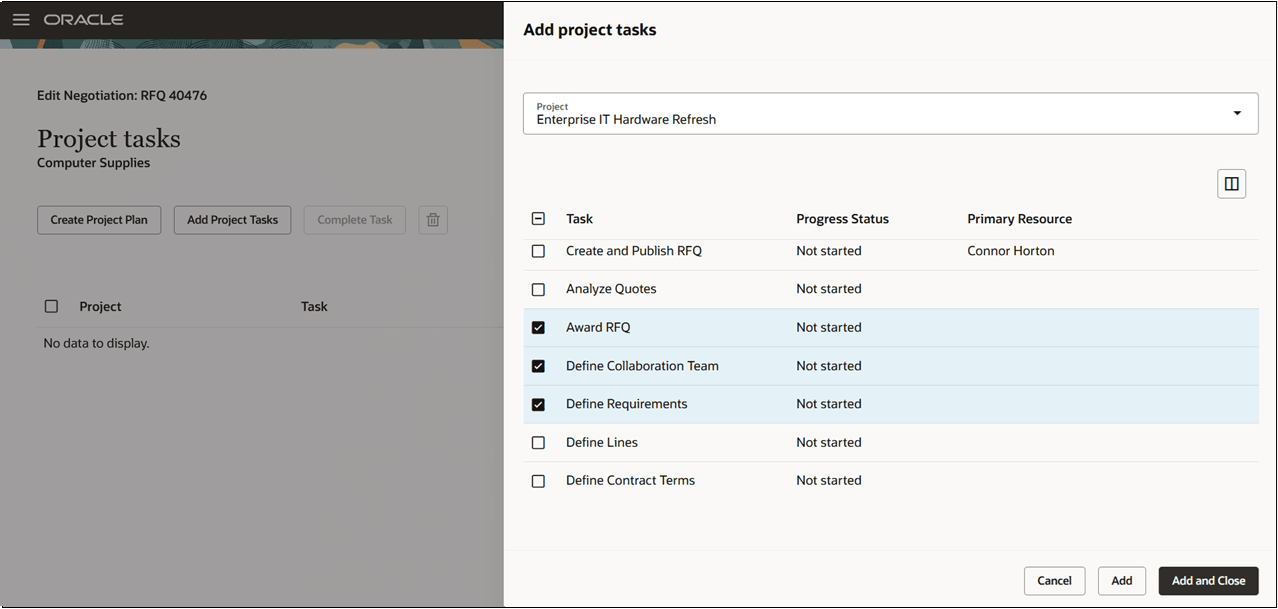
Add project tasks
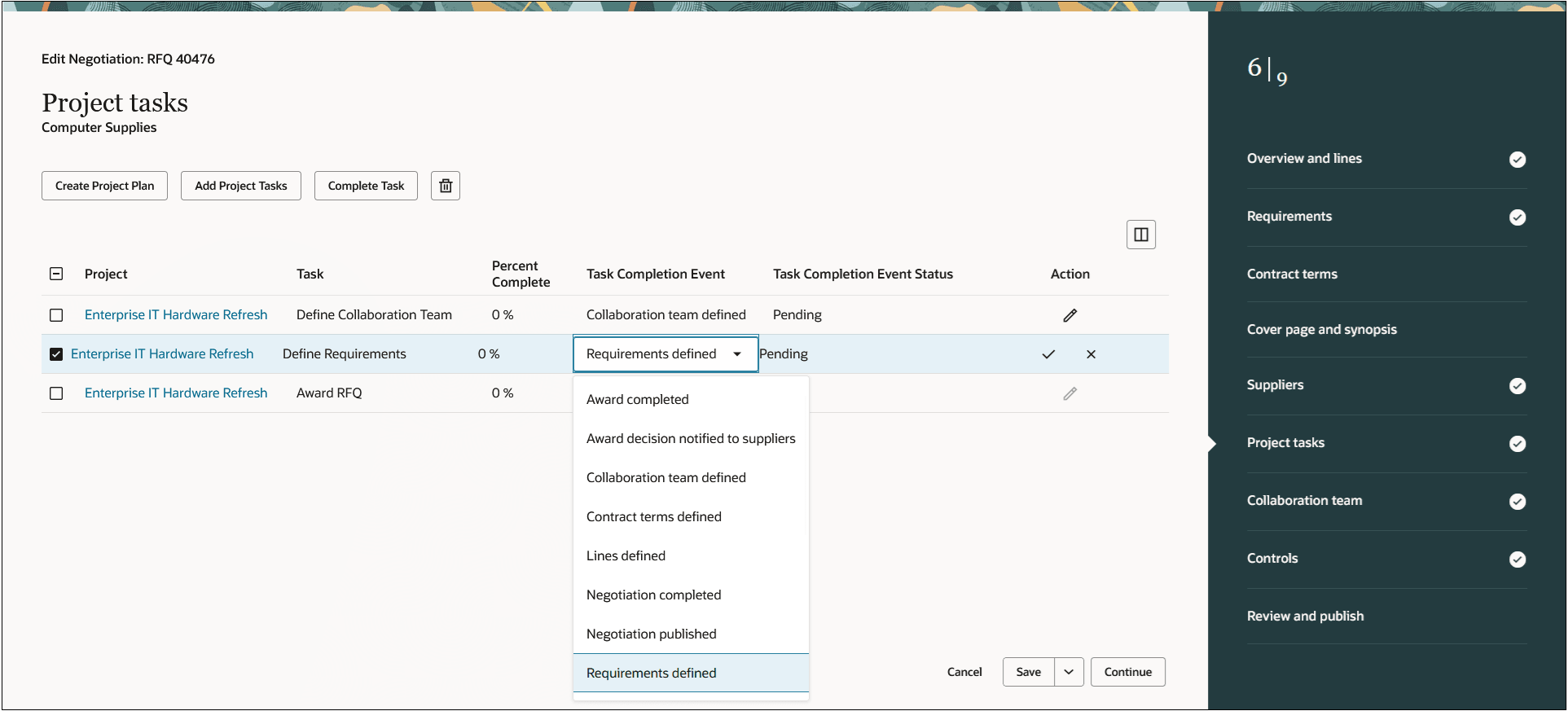
Select task completion event
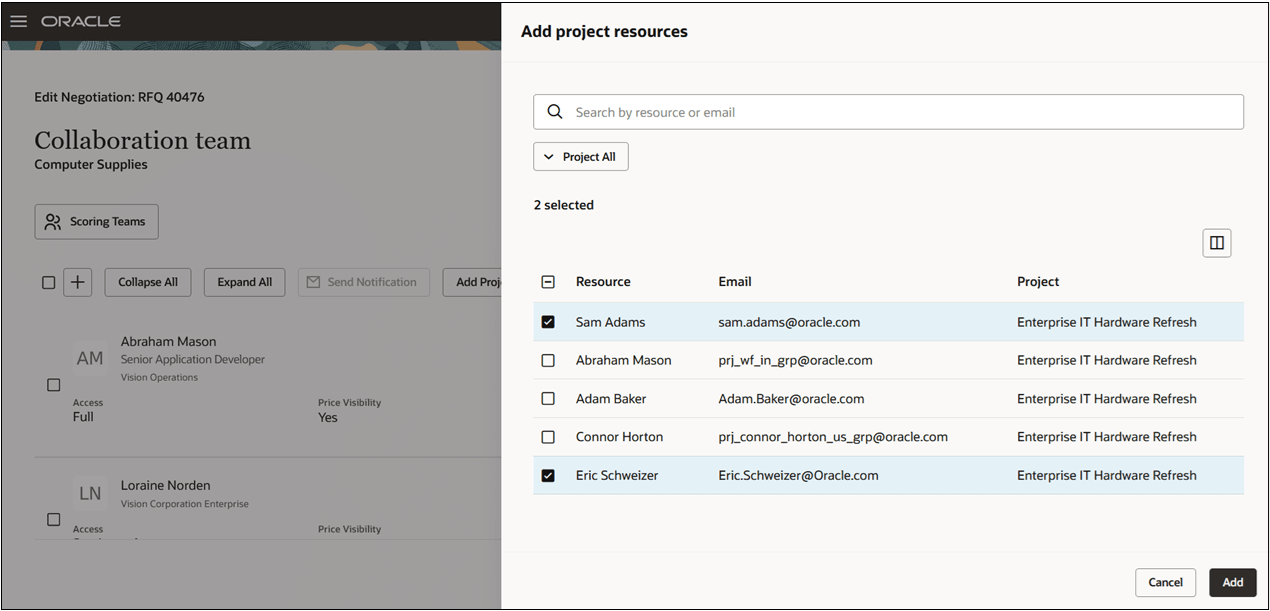
Add project resources
Project plans help to efficiently manage complex sourcing initiatives by improving collaboration and coordination, enabling real-time task progress tracking, increasing visibility across the organization, improving project planning accuracy, and delivering more predictable project schedules.
Steps to enable and configure
To use this feature:
- Project Management offering must be implemented and enabled.
- Project Tasks must be enabled under the Overview section in the negotiation style used to create the negotiation.
Key resources
For information about using Oracle Visual Builder Studio to extend your Redwood application pages, see Oracle Fusion Cloud HCM and SCM: Extending Redwood Applications for HCM and SCM Using Visual Builder Studio.
Access requirements
Users who are assigned a configured job role that contains this existing privilege can access this feature:
| Privilege status | Privilege name and code |
|---|---|
| Existing | Manage Project Work Plan (PJT_MANAGE_PROJECT_WORK_PLAN_PRIV) |