Manage sourcing programs
Create and manage sourcing programs using the Redwood experience. Use a dedicated workbench for sourcing programs as well as improved pages for creating, viewing, and managing lifecycle actions.
Procurement organizations execute sourcing initiatives to achieve maximum savings and value. Sourcing programs help you monitor sourcing success with the following capabilities :
-
Create a program and set savings and spend related goals for an organization.
-
Define multiple objectives for the program to achieve the program goals.
-
Associate negotiations to each objective, and define targets.
-
Track the progress and results as negotiations are awarded.
-
Measure performance by comparing negotiation spend and savings to set goals.
With the dedicated workbench, you can for search for programs, review program status, and open the appropriate program action from one place. The workbench includes KPI tabs for all programs, programs in progress, programs not started, and completed programs. You can select any of these tabs to quickly narrow the list by lifecycle stage. You can also search by program title and use filters such as status, owner, team member, category, or negotiation to find the programs that need review.
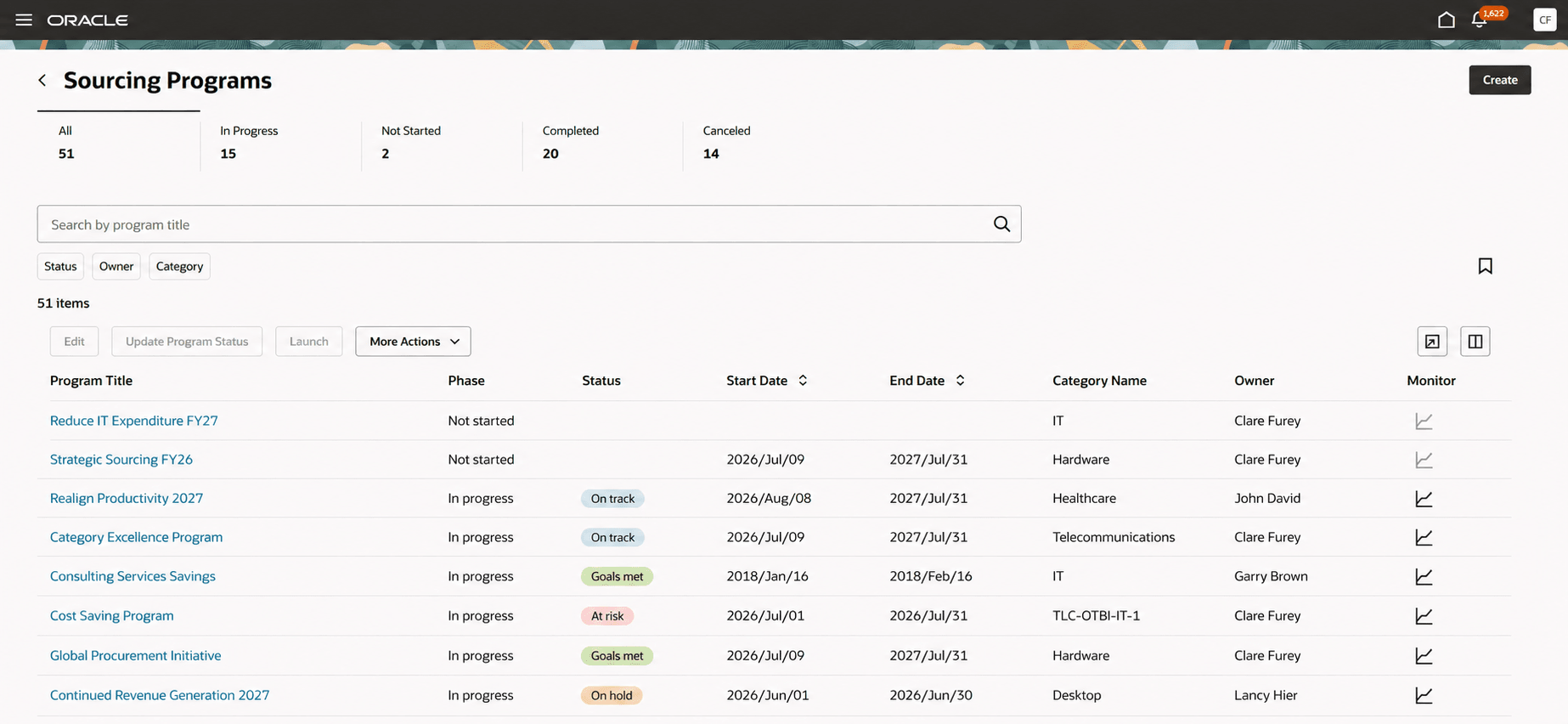
Sourcing programs workbench
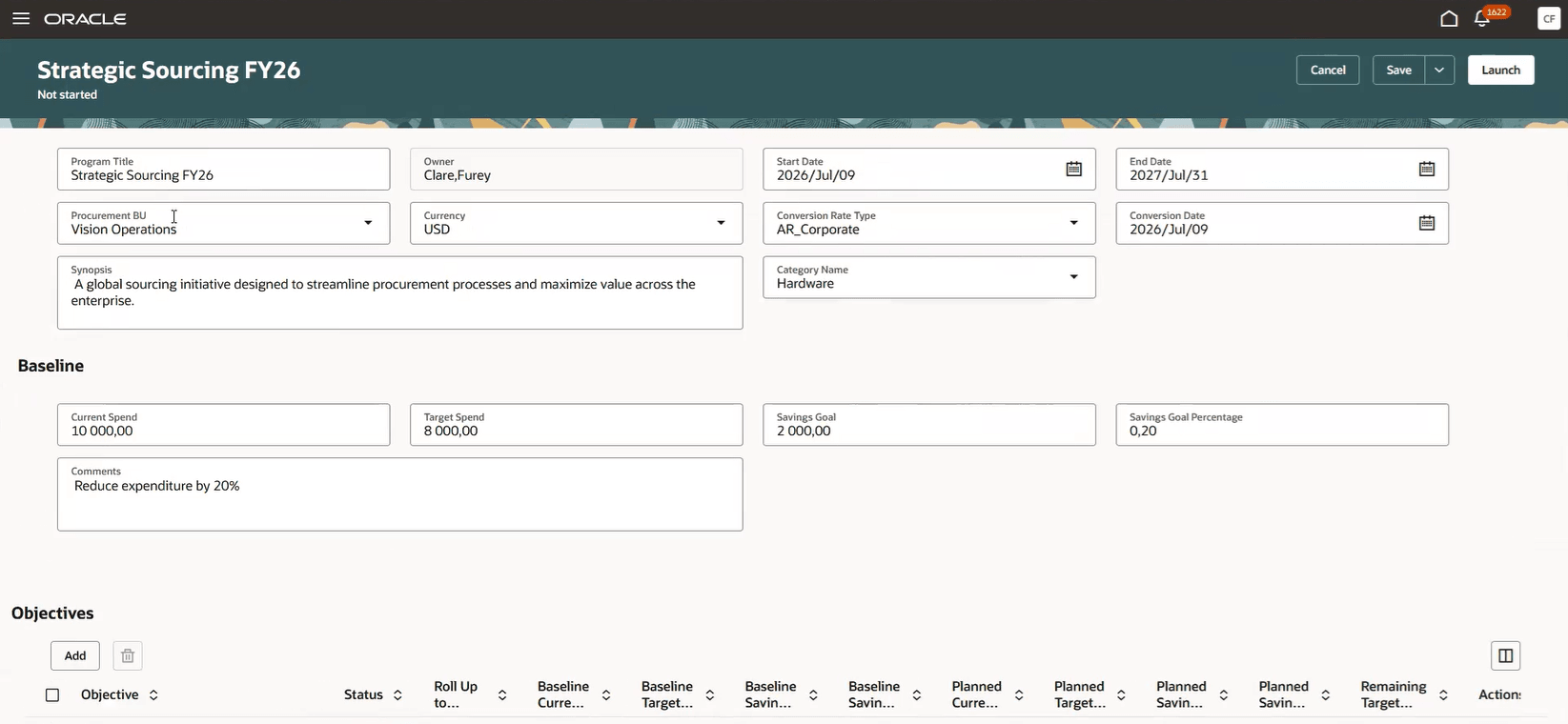
Create program
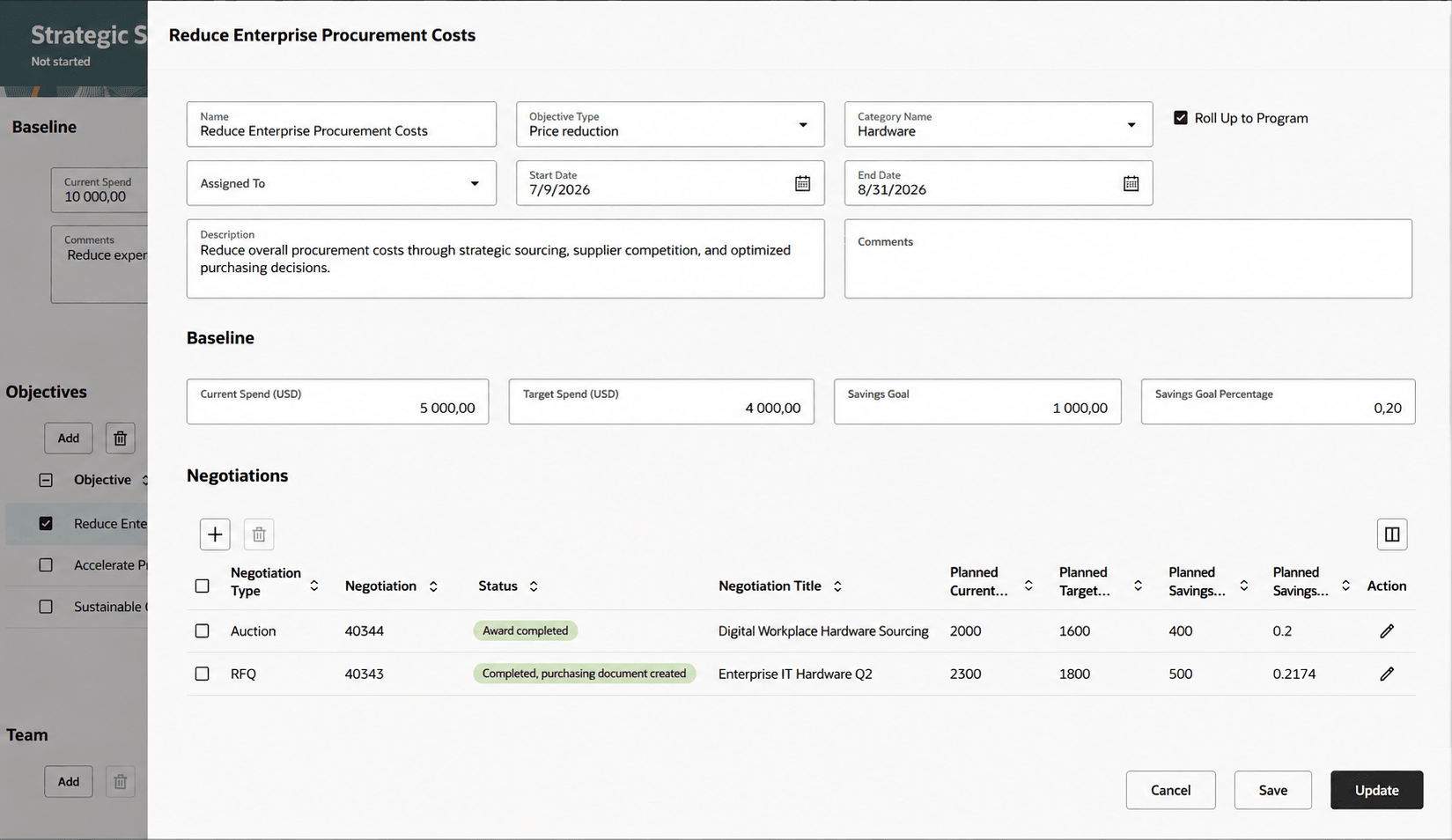
Add objective and associate negotiations
The Monitor page provides performance metrics at a higher program level as well as granular negotiation level. Also, visibility into sourcing objectives and program status is improved so you can better track savings and spend goals across sourcing initiatives.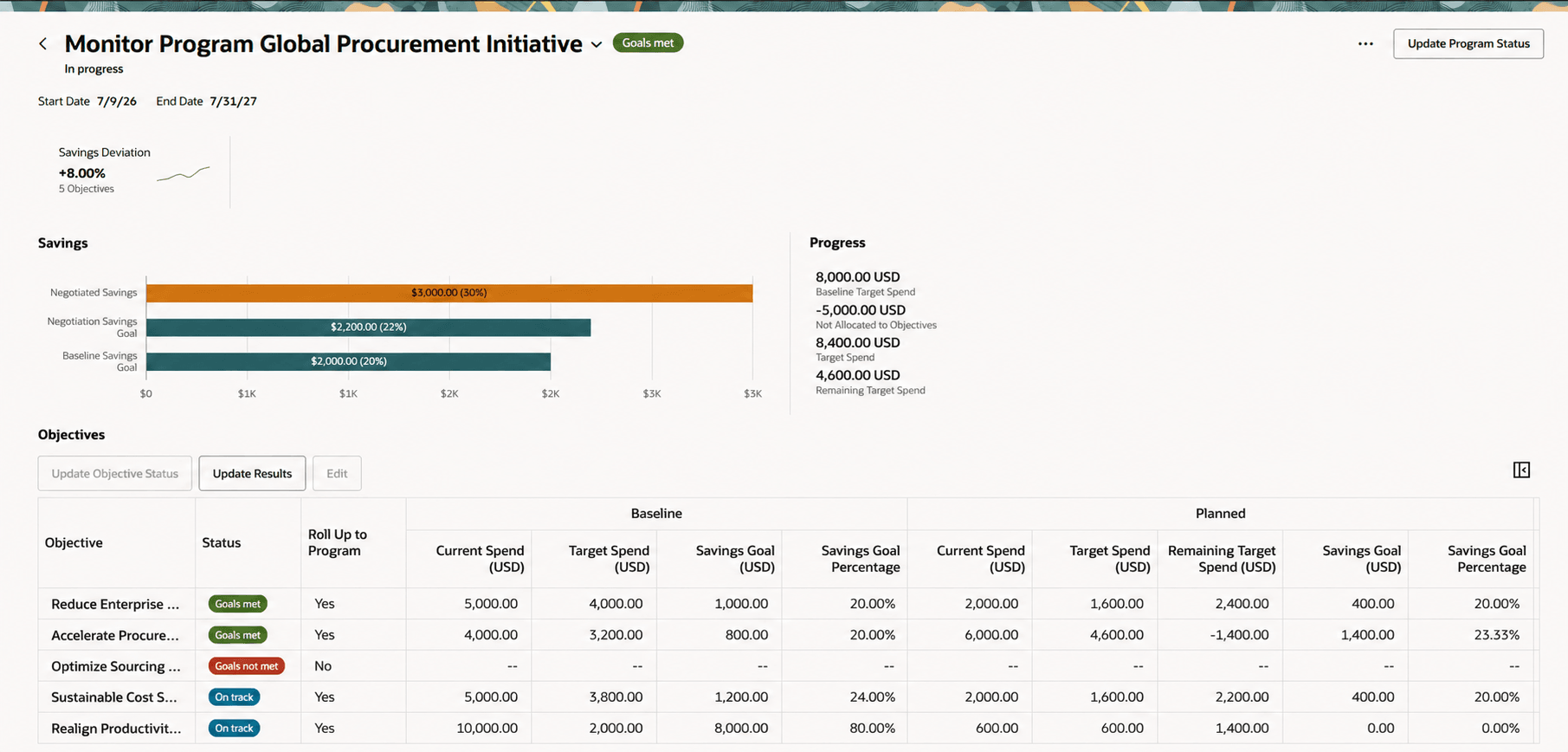
Monitor program
You can now manage sourcing programs more efficiently, monitor program progress, and focus on the programs that need action. You can set a baseline for spend and savings goals, plan by associating negotiations, and measure results over time as negotiations are awarded.
Steps to enable and configure
Use the Opt In UI to enable this feature. For instructions, refer to the Optional Uptake of New Features section of this document.
Offering: Procurement
To use this feature, you must enable this profile option: Redwood Page to Manage Sourcing Programs Enabled (ORA_PON_REDWOOD_SOURCING_PROGRAM_ENABLED). For instructions on enabling a profile option, refer to the Set Profile Option Values topic.
Key resources
Refer to Sourcing Programs for more details in Oracle Help Center.
Access requirements
Users who are assigned a configured job role that contains these existing privileges and who meet any of the following data security conditions can access this feature.
Privileges
| Privilege status | Privilege name and code |
|---|---|
| Existing | View Sourcing Program
PON_VIEW_SOURCING_PROGRAM_PRIV |
| Existing | Edit Sourcing Program
PON_EDIT_SOURCING_PROGRAM_PRIV |
| Existing | Complete Sourcing Program
PON_COMPLETE_SOURCING_PROGRAM_PRIV |
| Existing | Manage Sourcing Programs
PON_MANAGE_SOURCING_PROGRAM_PRIV |
| Existing | Monitor Sourcing Program
PON_MONITOR_SOURCING_PROGRAM_PRIV |
| Existing | Delete Program Owner's Manager from Program Team
PON_DELETE_MANAGER_PROGRAM_TEAM_PRIV |