Display intake request number on requisition lines
For requisitions created from intake requests, you can access the originating request while reviewing requisition information. This provides easy access to the original request and its context. Requesters can view it from the following pages:
- Requisition details page.
- Line details table.
- Line details drawer.
- View lifecycle page.
- Requisition details page used to drill down from other applications.
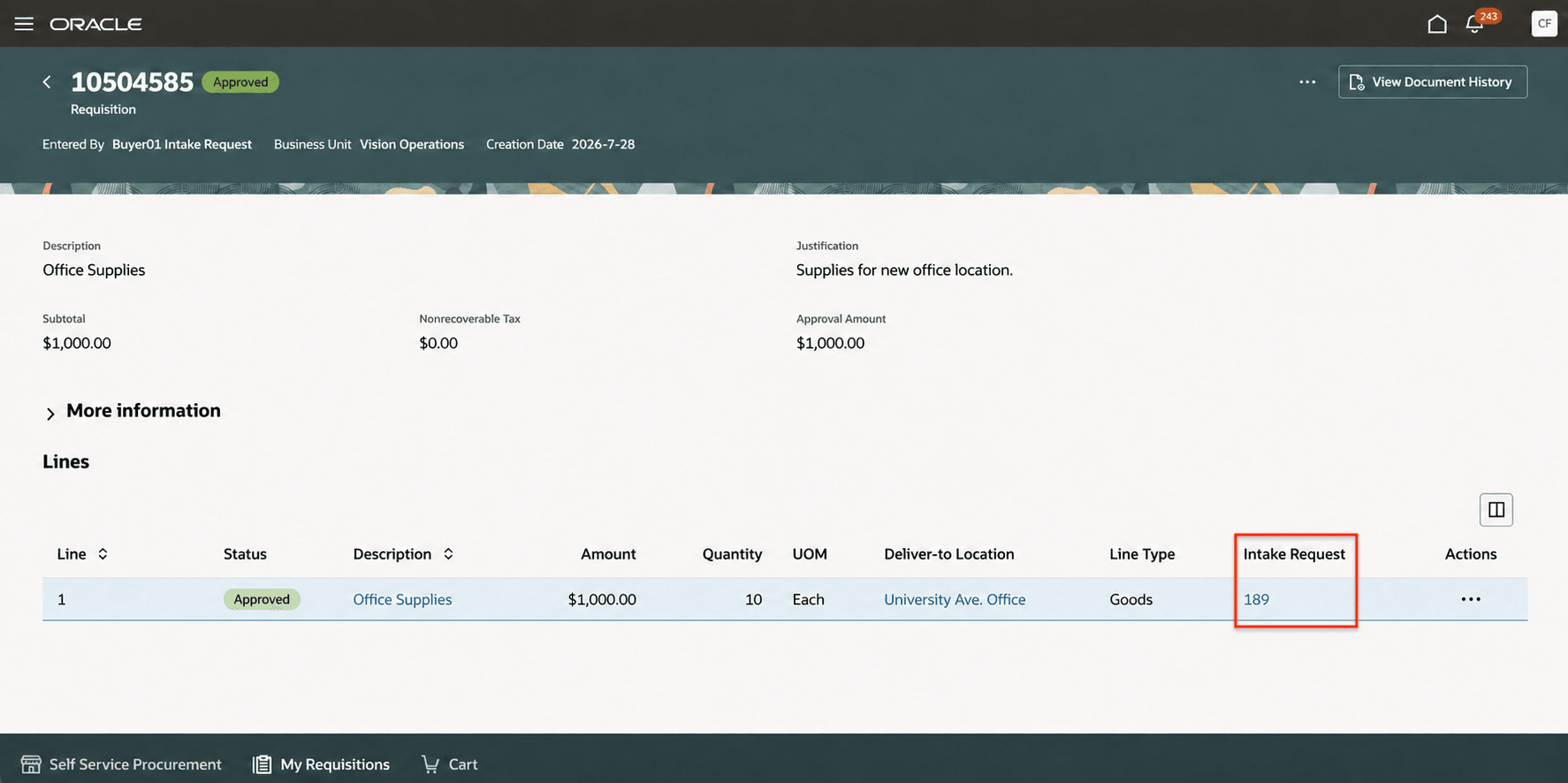
Line details table view
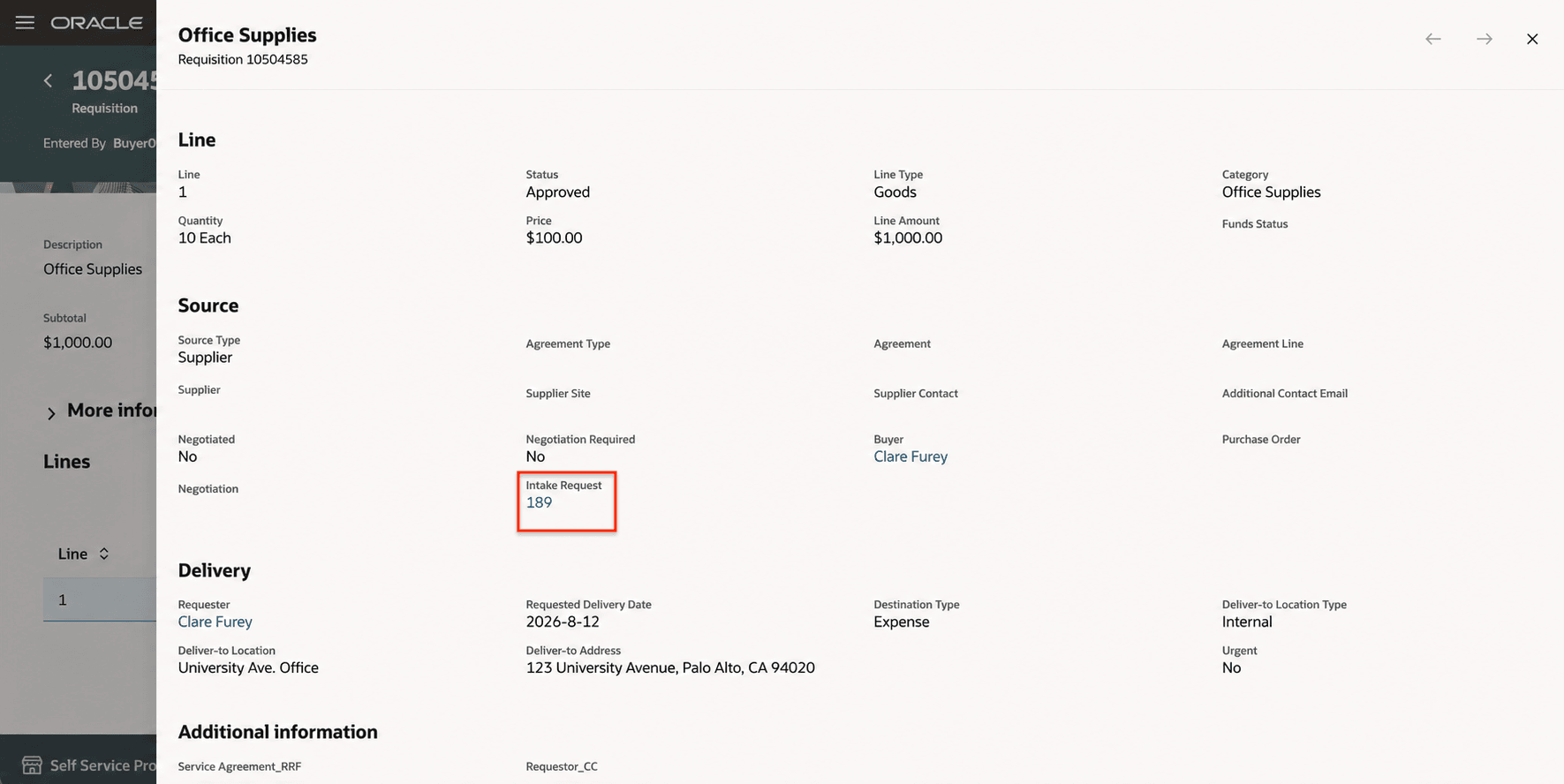
Line details drawer view
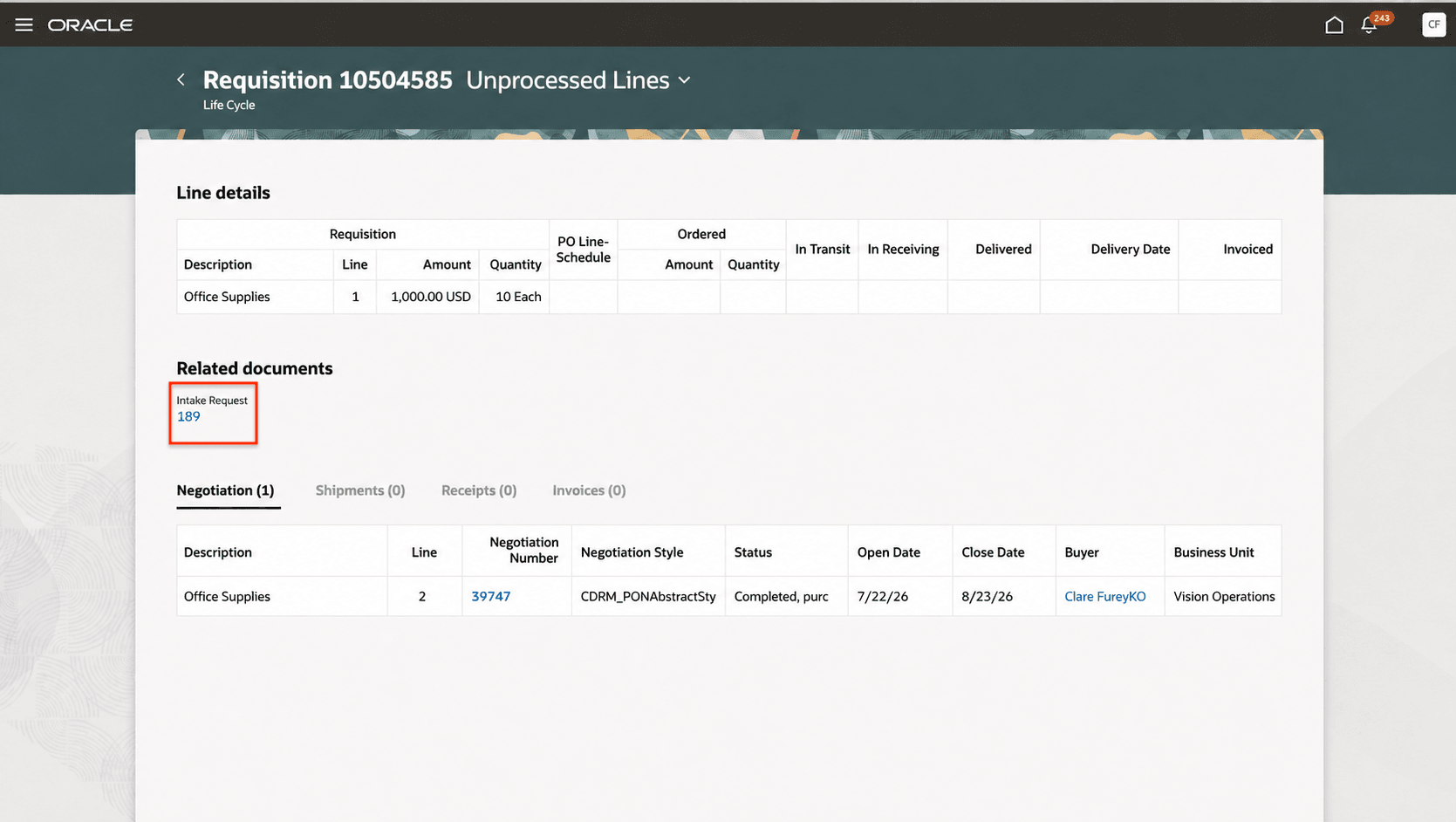
View lifecycle page
You can enable the intake request link across all supported pages using the extensibility rules in Oracle Visual Builder Studio.
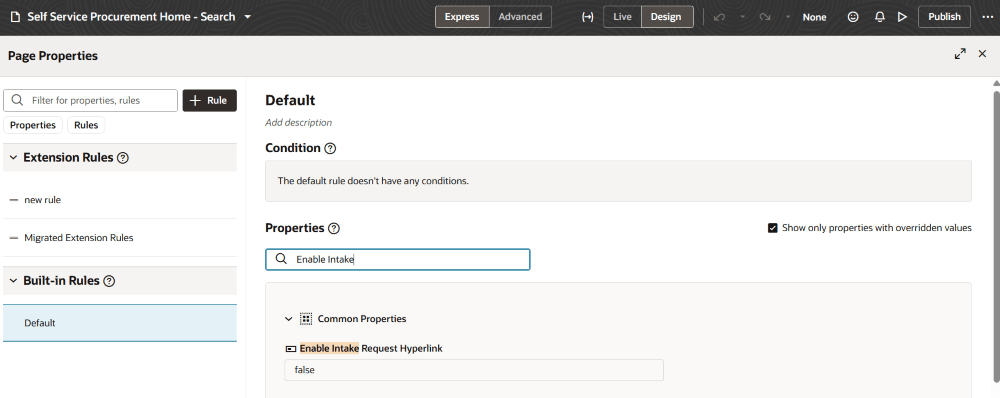
Enable intake request link on all supported pages using extensibility rules
Steps to enable and configure
You don't need to do anything to enable this feature.
Tips and considerations
-
The intake request column in the Line details table is hidden by default. You can display it using the column customizer.
Note: This field isn't available in the list view of the line details on the requisition details page.
-
Clicking the intake request number opens the associated request in view-only mode.
-
Only intake requests in closed status are linked to a requisition.
-
Only the requester who created the intake request can drill down to view the request details.
Key resources
For information about using Oracle Visual Builder Studio to extend your Redwood application pages, see Oracle Fusion Cloud HCM and SCM: Extending Redwood Applications for HCM and SCM Using Visual Builder Studio
Access requirements
Users need the following privilege to access this feature.
| Privilege status | Privilege name and code |
|---|---|
| Previously delivered | View Intake Request (PO_VIEW_INTAKE_REQUEST_PRIV) |