Display line type when viewing requisition lines
Requesters and preparers can now view the line type, such as Goods and Services, from both the Lines view of the My Requisitions page and the Lines table on the Requisition Details page. This enhancement lets you quickly identify what is being requested without opening individual requisition lines, making requisition reviews more efficient.
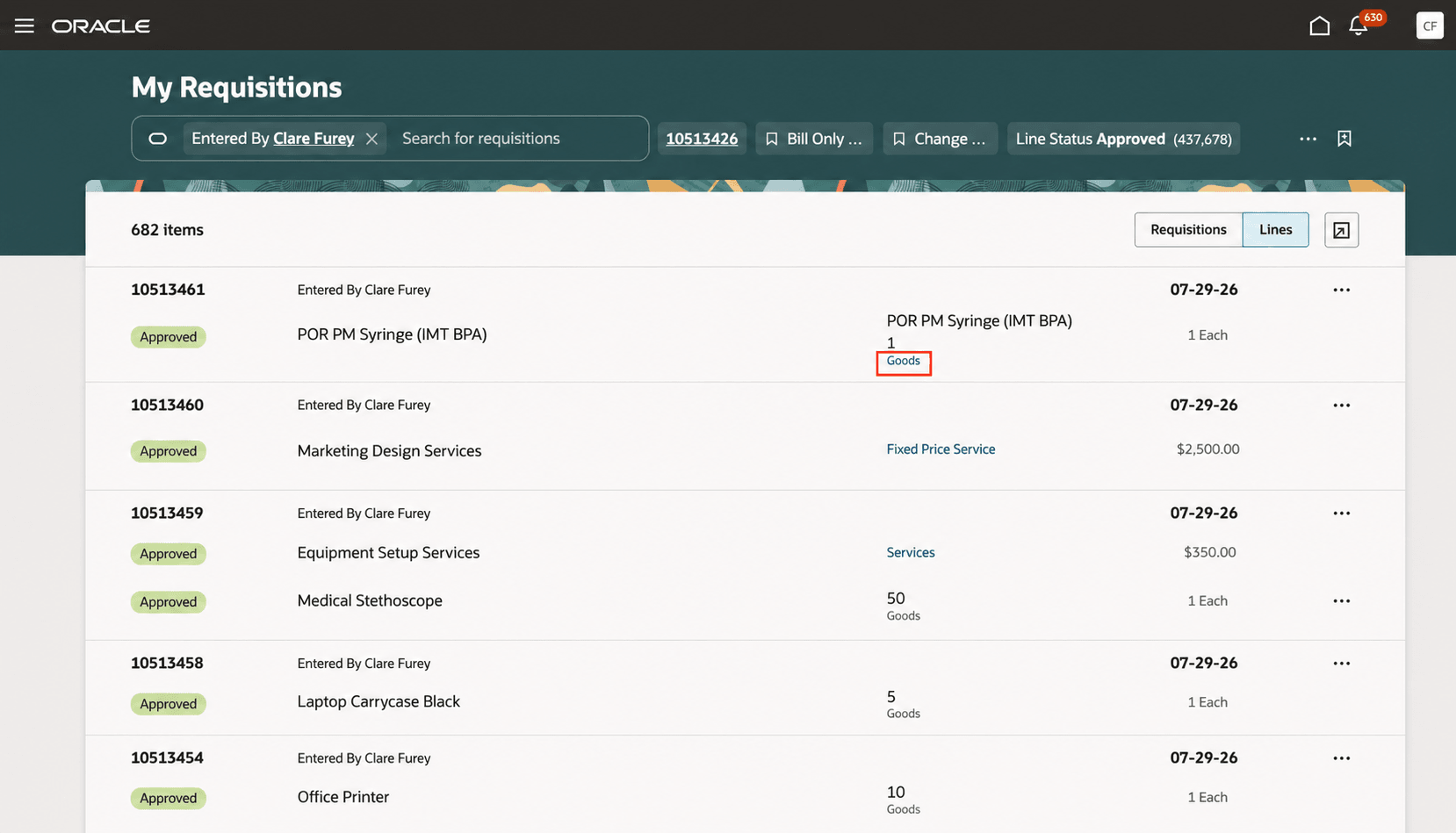
Lines view on the My Requisitions page
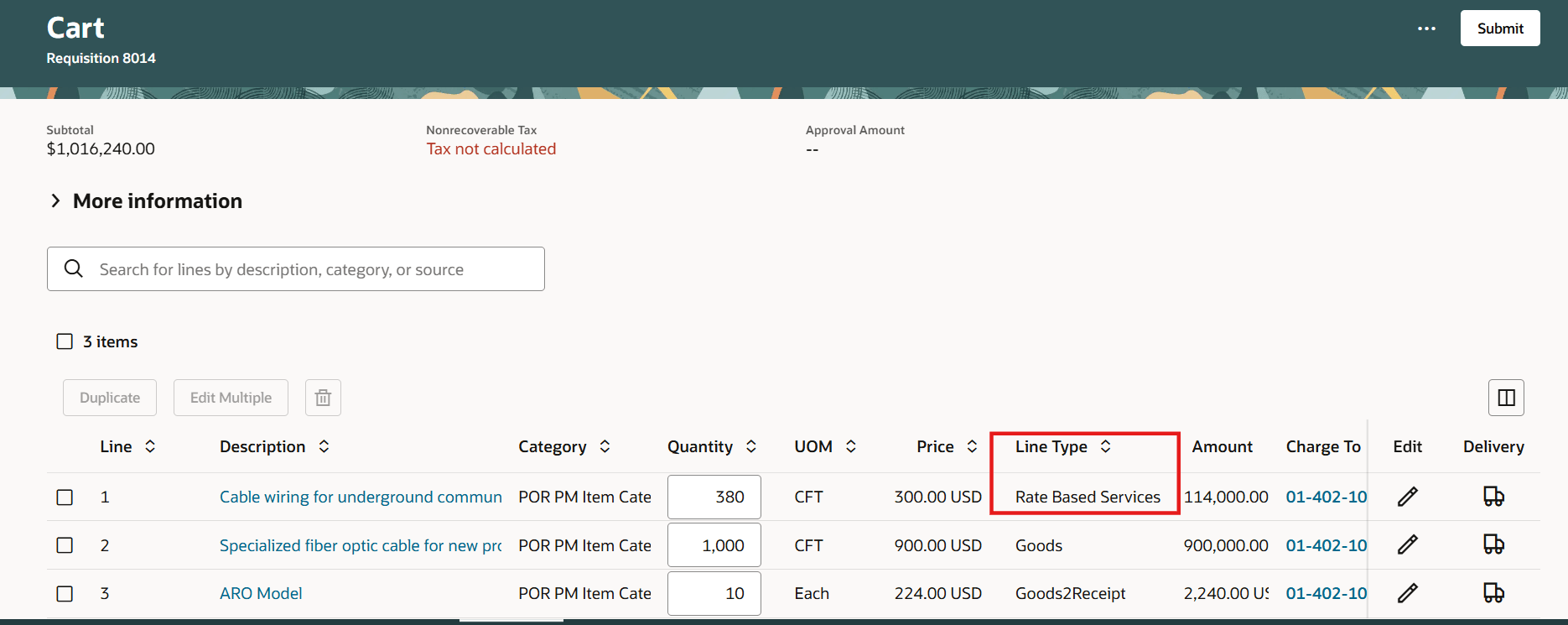
Line type in the Lines table
The Line Type column is hidden by default in the Lines table on the Requisition Details page. To display it, you can use the Column selector.
Note: Changes you make to the Lines table are retained the next time you sign in.
Steps to enable and configure
To display the Line Type field in the Lines view of the My Requisitions page, follow these steps:
- On the My Requisitions page, open Oracle Visual Builder Studio.
-
Go to Business Rules > Configure Fields and Regions.
-
Under searchRequisitionLine, select purchasingLineType.
-
For Line Type, select Visible.
-
Save and publish your changes.
Tips and considerations
- The Line Type column is available only in the new Lines table on the Requisition Details page. The existing List view doesn't include this column.
- Approvers can also view the Line Type column when they edit requisitions that are pending approval.
Key resources
- For information about using Oracle Visual Builder Studio to extend your Redwood application pages, see Oracle Fusion Cloud HCM and SCM: Extending Redwood Applications for HCM and SCM Using Visual Builder Studio.