Search and add charge account combinations when editing requisitions and purchase orders
Search and add new charge account combinations when editing requisitions and purchase orders. Before this update, you could only add existing combinations from the Search page.
On requisitions, you can search and add charge accounts on the following pages:
- Preferences
- Edit requisition line > Billing details
- Enter requisition line
- Edit requisition summary
- Edit multiple lines
In previous updates, you could add new charge account combinations directly within the field.
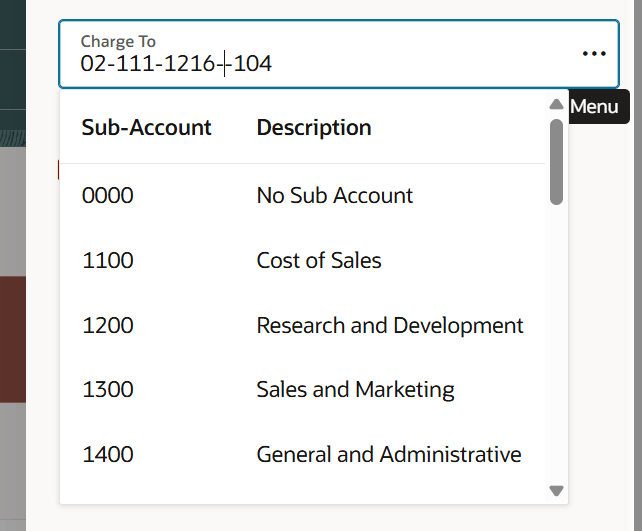
Enter a new charge account combination directly in the Search field
With this update, you can add a new charge account combination using the Search for combination dialog. You can search for the required combination of charge account segments using the account value or description. If a combination doesn't exist, you will be asked to create a new charge account combination.
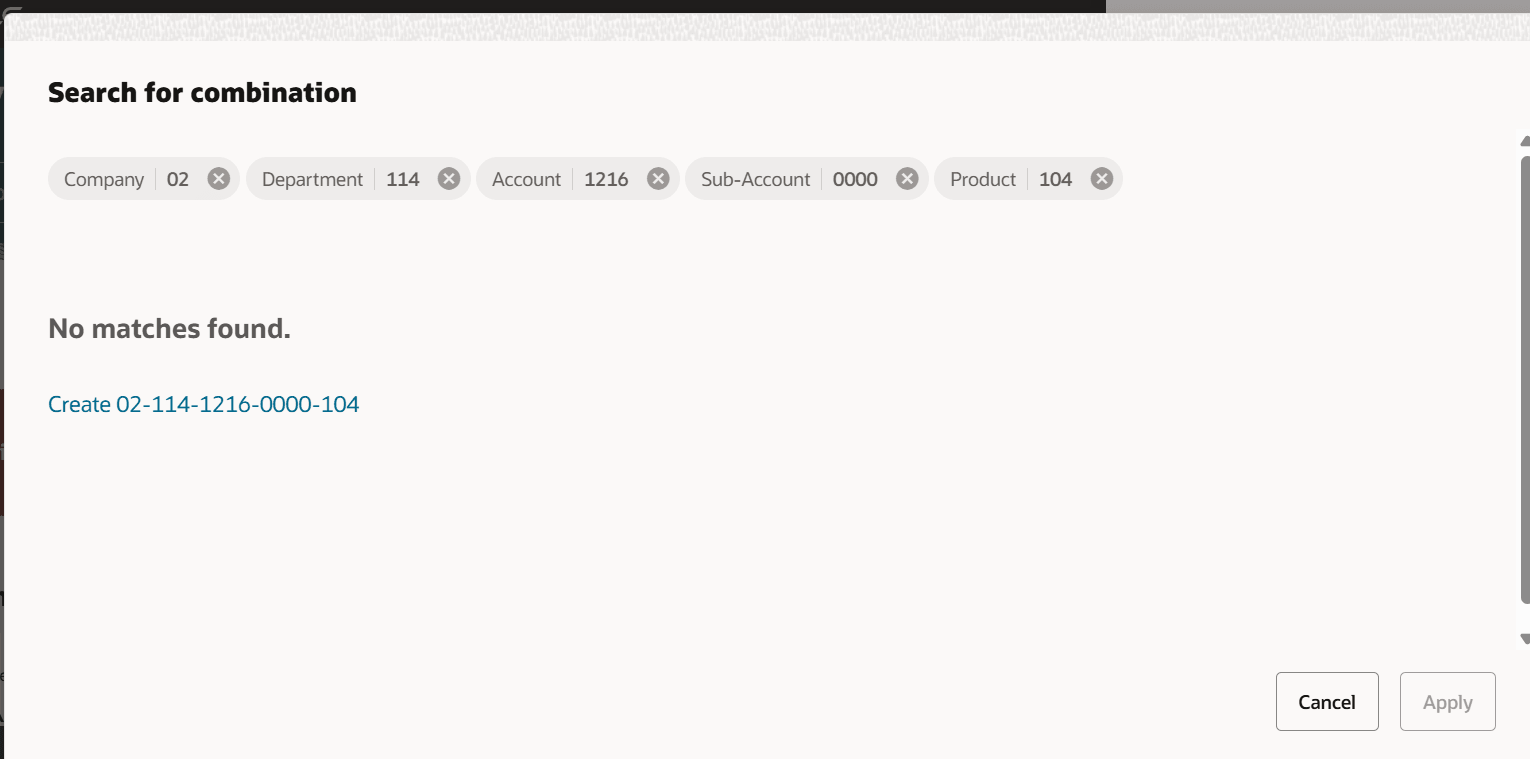
Create and use a new charge account combination
After you create the new combination, it appears in the search results. You can click Apply to continue.
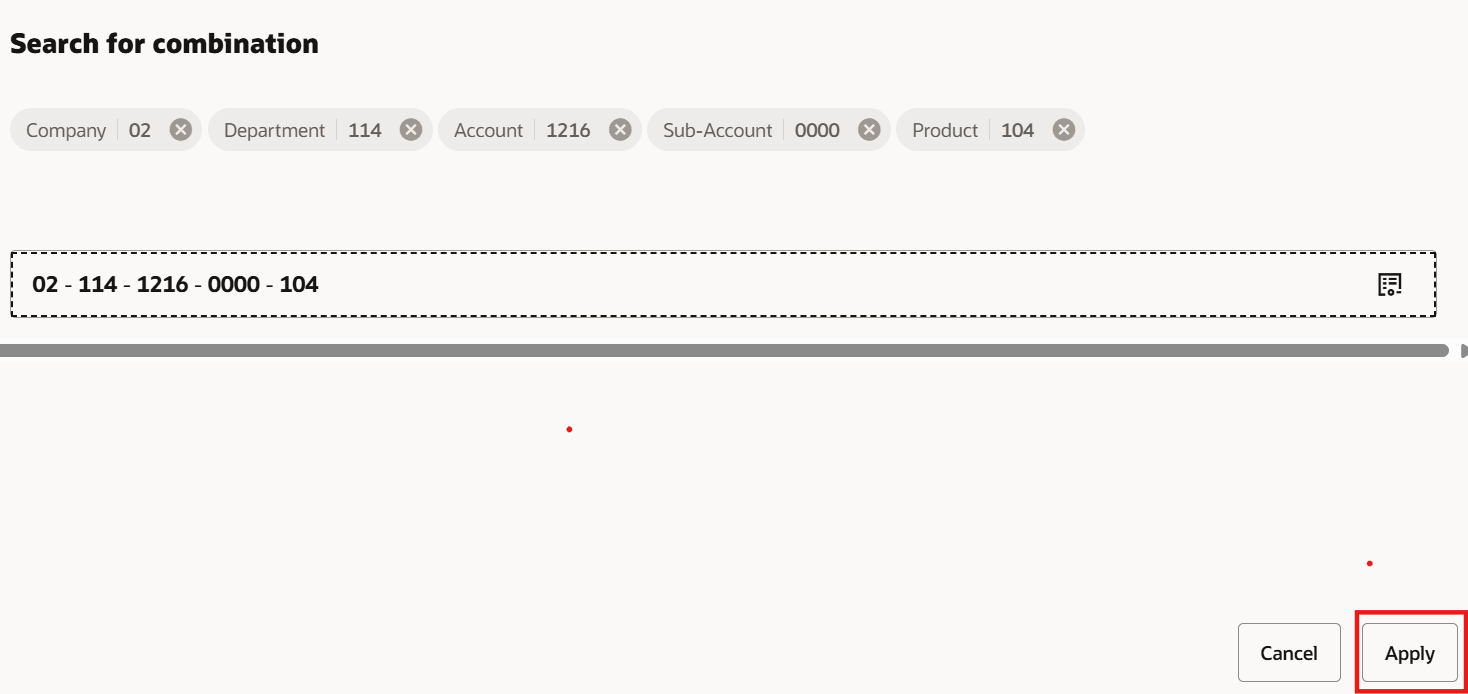
Apply to create combination and continue
In addition to requisitions, you can also search for and add charge accounts while editing a purchase order or its change order.
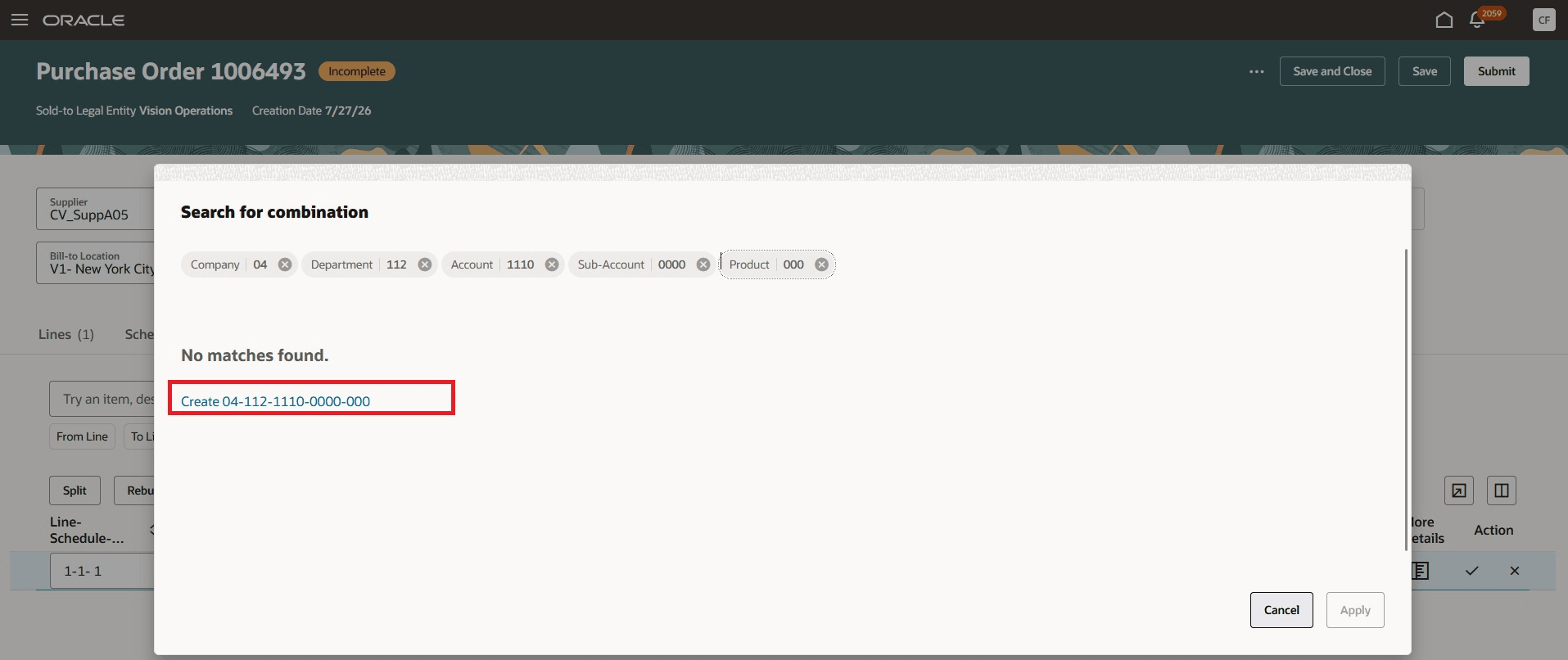
Click the link to create charge account combination when editing a purchase order
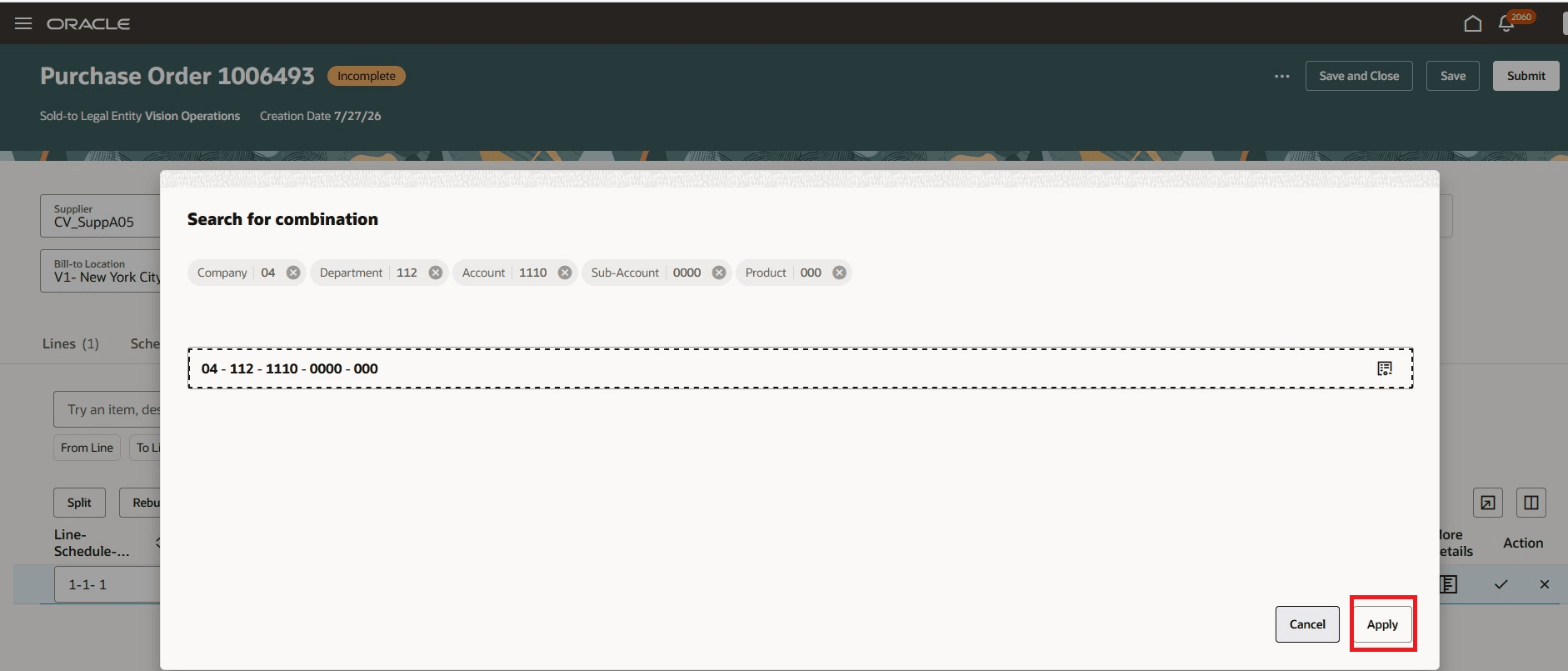
Click Apply to enter newly created charge account combination on the purchase order
Steps to enable and configure
You don't need to do anything to enable this feature.
Tips and considerations
- After you click the link to create the new combination, it can take a few seconds to create the combination. Wait until the combination appears, then click Apply.
- You can also view the combination details before you apply the newly created combination.
Key resources
- For information about using Oracle Visual Builder Studio to extend your Redwood application pages, see Oracle Fusion Cloud HCM and SCM: Extending Redwood Applications for HCM and SCM Using Visual Builder Studio