Agent Browser UI: Hide the Attachment Icon in the Rich Text Editor Toolbar
Administrators can now hide the attachment icon on the Rich Text Editor toolbar in the browser UI for incidents by setting a new config verb: BUI_SHOW_ATTACHMENTS_IN_RESPONSE_THREAD to 'No'.
By default BUI_SHOW_ATTACHMENTS_IN_RESPONSE_THREAD is set to 'Yes'.
When the config verb is set to false or 0, the Attachment icon will no longer display in the rich text editor toolbar on an incident thread. This will also restrict agents from dragging and dropping attachments onto an incident thread.
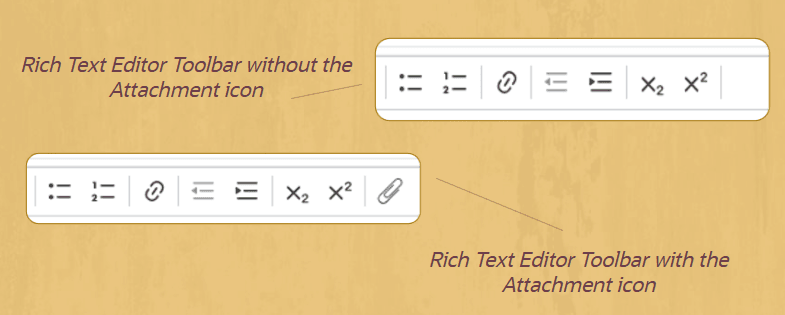
Rich Text Editor Toolbar
Attachments can still be added through the Attachment Tab. For more information about the Attachment Tab, please see this documentation.
Business Value:
Attachments are consistently maintained and easy to locate.
Steps to Enable and Configure
- As an admin, log into the CX .NET console
- In the Navigation pane, navigate to Site Configuration > Configuration Settings
- Search for config: BUI_SHOW_ATTACHMENTS_IN_RESPONSE_THREAD
- To hide the attachment icon, update the value of the configuration to 'No' and Save
Access Requirements
- This feature requires CX 25C+.
- The feature is attachment icon can only be hidden in the Agent Browser UI. It is not supported in .NET.