Display Date and Timestamp for the Activity Stream Entries in the Redwood Service Center UI
You can now view both the date and time for each entry in the Activity Stream on the Redwood Service Center UI. This update adds an easy-to-read timestamp next to each activity, so users can quickly understand when actions happened. Previously, users had to infer the date of the entry by locating the section header in that section of the stream, which took more cognitive effort and sometimes scrolling.
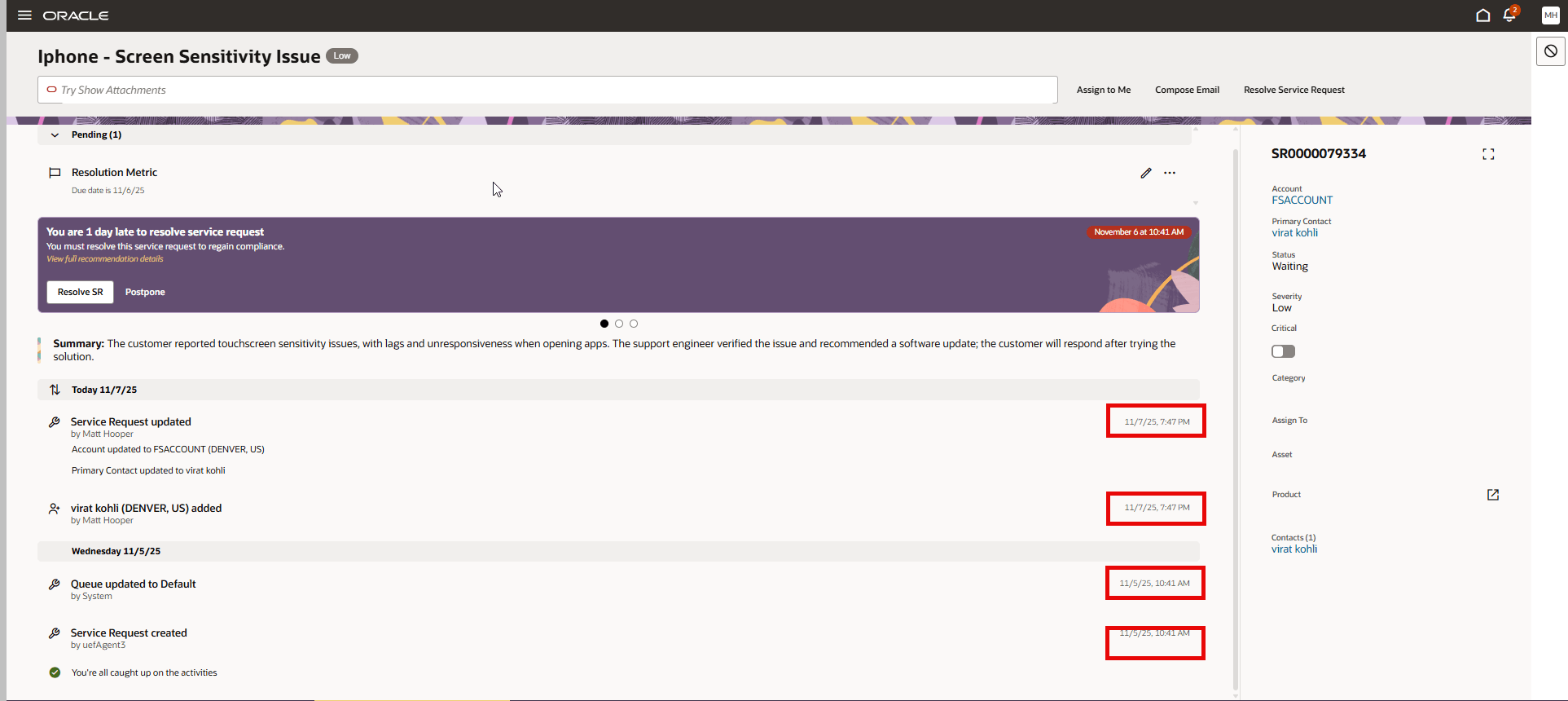
Display date and time for each Activity Stream Entry
Displaying both date and time for every activity:
- Improves clarity and reduces confusion about the timing of events in the SR lifecycle
- Supports audit requirements and compliance needs.
Steps to enable and configure
You don't need to do anything to enable this feature.
Access requirements
Customer Service Representatives