Generative AI Knowledge Assistance
Oracle Fusion Field Service is connected with Oracle Fusion Cloud Knowledge Management and delivers relevant, context-aware answers to mobile workers' questions. Earlier, these answers were based on smart semantic search, matching knowledge articles to user questions by understanding the context and intent. In release 26A, the knowledge search functionality has been enhanced using advanced large language model (LLM) capabilities to deliver the most accurate, complete, and authoritative answers to user questions.
What's New
The AI-driven answer generation capability has been enhanced to deliver more accurate and context-aware responses from Oracle Knowledge Management. The enhancements are:
- Higher-quality, LLM-powered answers: Oracle Fusion Field Service leverages LLMs to generate concise, authoritative summaries directly from Oracle Knowledge Management articles, while maintaining clear citations to the original sources for traceability.
- Improved contextual relevance: The enhanced semantic ranking engine prioritizes the most applicable procedures, troubleshooting steps, and safety instructions, ensuring that technicians see the best-fit answers first.
Feature Description
The AI assisted answer capability has been enhanced now to deliver high-quality answers using advanced LLM capabilities from Oracle Knowledge Management. In addition to this, the search field in Oracle Fusion Field Service has been enhanced in alignment with the Oracle Redwood design standards.
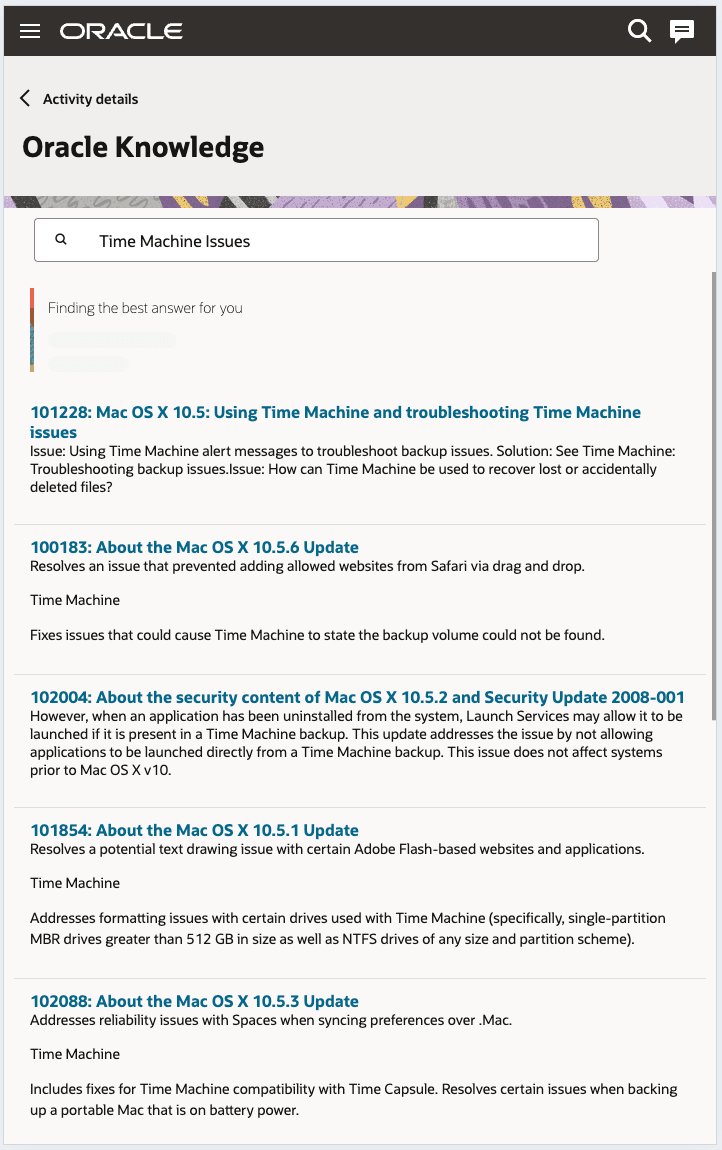
This screenshot shows the Generative AI option searching for the answer and generating a summary:
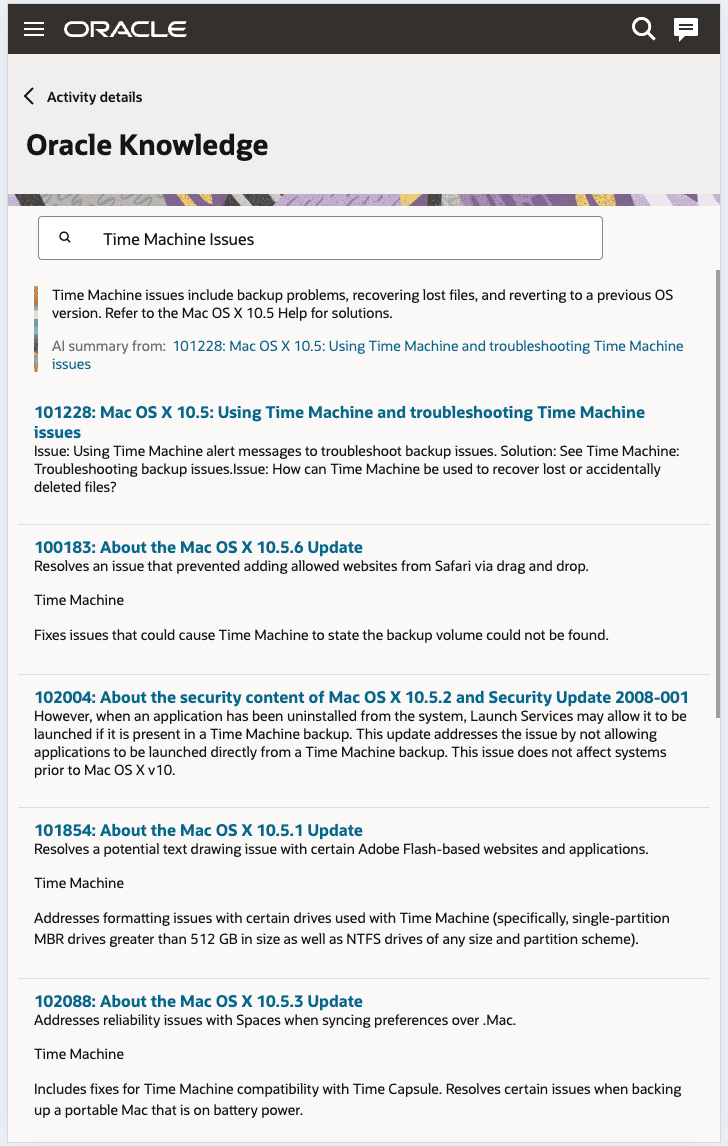
This screenshot shows the AI-generated summary displayed at the top:
Use Cases
- Instant troubleshooting: Mobile workers can quickly access AI-generated answers for fault codes or equipment errors, reducing downtime and minimizing dependency on lengthy manual searches.
- Context based guidance: While performing service activities, the application tailors the knowledge responses based on the active job context, ensuring that every answer is relevant and actionable.
- Knowledge reinforcement: Mobile workers can review concise summaries of complex procedures or safety notes without opening long articles, enabling faster learning in the field.
Business Benefit
- Faster resolution: Reduces search-to-solution time by delivering highly relevant answers with source citations.
- Higher first-time-fix: Mobile workers see the most relevant steps and safety callouts first, cutting repeat visits.
- Load balancing during peak demands: New version enhances on the existing stability and reliability, even during periods of high demand.
Steps to enable and configure
The setup configuration for Oracle Fusion Field Service customers has been simplified now.
Prerequisites
- Enable Fusion Knowledge management by following the steps mentioned here.
- Enable the Knowledge Generative AI profile as described here.
Note: There is no change in the application configuration for Oracle Field Service Customers.
Steps to Enable
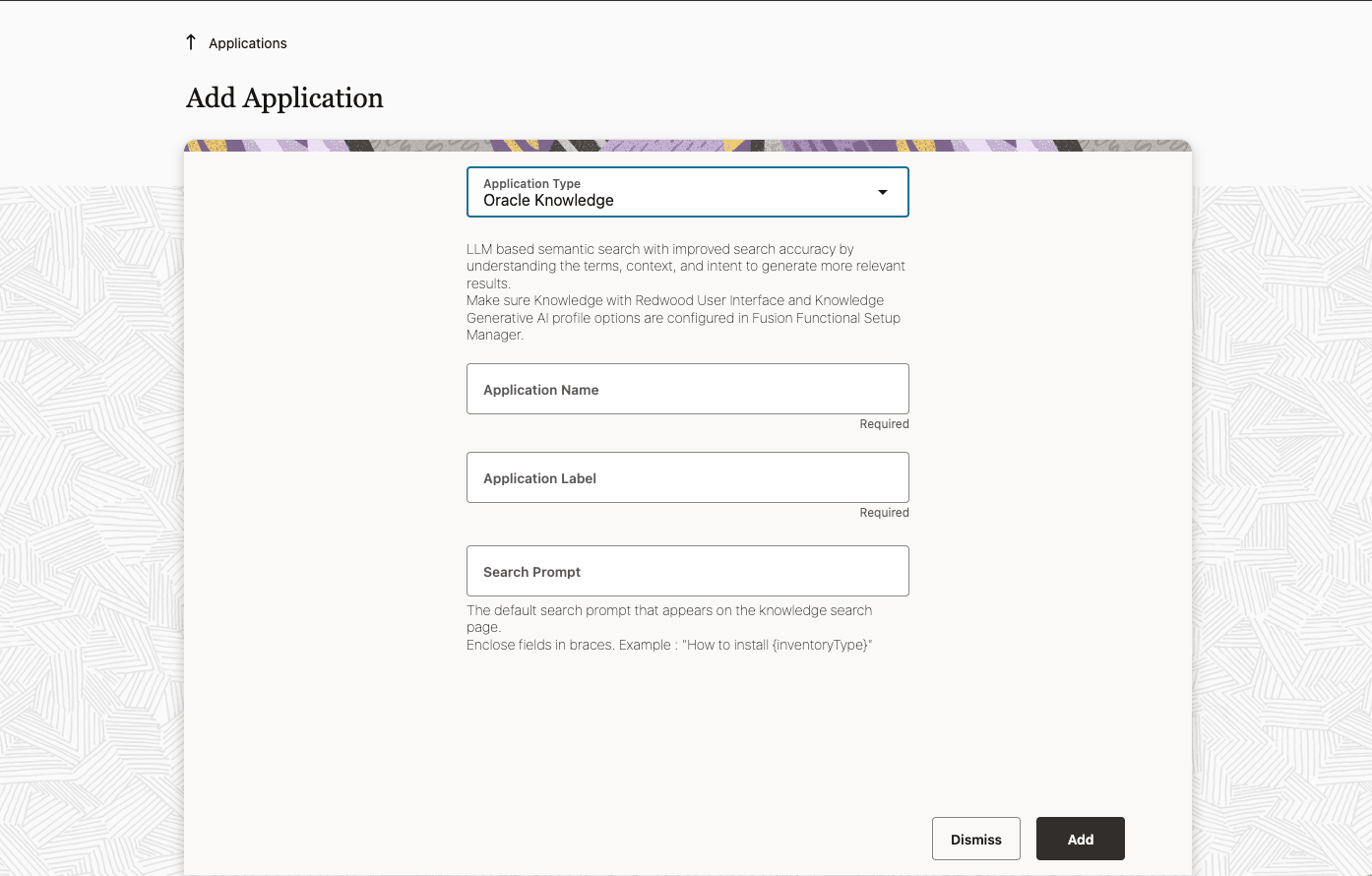
- On the Add Application page, configure the Oracle Knowledge Management application.
- Enter the application name, label, and a prompt that you would like to show in the search field as the default knowledge search question for the user.
- Click Add.
This screenshot shows the Add Application page, where you can configure the Oracle Knowledge Management application.
Tips and considerations
For Oracle Fusion Field Service customers knowledge search works only based on the Knowledge GenAI search capability.