Administer knowledge user groups
If you have enabled Redwood Knowledge your user group administration UI will now be a Redwood UI, consistent with the user experience in other Redwood UIs.
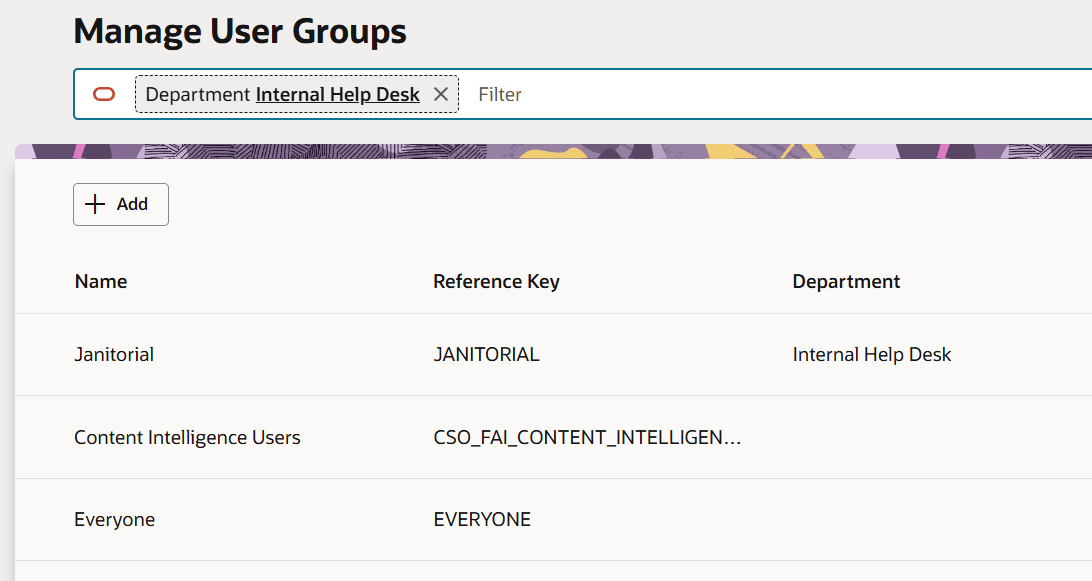
List of user groups in Redwood admin
- Consistent branding creates a cohesive visual identity, making the interface easier for users to navigate and understand.
- A modern, branded design focuses on clarity and usability, enabling administrators to complete tasks faster.
Steps to enable and configure
You don't need to do anything to enable this feature.
Tips and considerations
If you wish to utilize this administrative UI and do not have access to the Service or Help Desk offerings in Setup and Maintenance then you can use either of these solutions for accessing the user group admin UI:
- Once in Setup and Maintenance you can search for "Manage Content Intelligence User Groups" to navigate to the admin.
- OR you can add the "Content Intelligence" functional area to your offering. You will ALSO need to add the "Setup Content Intelligence" task list to your offering's "Top Task List".