CX Service Global Functions Now Powered by Runnable AI Agents
This feature aligns key CX Service Global Functions with the runnable AI Agent architecture in AI Agent Studio.
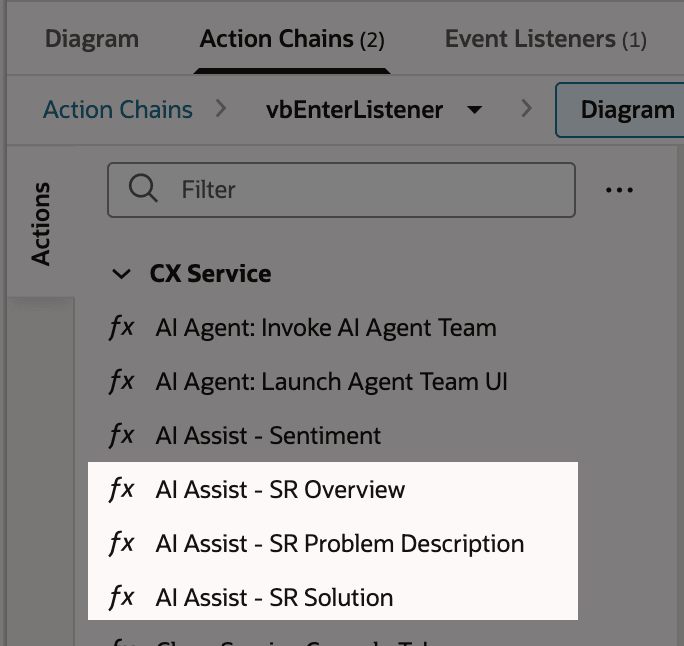
The following Global Functions are updated to use runnable AI Agents instead of the previous REST-based implementation:
- SR Overview
- SR Problem Description
- SR Solution
These functions now leverage the ORA_SERVICE_REQUEST_SUMMARIZATION_ASSISTANT_RA agent with different prompt configurations:
- SR Overview - SR_Summarization
- SR Problem Description - SR_Problem_Summarization
- SR Solution - SR_Solution_Summarization
This standardizes how AI capabilities are executed across CX Service by using a unified, agent-based framework.
- Ensures architectural consistency across AI-powered features
- Simplifies extensibility to modify the seeded prompts of these agents within AI Agent Studio
- Enhances observability and control of AI executions
Steps to enable and configure
Leverage the Visual Builder Studio to expose your applications. To learn more about extending your application using Visual Builder, visit Oracle Help Center > your apps service area of interest > Books > Configuration and Extension.
- Navigate to Oracle Visual Builder Studio for CX Service.
- Create or edit an existing Action Chain.
- Identify existing Global Functions (AI Assist, SR Overview, SR Problem Description, SR Solution).
- If needed you configure the AI Agent (AI Agent Studio):
- Select ORA_SERVICE_REQUEST_SUMMARIZATION_ASSISTANT_RA
- Set the appropriate promptCode:
- SR_Summarization for SR Overview
- SR_Problem_Summarization for Problem Description
- SR_Solution_Summarization for Solution
- Validate the configuration in a test environment by triggering each Global Function.
- Deploy changes to production after successful validation.
Tips and considerations
n/a
Key resources
n/a
Access requirements
- Oracle Visual Builder Studio for Application Extension