Service Contact Insights: AI-Powered Interaction Summaries for Faster Service
This feature provides a ready-to-use AI Agent that analyzes and summarizes recent service interactions and service requests for a contact.
The AI agent reviews multiple interaction types, including service requests, phone calls, and chats, and can be extended using Redwood extensibility tools. It is embedded directly in the Service Contact page and can be used out of the box or customized to fit business needs.
- Reduces time spent reviewing multiple service requests and interactions to understand recent activities for the customer
- Helps agents quickly understand customer context and recent activity
- Assists the service rep in delivering a more continuous and context-aware service experience for the customer
Steps to enable and configure
Leverage the Visual Builder Studio to expose your applications. To learn more about extending your application using Visual Builder, visit Oracle Help Center > your apps service area of interest > Books > Configuration and Extension.
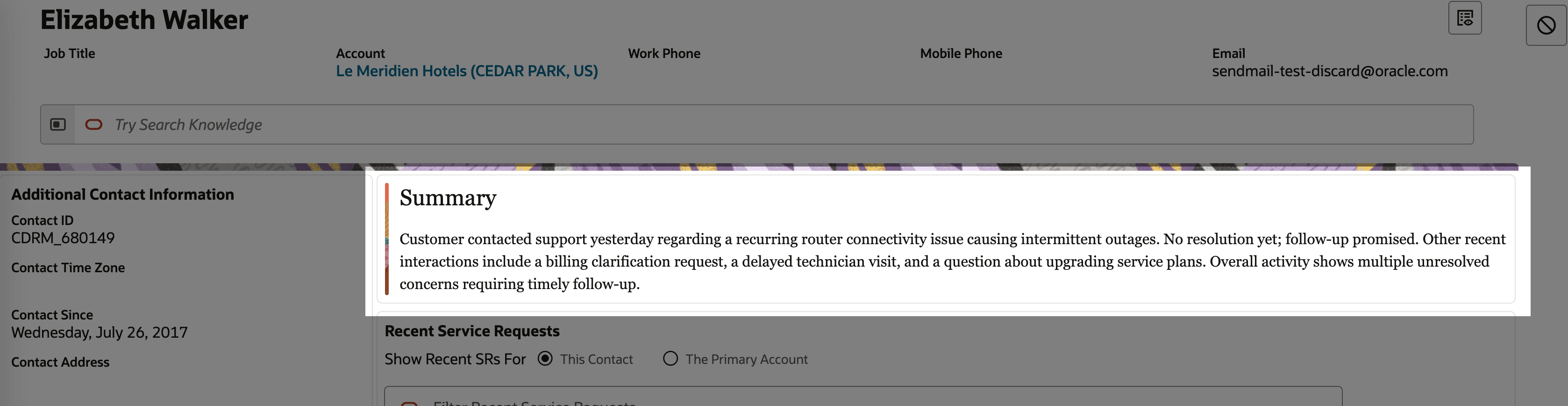
- Open a Service Contact record
- Review the generated summary, sentiment, and suggested actions
- Agent Code for Extensions (SERVICE_CONTACT_SUMMARY_ASSISTANT)
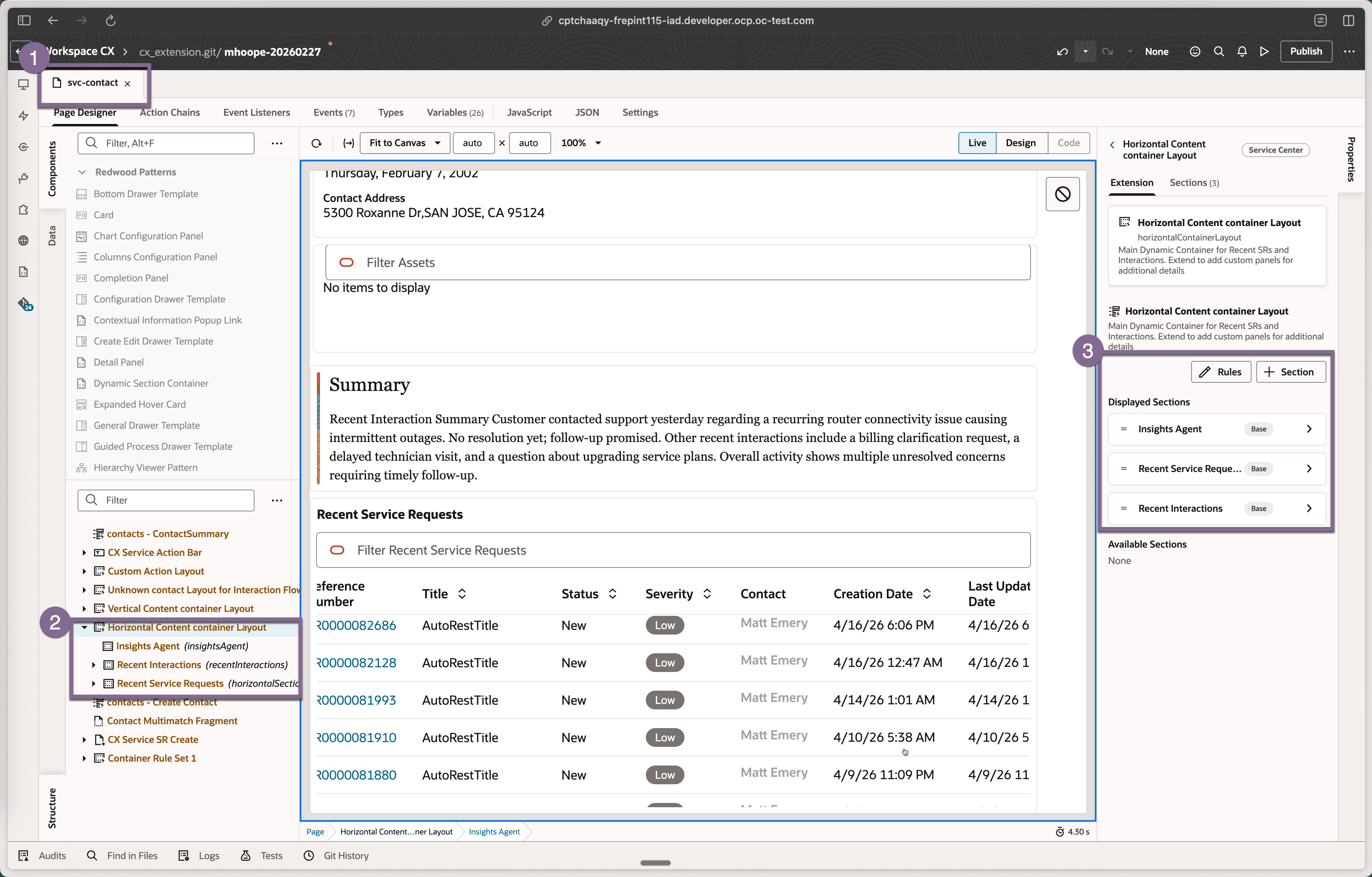
If you have already extended the Service Contact page and do not see the Summary (Insights Agent) section, or if you want to control its visibility:
- Open Oracle Visual Builder Studio.
- Locate and open the svc-contact-page.
- Find the Horizontal Content Container Layout Container.
- In Displayed Section Rules:
- Add the Insights Agent section to display it
- Remove it to hide the section
- (Optional) Define conditions (for example, by user role) to control when the section is shown
- Save and publish your changes.
Note: This feature provides a seeded, runnable AI Agent template that summarizes the last five service requests and customer interactions within the past 90 days. It analyzes both service requests and interactions to generate a single summary, identify customer sentiment, and suggest next actions for the CSR. The template is designed to be extended by customers as needed while offering a ready-to-use starting point out of the box.
Tips and considerations
n/a
Key resources
n/a
Access requirements
- Oracle Visual Builder Studio for Application Extension
- Oracle AI Agent Studio