Widget Gallery Navigation Enhancements in the Customer Service Interface
The Widget Gallery was improved to help Customer Service Representatives quickly find widgets and more easily identify customer accounts.
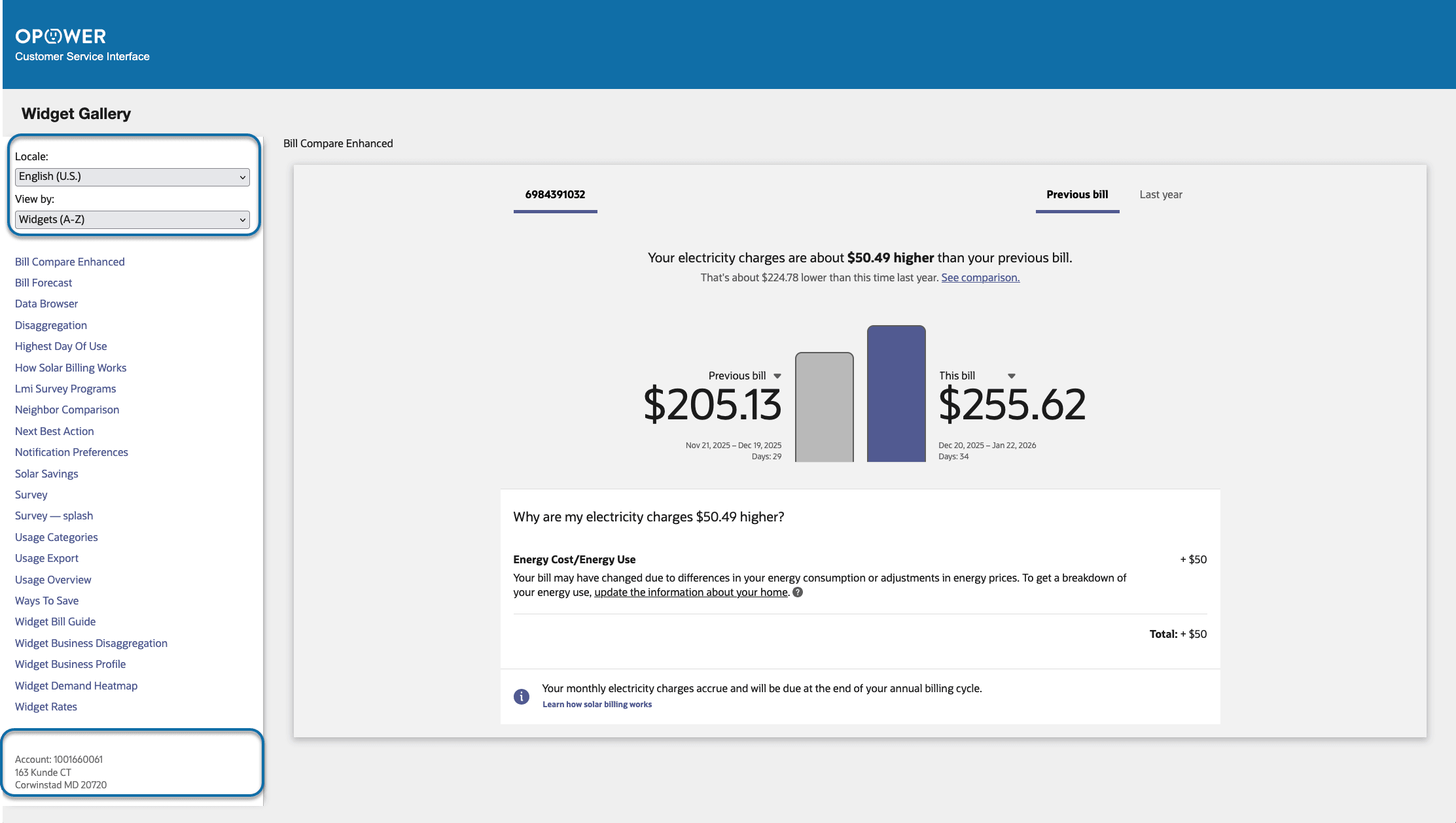
Widget Gallery Navigation with View by drop-down option and Utility Account information
Key enhancements to the navigation panel include:
- View by Drop-down: Representatives can select an alphabetized list of widgets or group them by website page using a convenient drop-down menu.
- Utility Account Information: The account number and service address are displayed, providing helpful context for assisting customers.
These updates make navigation within the Widget Gallery more intuitive and allow users to find widgets efficiently, supporting quicker response to customer questions.
Steps to enable and configure
To enable and configure this feature, complete these steps:
- Log in to Inside Opower (https://inside.opower.com). This is your portal for questions and information related to your program.
- Go to the Community tab and contact the Service Delivery Manager using the information provided to coordinate enablement and configuration of this feature.
Key resources
Refer to the Widget Gallery section of the Opower Customer Service Interface - Customer Management Product Overview.