Operating Hours in Demand Heatmap
Business customers can filter the Demand Heatmap to view all hours, operating hours, or non-operating hours. The full grid remains visible, with hours outside the selected filter visually de-emphasized. Operating-hours context is available in both bill and weekly views.
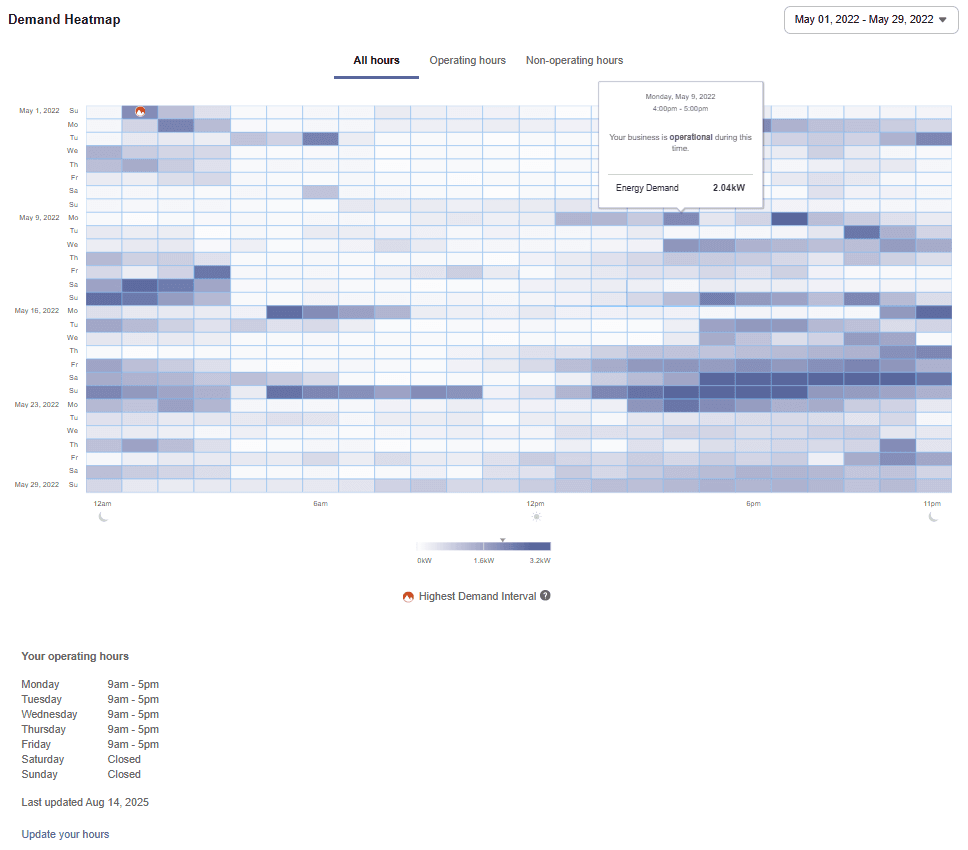
Operating Hours filter applied to the Demand Heat Map
This gives utilities a clearer way to help business customers understand demand patterns during operating and non-operating hours.
Steps to enable and configure
You don't need to do anything to enable this feature.
Tips and considerations
- The Demand Heatmap widget is ready to use; however the operating hours menu / insight is turned off by default. Contact Oracle Utilities Opower Delivery team to enable the configuration.
- Operating hours information must first be entered in the Business Profile in order for the filter set to appear.
Key resources
- Refer to Opower Business Customer Engagement Digital Self Service - Energy Management Overview Guide.
- Refer to Opower Business Customer Engagement Digital Self Service - Energy Management Configuration Guide.