Setting up AI Agentic Links
- Navigate to Configuration and Administration > Power Data > AI > AI Agentic Link.
- Search for an AI Agentic Link ID starting with AI Fusion.
The result will be two records: AI FUSION - V1 and AI FUSION -V2. You will edit both records and specify your OTM URL.
- Edit AI FUSION - V1.
- For the AI Agentic URL enter your FUSION
URL For example,
https://<yourfusionhostname>/api/fusion-ai/orchestrator/agent/v1.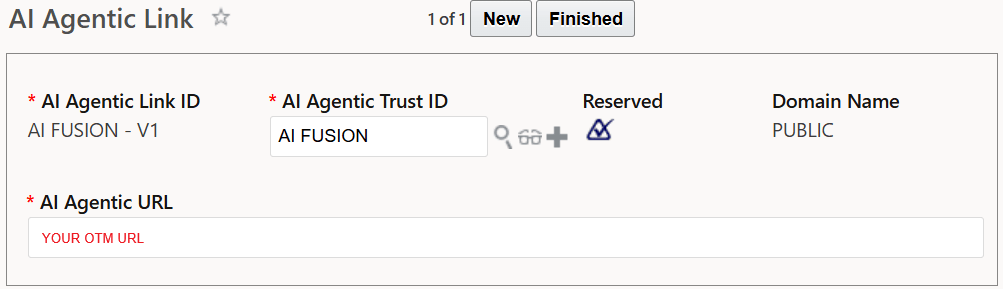
-
Select Finished to save the record.
- Edit AI FUSION - V2.
- For the AI Agentic URL enter your FUSION
URL. For example,
https://<yourfusionhostname>/api/fusion-ai/orchestrator/agent/v2. -
Select Finished to save the record.