Before Adding an AI Service Provider
Before you add an AI Service Provider from the Service Manager, consider the following:
-
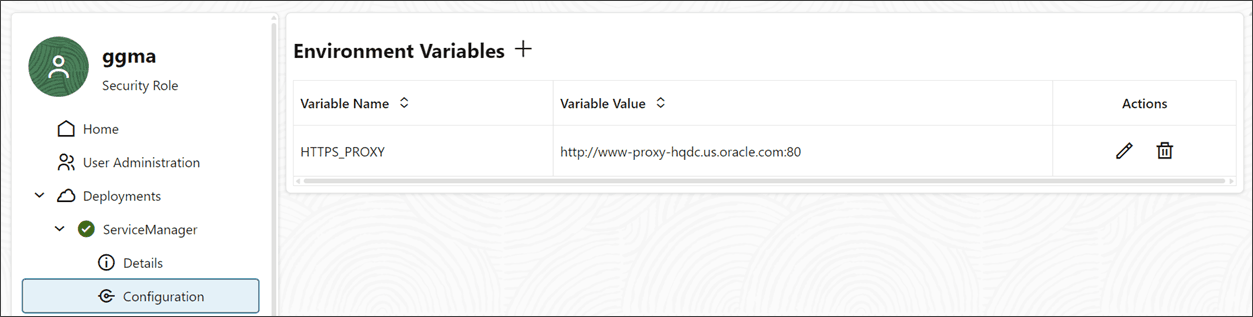
Add HTTPS_PROXY environment variable: If connecting from a corporate network to the public Internet and using OpenAI or other non-Oracle AI Services, then make sure you add the HTTP_PROXY environment variable from the Service Manager. The following diagram shows the HTTP_PROXY environment variable added to the Service Manager configuration. To learn how to add environment variables, see Access Configuration and Log Details from the Service Manager and Microservices.
-
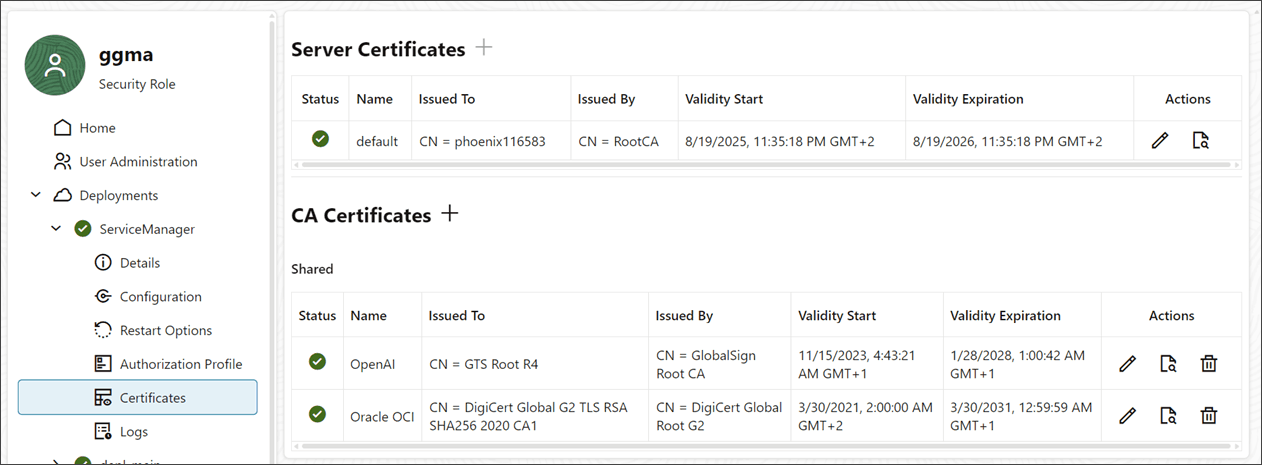
Add certificates for AI Service Providers: Use the following command to retrieve CA certificates:
openssl s_client -showcerts -connect *server_name*:443You can also add certificates from the Service Manager web interface, as shown in the following image: