Knowledge Workbench
Knowledge Workbench lets you create and maintain Business Knowledge Graphs. A graph organizes business context into an Overview and focused topics associated with a database. Deep NL2SQL can use a published graph to improve how they interpret business questions and generate SQL.
Before You Begin
- Create an AI Knowledge Store and associate the database source that contains the data for your graph.
- Configure an embedding model that is available to Agent Factory.
- Ensure that you have access to the AI Knowledge Store and database source.
Create a Business Knowledge Graph
- Open Knowledge Workbench and start creating a Business Knowledge Graph.
- Enter a name for the Overview.
- Select the AI Knowledge Store, its associated database source, and an embedding model.
- Create the graph and open it in Knowledge Workbench.
The graph creation form shows the Overview, AI Knowledge Store, associated database, and embedding model selections. Verify these settings before creating the graph.
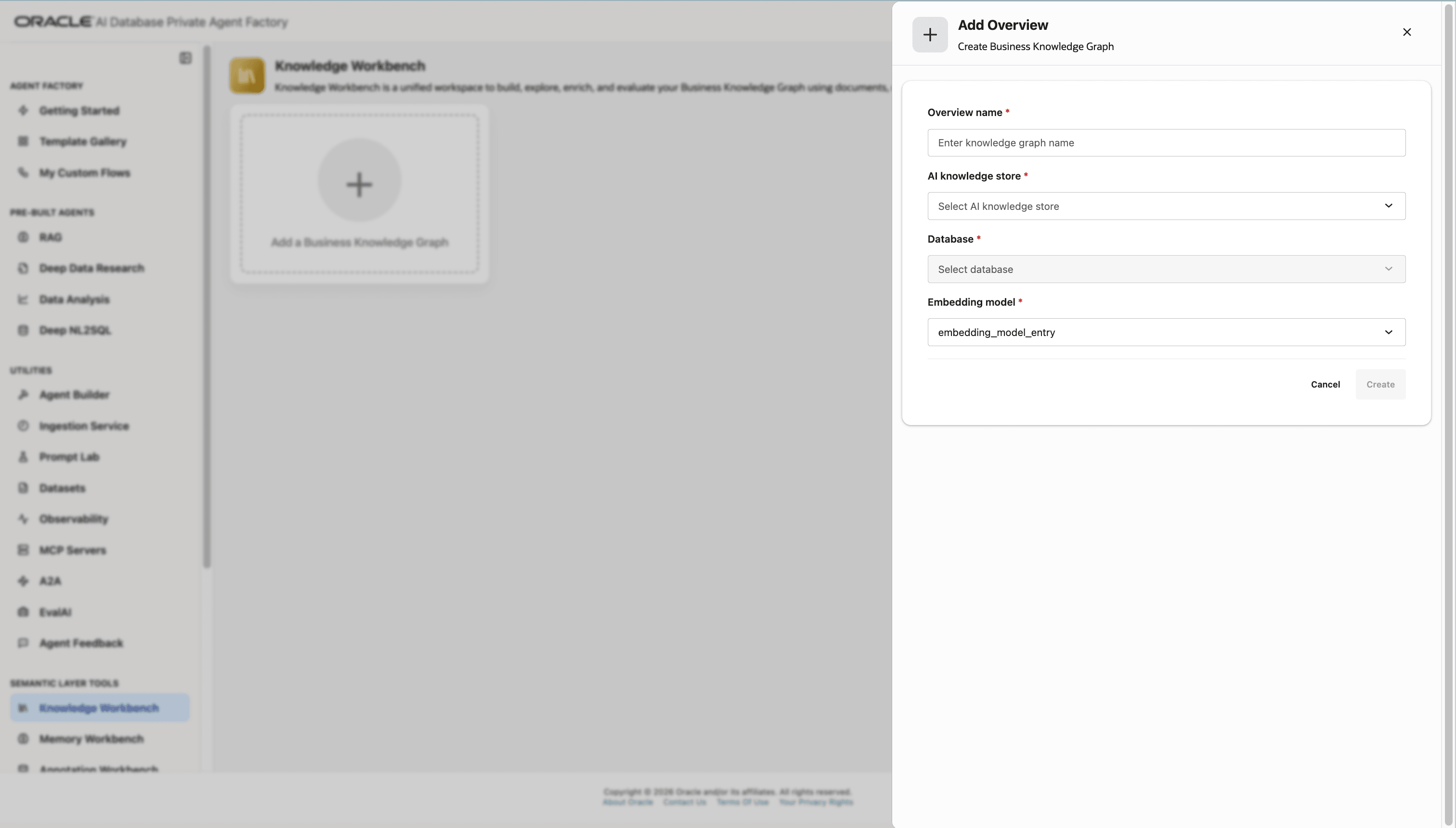
Description of the illustration deep-nl2sql-graph-create-overview.png
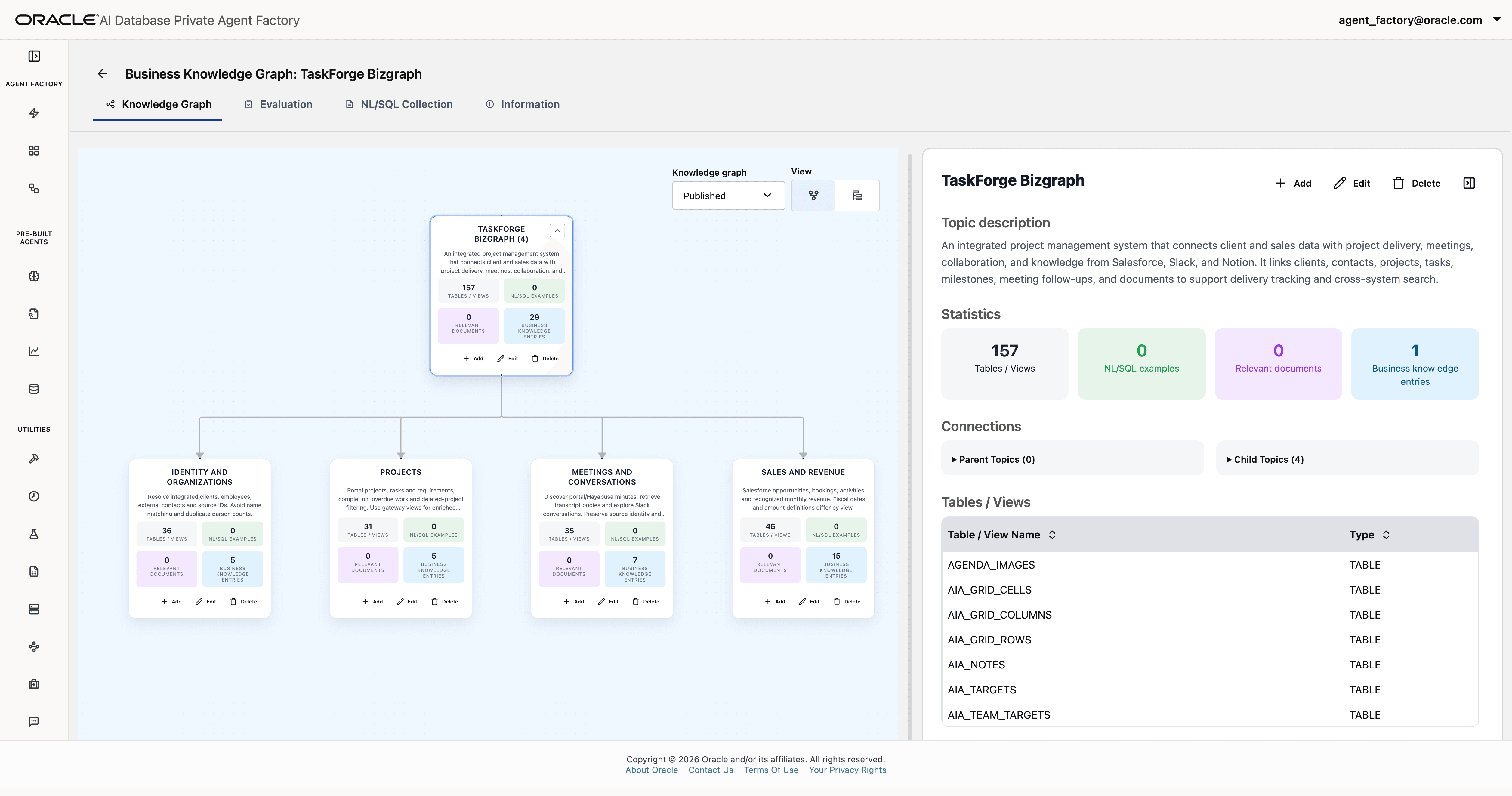
The Overview is the graph’s root topic and represents its broad business context.
Add Business Context
- Add a description to the Overview and select the tables and views that provide relevant context.
-
Add child topics for focused business areas. Give each topic a clear name and description, and select the tables and views relevant to that topic.
In the Add Topic form, choose the parent topic and add the database objects and supporting knowledge that provide context for the child topic.
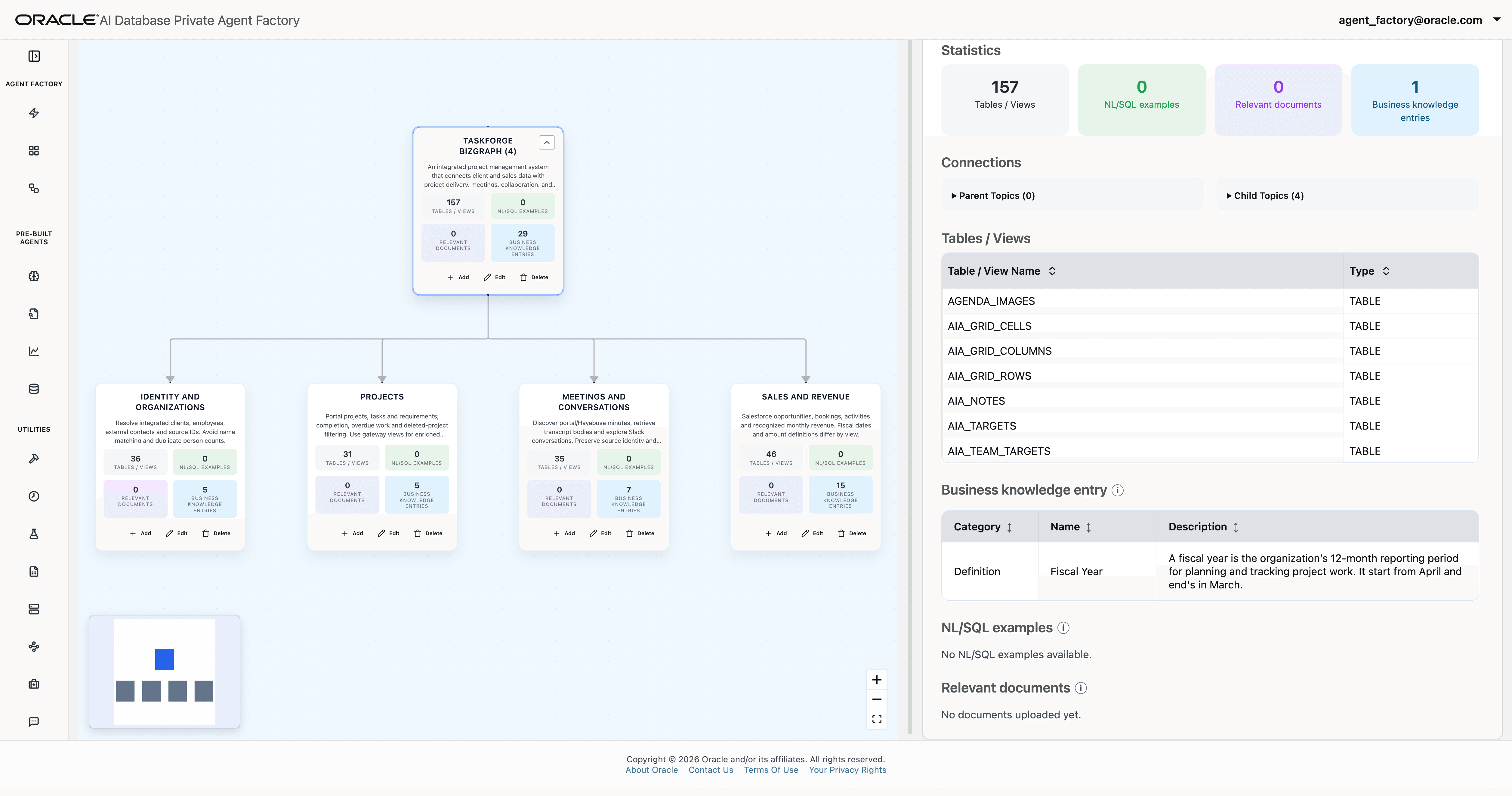
- Add business knowledge entries, such as definitions, terminology, calculations, or rules.
- In the NL/SQL Collection tab, add natural-language questions with their reference SQL to provide examples.
- Add relevant documents when they provide useful context.
Organize topics so that broad business context is available from the Overview and topic-specific context is associated with the appropriate child topic. Review the TaskForge Bizgraph to check how its Overview and business topics are connected.
The selected graph context also includes a Fiscal Year business knowledge entry.
Evaluate and Publish the Graph
-
In the Evaluation tab, add validation examples that pair a natural-language question with its reference SQL. The form lets you enter an example or use the CSV upload option.
-
Evaluate the unpublished graph with Deep NL2SQL and review the generated SQL and query results. When the run completes, review its status and open the analysis to compare expected and generated SQL.
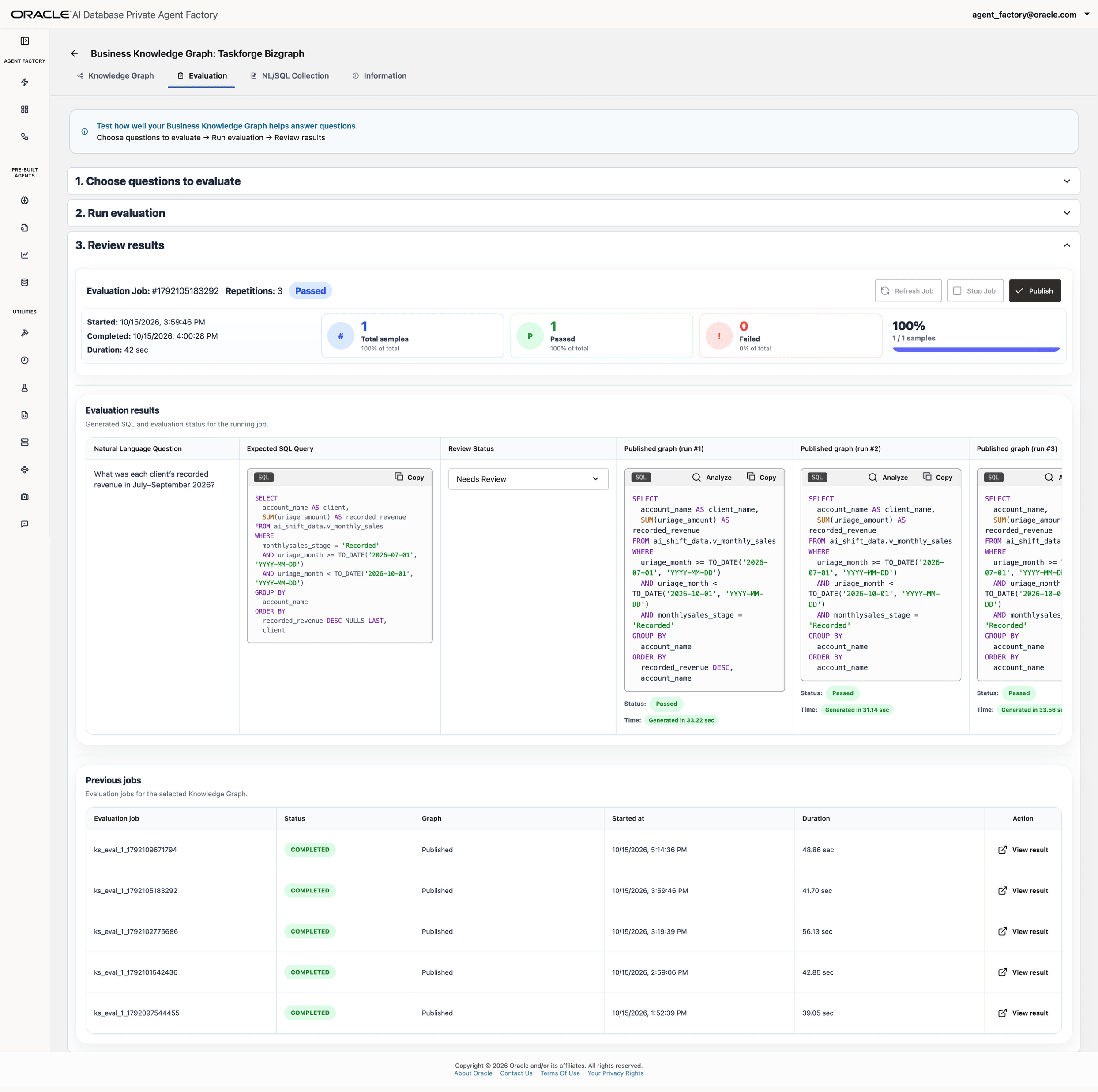
- If a result does not reflect the intended business meaning, confirm the correct definition with the data owner, update the relevant topic or knowledge entry, and run the evaluation again. In the TaskForge example, the question
Which projects have overdue tasks?received feedback that overdue was interpreted incorrectly. Confirm the intended definition and reference SQL before using this question for evaluation. - If an agent response reveals an incorrect business assumption, add the question and its reference SQL to the evaluation set so that you can check the corrected graph.
- Publish the graph before using it with an agent.
The evaluation uses deterministic rules to assess semantic similarity. Semantically correct SQL counts as a passing result. Evaluation is a review tool; publishing the graph does not require a passing evaluation.
For information about using a published graph with an agent, see Deep NL2SQL.