14.4.1 Accessing SQL Developer Web REST Designer
Open SQL Developer Web from App Builder to use its REST API designer.
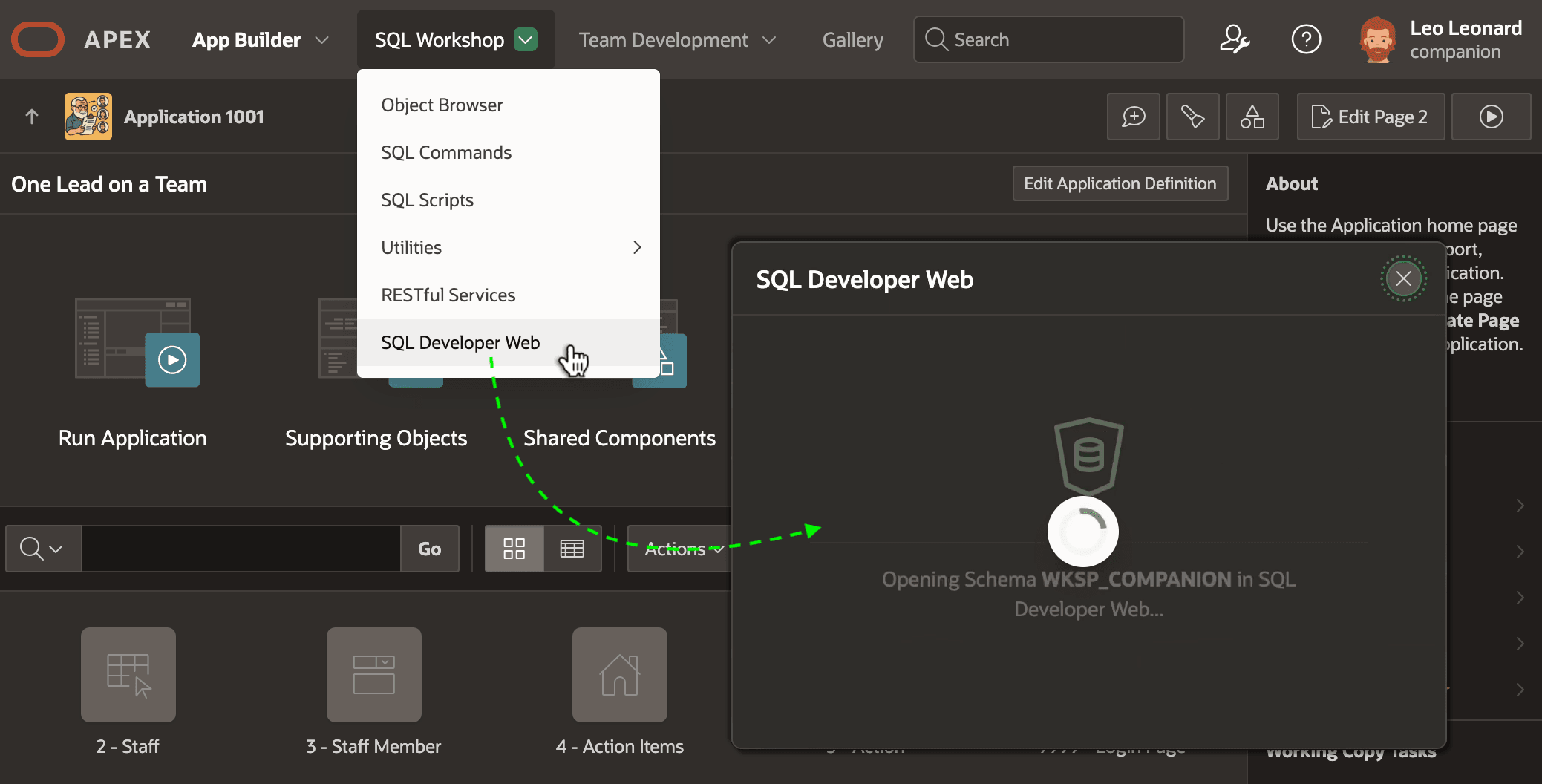
After enabling your workspace schema for web API development, as shown below, launch SQL Developer Web any time from the SQL Workshop menu.
Tip:
If nothing happens, your browser may be blocking pop-up windows. After allowing them for your APEX instance's domain, repeat the menu selection to try again.
Figure 14-5 Opening SQL Developer Web from the App Builder
Caution:
If the SQL Developer Web entry is missing from your SQL Workshop menu, ask your APEX instance administrator to enable SQL Developer Web access in Administration Services.
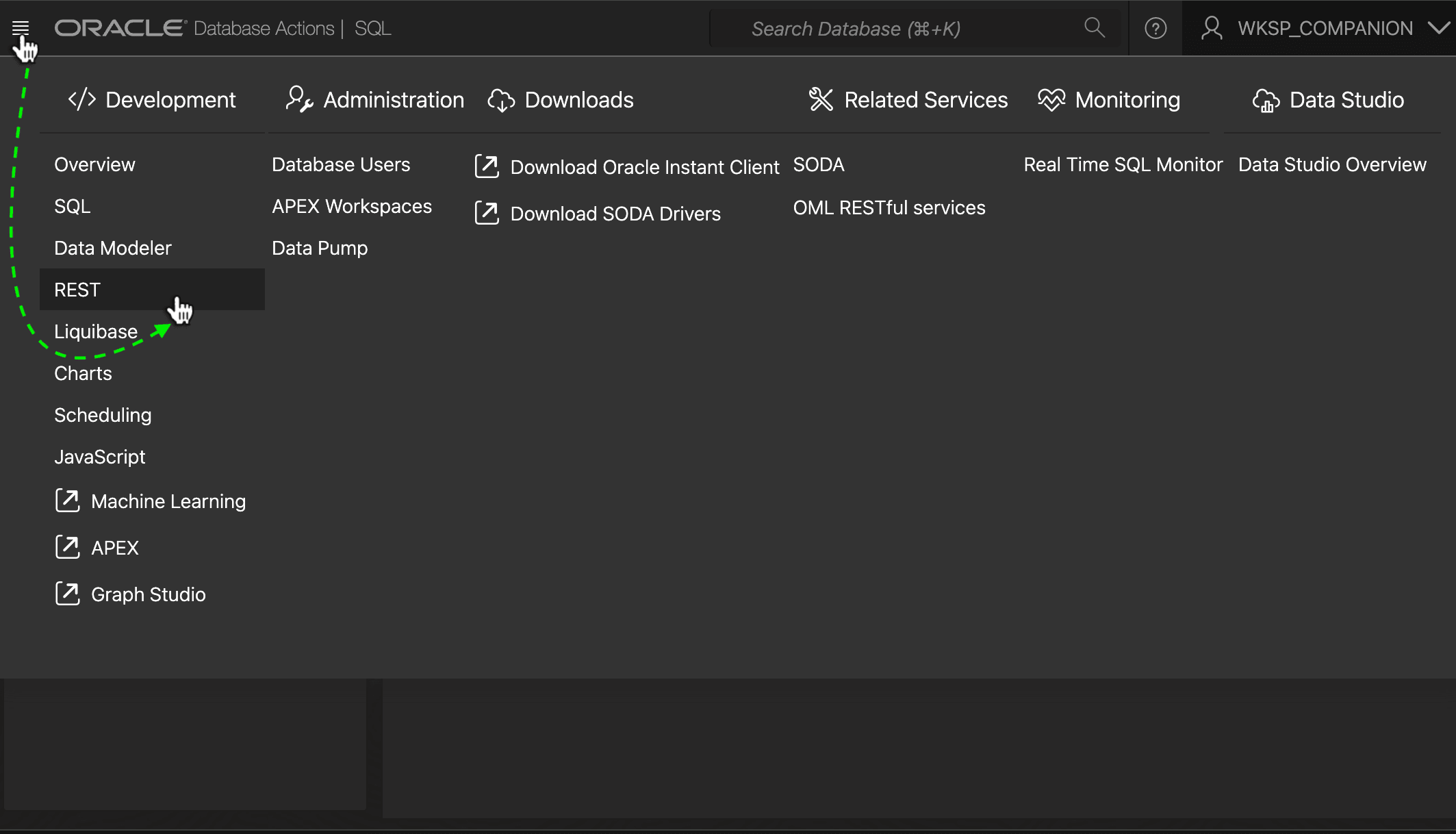
When launched from App Builder, SQL Developer Web is connected to your workspace schema. As shown below, access the REST API designer using the REST entry on the "hamburger" menu.
Figure 14-6 Navigating to View and Define REST Services in SQL Developer Web
Parent topic: Using SQL Developer Web REST Designer