14.4.2 Navigating ORDS Service Definitions
Navigate from modules to templates to handlers in SQL Developer Web REST Designer.
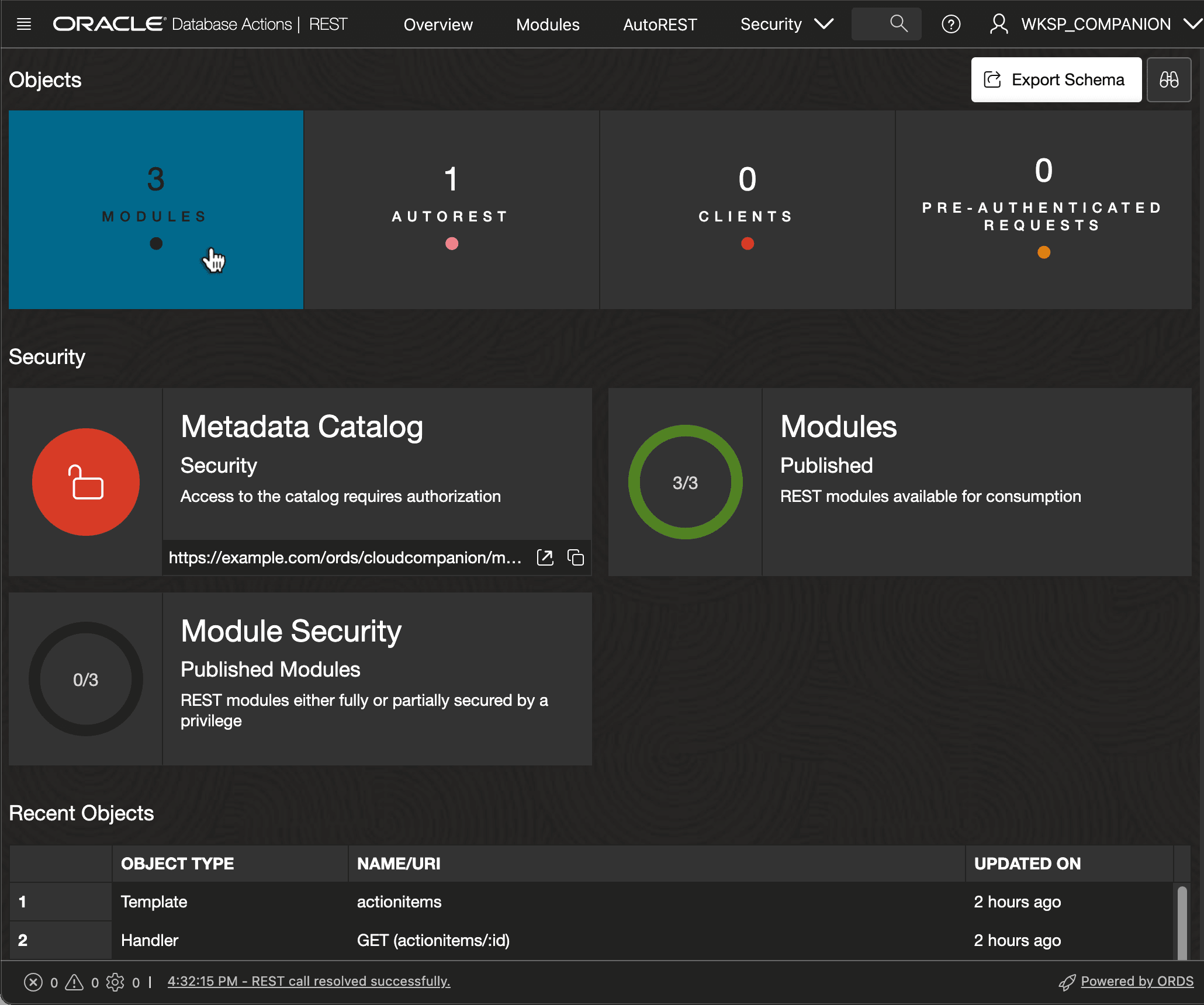
When you access SQL Developer Web's REST Designer, as shown below, you start on the landing page. The dashboard at the top shows the count of your modules and other information. Click on the Modules tile to see the module list.
Figure 14-7 Navigating to View and Define REST Modules in SQL Developer Web
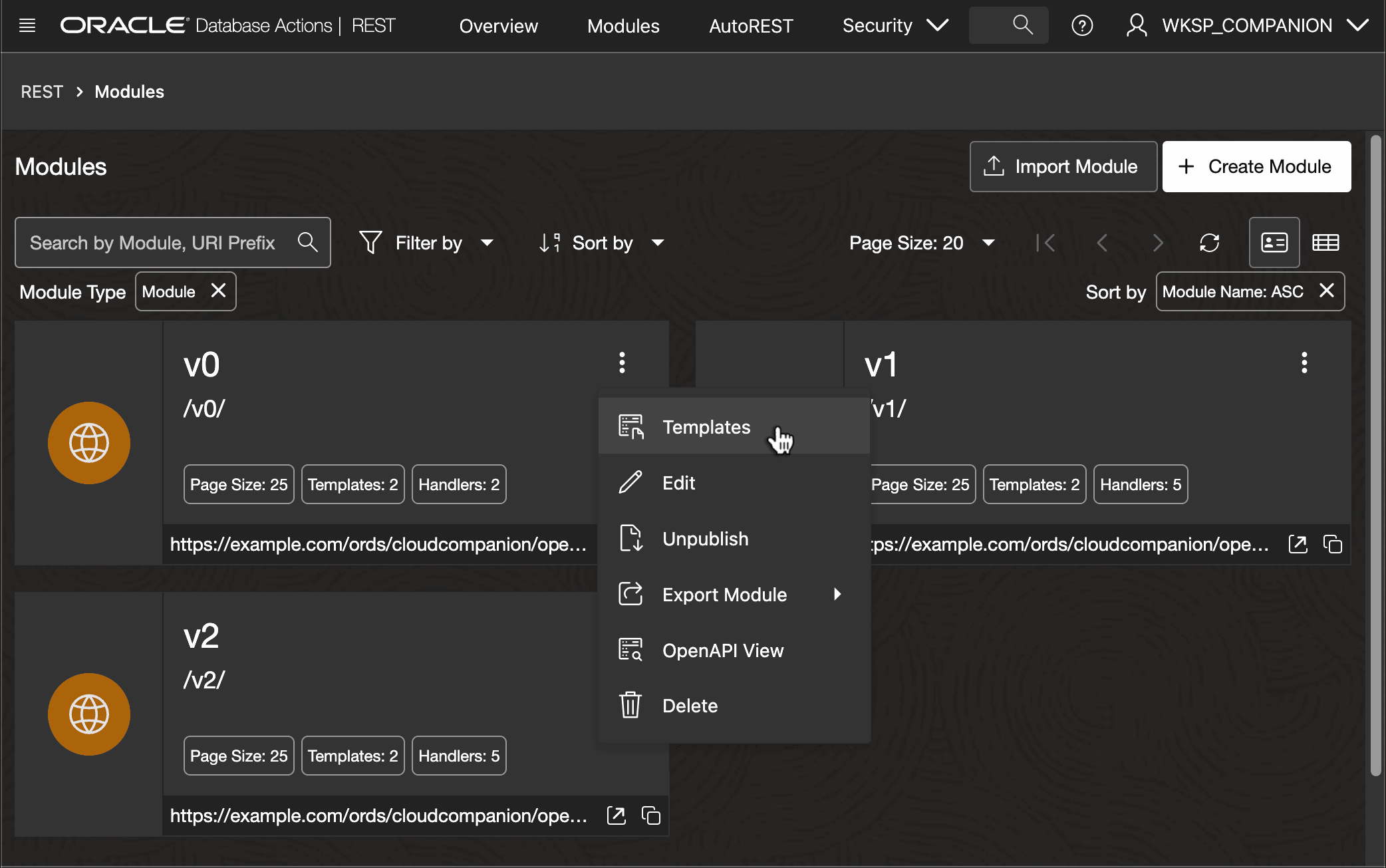
The Modules list displays a tile for each, with summary information. From here you can create a new module, or use the three-vertical-dots menu as shown below to access an existing module's list of Templates.
Figure 14-8 Navigating to View and Configure a Module's Templates in SQL Developer Web
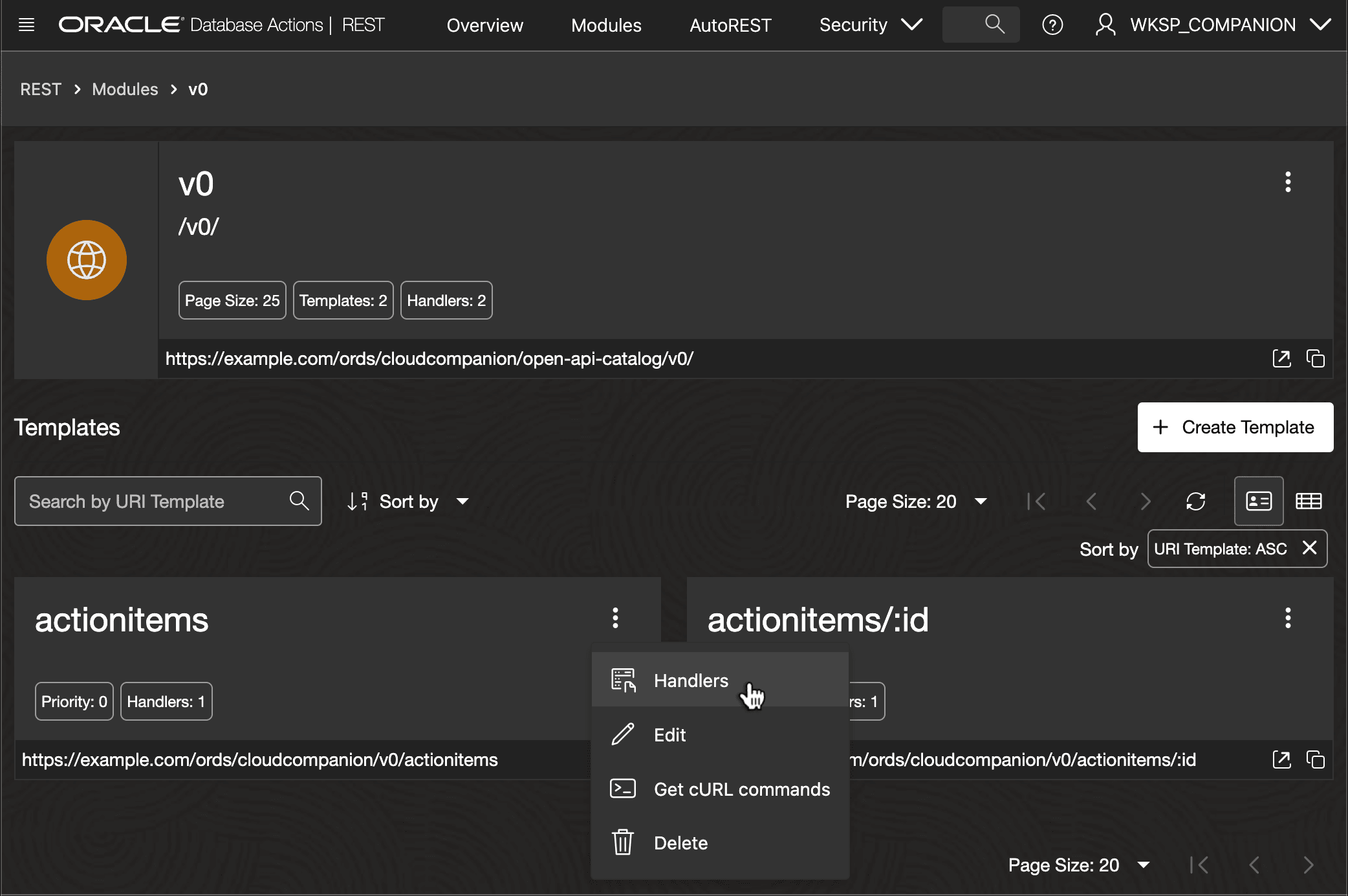
The Templates list displays a tile for each, with the service URL and a button to quickly copy it to the clipboard. From here, you can create a new template or use the three-vertical-dots menu as shown below to access an existing template's list of Handlers.
Figure 14-9 Navigating to View and Configure a Template's Handlers in SQL Developer Web
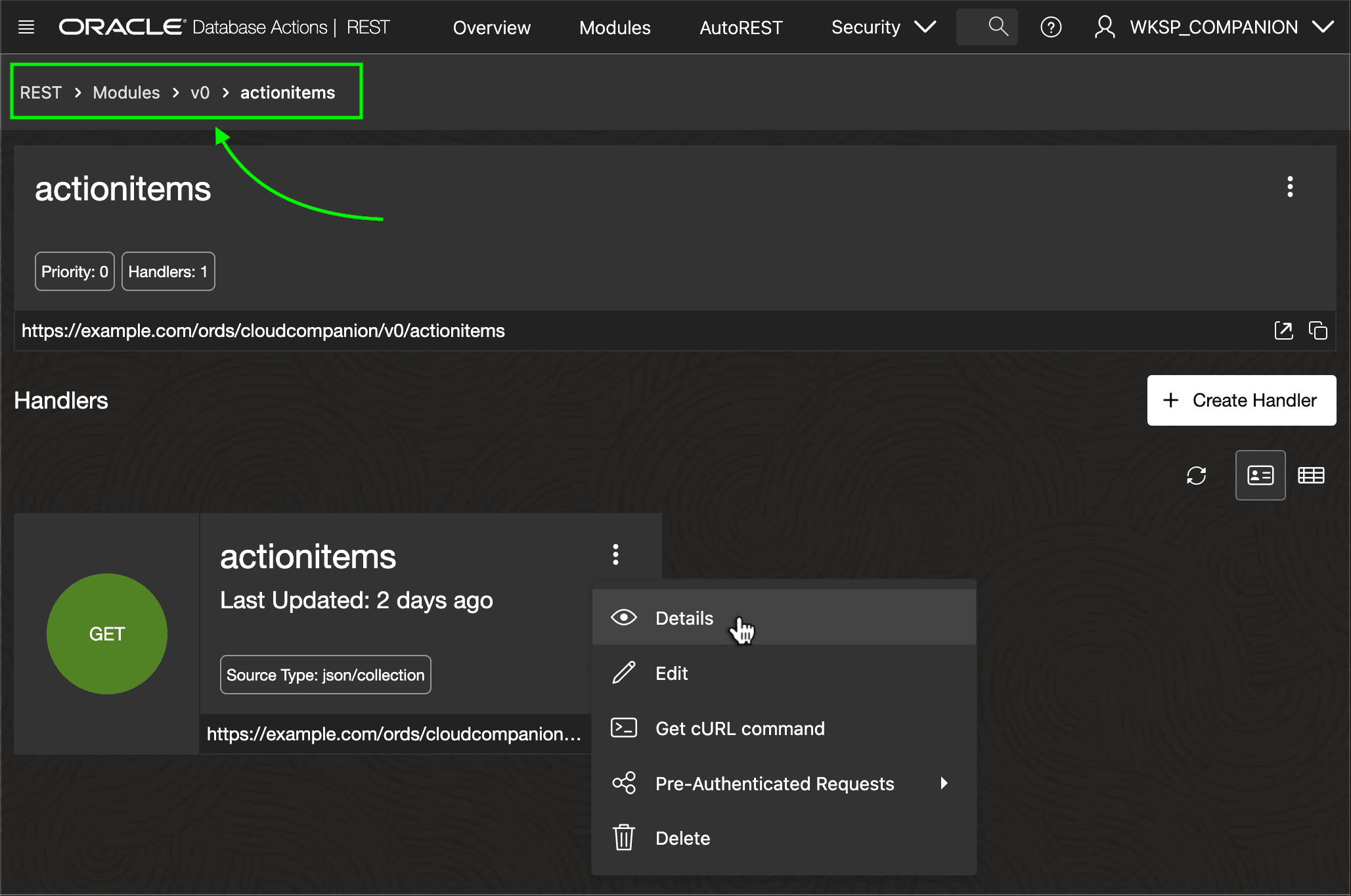
The Handlers list displays a tile for each. Use the three-vertical-dots menu as shown below to view or edit the handler's details. Also notice the "breadcrumb" bar with a hierarchy of links you can click to return to the v0 module's list of templates, the Modules list, or the REST designer's landing page.
Figure 14-10 Listing Handlers for a Template in SQL Developer Web
Parent topic: Using SQL Developer Web REST Designer