25.3.5.9 Acknowledging Receipt of Payment
Record the patient’s payment so the procedure reaches its final status.
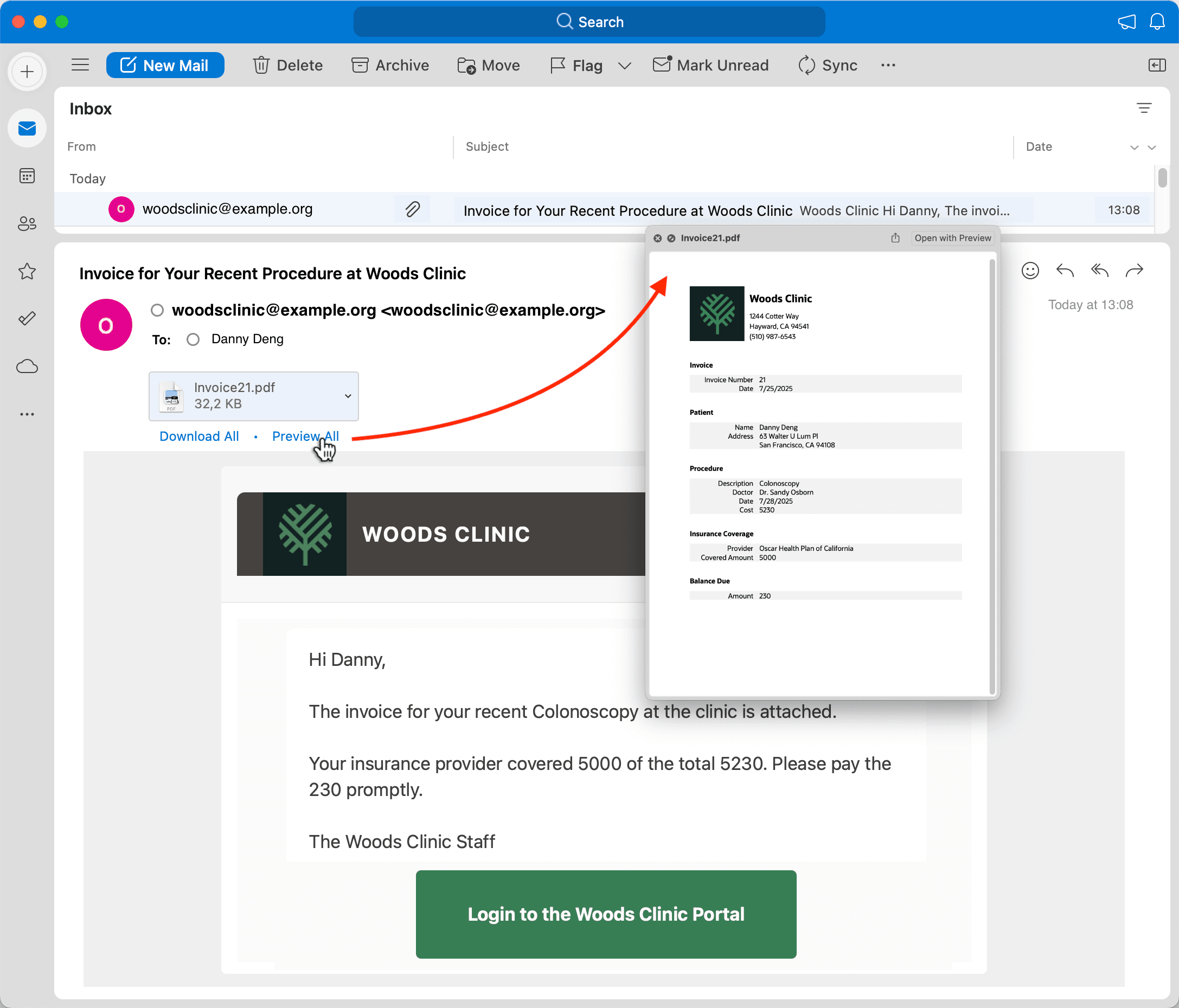
Patient Danny Deng gets the email, and reviews the invoice as shown below. He then calls Woods Clinic to pay the balance with his credit card.
Figure 25-143 Danny Deng Receives Invoice for His Medical Procedure
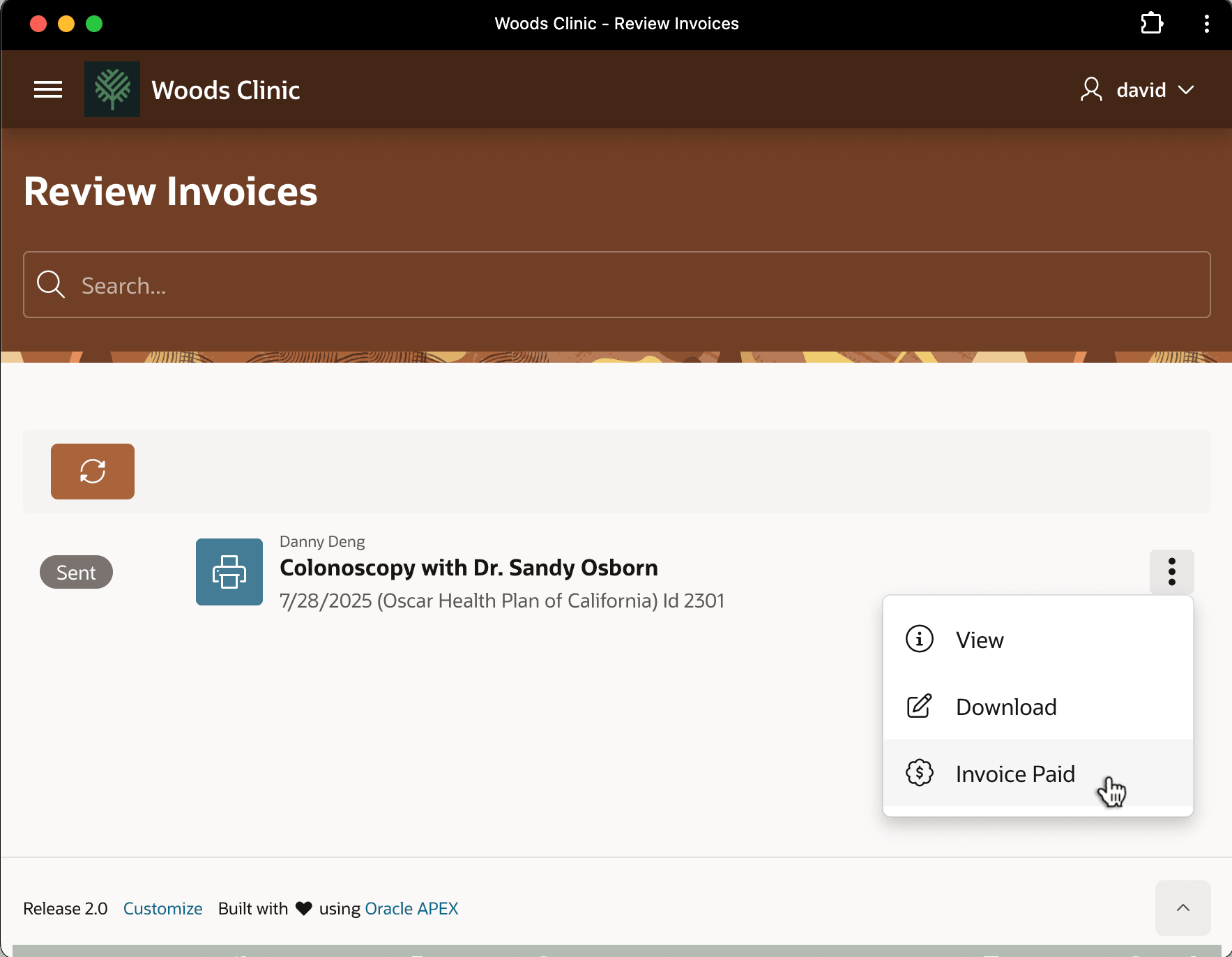
David accepts Danny's payment on the phone, and, as shown below, he marks the invoice as settled using the Invoice Paid option on the three-vertical-dots dropdown menu.
Figure 25-144 David Marks Danny Deng's Medical Procedure Invoice as Paid
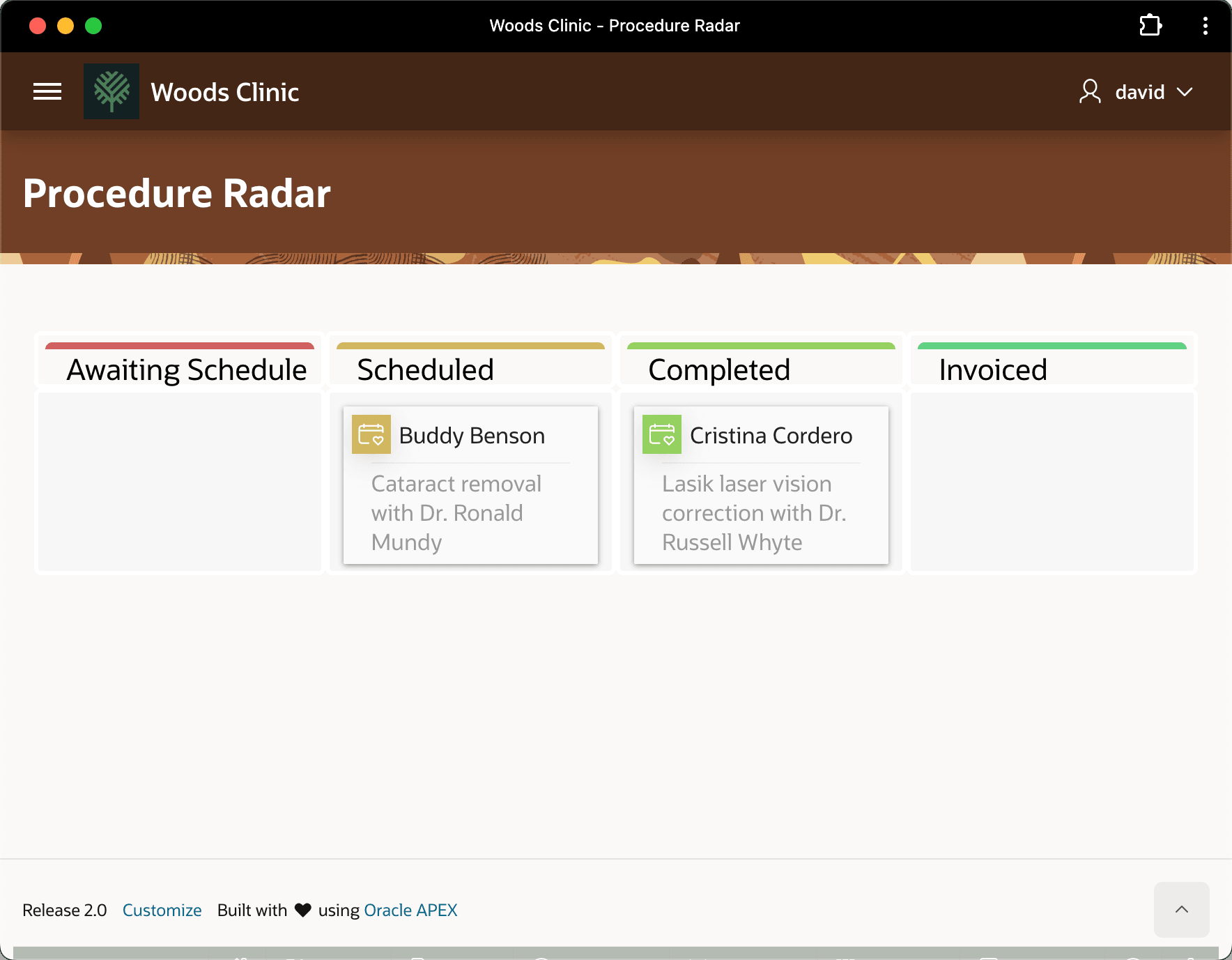
This changes the status of Danny Deng's medical procedure row to "Paid" and, as shown below, David sees Danny's has moved off the Kanban board.
Figure 25-145 Kanban No Longer Shows Danny Deng's Procedure After Invoice is Paid
Parent topic: Following a Medical Procedure Lifecycle