25.3.5.8 Invoicing Patient for the Balance
Mark the invoice complete so the workflow emails it to the patient and advances the procedure lifecycle.
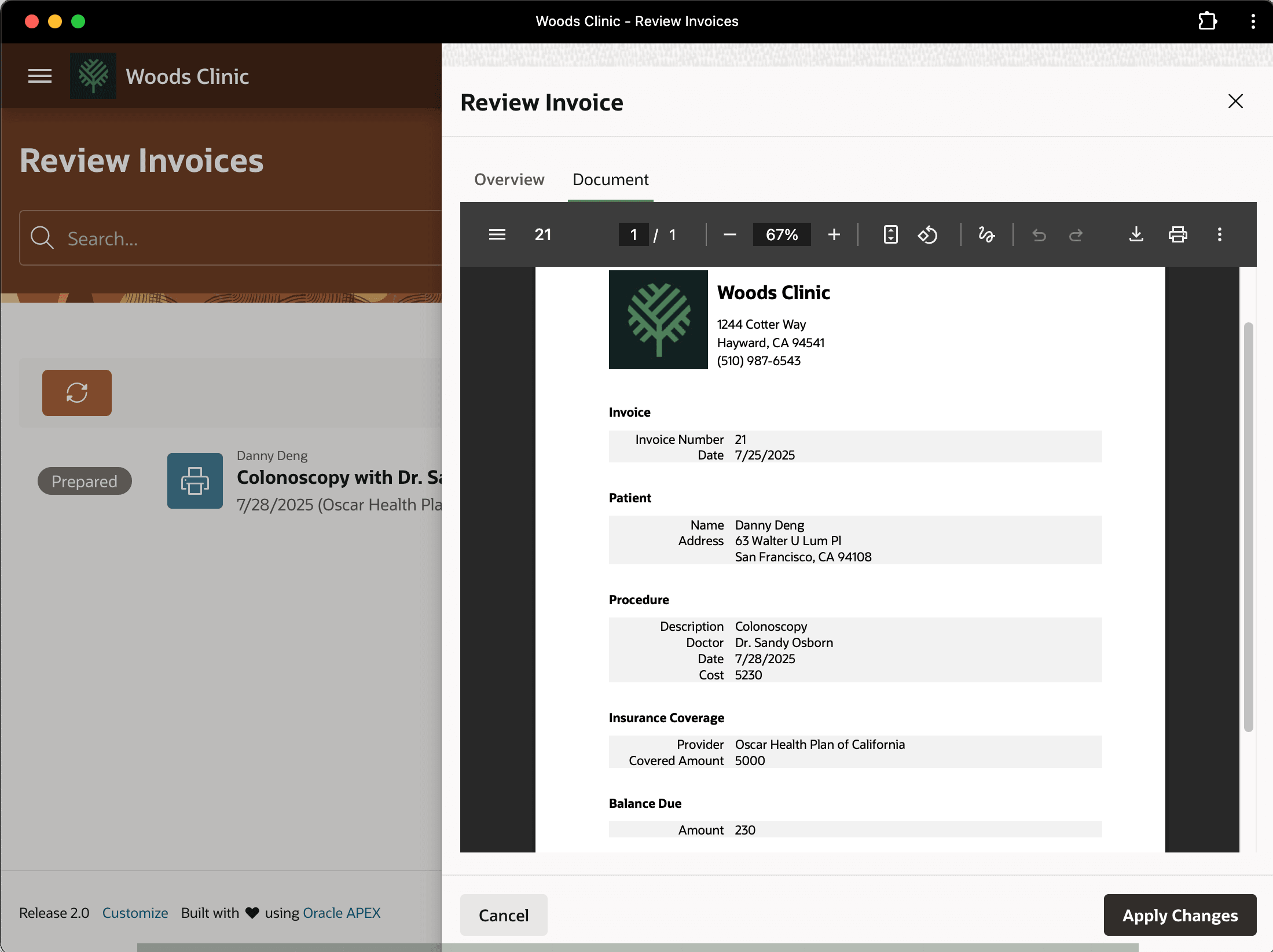
When David sees the regenerated invoice badge shows Prepared again, he reviews it to make sure the Covered Amount and patient's Balance Due look right. He confirms the insurance company's 5000 payment shows as expected, and the patient's remaining balance to pay is correct.
Figure 25-139 Reviewing Regenerated Invoice Before Sending to Patient
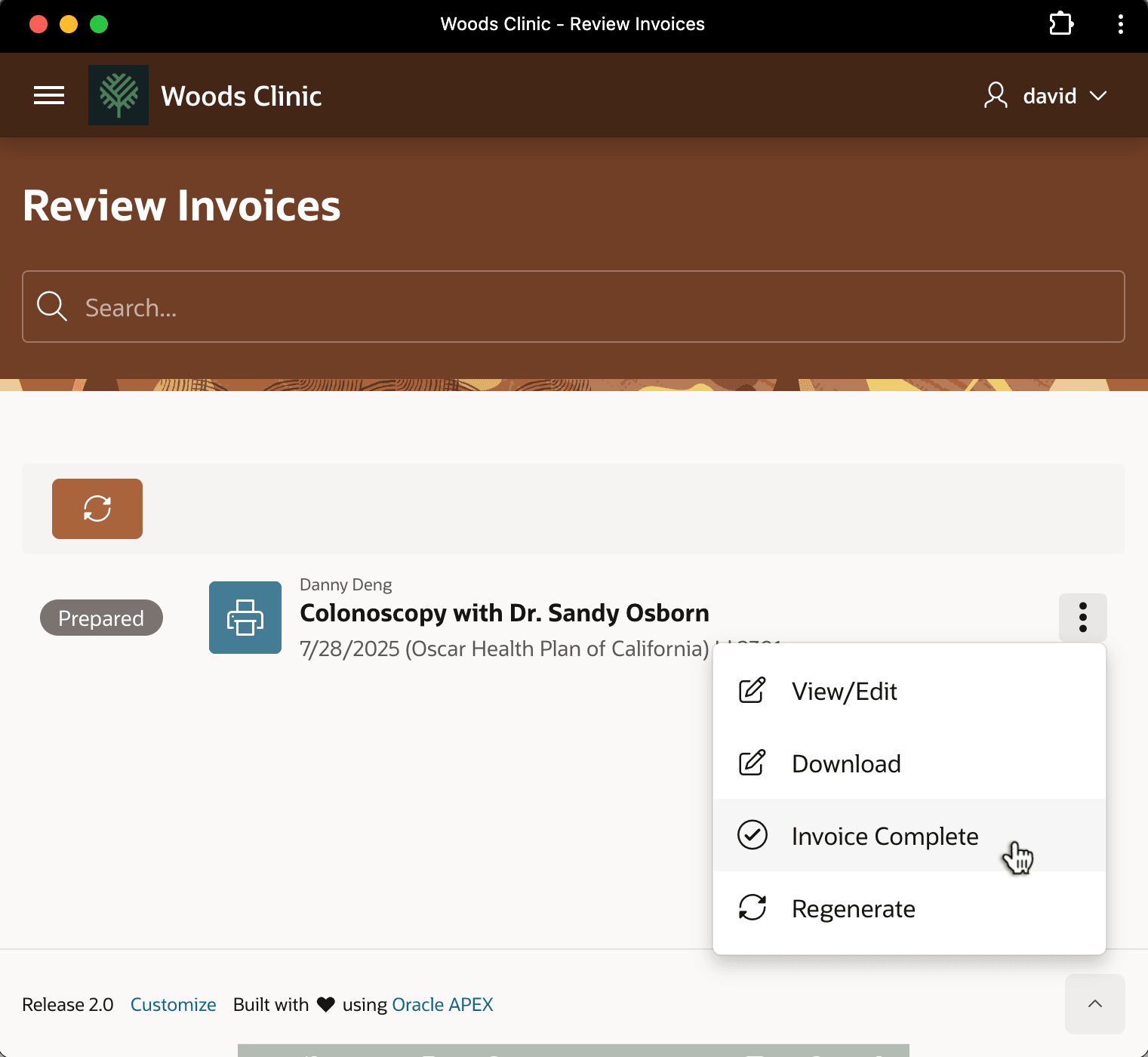
David marks the invoice as ready to send to the patient by choosing Invoice Complete from the three-vertical-dots dropdown menu as shown below.
Figure 25-140 David Marks Danny Deng's Invoice as Ready to Send to Patient
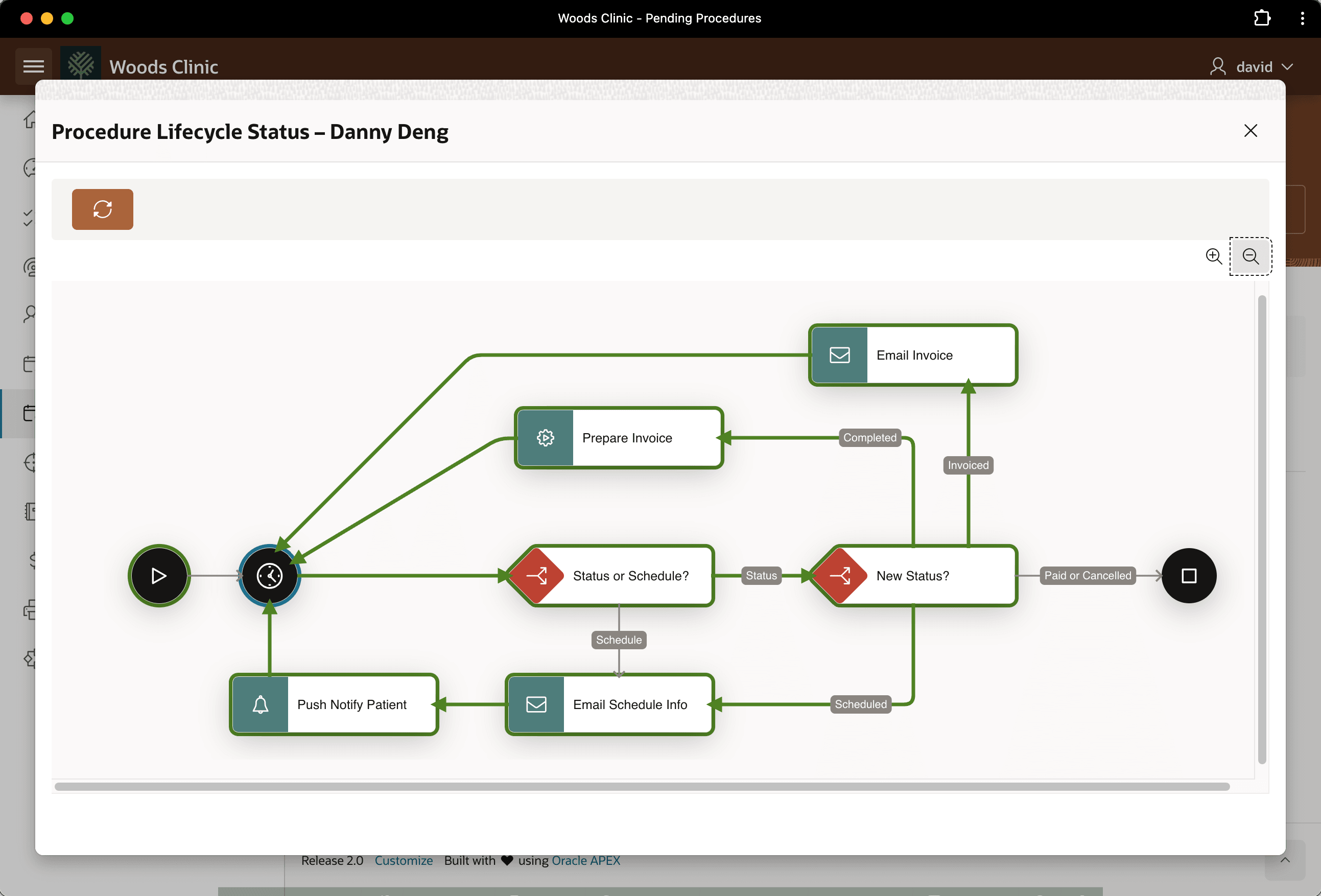
When David reviews Danny Deng's procedure progress later, he notices, as shown below, that your workflow reacted to the completion of the invoice by emailing it to the patient.
Figure 25-141 Danny Deng's Procedure Lifecycle Workflow Shows Invoice Emailed
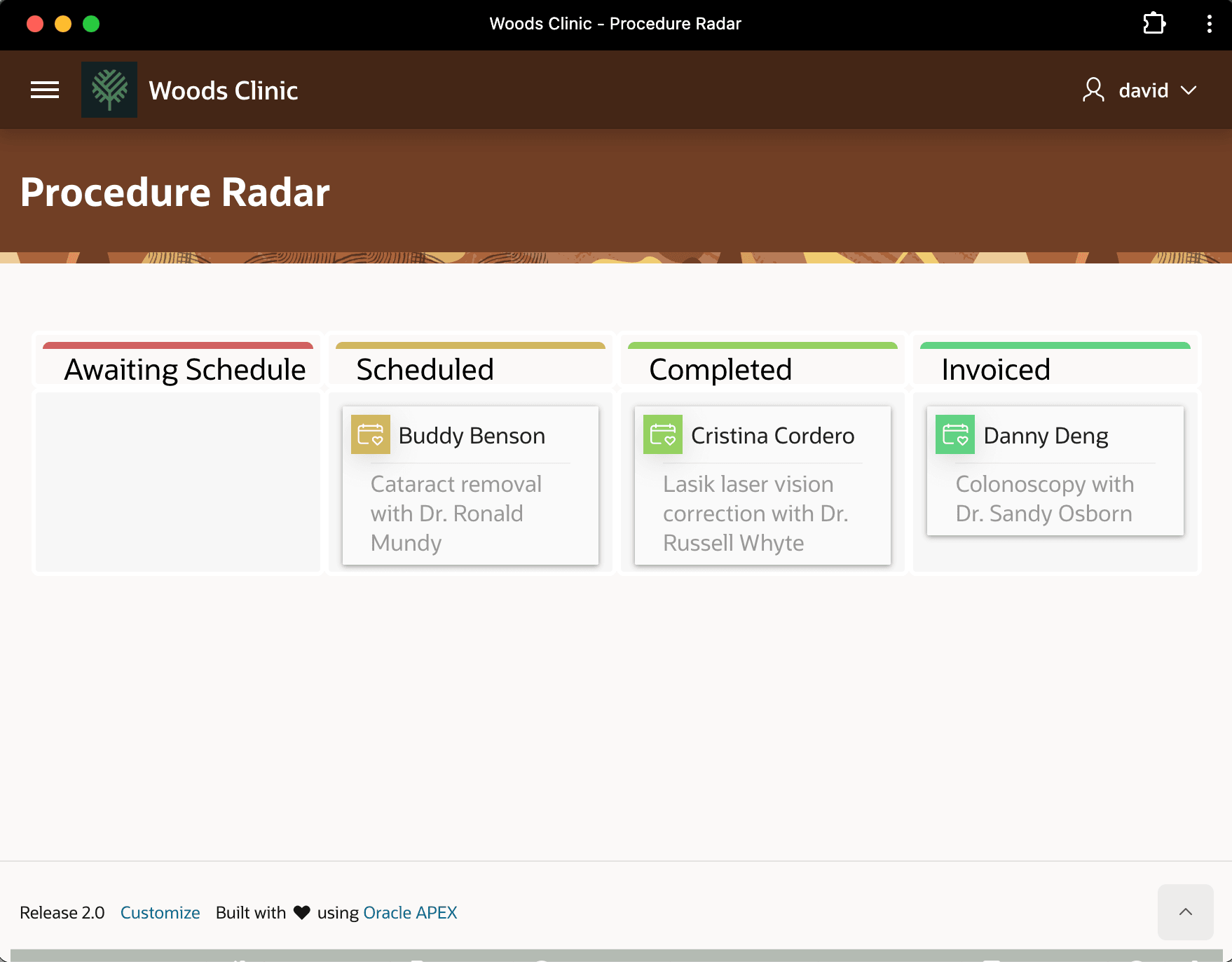
He also sees Danny Deng's procedure shows in the Invoiced column in the Kanban board as shown below.
Figure 25-142 Progress of Danny Deng's Procedure on Kanban Board
Parent topic: Following a Medical Procedure Lifecycle