5.6.2 Adding a Layer of Points
Consider a map layer that shows each employee's home address as a point by
joining EMP with a separate EMP_ADDRESSES table. You can
configure a single data source at the map region level, then reference it in the layers. Or each
layer can define its own data source.
To simplify maintenance, consider creating a database view to encapsulate the
region's SQL query. Then use it as the region's data source and pick column names to use in
the layer. For example, consider the following EMP_WITH_ADDRESSES view that
joins EMP and EMP_ADDRESSES and includes a computed
TOTAL_COMPENSATION column:
create or replace view emp_with_addresses as
select e.empno,
       e.ename,
       a.address,
       a.latitude,
       a.longitude,
       e.sal + nvl(e.comm,0) as total_compensation
  from emp e
  join emp_addresses a
    on a.empno = e.empno;
Then the map uses this view, configures its points using the
LATITUDE and LONGITUDE columns, and defines the tooltip
using the HTML Expression:
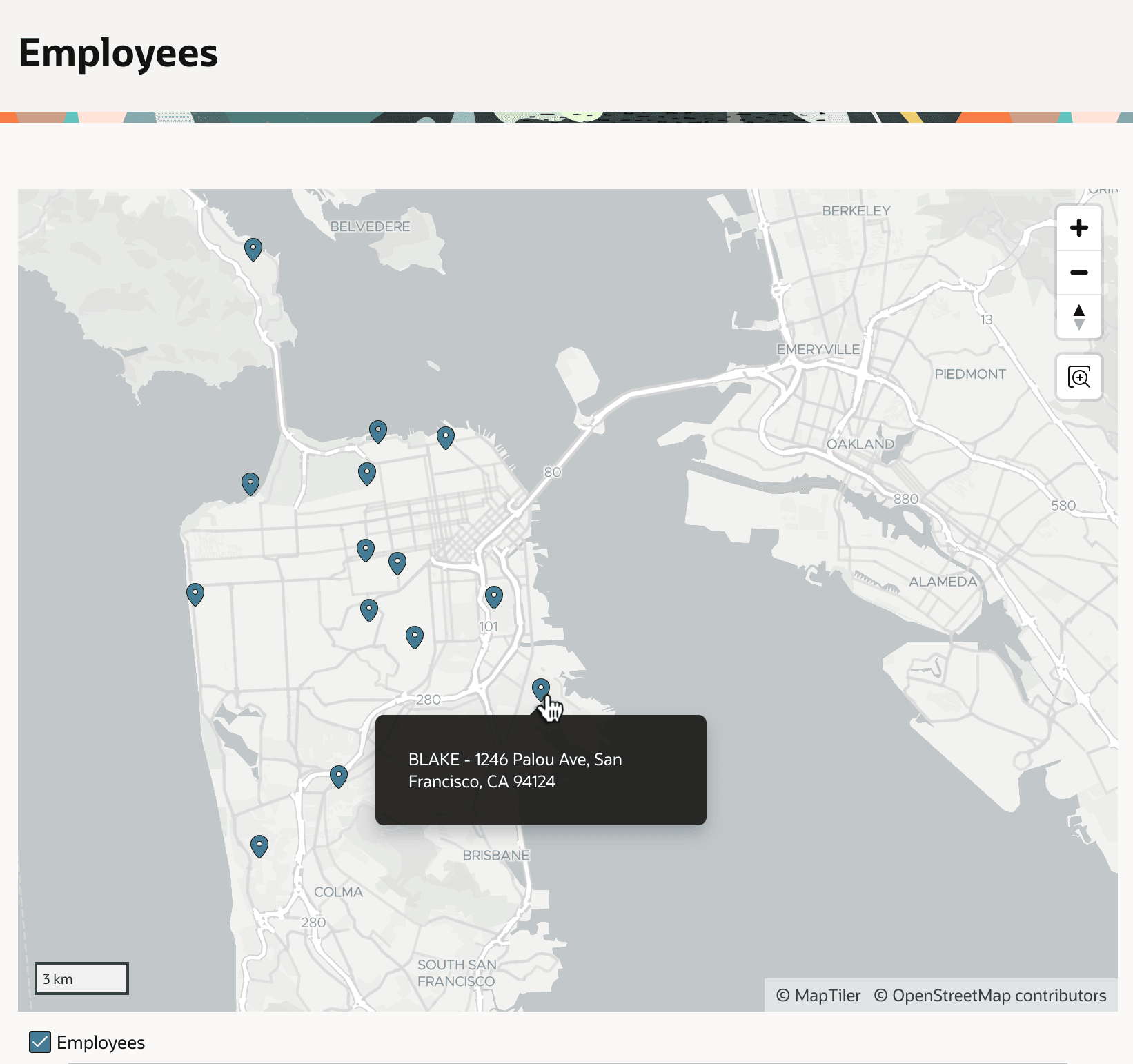
&ENAME. - &ADDRESS.The figure below shows the resulting map, with its single point layer showing employee addresses around San Francisco, California and Marin County. Notice the user is hovering the mouse over BLAKE's point marker, and the tooltip displays "BLAKE - 1246 Palou Ave, San Francisco, CA 94124".
Figure 5-12 Maps Showing Employees Addresses
Parent topic: Showing Data on Maps