11.2 Authenticating Access with APEX Accounts
Your app's Authentication Scheme controls how users login. The default option is to use native APEX user accounts.
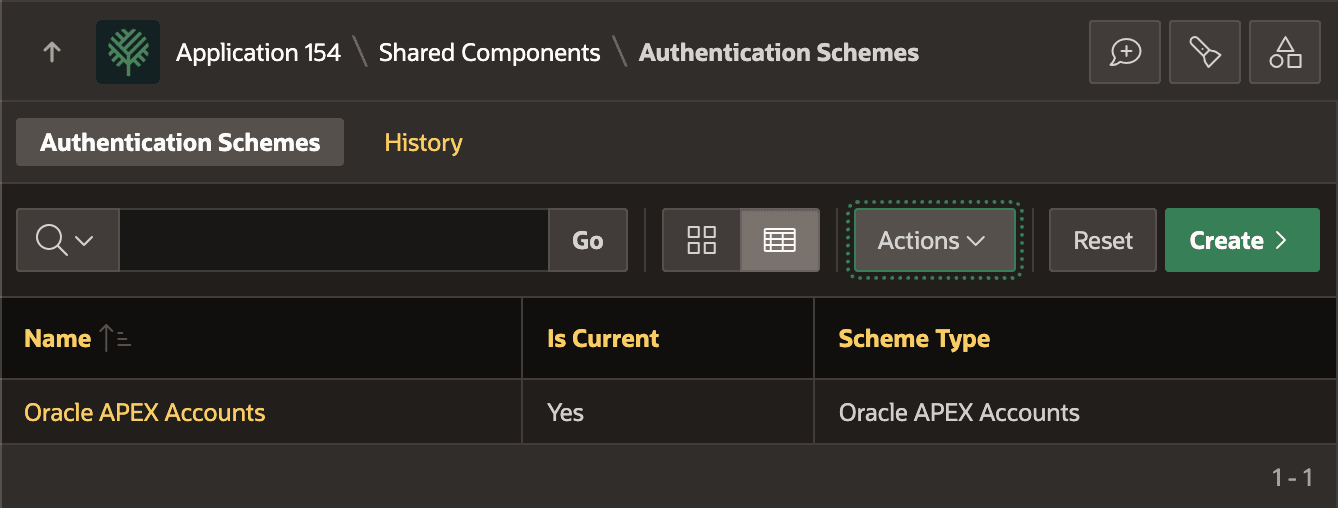
As shown below, in a new application the default scheme authenticates users based on Oracle APEX Accounts.
Figure 11-3 Oracle APEX Accounts Provide Default Authentication Scheme
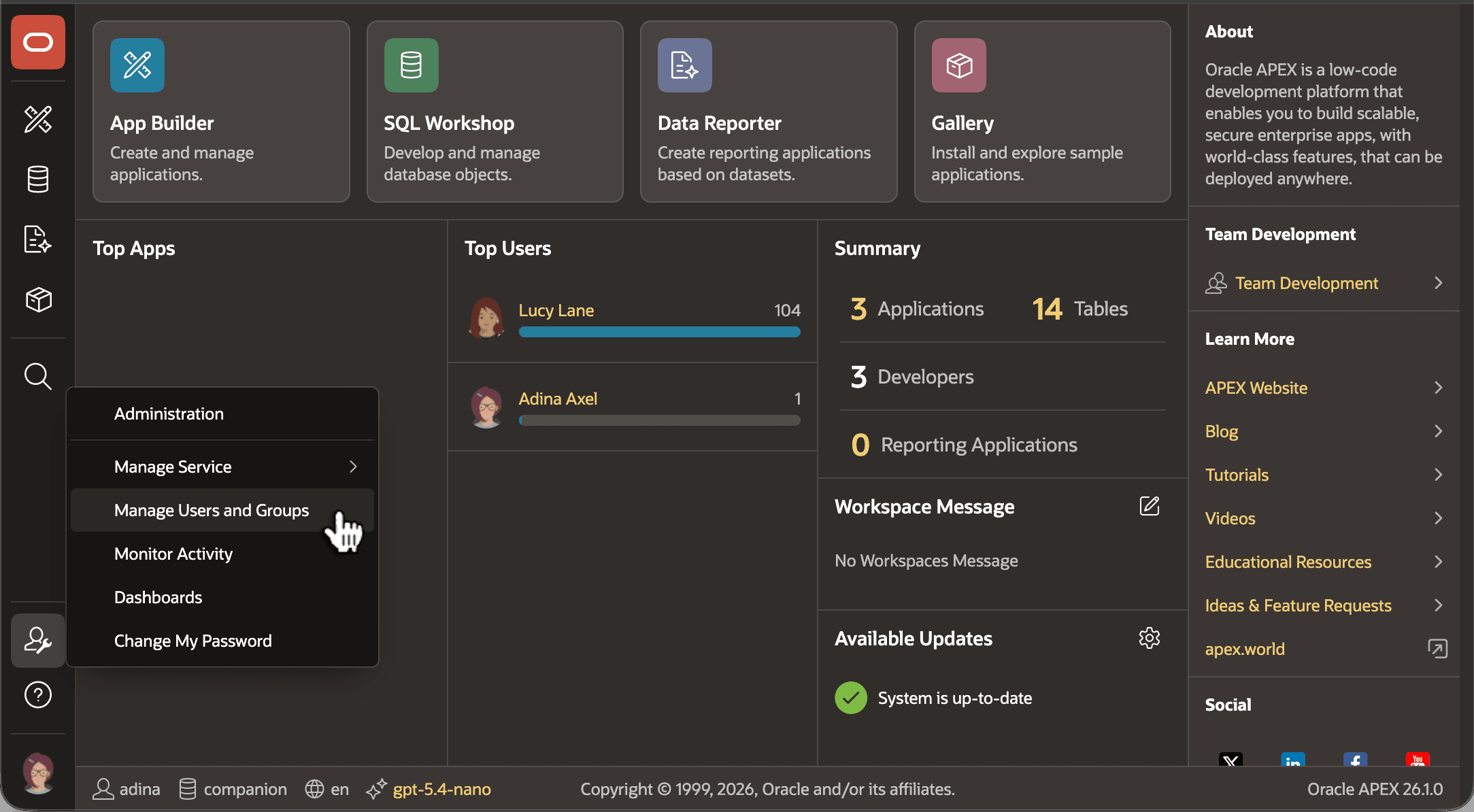
As shown below, a workspace administrator like Adina Axel manages APEX user accounts by clicking on the button with a user and wrench, then choosing the Manage Users and Groups menu entry in the dropdown menu.
Figure 11-4 Workspace Administrators Manage APEX User Accounts
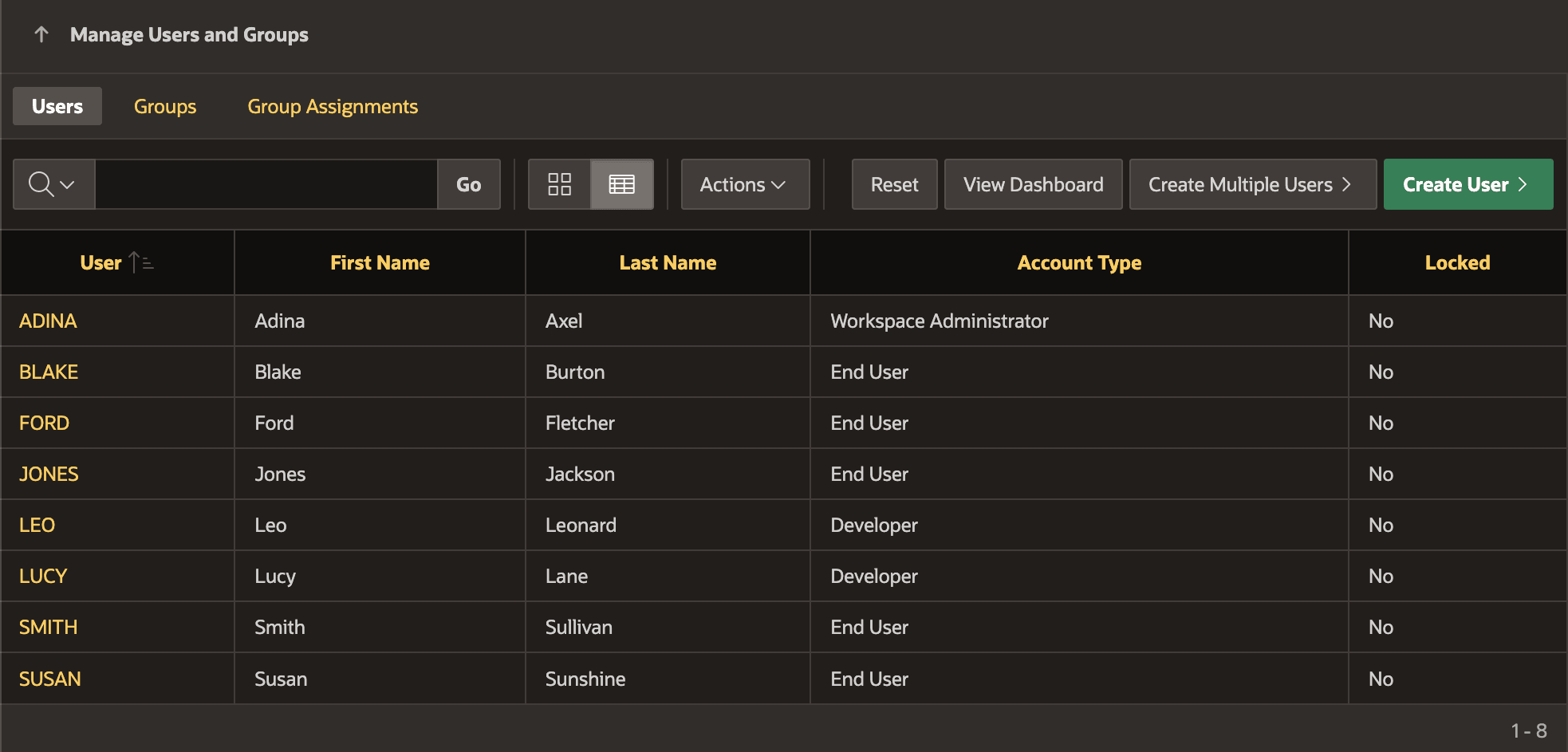
When defining a new APEX user account, the workspace administrator sets the account type. As shown below, ADINA is the Workspace Administrator, LEO and LUCY have a Developer account, and the rest of the user accounts are end users. While ADINA, LUCY, and LEO can also log in to App Builder, the rest of the user accounts can only log in to APEX applications you develop.
Figure 11-5 Workspace Administrators Manage Users from Accounts List Page
Tip:
For more details on the many other built-in authentication schemes APEX supports, see Understanding Preconfigured Authentication Schemes in Oracle APEX App Builder User’s Guide.
Parent topic: Controlling Access with Users and Roles