11.1 Requiring Authenticated Access to a Page
A page's Authentication property controls if users must login to view it.
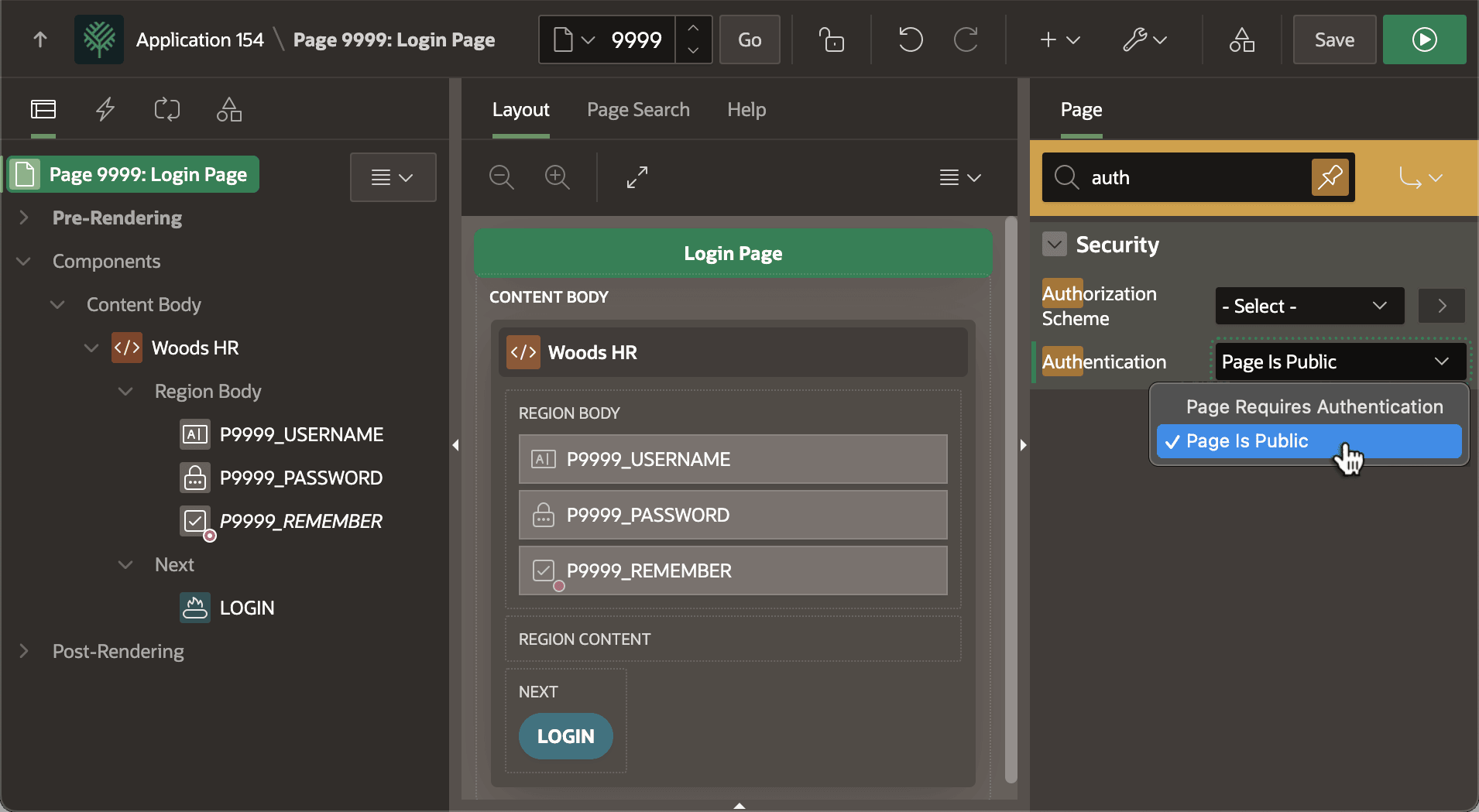
Set the page's authentication to Page Is Public and anyone can visit. Choose Page Requires Authentication and users must log in first. As shown below, by default the Login Page that App Builder creates in a new app is public. Most other pages in your app should require authentication, but choose the setting that matches each page's needs. The figure shows the Woods HR application's Login page 9999 in Page Designer. The root page node is selected in the component tree, and the page's Authentication property is selected in the Property Editor.
Figure 11-2 Deciding if a Page is Public or Requires Authentication
Parent topic: Controlling Access with Users and Roles