8.4.2 Breadcrumbs Visualize Drilldown Path
Users often drill down from a list row to view or edit details. If that page shows related records, they can keep following those relationships. Breadcrumbs show their place in the flow and let them return to higher levels.
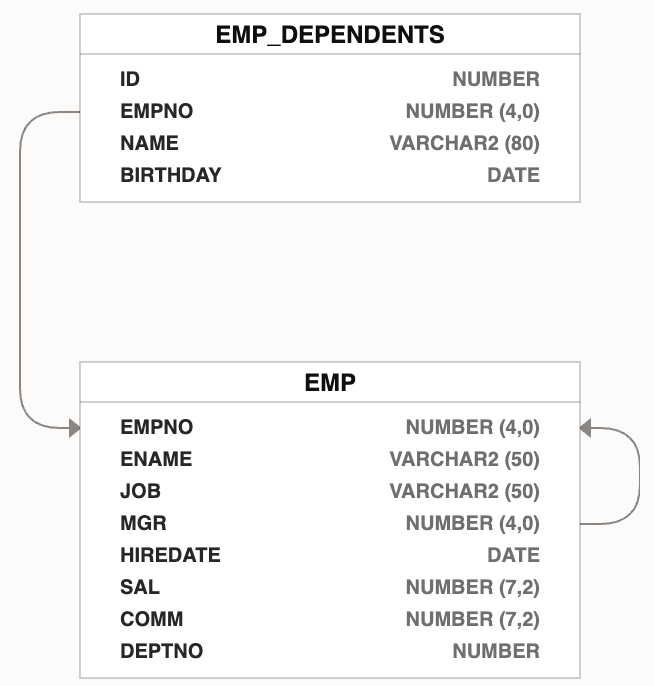
Consider the data model shown below with employees having one or more dependents.
The diagram shows the familiar EMP table and a related
EMP_DEPENDENTS table that stores the name and birthday of an
employee's family members.
Figure 8-14 Data Model for Employees Having One or More Dependents
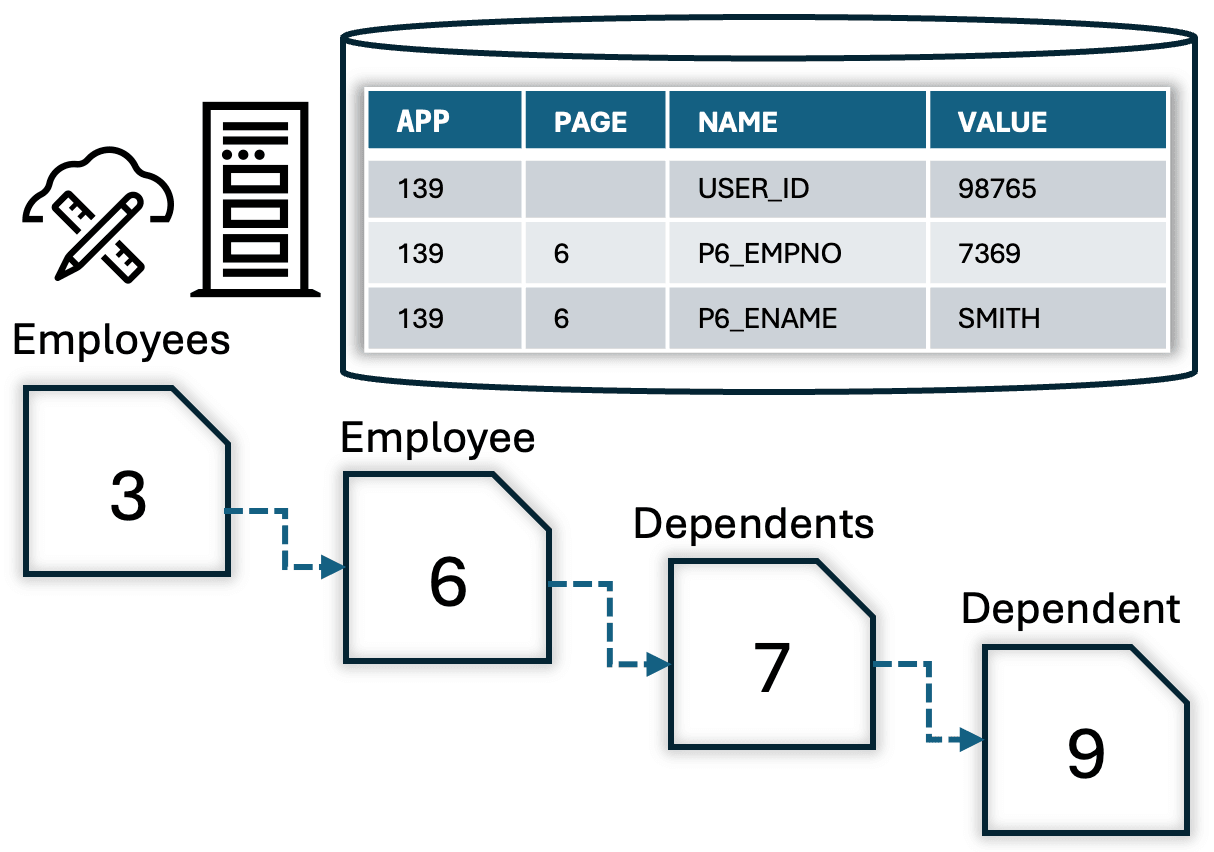
The figure below shows how four pages are linked by redirects to create a multi-level drilldown page flow. The user starts in the Manage Employees interactive report page 3. Then they can drill down to view the details of a particular employee like SMITH in Employee form page 6. There they can click a (Dependents) button to redirect to the list of SMITH's dependents in the Dependents page 7. Finally, the user can drill down to view the details of one of SMITH's children Janie in the Dependent form page 9.
Figure 8-15 Four-Level Drill Down Page Flow for Employees and Dependents
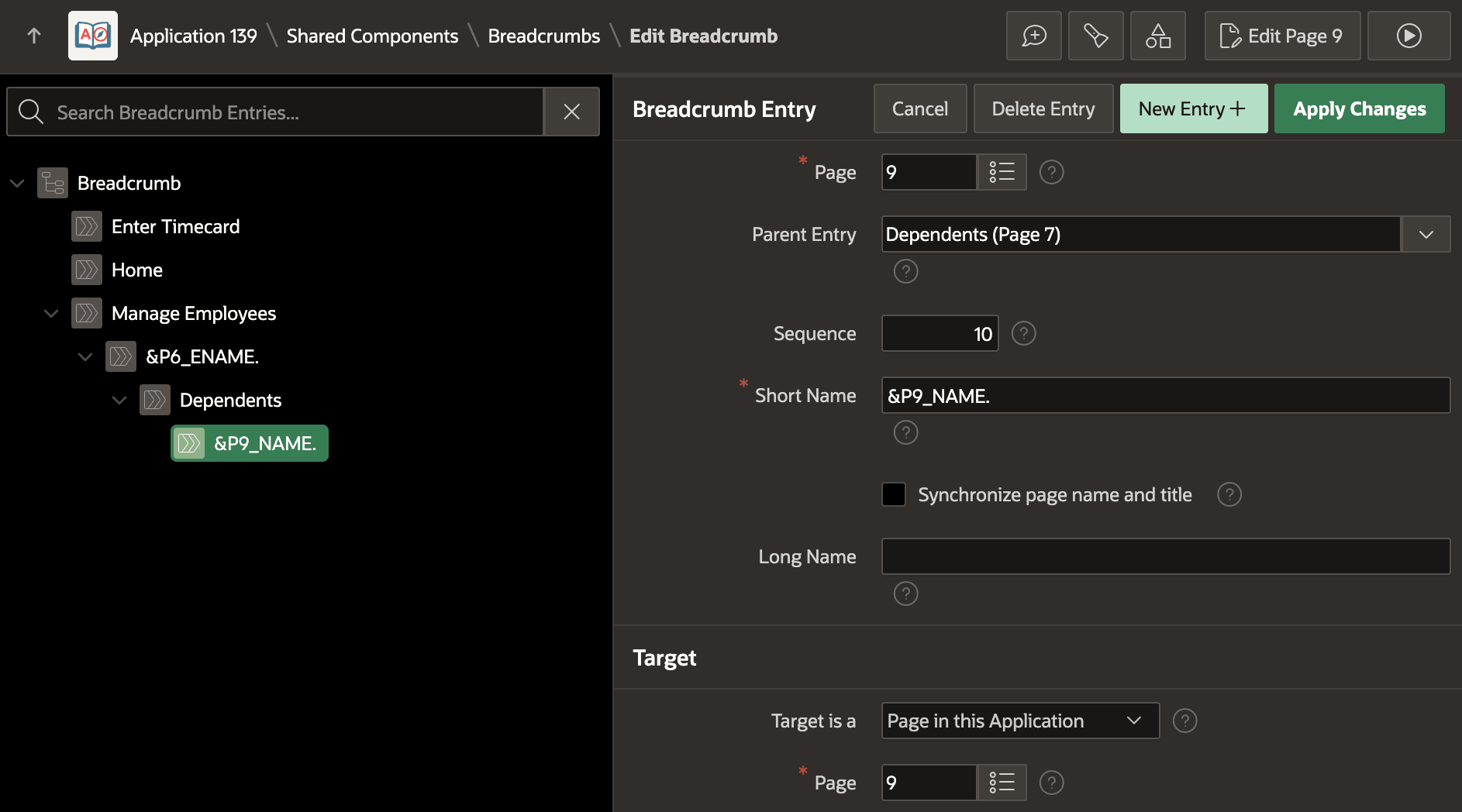
Every page includes a breadcrumb region that is based on the same breadcrumb shared component. It defines a hierarchy of page breadcrumb entries that the breadcrumb region uses to render the navigation path based on the current page in the hierarchy. As shown below, the breadcrumb entries reflect the four level page hierarchy using the Parent Entry setting in each entry definition. Notice an entry like Employee page 6's can reference &P6_ENAME. to include the employee name in the breadcrumb short name, and the Dependent form page 9 uses &P9_NAME. for the dependent name.
For the P6_ENAME to render correctly for subsequent pages in the
flow, it's necessary to configure its storage to be Per Session (Persistent).
This is also how the P6_EMPNO is configured to ensure navigating back
to page six uses the right employee number value. The diagram above reflects these
session state values in the database table.
Figure 8-16 Editing Breadcrumbs Shared Component to Reflect Navigation Hierarchy
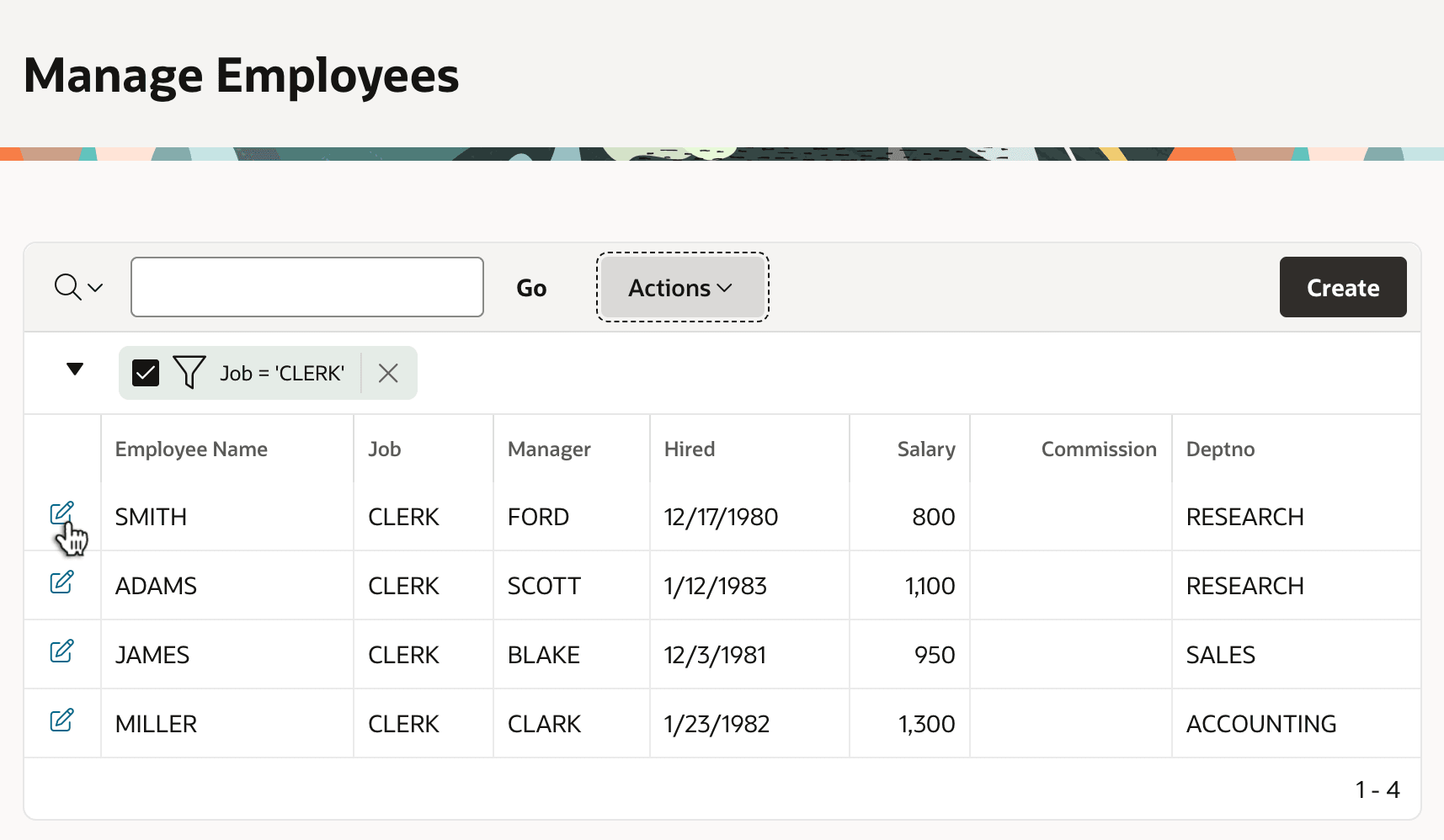
At runtime, the end user selects Manage Employees from the navigation menu and sees page 3 as shown below. Notice the breadcrumb region renders the current page's breadcrumb short name Manage Employees in a large font. The interactive report region shows the clerks the user has filtered. Employees SMITH is one of these.
Figure 8-17 Manage Employees Page Redirects to Employee Form Page for Edit
If the user clicks on the edit icon next to SMITH, they drill down to the Employee form page 6. The breadcrumb region renders a link for the Manage Employees page in a smaller font, and the current page's breadcrumb entry in a larger font. Recall that page 6's breadcrumb short name was &P6_ENAME. so this substitution renders as SMITH in the breadcrumb.
Figure 8-18 Drilling Down on Employee to See Their Dependents
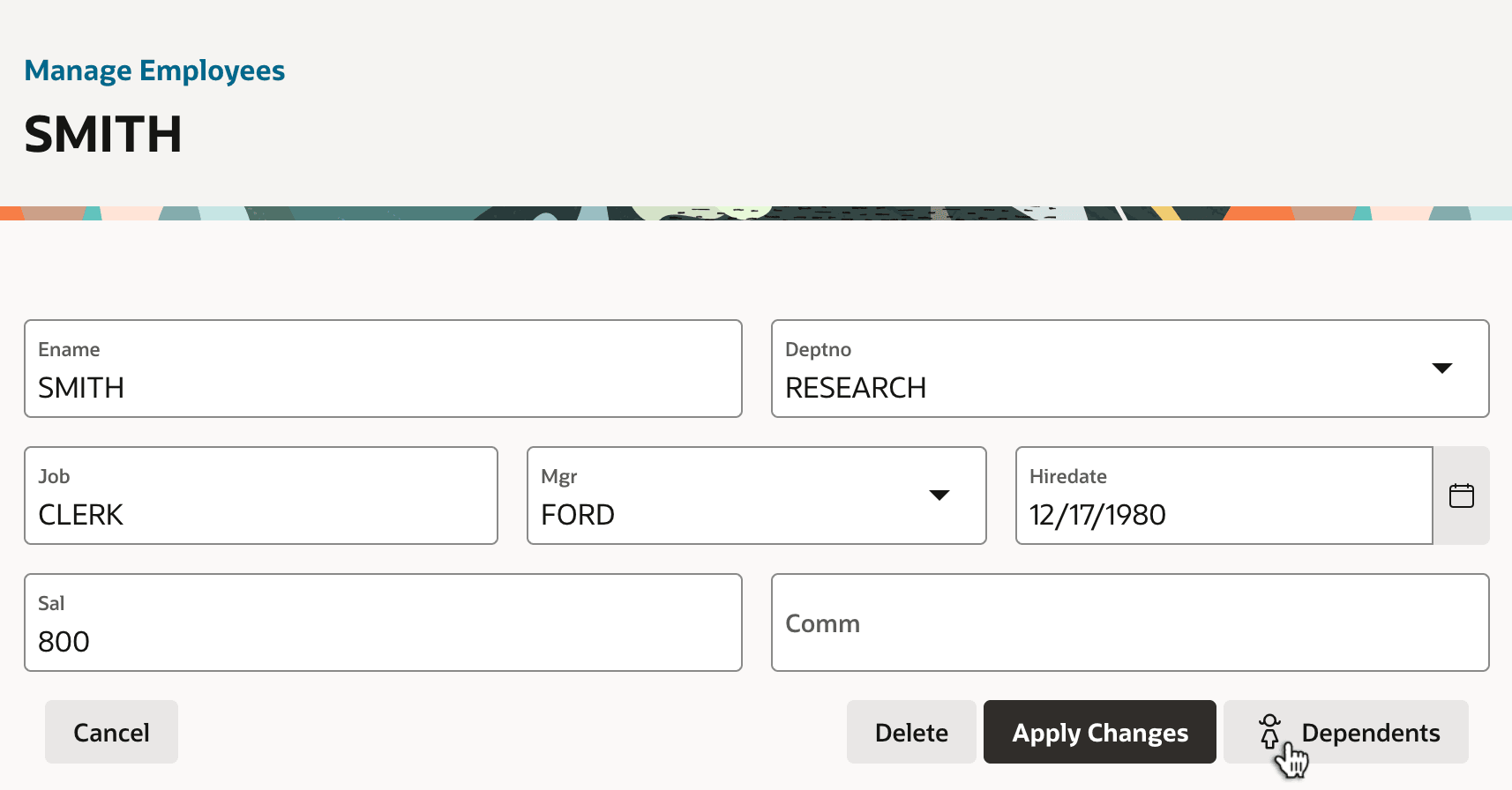
If the user clicks on the (Dependents) button for employee SMITH they drill down to the Dependents page 7. Since P6_EMPNO is in session state, and the user only visits page 7 after first going to page 6, you can reference the current employee number in the interactive report's WHERE clause:
EMPNO = :P6_EMPNOThis ensures the page only shows the dependents for the current employee being edited. Notice in the fugure below the breadcrumb now shows two levels of links to navigate back to, and again shows the Dependents current page breadcrumb shortname in a larger font. The table shows SMITH's dependents Janice and Jimmy with their birthdays.
Figure 8-19 Viewing Employee SMITH's Dependents and Drilling Down Again
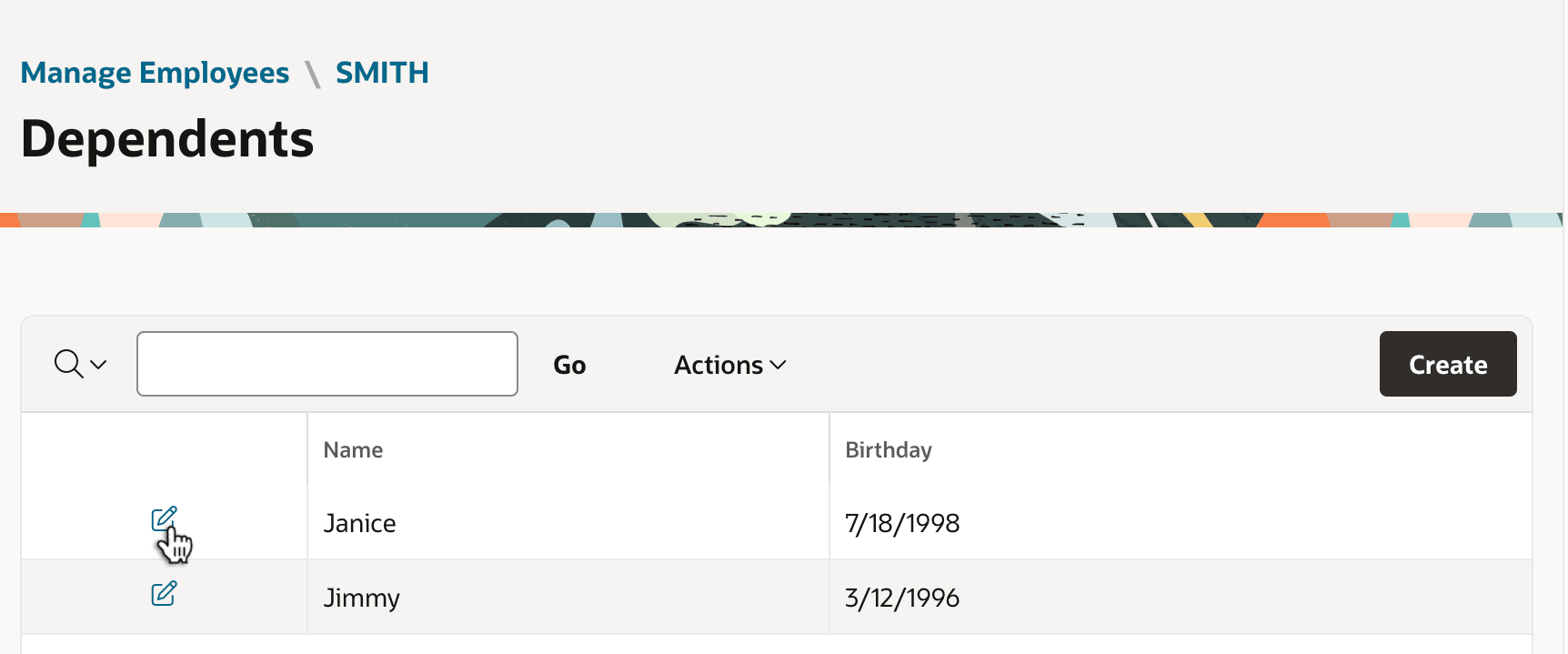
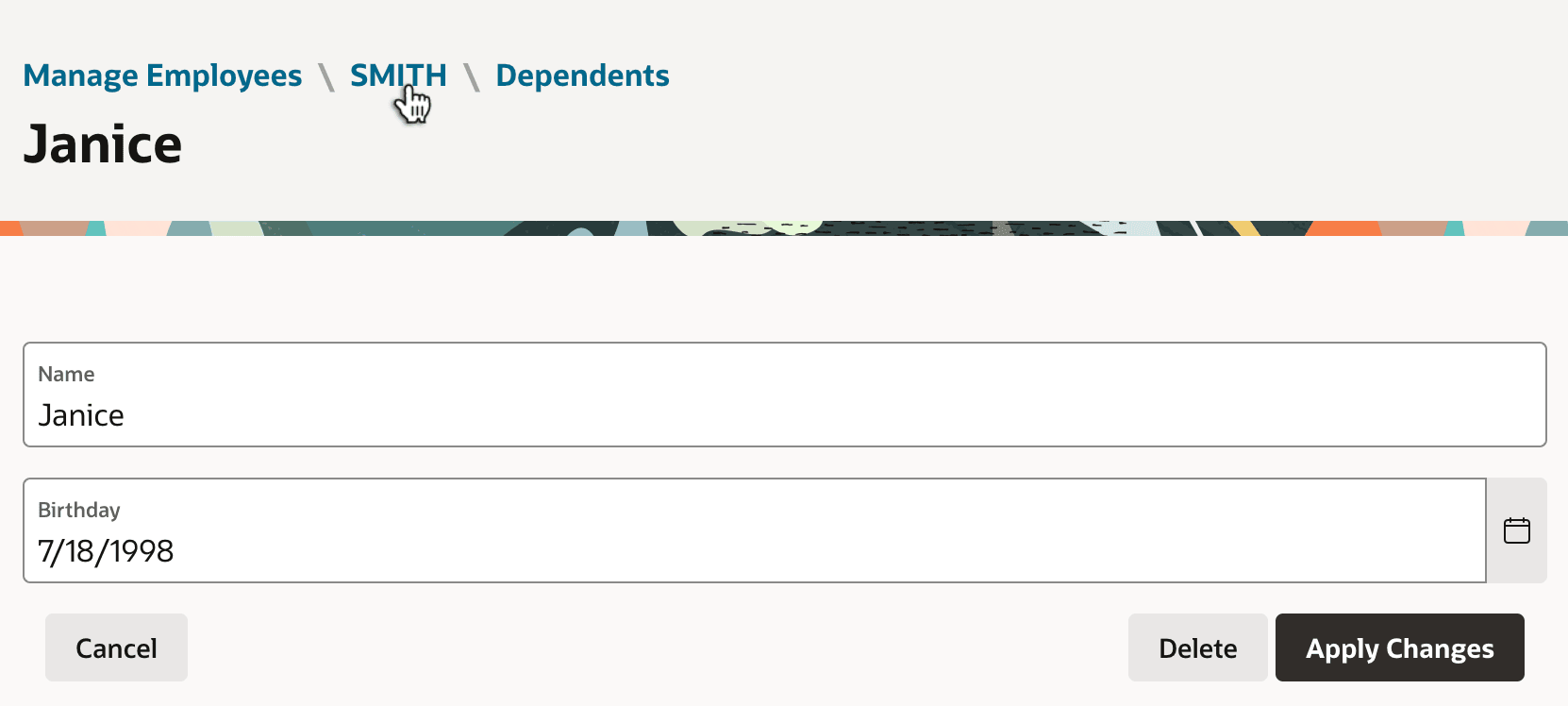
Finally, when the user clicks the edit icon next to SMITH's dependent Janice, they end up in the Dependent page 9. The Dependents page passes the ID value of the current dependent to the edit form. Notice the breadcrumb region now shows three levels of navigation links. The user can click on any of the links to navigate back to a previous level of the drill down page flow.
Figure 8-20 Viewing SMITH's Dependent Janie: Breadcrumb Shows Path "Home"
Parent topic: Additional Page Flow Features