13.3.6 Configuring a Request Body Template
Your operations for Insert row and Update row need to send data to the REST API in the request body.
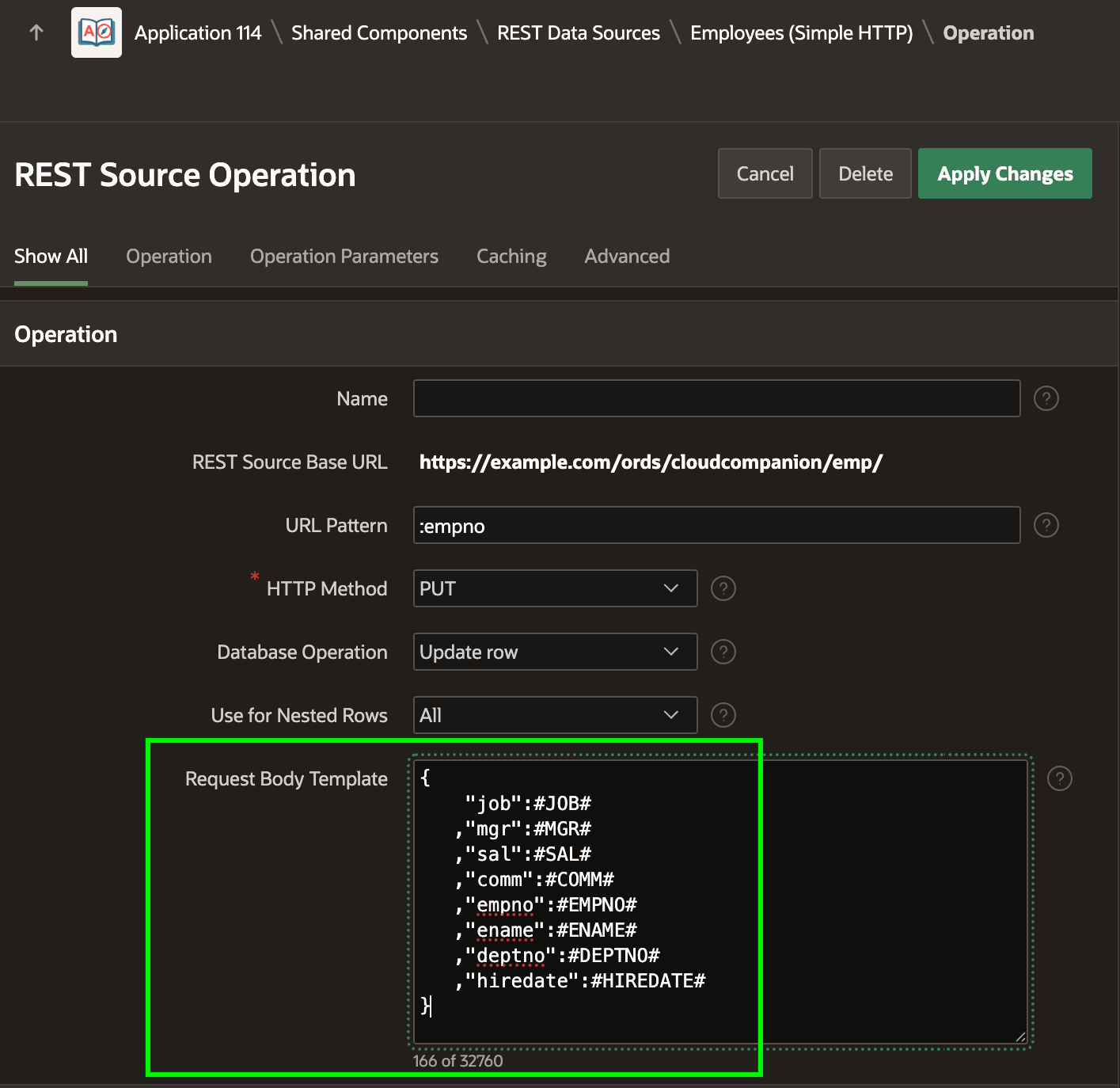
As shown below, you configure the contents of this payload using the operation's
Request Body Template. It can contain a mix of JSON syntax and
#NAME# substitutions. The names of region data source
columns are available to reference automatically, as well as any parameters of type
Request Body you might need to define. Notice the column name substitutions
are not surrounded by double quotes. At runtime APEX replaces the substitutions with appropriately escaped values that contain the double
quotes if needed. If the REST API you work with requires passing a null value using the
JSON null keyword instead of empty double quotes, then reference the
substitution like #COMM!NULL# using the !NULL
modifier.
The figure shows the Request Body Template for the Employees PUT
operation. It's a JSON object template including a mix of JSON properties and data
profile column substitutions.
Figure 13-18 Request Body Template in the PUT / Update Row Operation
PAYLOAD, and configure the Request Body Template like this:#PAYLOAD!RAW#The PAYLOAD parameter will appear in any context where you use the REST Data Source and you can assign a dynamic value to the parameter using a PL/SQL expression. The !RAW modifier asks APEX to treat the value of the parameter verbatim, avoiding the normal JSON escaping it performs when substituting parameter or data source column values.
Parent topic: Using REST APIs as Data Sources