13.3.5 REST Operations and Database Actions
You can define one or more operations for each REST Data Source. APEX queries, inserts, updates, or deletes rows using the operation whose Database Action is appropriate to each task. It uses the operation's HTTP Method when sending the HTTP request to the REST API endpoint URL.
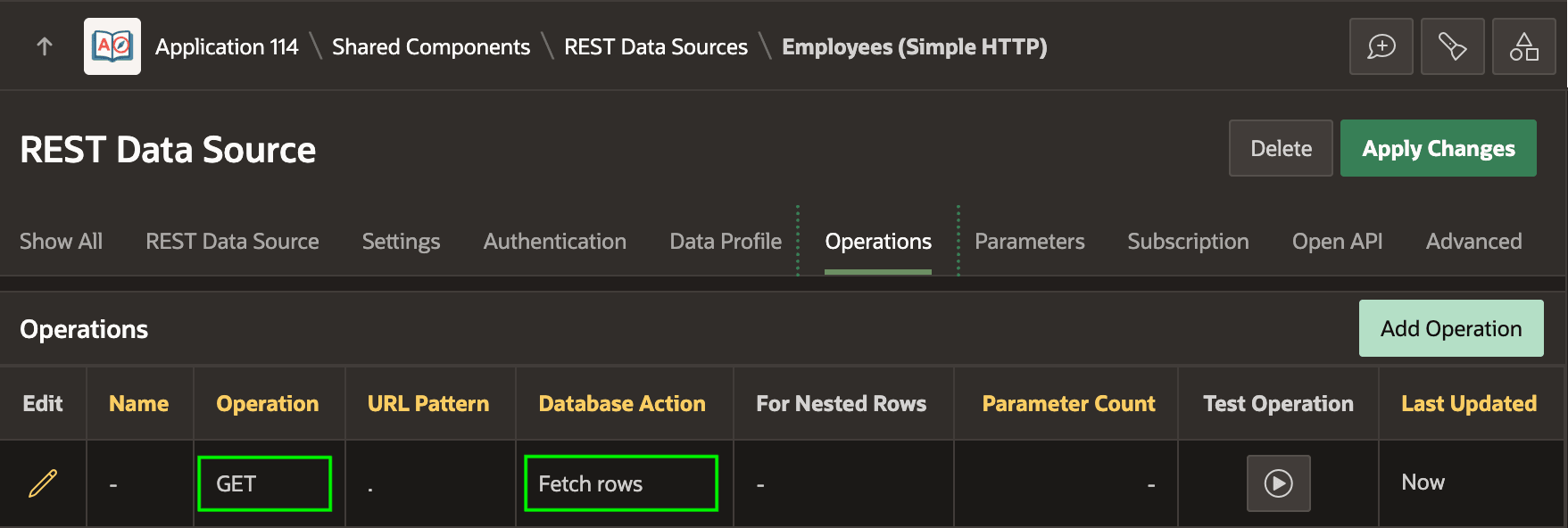
As shown below, a Simple HTTP REST Data Source you create with automatic discovery starts with a GET operation for the Fetch Rows database action. Until you assign a more descriptive operation name, APEX uses its method as an alternative name. Defined this way, the REST Data Source fully supports read-only use in any region or List of Values.
Figure 13-14 Fetch Rows GET Operation for Discovered Simple HTTP REST Data Source
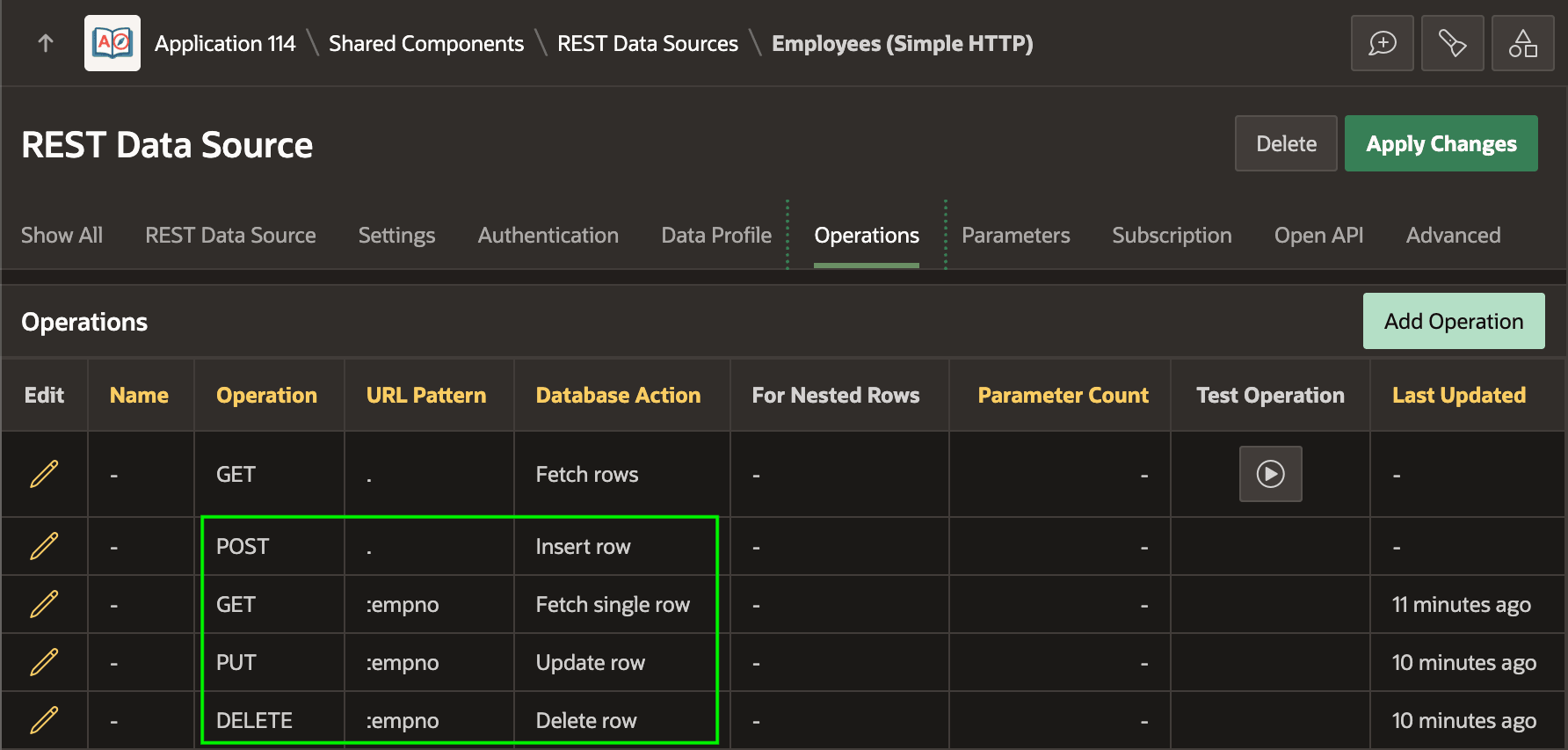
However, to modify data with a Form or Interactive Grid you need to add additional Fetch single row, Insert row, Update row, and Delete row operations as shown below.
Figure 13-15 Complete Set of Operations to Support All Database Actions
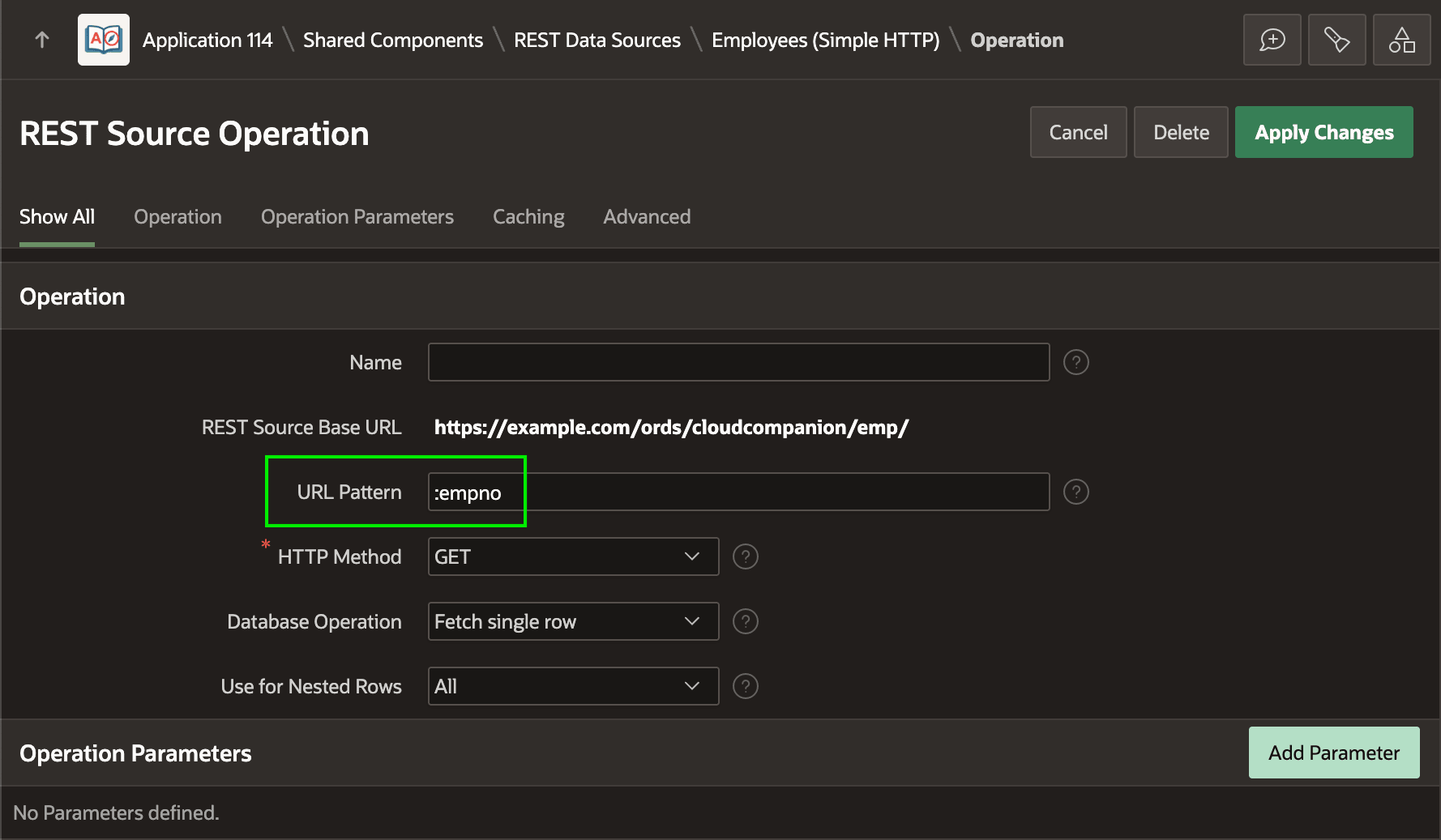
For example, to enforce lost update protection the Automatic DML page processes for Form and Interactive Grid regions use the Fetch single row database action to find a row to display by primary key. As shown below, the GET operation for this Fetch single row database action defines an additional URL Pattern to add onto the REST Source Base URL.
It's very useful that Simple HTTP REST Data Source operations can reference the case-sensitive Selector name of primary key columns as virtual parameters in the URL pattern. The lowercase empno name is the JSON selector for the primary key EMPNO column in this REST Data Source's Data Profile. So notice below the URL Pattern references the primary key value of the current row being modified using the :empno bind variable notation. The PUT and DELETE operations do the same.
Tip:
Using {empno} syntax is also allowed.
Caution:
Do not define a URL pattern parameter for the primary key in the operation URL. Doing
so overrides the implicit URL Pattern parameter, such as empno,
from the primary key Data Profile column’s JSON selector name.
Figure 13-16 Fetch Single Row Operation to Retrieve a Single Row by Primary Key
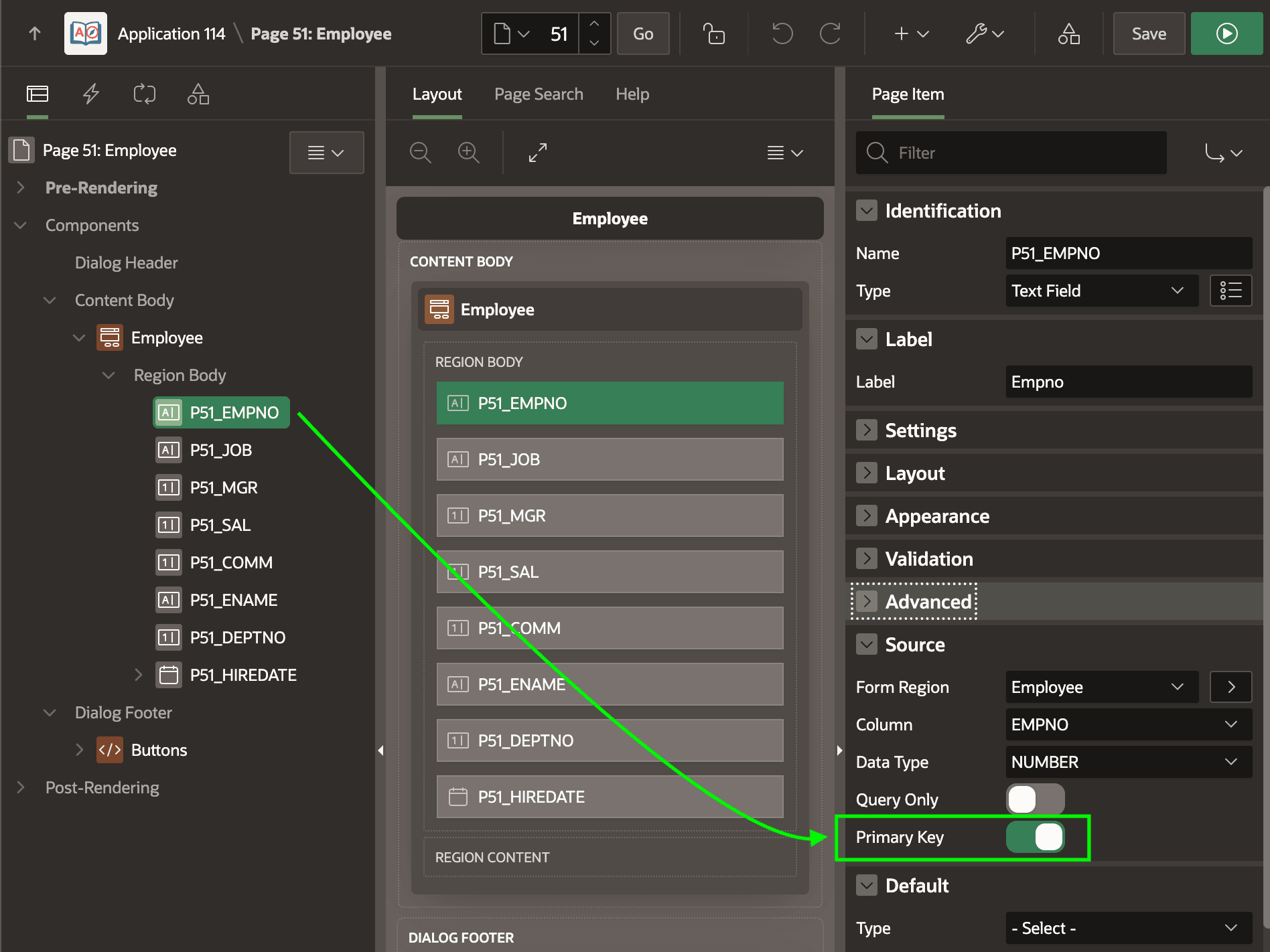
As shown below, the P51_EMPNO page item in the Employee form
region enables the Primary Key switch. Page Designer should infer the setting
automatically from the Data Profile of the REST Data Source the Form region references.
But it's always good to double-check. This ensures that the appropriate REST Data Source
operation URL referencing the value of the :empno primary key data
profile column selector as an implicit parameter will use the correct value.
Figure 13-17 Ensuring the Primary Key Column is Enabled
P51_EMPNO is 7369
when the user updates or deletes a row, that page process uses the Fetch single
row operation of the Employees (Simple HTTP) REST Data Source to retrieve
the data for this employee using an HTTP GET request to the REST API.
In the debug log you would see the following message showing the URL that substitutes
the value 7369 for the :empno URL implicit URL
pattern
parameter:making GET request to https://example.com/ords/cloudcompanion/emp/7369Parent topic: Using REST APIs as Data Sources