13.3.4 Retrieving Remote Data Page by Page
To configure pagination behavior on your Simple HTTP REST Data Source, use the Settings tab on the edit page.
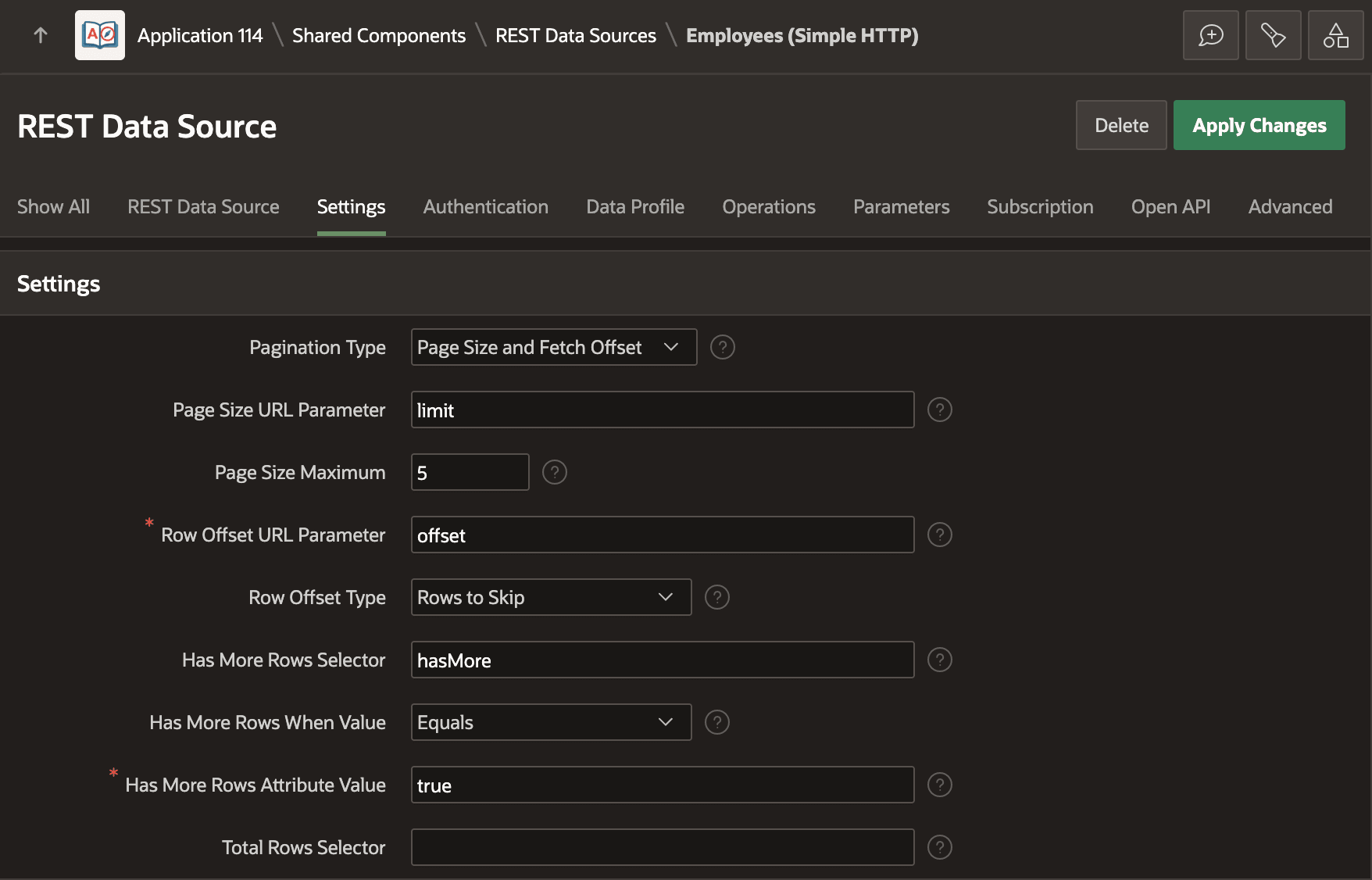
As shown below, choose an appropriate Pagination Type from the list. This identifies the basic strategy your REST API uses to retrieve data page by page. Then configure the specific names your REST API uses in the different roles of your selected pagination strategy. This example Employees service supports specifying a page size with a limit parameter and a fetch offset. The hasMore property value of true lets APEX know there are more rows to retrieve.
Figure 13-11 Configuring a REST Data Source's Pagination Strategy
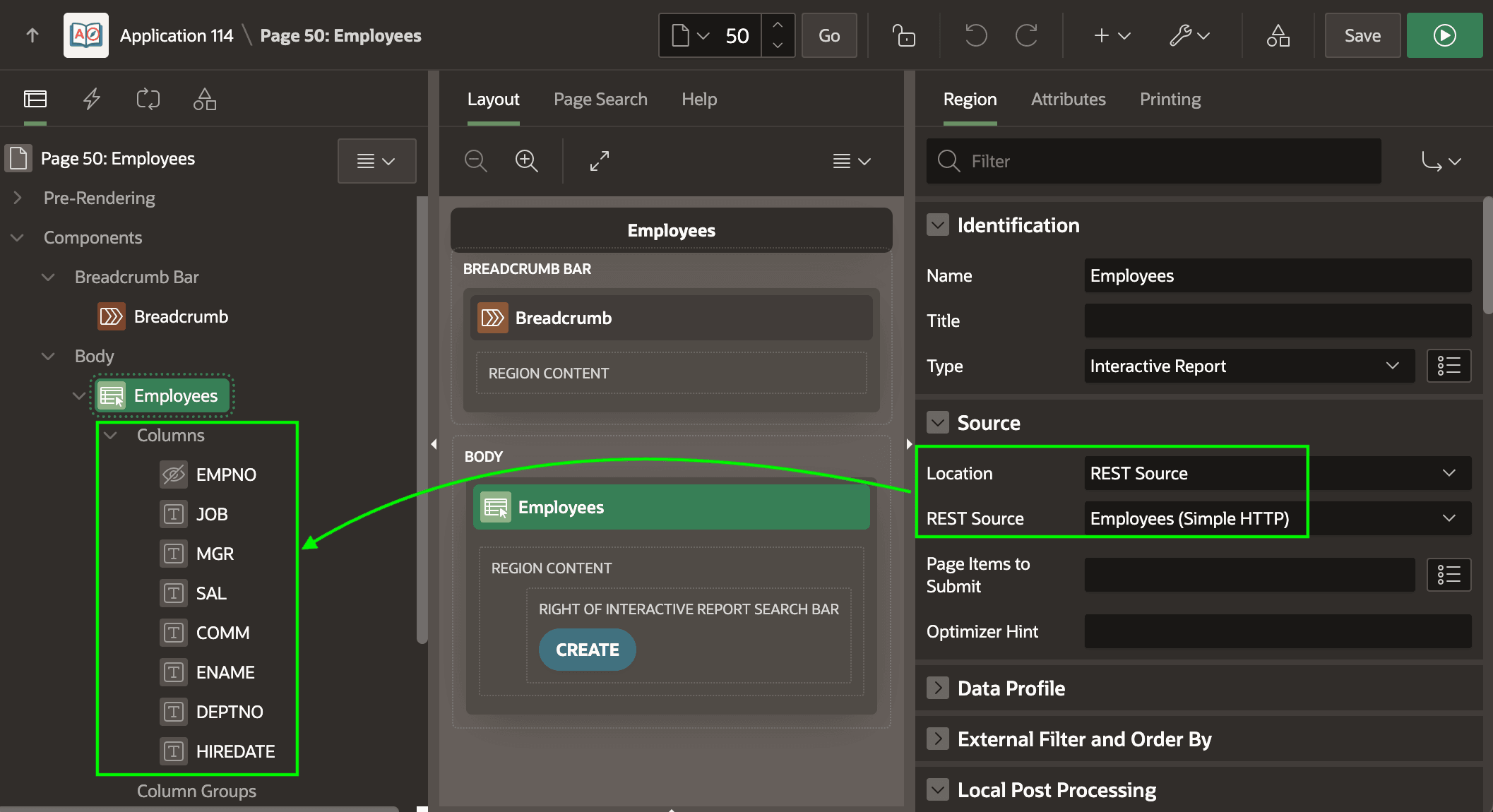
After configuring this information, APEX automatically uses the configured pagination strategy whenever you use this REST Data Source in regions that let users page through rows. For example, as shown below, an Interactive Report can use the Employees (Simple HTTP) REST Data Source by setting the Location property of the region to REST Source. Notice the Data Profile column names appear as the region's Columns in the rendering tree.
Figure 13-12 Interactive Report Using a REST Data Source
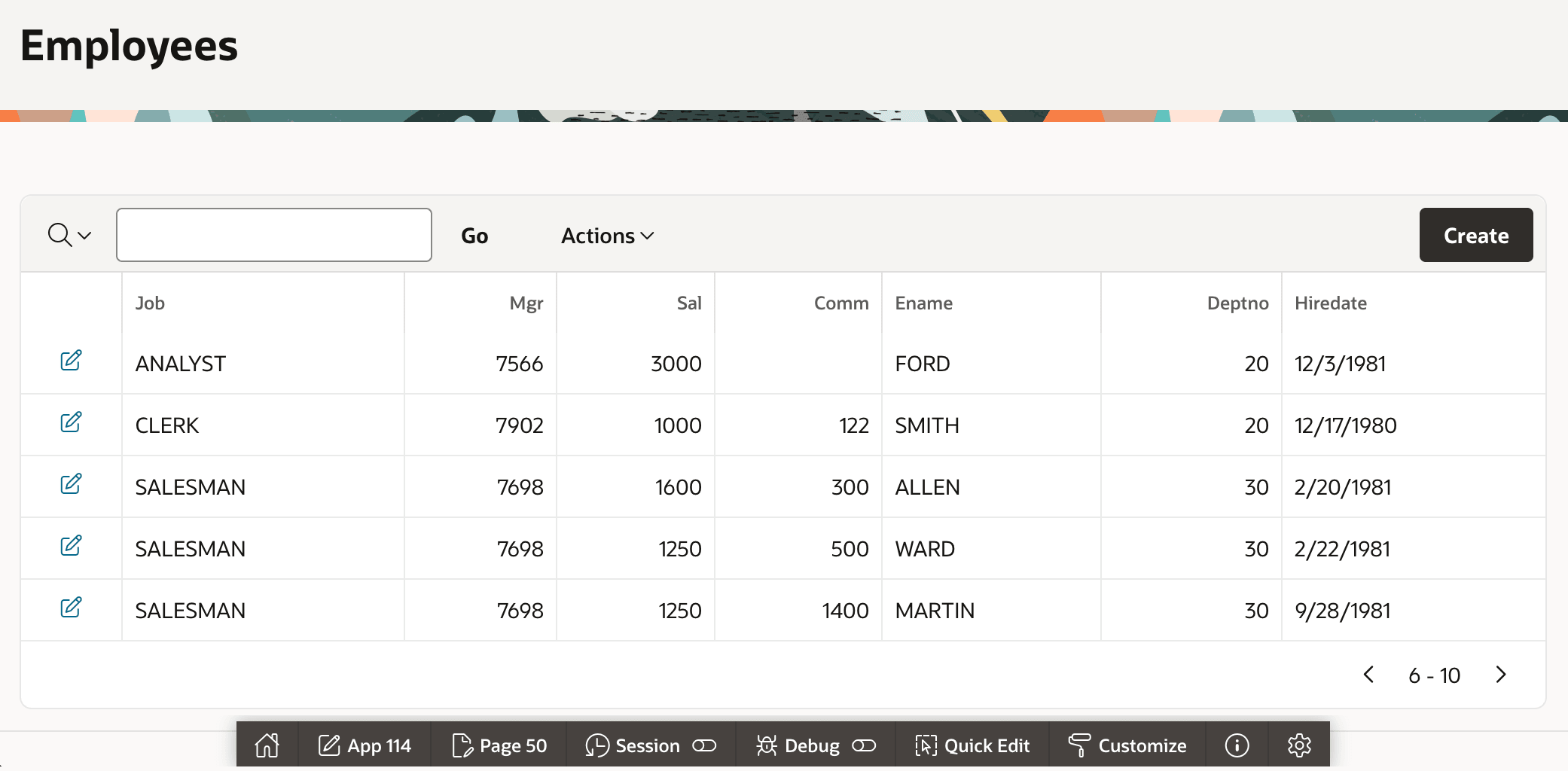
making GET request to https://example.com/ords/cloudcompanion/emp/?offset=5&limit=5making GET request to https://example.com/ords/cloudcompanion/emp/?offset=5&limit=5Figure 13-13 Paging Through REST Data 5 Rows at a Time in an Interactive Report
Parent topic: Using REST APIs as Data Sources