5.5.2 Defining Chart Series
Configure a table name, SQL query, or other data source to define a chart series. While Gantt, Status Meter Gauge, and Stock charts have a single series, the other types all support showing multiple series on the same chart.
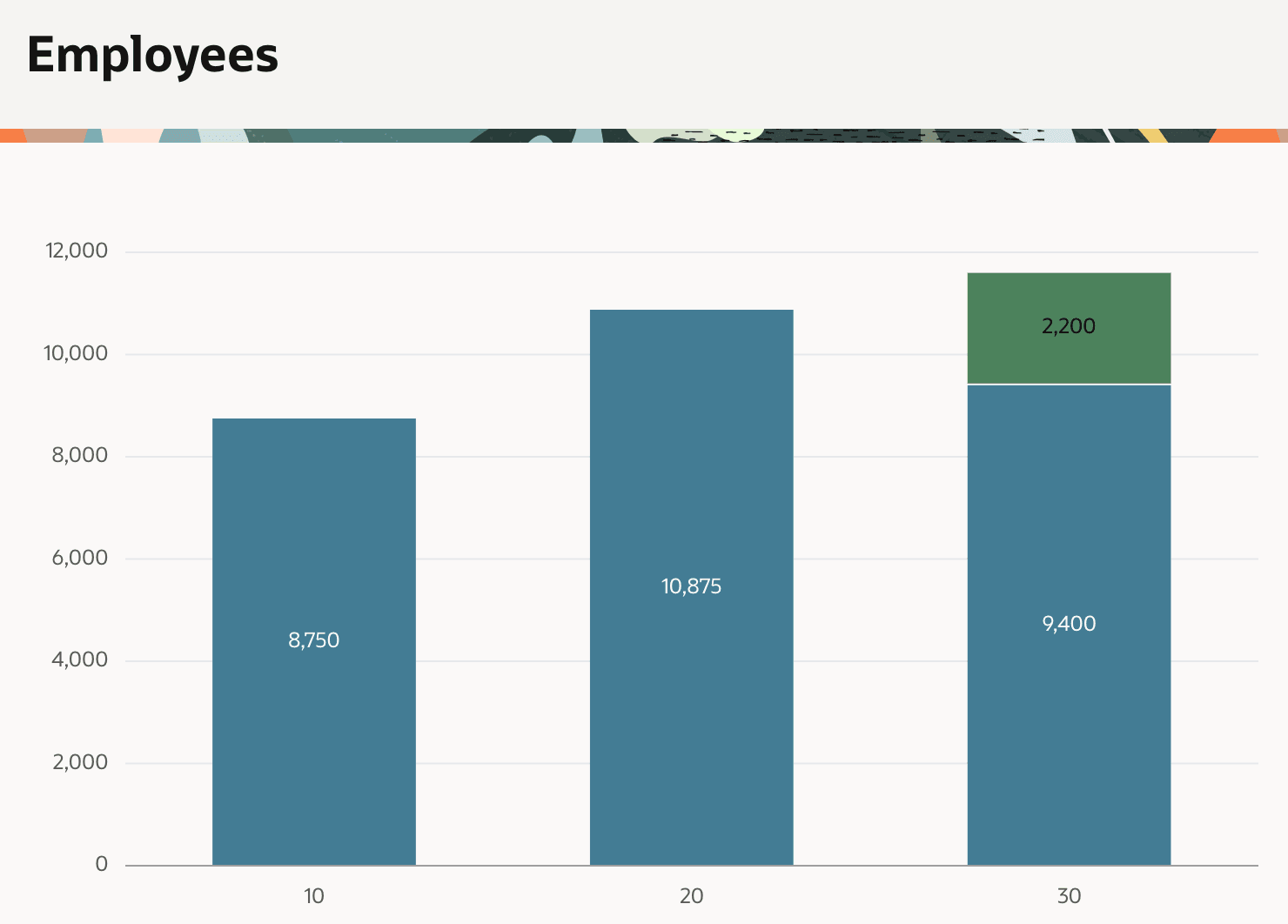
The figure below shows a bar chart showing the sum of employee salaries and commissions by department number (e.g. 10, 20, 30). By configuring the chart to stack its series, the bar representing department 30 commissions is placed atop the one for salaries instead of appearing next to it.
Figure 5-8 Sum of Employees Salaries and Commissions by Department
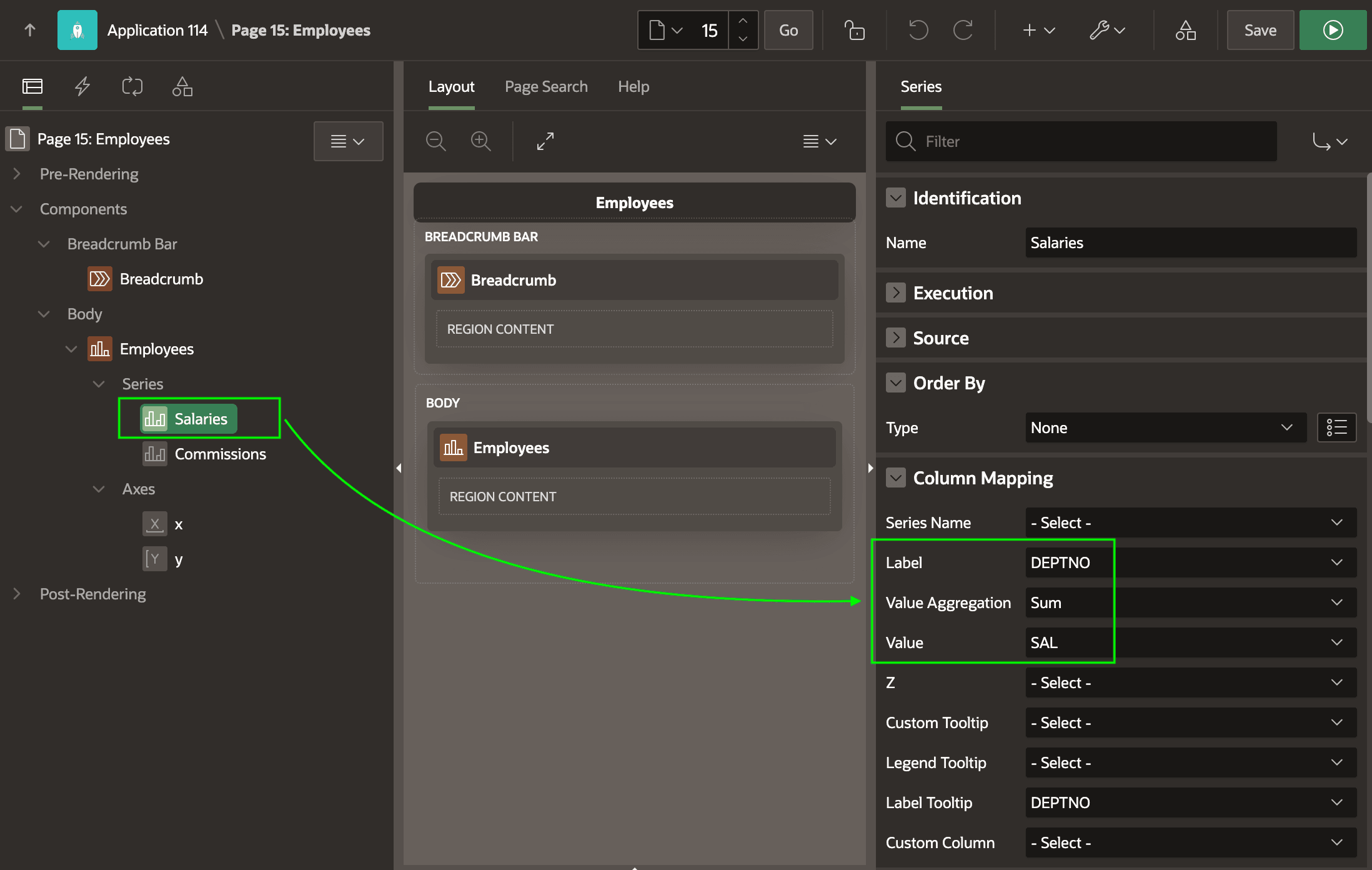
The figure below shows Page Designer with the Salaries series selected in the component tree. Both series use the EMP table as their data source. Notice in the Column Mapping section of the Property Editor that you configure label, value, and aggregations by choosing appropriate column names.
Figure 5-9 Stacked Bar Chart in Page Designer
Parent topic: Info at a Glance with Charts & Dashboards